Skip to content
View in the app

A better way to browse. Learn more.

WeOxide Marketplace ¬ Rust Custom Maps ¬ Prefabs ¬ Monuments and Plugins Free & Paid Assets

A full-screen app on your home screen with push notifications, badges and more.

To install this app on iOS and iPadOS
  1. Tap the Share icon in Safari
  2. Scroll the menu and tap Add to Home Screen.
  3. Tap Add in the top-right corner.
To install this app on Android
  1. Tap the 3-dot menu (⋮) in the top-right corner of the browser.
  2. Tap Add to Home screen or Install app.
  3. Confirm by tapping Install.
  • Search By Tags

    Search will match any tag entered
  • Search By Author

Content Type

Forums

  • Landing Zone
    • Announcements
    • Giveaways
  • Existing Assets Discussions
    • Maps
    • Prefabs
    • Monuments
    • Plugins

Categories

  • Maps
  • Prefabs
  • Monuments
  • Plugins
  • Tools
  • Templates

Categories

  • Articles

Product Groups

  • Server Hosting

Find results in

Find results that contain...

Date Created

  • Start

    End

Last Updated

  • Start

    End


Filter by number of...

  • Minimum number of comments

  • Minimum number of replies

  • Minimum number of reviews

  • Minimum number of views

Found 10 results

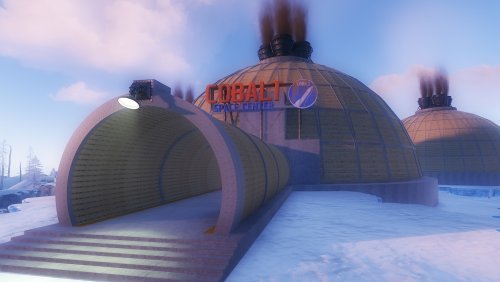
  1. View File The Day After Tomorrow The Day After Tomorrow is a custom map inspired by the movie The Day After Tomorrow. Get ready for real survival under the scary and cold snow. Build your house in skyscrapers located in the big city next to the Outpost. - FEATURES - Size: 5000. - Objects: 33729. - Map protection plugin included. - Map can be edited: Yes. - CONTAINS ALL OFFICIAL MONUMENTS • Ziggurat temple • Jungle ruins • Radtown • Ferry Terminal • Nuclear missile silo • Large oil platform • Small oil platform • Submarine laboratories • Harbor • Large fishing villages • Fishing villages • Launch site • Satellite dish • The Dome • HQM Quarry • Stone quarry • Sulfur quarry • Arctic Research Base • Sewer Branch • Train yard • Junkyard • Abandoned military bases • Military tunnel • Caves • Large barns • Ranch • Bandit camp • Power plant • Swamp • Airfield • Giant excavation • Outpost • Lighthouse - PREFABS AND CUSTOM MONUMENTS - Arena Dome. - Skyscrapers (Construction Area). - Airfield with Bradley Patrol and railroad tracks. - Aircraft. - Helitower. - Ghostbusters Barracks. - Bridges with Construction Area. - Missile launching with train tracks. - Respawns points spread all over the map (Beaches and Monuments). - TIPS - Setting your server to Survival mode will add an extra fun mode to this map (Optional). - Have fun :) Submitter BADGYVER Submitted 07/07/25 Category Mapas  
    • 2 downloads
    • Version 1.0.7
    The Day After Tomorrow is a custom map inspired by the movie The Day After Tomorrow. Get ready for real survival under the scary and cold snow. Build your house in skyscrapers located in the big city next to the Outpost. - FEATURES - Size: 5000. - Objects: 33729. - Map protection plugin included. - Map can be edited: Yes. - CONTAINS ALL OFFICIAL MONUMENTS • Ziggurat temple • Jungle ruins • Radtown • Ferry Terminal • Nuclear missile silo • Large oil platform • Small oil platform • Submarine laboratories • Harbor • Large fishing villages • Fishing villages • Launch site • Satellite dish • The Dome • HQM Quarry • Stone quarry • Sulfur quarry • Arctic Research Base • Sewer Branch • Train yard • Junkyard • Abandoned military bases • Military tunnel • Caves • Large barns • Ranch • Bandit camp • Power plant • Swamp • Airfield • Giant excavation • Outpost • Lighthouse - PREFABS AND CUSTOM MONUMENTS - Arena Dome. - Skyscrapers (Construction Area). - Airfield with Bradley Patrol and railroad tracks. - Aircraft. - Helitower. - Ghostbusters Barracks. - Bridges with Construction Area. - Missile launching with train tracks. - Respawns points spread all over the map (Beaches and Monuments). - TIPS - Setting your server to Survival mode will add an extra fun mode to this map (Optional). - Have fun :)
    $39.90
  2. BADGYVER posted a topic in Prefabs
    View File Build Zone Dome Players will be able to build inside this dome. Build Zone Dome is a safe dome for players to build inside. It contains a door that you can open and close, as well as its own lighting and vertical signs to draw on. Submitter BADGYVER Submitted 08/27/2023 Category Prefabs  
  3. BADGYVER posted a file in Prefabs
    • 1 download
    • Version 1.0.0
    Players will be able to build inside this dome. Build Zone Dome is a safe dome for players to build inside. It contains a door that you can open and close, as well as its own lighting and vertical signs to draw on.
    $5.40
  4. BADGYVER posted a topic in Prefabs
    View File Mr Hankey Now the spirit of Christmas will always be with you on your server thanks to the company of Mr Hankey. Submitter BADGYVER Submitted 08/02/2022 Category Prefabs  
  5. BADGYVER posted a file in Prefabs
    • 13 downloads
    • Version 1.0.0
    Now the spirit of Christmas will always be with you on your server thanks to the company of Mr Hankey.
    Free
  6. Shiro posted a file in Prefabs
    • 5 downloads
    • Version 1.0.0
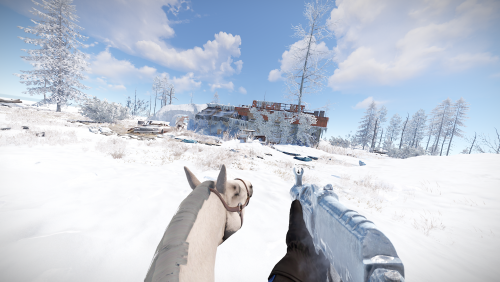
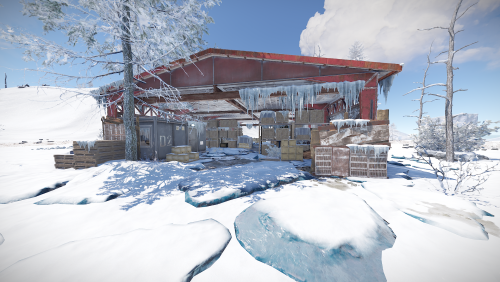
    Supermarket for snowy and arctic areas. Prefabcount: around 800 Requires: uMod/Oxide, RustEdit DLL
    $3
  7. Shiro posted a topic in Prefabs
    View File Frozen Spermket Supermarket for snowy and arctic areas. Prefabcount: around 800 Requires: uMod/Oxide, RustEdit DLL Submitter Ixis Submitted 03/30/2022 Category Prefabs  
    • 7 downloads
    • Version 1.0.0
    Mining Outpost for snowy and arctic areas. Prefabcount: around 300 Requires: uMod/Oxide, RustEdit DLL
    $3
  8. Shiro posted a topic in Prefabs
    View File Snowy Mining Outpost Mining Outpost for snowy and arctic areas. Prefabcount: around 300 For more pictures visit my Discord-Server: https://discord.gg/B9BYGN74 Requires: uMod/Oxide, RustEdit DLL Submitter Ixis Submitted 03/23/2022 Category Prefabs  

Account

Navigation

Search

Search

Configure browser push notifications

Chrome (Android)
  1. Tap the lock icon next to the address bar.
  2. Tap Permissions → Notifications.
  3. Adjust your preference.
Chrome (Desktop)
  1. Click the padlock icon in the address bar.
  2. Select Site settings.
  3. Find Notifications and adjust your preference.