Search the Community
Showing results for tags 'buildable'.
Found 5 results
-
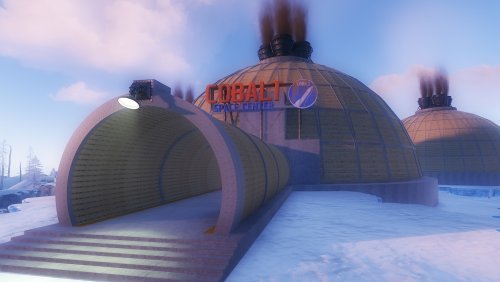
View File Build Zone Dome Players will be able to build inside this dome. Build Zone Dome is a safe dome for players to build inside. It contains a door that you can open and close, as well as its own lighting and vertical signs to draw on. Submitter BADGYVER Submitted 08/27/2023 Category Prefabs
-

Version 1.0.0
1 download
Players will be able to build inside this dome. Build Zone Dome is a safe dome for players to build inside. It contains a door that you can open and close, as well as its own lighting and vertical signs to draw on.$5.40 -
View File Favn Cave This monument is designed to build a base inside it The monument looks great at night The player can only build a zone inside the cave There is a lock at the entrance to the cave The player will not be able to use the bug union and will not throw a sleeping bag inside the skull through the textures There is a forest topology around the cave, which means that players will be able to cut down the forest Submitter Avo_Skorm Submitted 05/14/2022 Category Monuments
-
Version 1.0.0
2 downloads
This monument is designed to build a base inside it The monument looks great at night The player can only build a zone inside the cave There is a lock at the entrance to the cave The player will not be able to use the bug union and will not throw a sleeping bag inside the skull through the textures There is a forest topology around the cave, which means that players will be able to cut down the forest$9.99 -
Version 1.0.0
1 download
Large buildable PVE/Roleplay-Area. (Note: You can't build everything. That means you are not able to place walls if there is alrdy a foundation. What you can is placing all kind of deployables and definitly build when theres no foundation.) The basic idea of this is the animal shelter itself (Nice with a pet-plugin or maybe a soon coming extention). You can spawn wolfs, chicken, bears, whatever in the seperated cells (they will stay there). There is space for a vet, a farmer and a (car) mechanic or whatever your playerbase can think of. Two "crimescenes" for RP-Szenarios are also included. Swimming dead bodies and stuff in the underground silo and human meat parts in the boar trough. You can spraycan some entities. (doors, boxes, ect.) The area in and around the area has no prevent building zone. Prefabcount: around 3000 Requires: uMod/Oxide, RustEdit DLL Feedback would be appreciated.$10


.thumb.jpg.54af530d35e888c88d9389ec0f7f1ef2.jpg)