Jump to content
View in the app

A better way to browse. Learn more.

WeOxide Marketplace ¬ Rust Custom Maps ¬ Prefabs ¬ Monuments and Plugins Free & Paid Assets

A full-screen app on your home screen with push notifications, badges and more.

To install this app on iOS and iPadOS
  1. Tap the Share icon in Safari
  2. Scroll the menu and tap Add to Home Screen.
  3. Tap Add in the top-right corner.
To install this app on Android
  1. Tap the 3-dot menu (⋮) in the top-right corner of the browser.
  2. Tap Add to Home screen or Install app.
  3. Confirm by tapping Install.

World Map 1.0.6

(0 reviews)

6 Screenshots

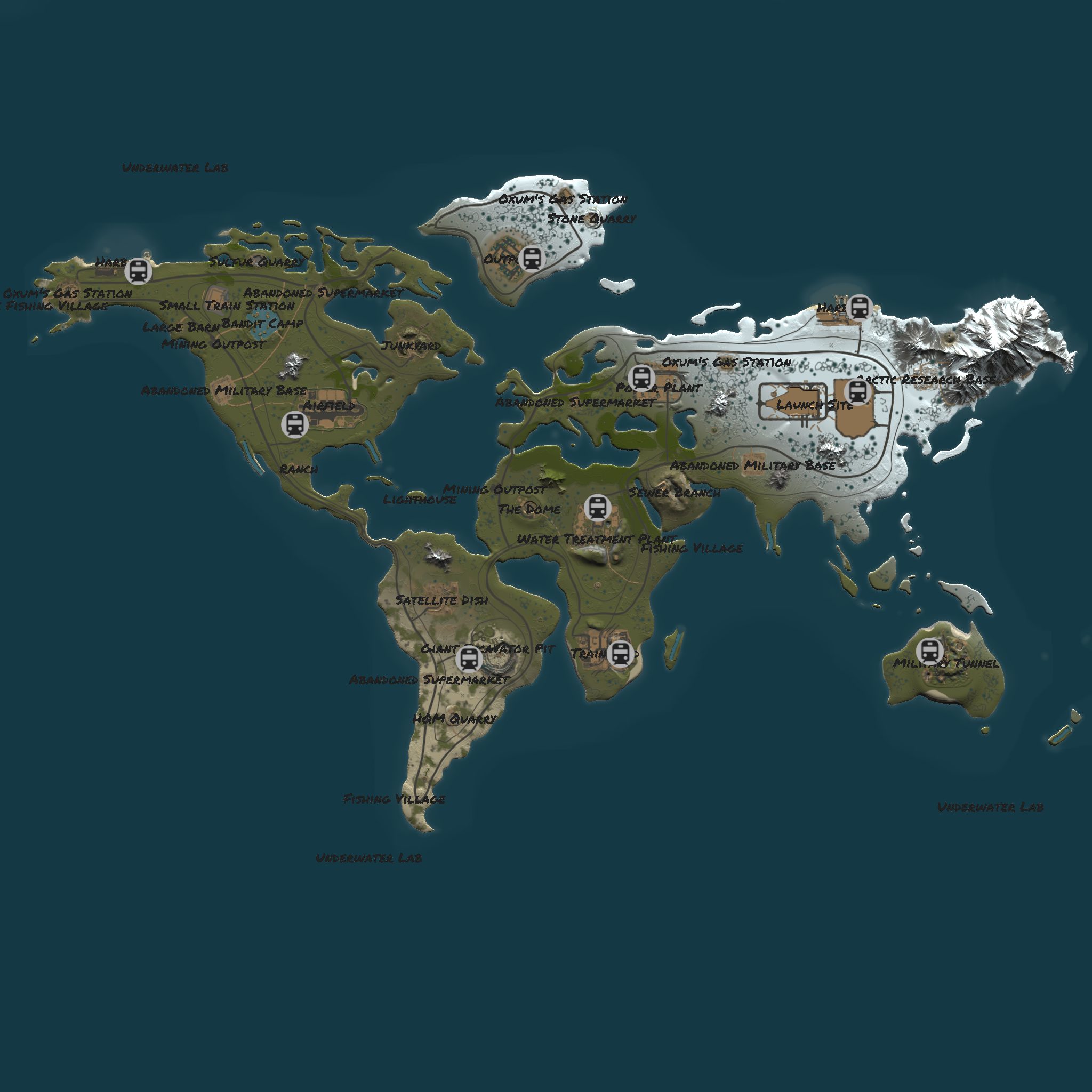
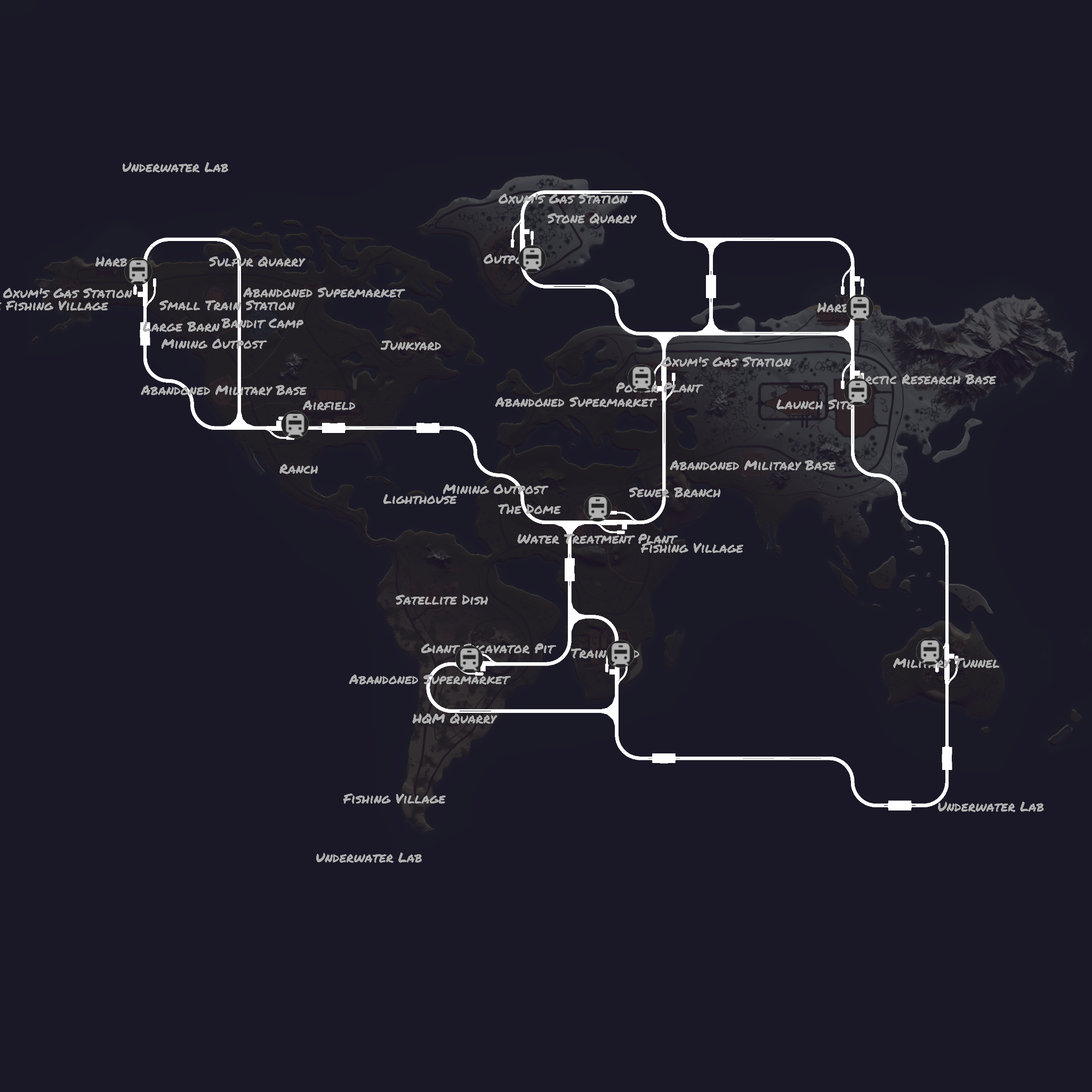
A world map is a map of most or all of the surface of Earth. Because of their scale, World Maps rendered in two dimensions by necessity distort the display of the three-dimensional surface of the earth

have fun with it do what you like with the map 

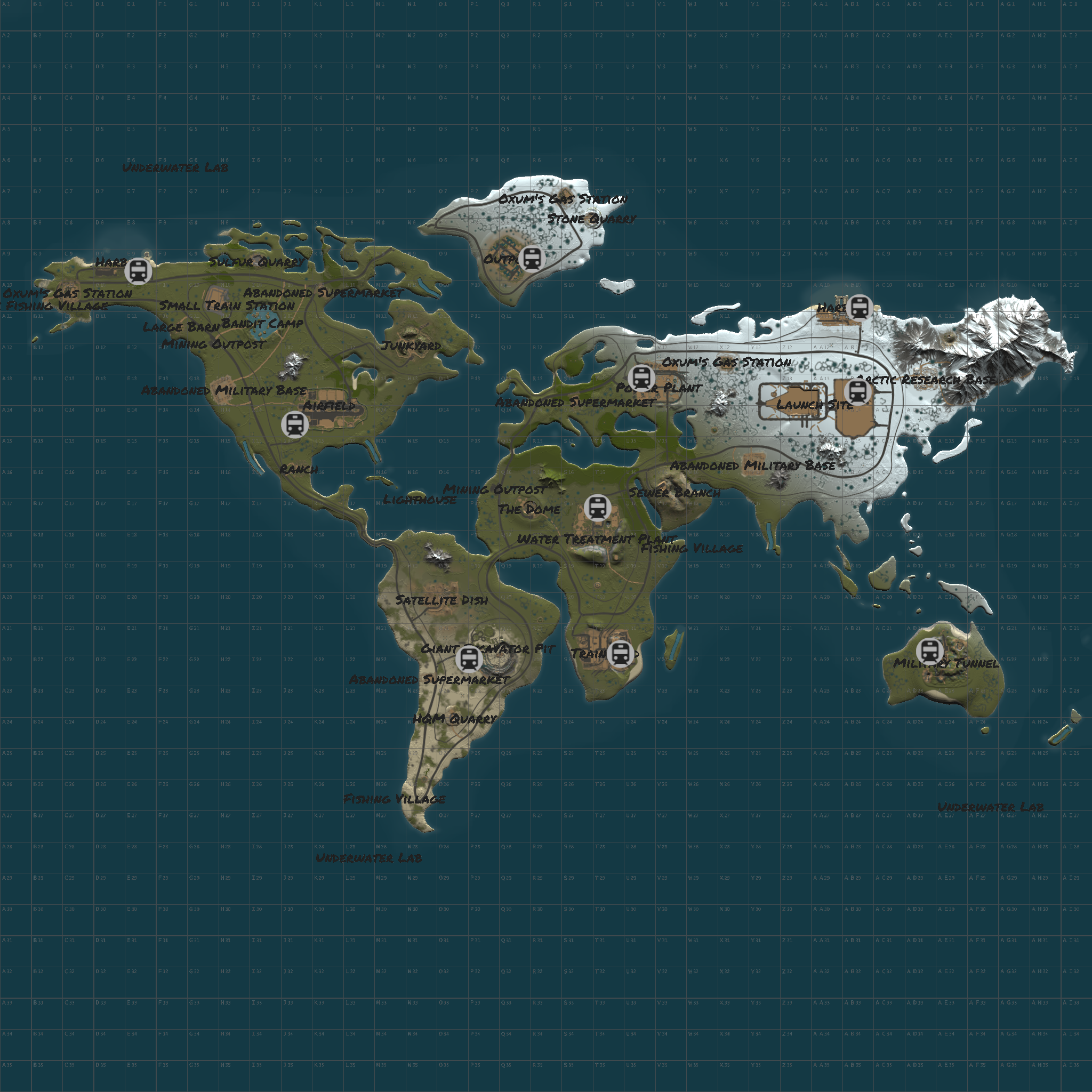
World Map Size is 5000

1.Airfield
2.Bandit Camp
3.Harbor
4.Junkyard
5.Large Oil Rig
6.Launch Site
7.Lighthouse
8.Military Tunnels
9.Oil Rig
10.Outpost
11.Mining Outpost
12.Power Plant
13.Sewer Branch
14.Satellite Dish Array
15.The Dome
16.Train Yard
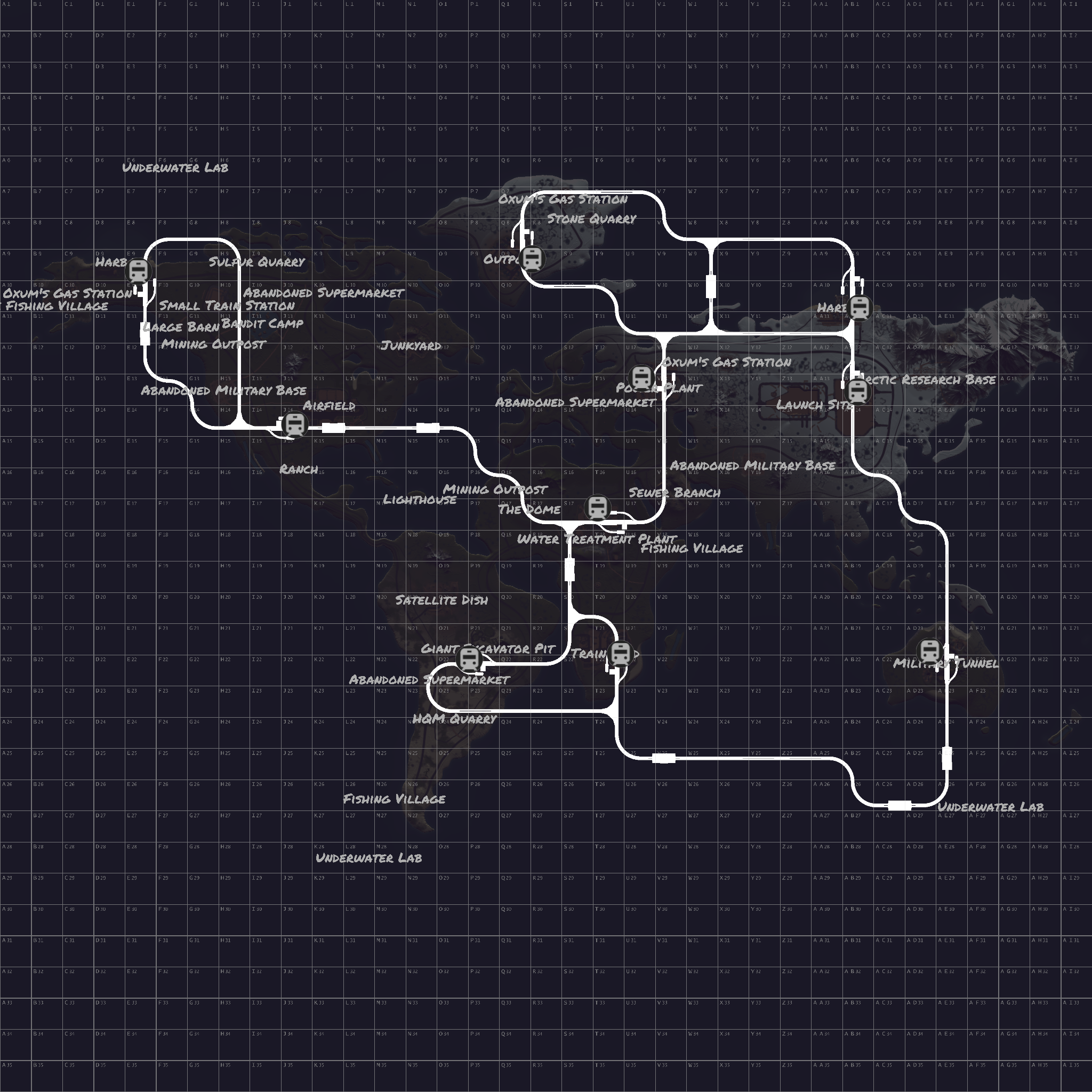
17.Train Tunnel Network
18.Water Treatment Plant

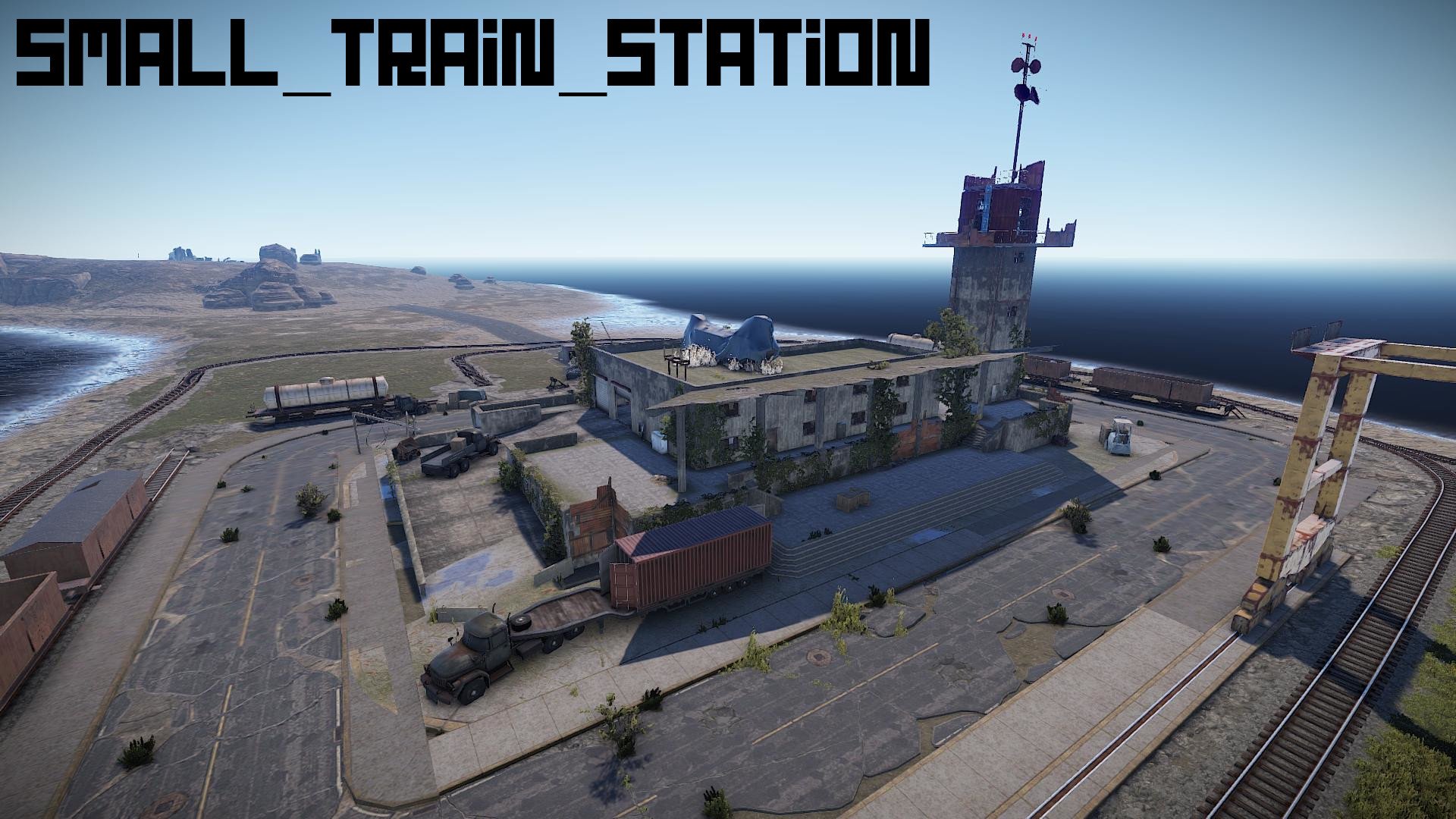
19.Small Train Station

20.ziplines included

21.Texas fruit truck

Edited by G_Sapling

What's New in Version 1.0.6

Released

updated the train yard

User Feedback

Recommended Comments

Hakkai

WeOxide Customer

Hi, nice that you put the map for free. Can you add the information on prefab-count? As we decided anything above 40k becomes laggy.

G_Sapling

RustEdit Designer

15 hours ago, Hakkai said:

Hi, nice that you put the map for free. Can you add the information on prefab-count? As we decided anything above 40k becomes laggy.

World Map Size is 5000

1.Airfield
2.Bandit Camp
3.Harbor
4.Junkyard
5.Large Oil Rig
6.Launch Site
7.Lighthouse
8.Military Tunnels
9.Oil Rig
10.Outpost
11.Mining Outpost
12.Power Plant
13.Sewer Branch
14.Satellite Dish Array
15.The Dome
16.Train Yard
17.Train Tunnel Network
18.Water Treatment Plant

19Rusty restaurant

20ziplines included

Hakkai

WeOxide Customer

so we planned to run your map for our wipe this month - and we had some issues that we cannot explain how thats even possible.

you cannot ride horses in your map, they wont move - all other animals do move, so its not that nav disable thingy. its just very specificly the horses. also the bag-placing is not possible, or rather after like 20 tries it places one and then stops again for another 20 tries.

I have no idea how such things can be map-related, but we did a lot of testing and map-switching to pinpoint it to the map. I thought i might as well let you know. Its just very strange.

çılgın ucube

WeOxide Member

Tried out this folder, but the server can't place NPCs? assets/rust.ai/agents/npcplayer/humannpc/underwaterdweller/npc_underwaterdweller.prefab failed to sample navmesh at position (1623.2, -28.0, 1662.1) on area: HumanNPC
assets/rust.ai/agents/npcplayer/humannpc/underwaterdweller/npc_underwaterdweller.prefab failed to sample navmesh at position (1597.6, -28.0, 1674.7) on area: HumanNPC
assets/rust.ai/agents/npcplayer/humannpc/tunneldweller/npc_tunneldweller.prefab failed to sample navmesh at position (1900.2, -19.0, 756.1) on area: HumanNPC
assets/rust.ai/agents/npcplayer/humannpc/tunneldweller/npc_tunneldweller.prefab failed to sample navmesh at position (585.0, -28.0, 1158.6) on area: HumanNPC
assets/rust.ai/agents/npcplayer/humannpc/tunneldweller/npc_tunneldweller.prefab failed to sample navmesh at position (579.1, -27.6, 1178.1) on area: HumanNPC
assets/rust.ai/agents/npcplayer/humannpc/tunneldweller/npc_tunneldweller.prefab failed to sample navmesh at position (539.2, -19.0, 1188.1) on area: HumanNPC
assets/rust.ai/agents/npcplayer/humannpc/tunneldweller/npc_tunneldweller.prefab failed to sample navmesh at position (612.4, -28.0, 1187.9) on area: HumanNPC
assets/rust.ai/agents/npcplayer/humannpc/tunneldweller/npc_tunneldweller.prefab failed to sample navmesh at position (570.3, -27.3, 1169.9) on area: HumanNPC
assets/rust.ai/agents/npcplayer/humannpc/tunneldweller/npc_tunneldweller.prefab failed to sample navmesh at position (2018.4, -27.3, 756.2) on area: HumanNPC
assets/rust.ai/agents/npcplayer/humannpc/tunneldweller/npc_tunneldweller.prefab failed to sample navmesh at position (1908.4, -24.0, 755.9) on area: HumanNPC


çılgın ucube

WeOxide Member

Also i getting kicked... Message": "Kicking Ucube (InsideTerrain Violation Level 200)


G_Sapling

RustEdit Designer

On 7/13/2022 at 11:49 PM, çılgın ucube said:

Also i getting kicked... Message": "Kicking Ucube (InsideTerrain Violation Level 200)


DOWNLOAD----->https://www.rustedit.io/threads/rustedit-oxide-umod-extension.695/

The RustEdit Oxide/uMod extension expands our capabilities of what we can achieve in custom maps. The extension requires that you have Oxide/uMod installed on your server

Current features of the extension are;
Establishes IO connections made in the editor
Populates custom loot containers and ensures they respawn/refresh loot at the rates set in the associated loot profile
Creates spawn handlers for all loot containers placed in the editor without a loot profile so they respawn/refresh loot at default rates
Creates spawn handlers for all resource entities placed in the editor so manually placed resources will respawn
Populates custom vending machines using the vending profile associated with it
Overrides OceanPatrolPath generation with a custom path created in the editor
Fixes the spawn point prefab and ensures players will only spawn on them
Updates itself automatically
As of v1.0.1 (published 8th June) the extension will update itself when a new version is released

So to make use of the IO tools, the custom Loot/Vending machine etc you must have this extension installed!

You can download the extension here -> https://github.com/k1lly0u/Oxide.Ext.RustEdit/raw/master/Oxide.Ext.RustEdit.dll

To install the extension;
Copy the Oxide.Ext.RustEdit.dll to your /serverroot/RustDedicated_Data/Managed folder and restart your server

Guide for creating puzzles -> https://www.rustedit.io/threads/cre...torial-for-a-basic-security-door-circuit.698/
Guide for creating custom loot/vending machines -> https://www.rustedit.io/threads/creating-custom-loot-and-vending-profiles.699/
 

this map has custom spawn points you're going to need all rust edit plugins

that's the reason why you get kicked out

make sure you have the rest edit plugins working and updated

I'm running the map on a server and it's working fine for me. 


G_Sapling

RustEdit Designer

On 7/8/2022 at 9:42 AM, Hakkai said:

so we planned to run your map for our wipe this month - and we had some issues that we cannot explain how thats even possible.

you cannot ride horses in your map, they wont move - all other animals do move, so its not that nav disable thingy. its just very specificly the horses. also the bag-placing is not possible, or rather after like 20 tries it places one and then stops again for another 20 tries.

I have no idea how such things can be map-related, but we did a lot of testing and map-switching to pinpoint it to the map. I thought i might as well let you know. Its just very strange.

ill take a look at it i'm running the map on a server and it's working fine for me but ill check it out

G_Sapling

RustEdit Designer

On 7/13/2022 at 11:37 PM, çılgın ucube said:
Tried out this folder, but the server can't place NPCs? assets/rust.ai/agents/npcplayer/humannpc/underwaterdweller/npc_underwaterdweller.prefab failed to sample navmesh at position (1623.2, -28.0, 1662.1) on area: HumanNPC
assets/rust.ai/agents/npcplayer/humannpc/underwaterdweller/npc_underwaterdweller.prefab failed to sample navmesh at position (1597.6, -28.0, 1674.7) on area: HumanNPC
assets/rust.ai/agents/npcplayer/humannpc/tunneldweller/npc_tunneldweller.prefab failed to sample navmesh at position (1900.2, -19.0, 756.1) on area: HumanNPC
assets/rust.ai/agents/npcplayer/humannpc/tunneldweller/npc_tunneldweller.prefab failed to sample navmesh at position (585.0, -28.0, 1158.6) on area: HumanNPC
assets/rust.ai/agents/npcplayer/humannpc/tunneldweller/npc_tunneldweller.prefab failed to sample navmesh at position (579.1, -27.6, 1178.1) on area: HumanNPC
assets/rust.ai/agents/npcplayer/humannpc/tunneldweller/npc_tunneldweller.prefab failed to sample navmesh at position (539.2, -19.0, 1188.1) on area: HumanNPC
assets/rust.ai/agents/npcplayer/humannpc/tunneldweller/npc_tunneldweller.prefab failed to sample navmesh at position (612.4, -28.0, 1187.9) on area: HumanNPC
assets/rust.ai/agents/npcplayer/humannpc/tunneldweller/npc_tunneldweller.prefab failed to sample navmesh at position (570.3, -27.3, 1169.9) on area: HumanNPC
assets/rust.ai/agents/npcplayer/humannpc/tunneldweller/npc_tunneldweller.prefab failed to sample navmesh at position (2018.4, -27.3, 756.2) on area: HumanNPC
assets/rust.ai/agents/npcplayer/humannpc/tunneldweller/npc_tunneldweller.prefab failed to sample navmesh at position (1908.4, -24.0, 755.9) on area: HumanNPC


these are the plugins that I use to get rid of those noisy messages

NavKiller

NavMeshErrorFix

ConsoleFilter

TerrainViolationFix

I get those messages sometimes and some custom maps that I download to

hopefully those plugins will take care of lot of the problems

G_Sapling

RustEdit Designer

On 7/8/2022 at 9:42 AM, Hakkai said:

so we planned to run your map for our wipe this month - and we had some issues that we cannot explain how thats even possible.

you cannot ride horses in your map, they wont move - all other animals do move, so its not that nav disable thingy. its just very specificly the horses. also the bag-placing is not possible, or rather after like 20 tries it places one and then stops again for another 20 tries.

I have no idea how such things can be map-related, but we did a lot of testing and map-switching to pinpoint it to the map. I thought i might as well let you know. Its just very strange.

everything is working fine on my behalf I check on the horses  around the map and there's nothing wrong with them. maybe it's a plug-in problem I'm not sure I'm running a vanilla server and these are the plugins that I have on there 

PermissionsManager

NavKiller

NavMeshErrorFix

ConsoleFilter

TerrainViolationFix

Hakkai

WeOxide Customer

The start of last wipe had some comments regarding stability issues, so maybe it was some kind of cross-effect.  However the next custom map we ran, worked out of the box. We would have to test the map again, as soon as a vote goes to the map again. The map itsself looked very nice. I cannot think of any mod that might play into this - we do have a lot of mods active dou.

Anyhow we would have to check the map again if the issues fixed itself.

Join the conversation

You can post now and register later. If you have an account, sign in now to post with your account.
Note: Your post will require moderator approval before it will be visible.

Guest
Add a comment...

Configure browser push notifications

Chrome (Android)
  1. Tap the lock icon next to the address bar.
  2. Tap Permissions → Notifications.
  3. Adjust your preference.
Chrome (Desktop)
  1. Click the padlock icon in the address bar.
  2. Select Site settings.
  3. Find Notifications and adjust your preference.