


✯My first map took me a while with no knowledge of rust editing,
✯Map size : 2000
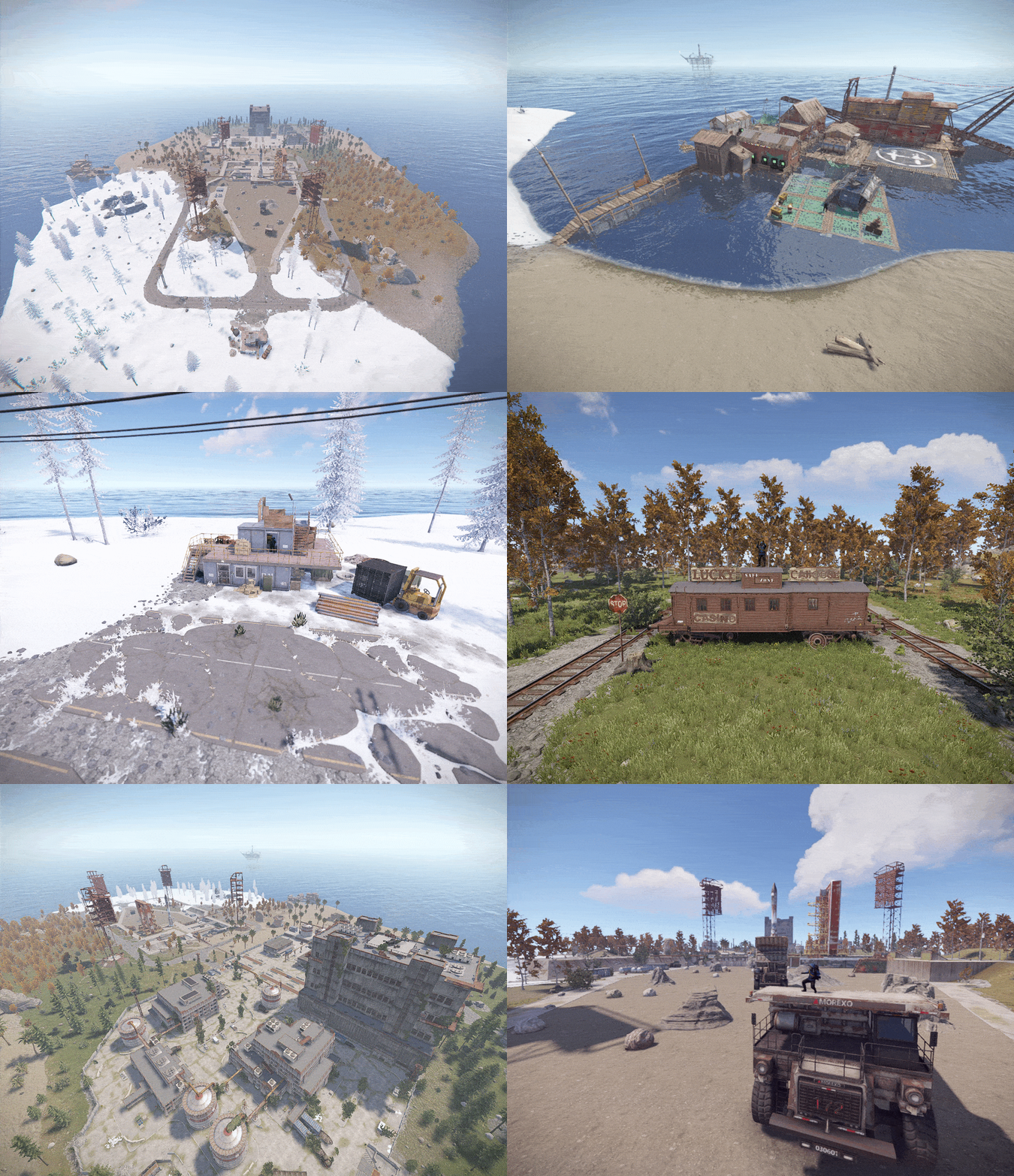
✯Custom Monuments :
★ Fishing Village
★ Launch Site
★ Warehouse
★ Lucky Caboose
★ Market
-----------------------------------------------------------------------------
★ you can build inside launchsite besides main building and the small custom monuments
★ there is no radiation except main building
★ spawnpoints are set up
★ Fishing village contains everything a player needs including airwolf vendor
★ The map can be used however you like
-----------------------------------------------------------------------------
✯any questions?
✯Discord: viki2
✯ after purchase you'll get a warranty that means if there is any issues with the map feel free to contact me and I will fix the issues at no cost 
-----------------------------------------------------------------------------
What's New in Version 4.0.0
Released
water missing caused by new update is now fixed and electricity (you need to get the oxide.ext.rustedit.dll from the zip file and put it into the server files)
You may only provide a review once you have downloaded the file.
There are no reviews to display.