

_c441a1.png)

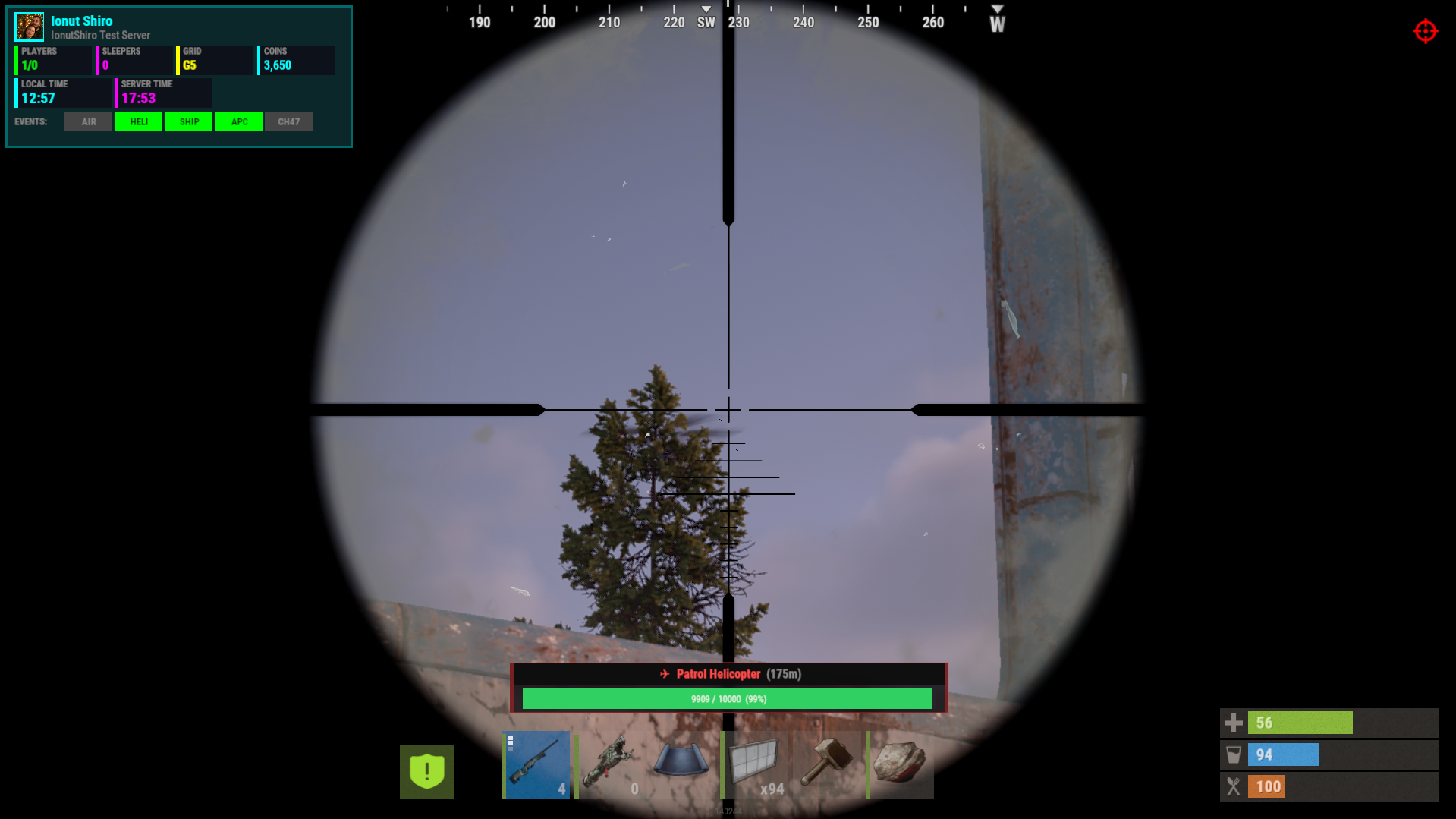
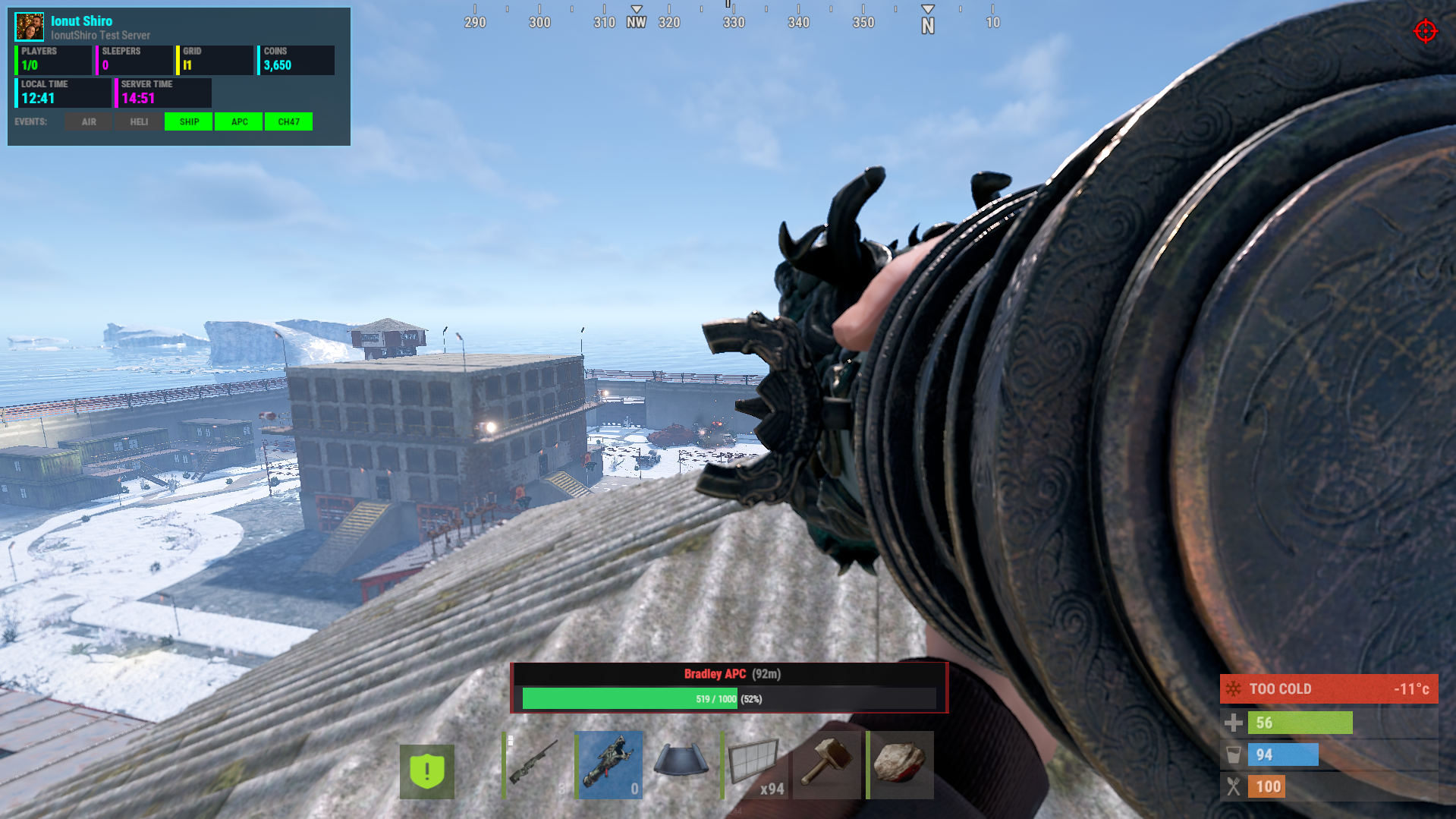
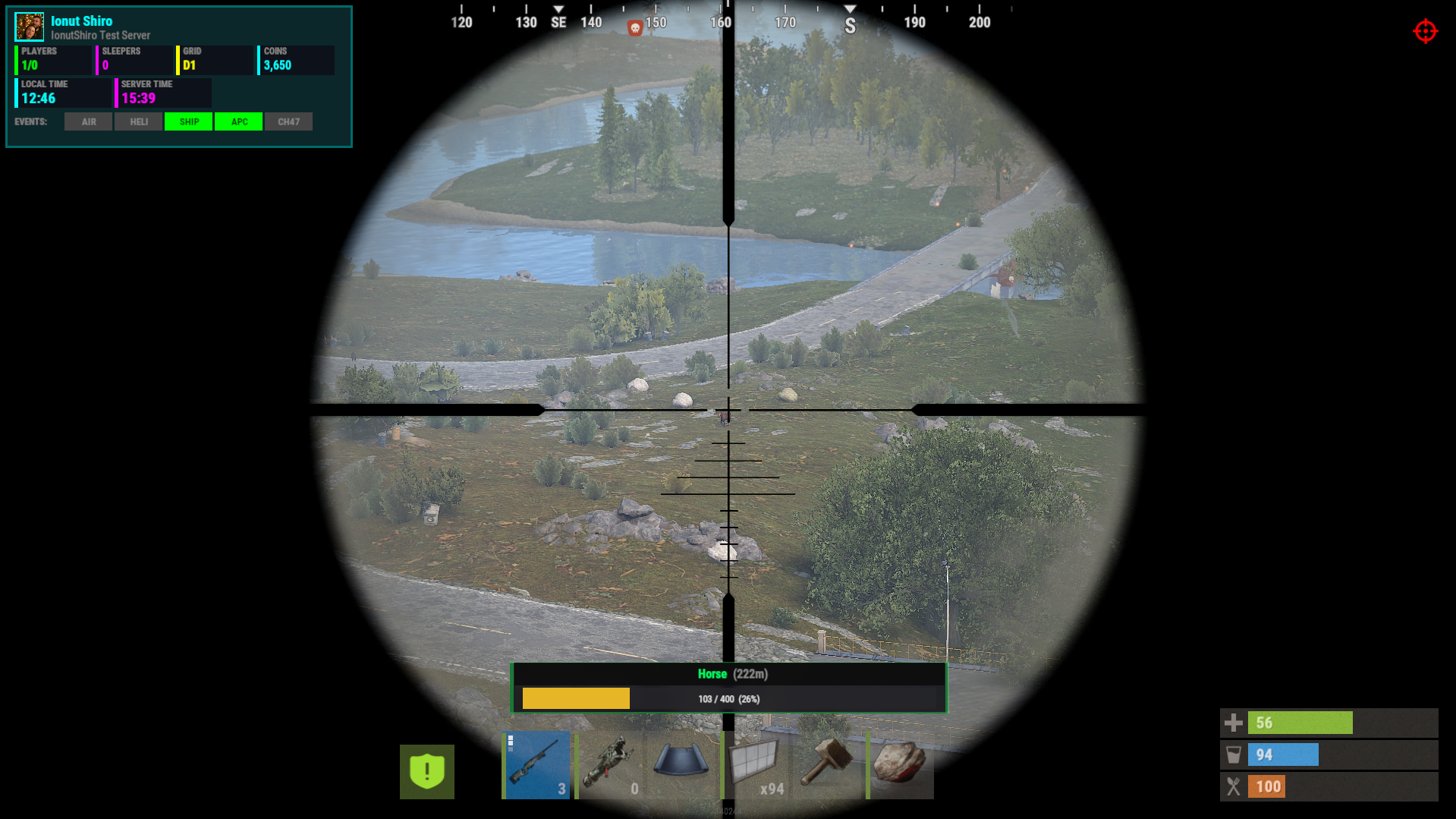
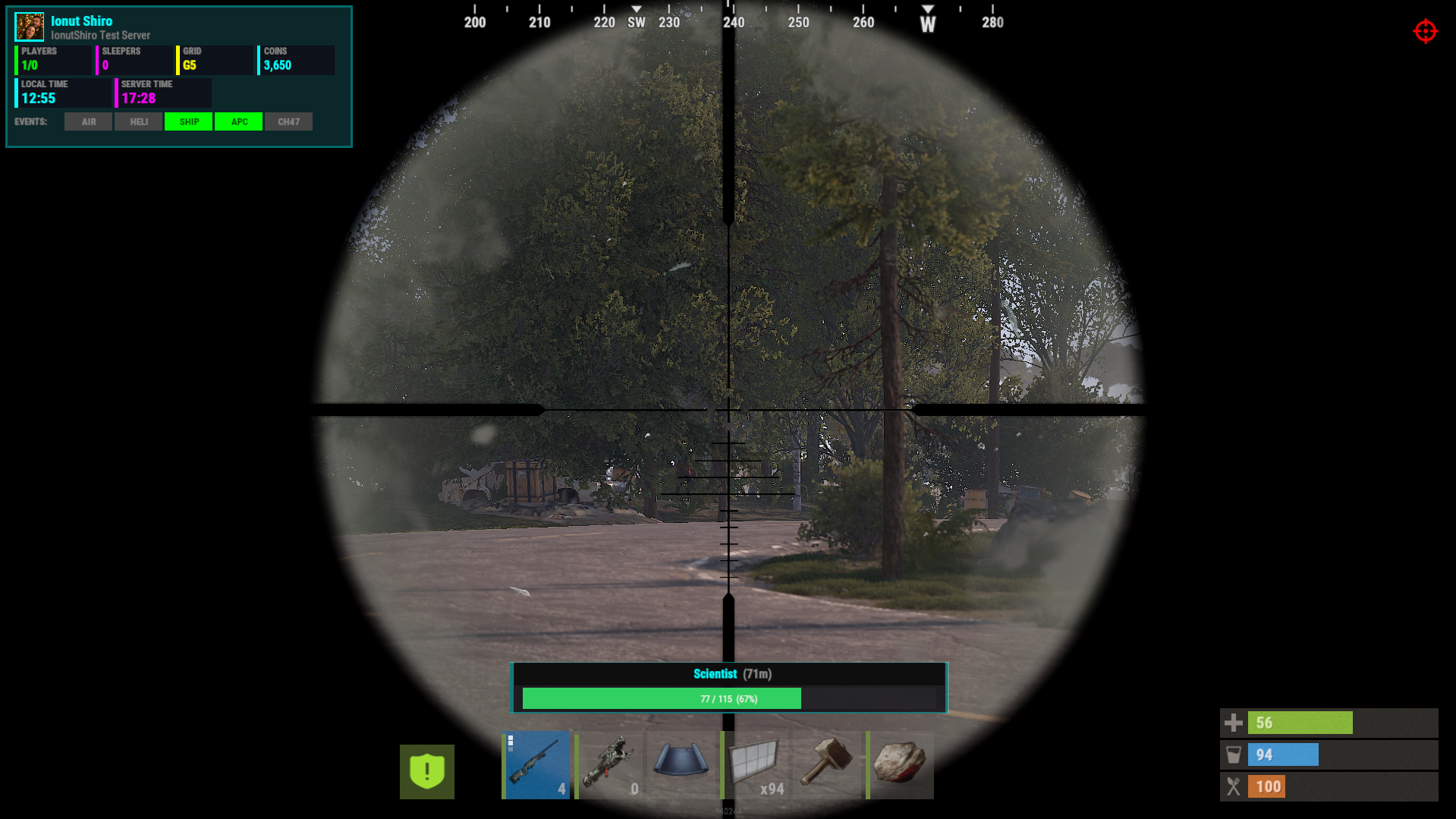
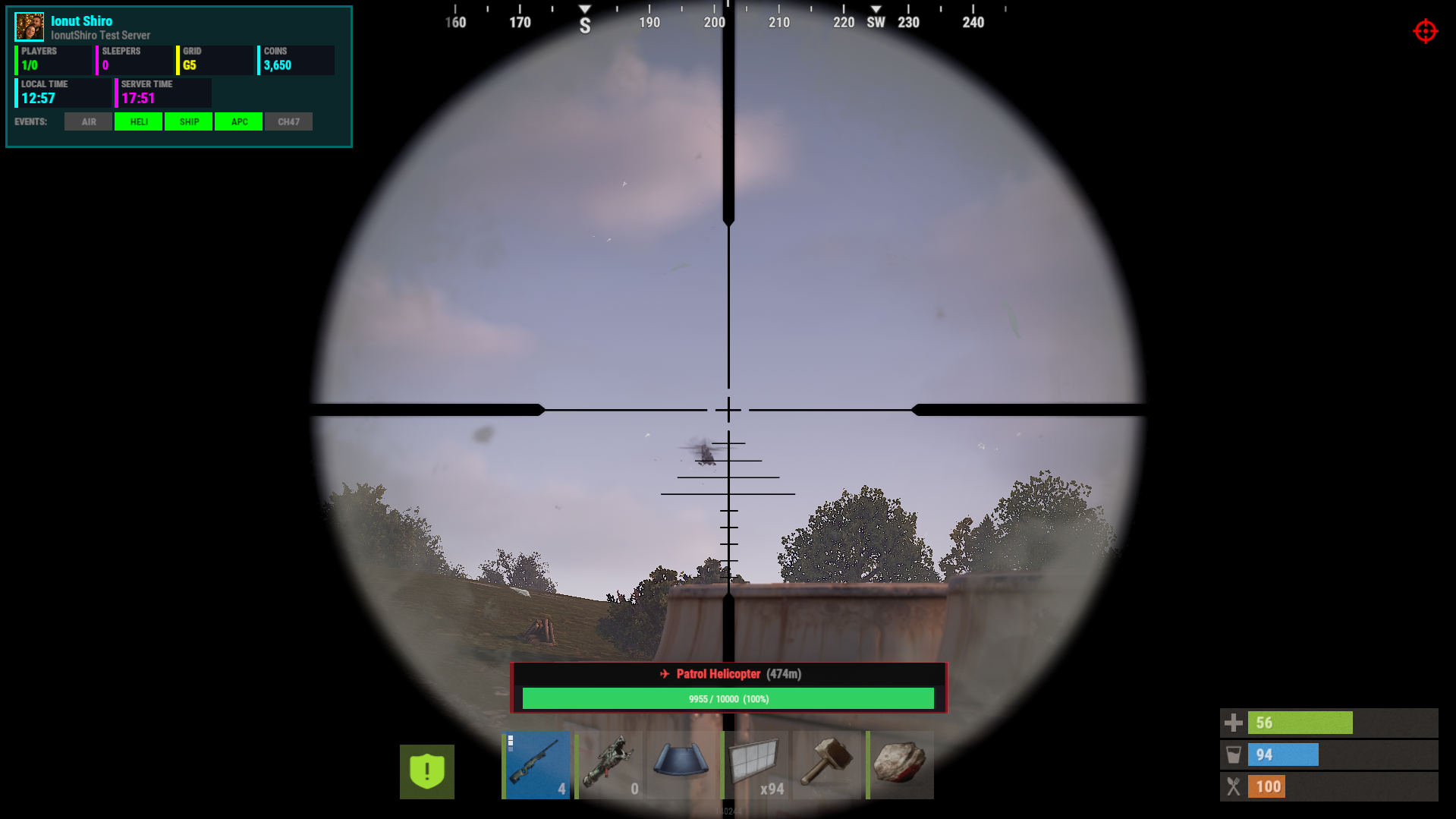
HealthBar brings a clean, MMO-style health bar system to Rust — without cluttering the screen or spamming players.
Whenever a player damages an NPC, animal, vehicle, turret, Bradley, or helicopter, a smooth animated health bar appears — showing:
name
distance
remaining HP
percentage
color-coded status
Bars automatically fade away after combat, and players can toggle the feature individually if they prefer a clean screen.
Everything is configurable — distance, icons, entities, UI style, and behavior.
Perfect for PvE servers, PvP arenas, boss events, and servers that want cleaner combat feedback.
What it does ?
Detects combat targets and shows health bars in real time
Works with:
NPCs
Animals
Bradley APC
Patrol Helicopter / CH47
Vehicles (boats, minicopters, modular cars, trains, etc.)
Turrets + SAM sites
Shows:
name
distance
numeric health
percentage
entity-type icon
Smart visibility system (time-based, distance aware)
Fully configurable UI (position, colors, toggles)
Per-player toggle command
Admin tools for tuning distance + reloading config
Safe, optimized, timer-driven updates (no UI flicker, no spam)
Permissions : | Description |
|---|---|
healthbar.use | Allows player to use / toggle health bars (recommended default) |
healthbar.admin | Allows access to admin commands (distance + reload) |
Player Commands : | Description |
|---|---|
/healthbar | Shows help menu |
/healthbar toggle | Enables / disables health bars for you |
console: | Console toggle (bindable) |
Admin Commands : | Description |
|---|---|
/healthbar distance <meters> | Sets visibility distance |
/healthbar reload | Reloads configuration |
{
  "Show Health Bars For NPCs": true,
  "Show Health Bars For Animals": true,
  "Show Health Bars For Bradley": true,
  "Show Health Bars For Attack Helicopter": true,
  "Show Health Bars For Vehicles": true,
  "Show Health Bars For Turrets": true,
  "Show Distance Text": true,
  "Health Bar Visibility Distance (meters)": 50.0,
  "Health Bar Fade Distance (meters)": 60.0,
  "Update Rate (seconds)": 0.15,
  "Show Entity Name": true,
  "Show Numeric Health": true,
  "Show Health Percentage": true,
  "Show Entity Type Icon": true,
  "UI Position - Anchor Min": "0.35 0.13",
  "UI Position - Anchor Max": "0.65 0.19",
  "Health Bar Display Duration (seconds)": 5.0,
  "Enabled By Default": true,
  "NPC Names": {
    "scientist": "Scientist",
    "scientistnpc": "Scientist",
    "tunneldweller": "Tunnel Dweller",
    "underwaterdweller": "Underwater Dweller",
    "murderer": "Murderer",
    "junkpile": "Junkpile Scientist",
    "scarecrow": "Scarecrow",
    "heavyscientist": "Heavy Scientist",
    "hazmat": "Hazmat Scientist",
    "bandit": "Bandit",
    "gingerbread": "Gingerbread",
    "zombie": "Zombie"
  },
  "Animal Names": {
    "bear": "Bear",
    "polarbear": "Polar Bear",
    "wolf": "Wolf",
    "boar": "Boar",
    "stag": "Stag",
    "deer": "Deer",
    "chicken": "Chicken",
    "horse": "Horse",
    "shark": "Shark"
  },
  "Vehicle Names": {
    "rhib": "RHIB",
    "rowboat": "Rowboat",
    "kayak": "Kayak",
    "minicopter": "Minicopter",
    "scraptransport": "Scrap Heli",
    "hotairballoon": "Hot Air Balloon",
    "sedan": "Sedan",
    "snowmobile": "Snowmobile",
    "tomaha": "Tomaha",
    "workcart": "Workcart",
    "locomotive": "Locomotive",
    "magnetcrane": "Magnet Crane",
    "modularcar": "Modular Car",
    "attackhelicopter": "Attack Heli",
    "ch47": "Chinook"
  }
}Permission is granted ONLY for personal use, for your own rust server.
You may only provide a review once you have downloaded the file.
There are no reviews to display.