



Jump to content
View in the app

A better way to browse. Learn more.

WeOxide Marketplace ¬ Rust Custom Maps ¬ Prefabs ¬ Monuments and Plugins Free & Paid Assets

A full-screen app on your home screen with push notifications, badges and more.

To install this app on iOS and iPadOS
  1. Tap the Share icon in Safari
  2. Scroll the menu and tap Add to Home Screen.
  3. Tap Add in the top-right corner.
To install this app on Android
  1. Tap the 3-dot menu (⋮) in the top-right corner of the browser.
  2. Tap Add to Home screen or Install app.
  3. Confirm by tapping Install.

Marker PVP 1.0.1

$2

(0 reviews)

1 Screenshot

Key Features

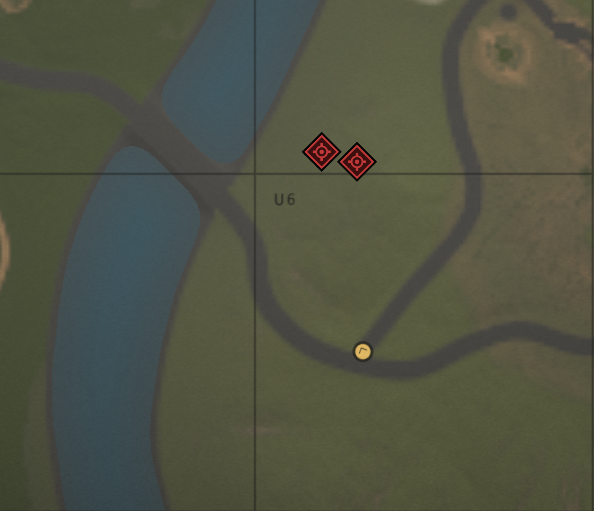
🚀 Fast Aim + E Ping (no menus, no delays)

🗺️ Customizable Ping Style (icon type + color index)

📏 Configurable Range & Duration

🔊 Optional Sound Alerts

👤 Sound for the player

👥 Sound for teammates (nearby-only option included)

🛡️ Anti-Spam Cooldown to prevent abuse

🔭 Binoculars Block option to avoid conflicts

⚙️ Clean config + minimal overhead (optimized for performance)

🎮 Perfect For 🔥 PvP callouts and roaming squads

🏛️ Monument coordination 💰 Loot / node route marking

🤝 Any server that wants better teamwork without clutter Marcar keeps teamwork smooth, fast, and intuitive — your players will wonder how they played without it.

User Feedback

You may only provide a review once you have downloaded the file.

There are no reviews to display.

Configure browser push notifications

Chrome (Android)
  1. Tap the lock icon next to the address bar.
  2. Tap Permissions → Notifications.
  3. Adjust your preference.
Chrome (Desktop)
  1. Click the padlock icon in the address bar.
  2. Select Site settings.
  3. Find Notifications and adjust your preference.