Jump to content
View in the app

A better way to browse. Learn more.

WeOxide Marketplace ¬ Rust Custom Maps ¬ Prefabs ¬ Monuments and Plugins Free & Paid Assets

A full-screen app on your home screen with push notifications, badges and more.

To install this app on iOS and iPadOS
  1. Tap the Share icon in Safari
  2. Scroll the menu and tap Add to Home Screen.
  3. Tap Add in the top-right corner.
To install this app on Android
  1. Tap the 3-dot menu (⋮) in the top-right corner of the browser.
  2. Tap Add to Home screen or Install app.
  3. Confirm by tapping Install.

AloneInBalkans Bandit.camp

RustEdit Designer
  • Joined

  • Last visited

Files posted by AloneInBalkans Bandit.camp

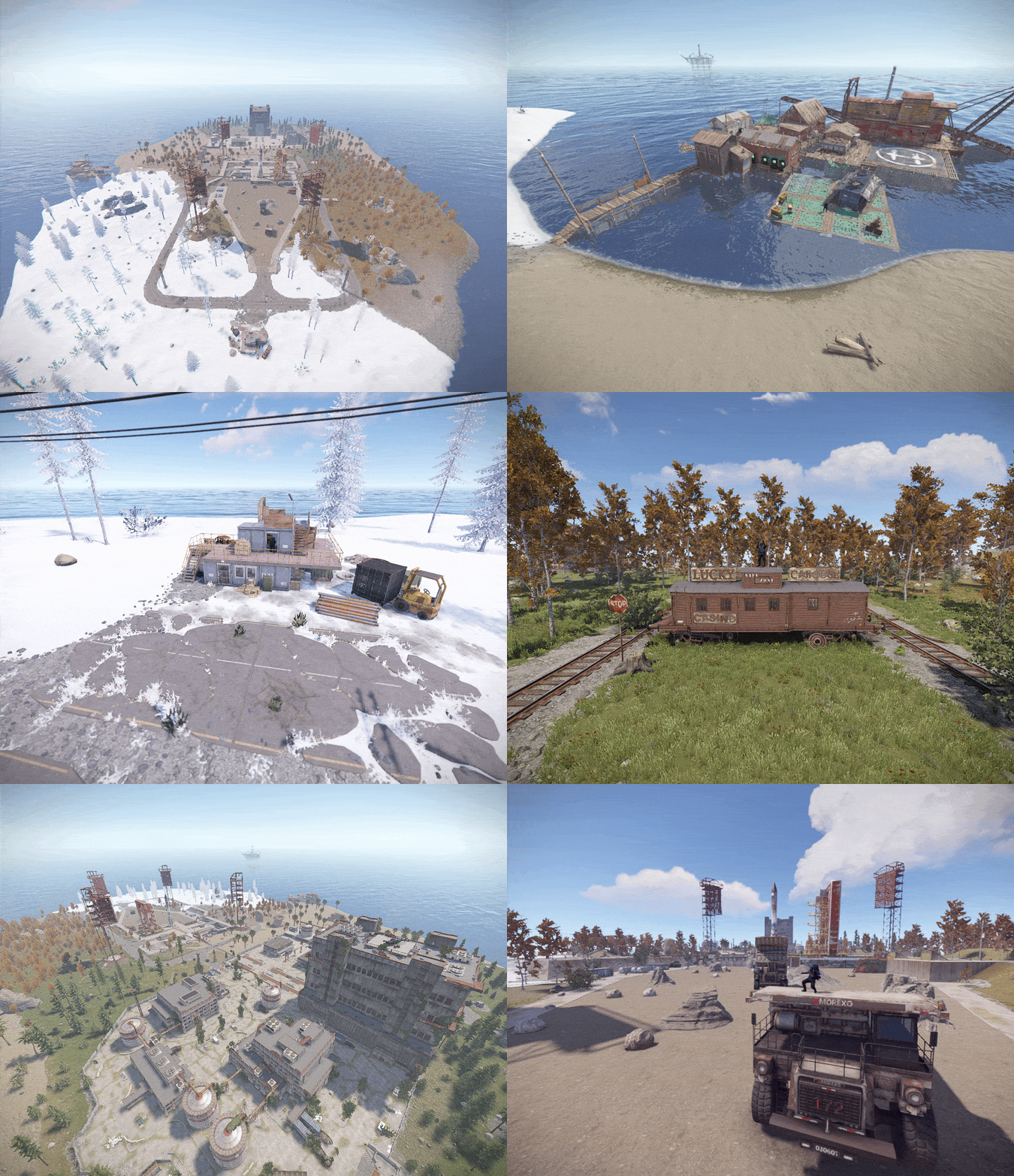
  1. ✯My first map took me a while with no knowledge of rust editing, 
    ✯Map size : 2000
    ✯Custom Monuments :
    ★ Fishing Village
    ★ Launch Site
    ★ Warehouse
    ★ Lucky Caboose
    ★ Market
    -----------------------------------------------------------------------------
    ★ you can build inside launchsite besides main building and the small custom monuments
    ★ there is no radiation except main building 
    ★ spawnpoints are set up 
    ★ Fishing village contains everything a player needs including airwolf vendor
    ★ The map can be used however you like
    -----------------------------------------------------------------------------
    ✯any questions? 
    ✯Discord: viki2
    ✯ after purchase you'll get a warranty that means if there is any issues with the map feel free to contact me and I will fix the issues at no cost 
    -----------------------------------------------------------------------------

    • $5.90
    • 4 Purchases
    • 7 Downloads

Configure browser push notifications

Chrome (Android)
  1. Tap the lock icon next to the address bar.
  2. Tap Permissions → Notifications.
  3. Adjust your preference.
Chrome (Desktop)
  1. Click the padlock icon in the address bar.
  2. Select Site settings.
  3. Find Notifications and adjust your preference.