
Blunt
RustEdit Designer
-
Joined
-
Last visited
-
Blunt changed their profile photo
-
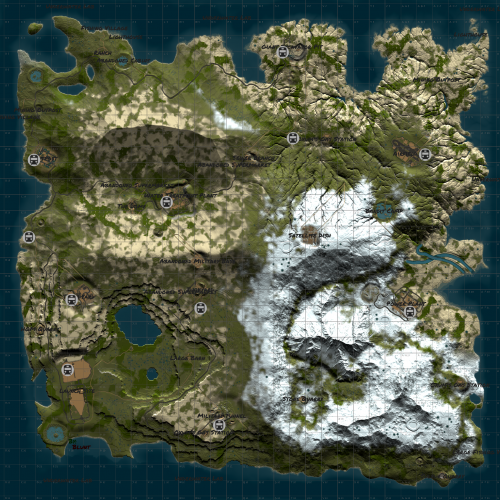 Map Size: 4500 Vanilla Monuments Custom Terrain Official Approved Tired of the same blob? Give this beauty a try!Free
 -
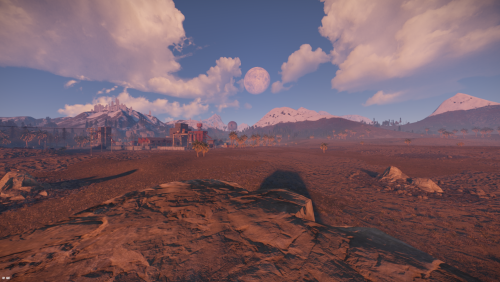 BXB121 3.8 k is a rust custom map with all procedural monuments featured in unique locations for players to build and enjoy the beauties of a well made rust map terrain The map contains all procedural monuments Map is free to use but not so share or claim as its own. Terrain has been build by Blunt , reviewed & updated by @Shiro. Password comes with the map inside the "Read me" file. In the zip file you have a plugin you must upload on your server before starting the server with this map or else server will not start! The map features custom and procedural monuments ~Procedural Monuments : - Launch Site - Excavator - Military Tunnels - Airfield - Power Plant - Water Treatment Plant - Trainyard - Junkyard - Sewerbranch - Sphere Tank - Satellite Dish - Desert Military Base - Arctic Research Base - Bandit Town - Outpost - Couple Caves & Ice Lakes & Swamps - Roadside monuments including Gas Stations - Supermarkets - Mining Outposts - Fishing Villages - Lighthouses - Water Wells & Quarries - Stables - Several underwater Labs ~ Entity Count : 7237 ~ Map Size : 3850 Password Comes with the map.Free