Jump to content
View in the app

A better way to browse. Learn more.

WeOxide Marketplace ¬ Rust Custom Maps ¬ Prefabs ¬ Monuments and Plugins Free & Paid Assets

A full-screen app on your home screen with push notifications, badges and more.

To install this app on iOS and iPadOS
  1. Tap the Share icon in Safari
  2. Scroll the menu and tap Add to Home Screen.
  3. Tap Add in the top-right corner.
To install this app on Android
  1. Tap the 3-dot menu (⋮) in the top-right corner of the browser.
  2. Tap Add to Home screen or Install app.
  3. Confirm by tapping Install.

Banditas

RustEdit Designer
  • Joined

  • Last visited

Files posted by Banditas

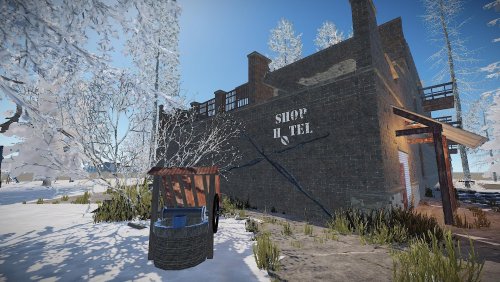
  1. As I not have time any more for rust , So I give this for free. It maybe need fix.
    Thanks Everyone.
    Another one from my builds , for Rust. Here also is a video:
    Just drop in Winter biome, because is for winter, also you may need manually adjust alpha . 
    • Free
    • 57 Downloads
  2. Hello . Here I have some houses, maybe some one wanna use them , like on role play server. 
    Also short video here:
     
    • Free
    • 95 Downloads
  3. Hello here ! This is my Super Market, with cave.
    Here video about it:
     
    • Free
    • 81 Downloads
  4. Hello everyone , giving away my Boeing. Here is video:

    You not gonna find NPC inside , you need plugin or add it manually.
    • Free
    • 109 Downloads
  5. Here is my Windmill, 

    one is with working Windmill, inside recycler and some hided loot.
    Second one you can ease use in Bandit town, just drag it on the working windmill , need just adjust hight.
    Also comes with recycler and loot.

    Just tested my Windmill , you cant use it on Bandit town windmills, reason, because bandit town windmills bigger 😞
    I'm apologize for lie, long time not use rust edit.
    • Free
    • 83 Downloads
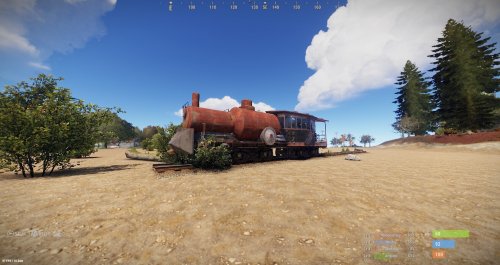
  6. This is free Train&Vagon prefab.
    You can find some loot inside.
    Vagon have places to seat for players. Enjoy!
    • Free
    • 107 Downloads

Configure browser push notifications

Chrome (Android)
  1. Tap the lock icon next to the address bar.
  2. Tap Permissions → Notifications.
  3. Adjust your preference.
Chrome (Desktop)
  1. Click the padlock icon in the address bar.
  2. Select Site settings.
  3. Find Notifications and adjust your preference.