



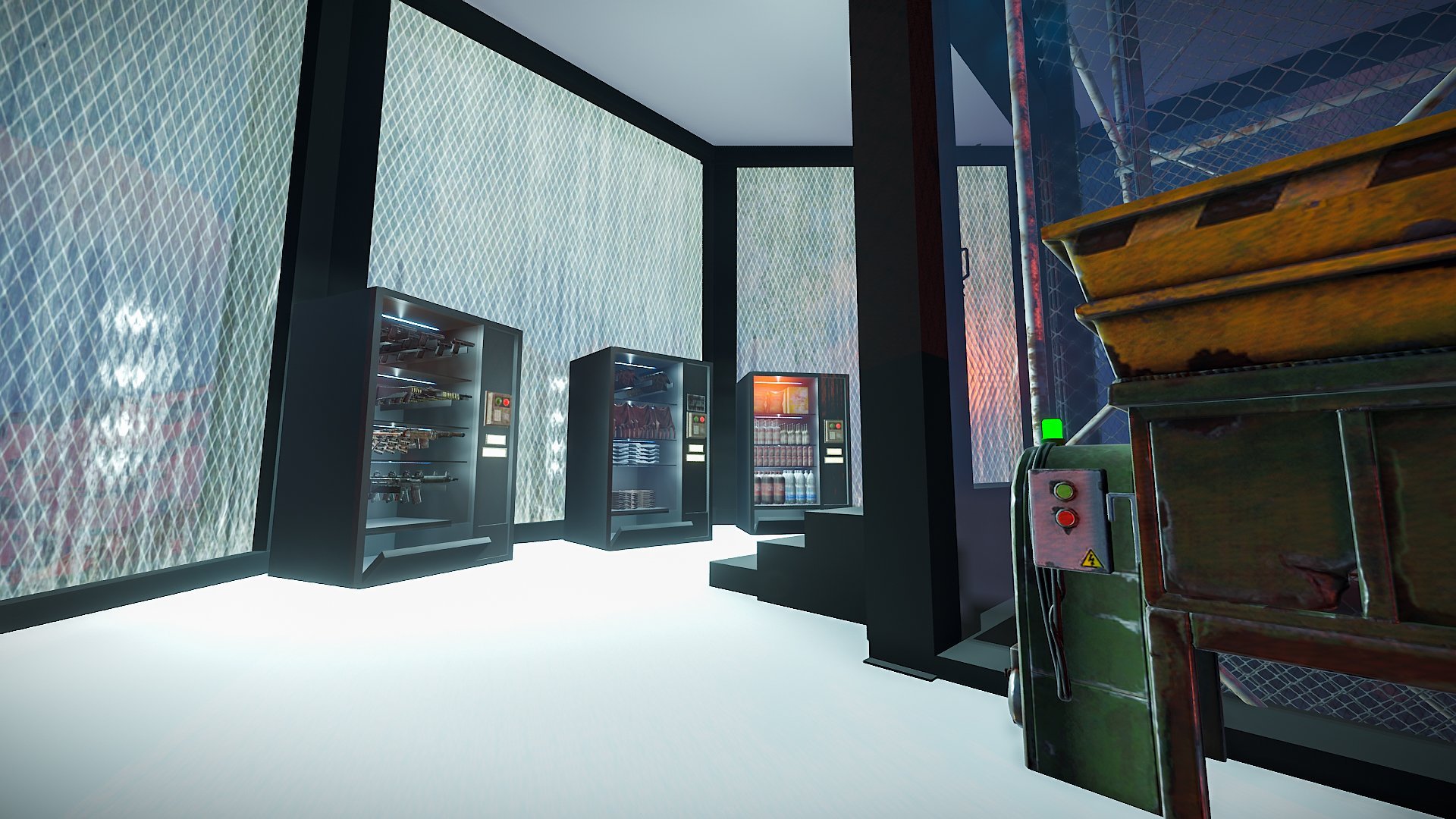
Custom and modern looking vending machines that can be used just like normal vending machines they come with all the necessities to make them work properly like any other vending machine.
Vending presets are provided with the file if you wish to edit the items put on sale.
Entity Count :
Guns Vending Machine : 257
Clothing Vending Machine: 294
Snacks Vending Machine : 300
To install and use those vending machines copy the files from "Custom Prefabs" and "Vending Presets" and paste them into your "CustomPrefabs" and "VendingPresets" folders in your RustEdit Directory and you are good to go!
The products, whether modified or not, and all intellectual property and copyright contained therein,
are and shall at all times remain our sole and exclusive property. You agree that under no circumstances,
whether the product has been modified or not, shall you have or attempt to claim ownership of any intellectual property rights or copyright in the product.
You can only use this for your server, for your own personal purposes.
You are prohibited from reselling and distributing this content to others.
You are not allowed to impersonate my content as a rework or not.
After posting this content on your map, please in case you break it. Before saving, re-create all my content in the custom prefab.
are and shall at all times remain our sole and exclusive property. You agree that under no circumstances,
whether the product has been modified or not, shall you have or attempt to claim ownership of any intellectual property rights or copyright in the product.
You can only use this for your server, for your own personal purposes.
You are prohibited from reselling and distributing this content to others.
You are not allowed to impersonate my content as a rework or not.
After posting this content on your map, please in case you break it. Before saving, re-create all my content in the custom prefab.
You may only provide a review once you have downloaded the file.