
Files posted by Ionut Shiro
-
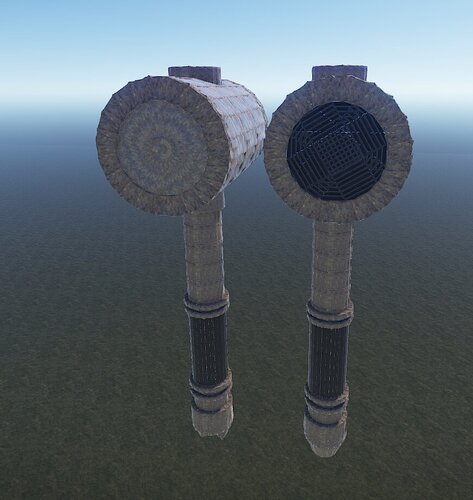
Two beautiful hammers complement your map with their powerful and warlike appearance, or complement your prefab house!
- Free
- 0 Downloads
-
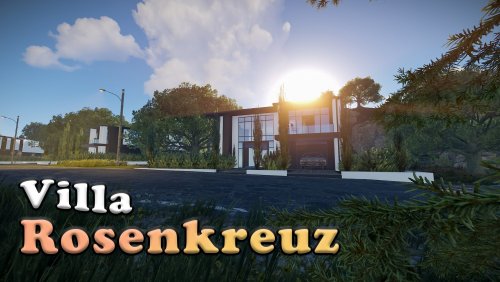
A modern styled PVE prefab that can be used for Roleplay purposes and not only .
It comes with height mask , splat mask , biome mask and topology mask.
It comes mostly empty due the fact that most people in my experience preffer to furnish them themselves than have them already furnished if requested it can be furnished.
~Car from the pictures is not provided ~
Entity Count : 1089
To use this on your map copy the files from "Custom Prefabs" folder into your "CustomPrefabs" folder in RustEdit directory and after that you can see your new prefab in the Custom Prefabs list in Rust Edit.
- $4
- 10 Downloads
-
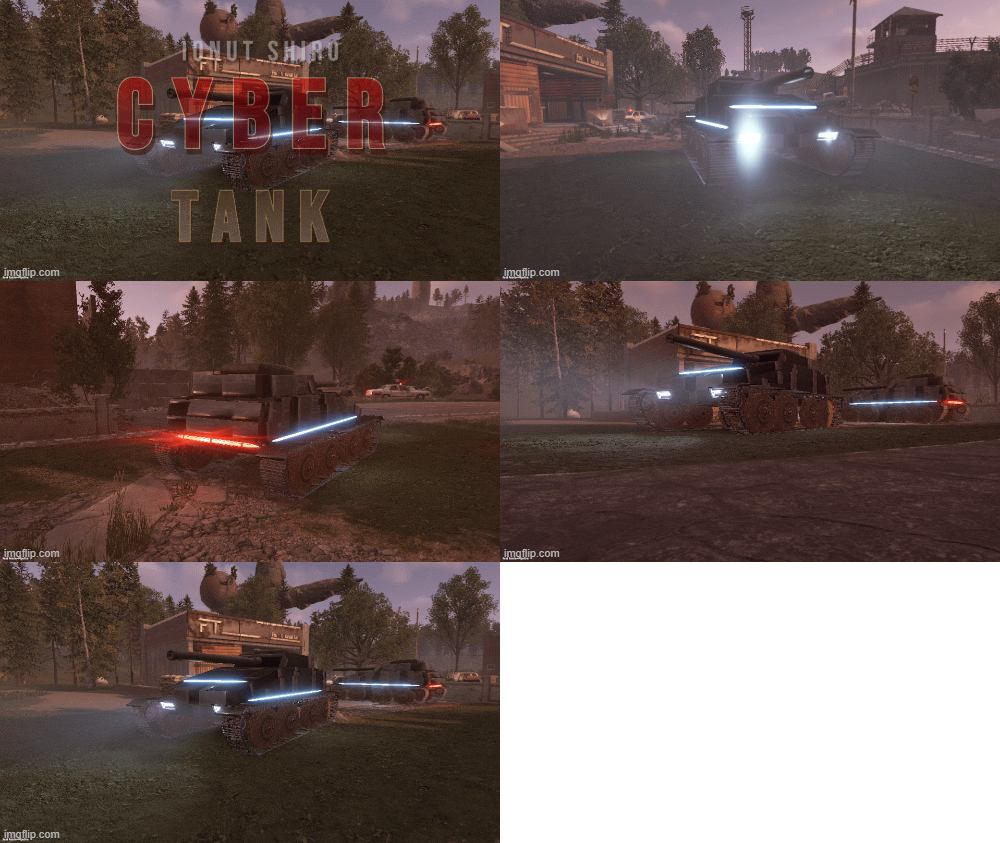
The tank of the future fits perfectly into the theme of the game cyberpunk 2077.
It will look beautiful everywhere
- $2.50
-
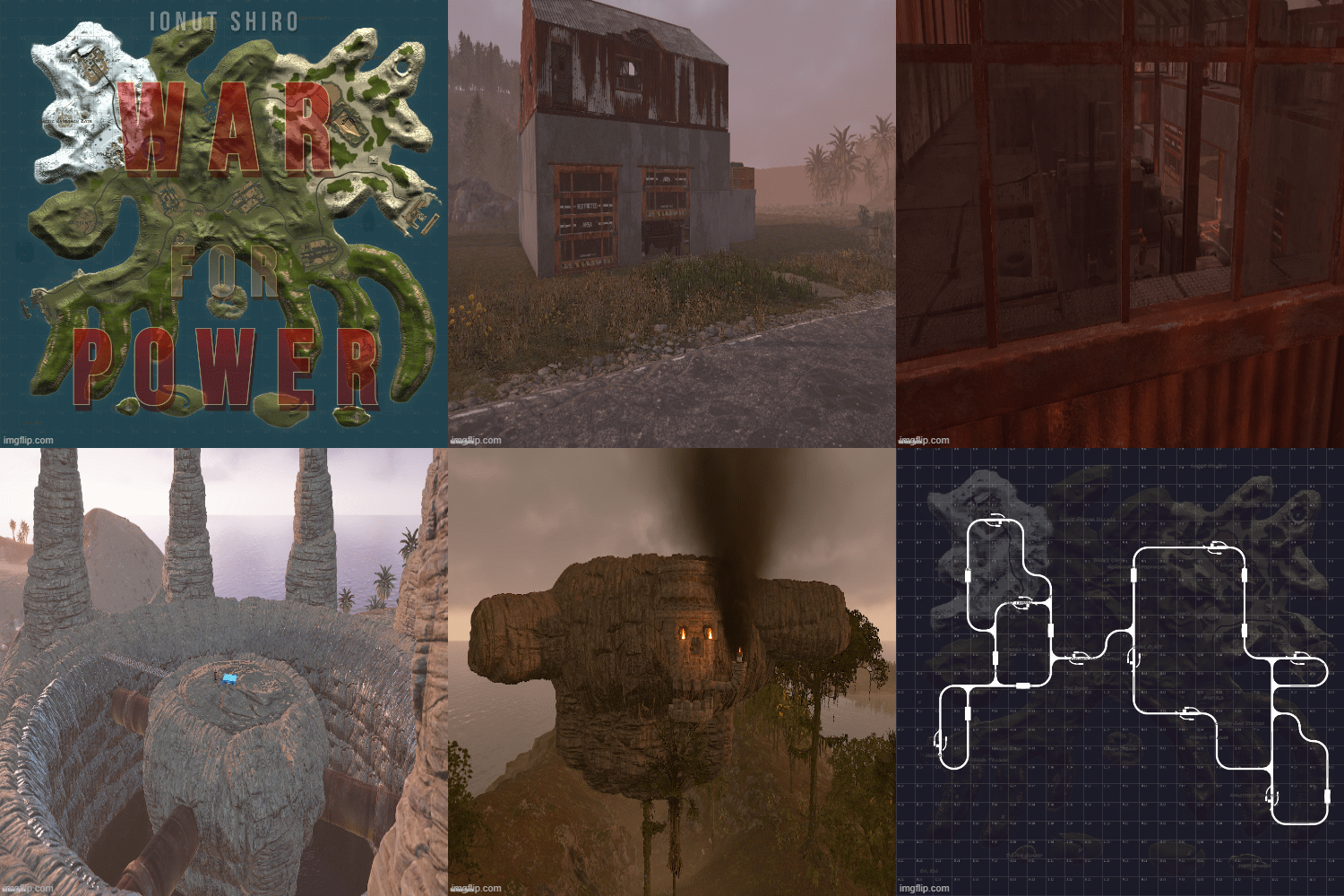
War for Power is a dystopian 3500 sized map featuring procedural monuments with custom decor to them and a good dozen amount of base building prefabs across the map along with a farm island for nodes.
- $20
-
Dive together with players of your server in search of underwater treasures or explore the water of this big and beautiful world. On this map you can find custom constructions on land, water and underwater. Beautiful landscapes of atmospheric monuments. Experience new emotions from playing Rust
- $25
-
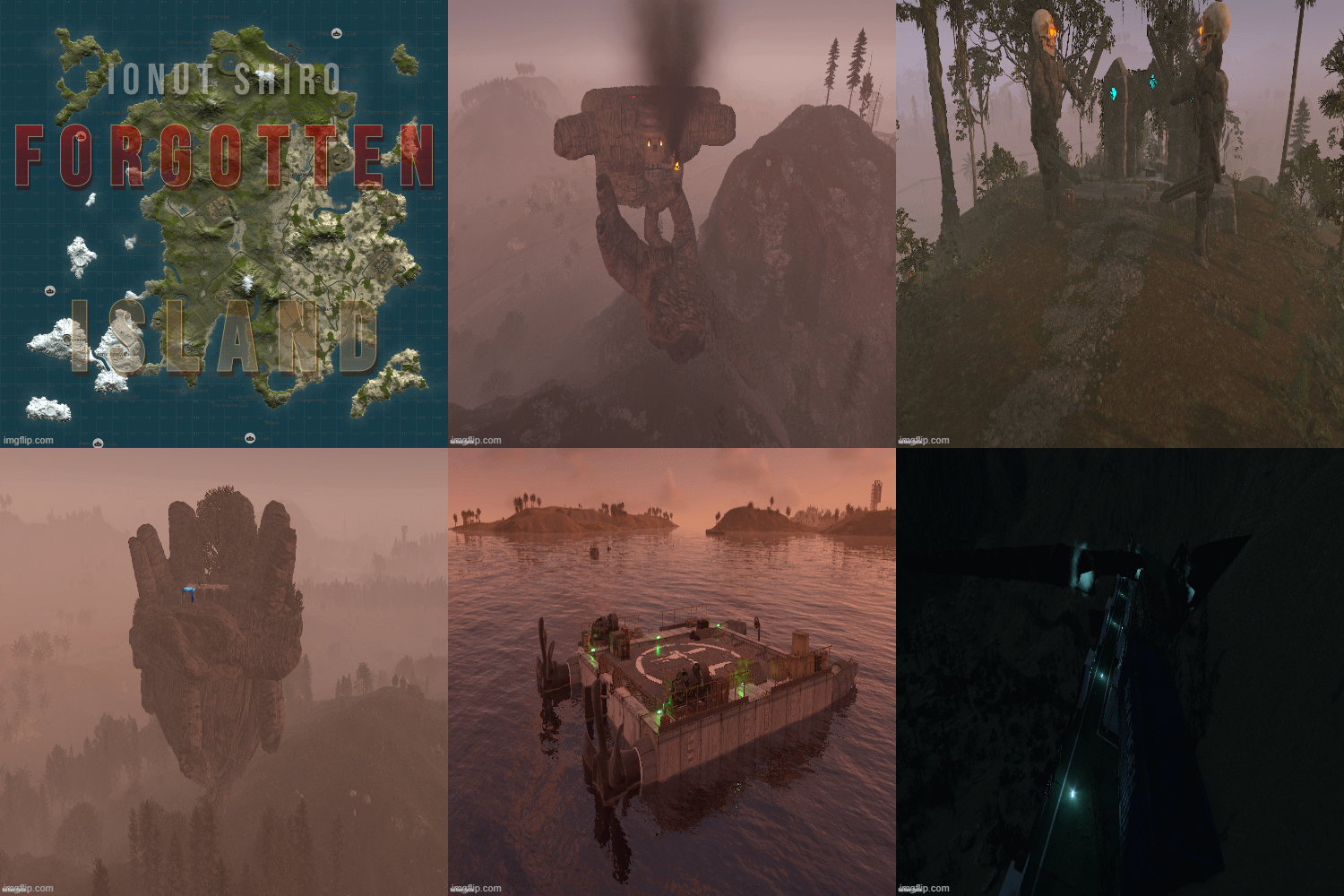
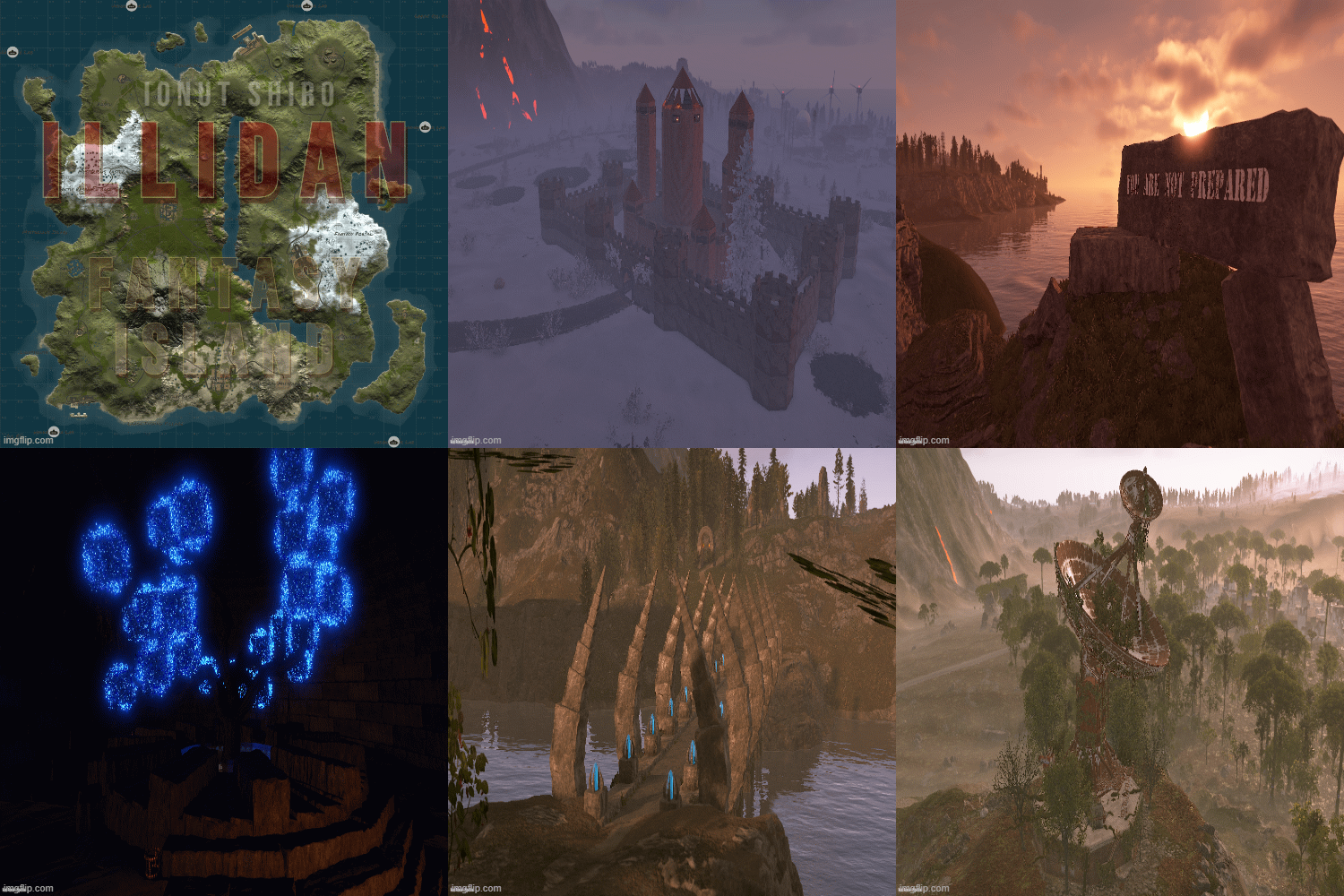
On this map, you and your players will immerse yourself in a fantasy world.
Greet the dawn and see off the sunset at a lonely oasis or riding on the skull of a king ,explore the unexplored fantasy world, where you will find a bunch of interesting and unique building sites, atmospheric custom monuments , as well as beautiful scenery that will make you immerse yourself in the fantasy world and experience new emotions from playing Rust.
- $24
-
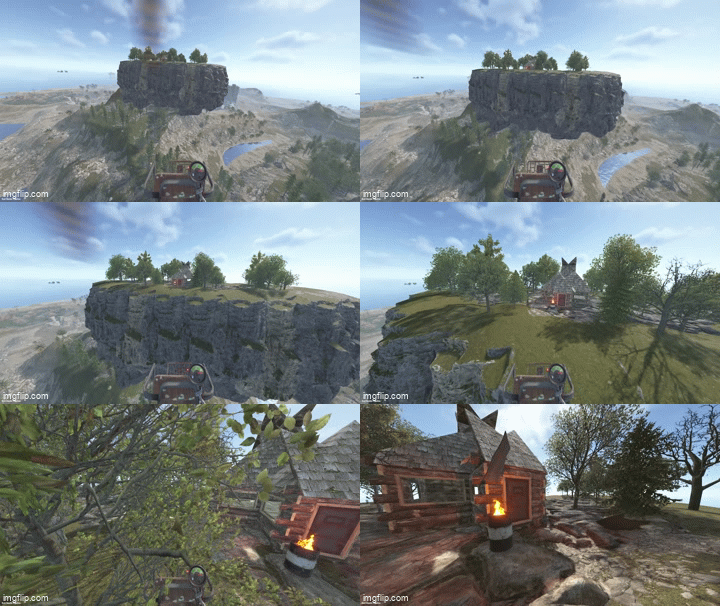
Floating Islands adds rock islands that float high above your map, with flat walkable ground, natural cliff sides, a hanging rocky underside and groves of trees. Players can reach them by minicopter and build bases, set up sky hubs or hold events on them. Spawn islands by hand or let the plugin place them across the map, away from monuments. No map editing, no RustEdit and no CopyPaste needed: everything is spawned at runtime and survives restarts.
Core Features
- 15 ready-made islands: 5 types in 3 sizes (Small, Standard, Large)
- Round: the classic floating island
- Pond: round island with a swimmable rock pond in the middle
- Long: up to 136 x 68 m, good for runways and long bases
- Wide: broad oval with plenty of building room
- Square: rounded-corner platform with the most flat ground for its size
- Flat walkable rock floor framed by a continuous cliff rim
- Mirrored cliff underside with no gaps or see-through edges
- 19 to 40 trees per island in groves of five (oak, beech, birch and pine)
- Built only from rock formations and trees, with no foundations or building blocks
- Islands spawn in small batches per frame, so the server doesn't stutter
- Islands are restored after a restart; an incomplete spawn is removed automatically
- Rocks can't be mined and trees can't be chopped (configurable)
- Islands are visible from about twice Rust's normal distance (configurable, up to the whole map)
Auto Spawn
- Optional: places a configured number of islands automatically when the server starts
- Finds free spots across the map, over land and over the sea
- Keeps a set distance from every monument, from other islands and from the map edge
- Floats each island a set height above the ground beneath it
- Keeps every island floor within minicopter reach
- Picks island types from your list without repeating until all have been used
- /island.spawnall places one of every island across the map in one command
- Fixed positions can be used instead of automatic placement
- After a map wipe, islands are placed fresh on the new map
Installation
1. Put FloatingIslands.cs in oxide/plugins/.
2. Put the 15 FloatingIsland-*.json files in oxide/data/FloatingIslands/.
3. Edit oxide/config/FloatingIslands.json if you want auto spawn, then run oxide.reload FloatingIslands.
Chat Commands :
/island.spawn [plan] [rotation] Spawn an island at your position (floor at your feet) /island.auto [count] Auto-place islands now (default: up to the configured number) /island.spawnall Place one of every island across the map /island.list List spawned islands with their IDs and positions /island.cancel Stop a spawn that is still running /island.remove [last|all|auto|id|plan] Remove islandsConsole Commands :
island.spawn <plan> <x> <y> <z> [rotation] Spawn an island at exact coordinates island.auto [count] Auto-place islands now island.spawnall Place one of every island across the map island.spots [plan] Show how many free auto-spawn spots a plan has island.list List spawned islands island.cancel Stop a running spawn island.remove [last|all|auto|id|plan] Remove islandsPermissions :
floatingislands.use - Use all island commands (admins always can)Config :
{ "Runtime plan file name (without .json)": "FloatingIsland-Standard", "Permission": "floatingislands.use", "Entities spawned per server frame": 10, "Keep spawned entities across restarts": true, "Prevent damage to spawned island entities": true, "Island visibility range (Medium = Rust default, Large = double, Global = whole map)": "Large", "Auto spawn": { "Enabled": false, "Number of islands": 3, "Plans to pick from at random": [ "FloatingIsland-Standard", "FloatingIsland-Standard-Pond", "FloatingIsland-Standard-Long", "FloatingIsland-Standard-Wide", "FloatingIsland-Standard-Square" ], "Minimum distance from monuments (m)": 150.0, "Minimum distance between islands (m)": 250.0, "Minimum distance from the map edge (m)": 150.0, "Height of the island bottom above the ground below it (m)": 30.0, "Keep the island floor within minicopter reach": true, "Allow spawning over the ocean": true, "Share of islands placed over land (0-1)": 0.5, "Random rotation": true, "Spawn missing islands when the server starts": true, "Fixed positions instead of auto-detect (x, y, z; y 0 = automatic height)": [] } }- $20
-
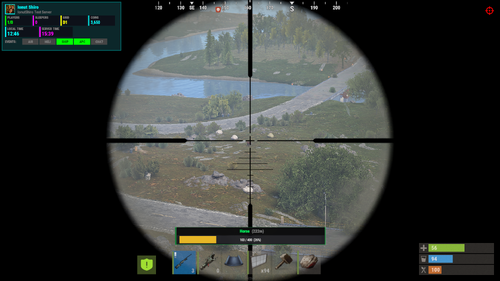
HealthBar brings a clean, MMO-style health bar system to Rust — without cluttering the screen or spamming players.
Whenever a player damages an NPC, animal, vehicle, turret, Bradley, or helicopter, a smooth animated health bar appears — showing:
name
distance
remaining HP
percentage
color-coded status
Bars automatically fade away after combat, and players can toggle the feature individually if they prefer a clean screen.
Everything is configurable — distance, icons, entities, UI style, and behavior.
Perfect for PvE servers, PvP arenas, boss events, and servers that want cleaner combat feedback.
What it does ?
Detects combat targets and shows health bars in real time
Works with:
NPCs
Animals
Bradley APC
Patrol Helicopter / CH47
Vehicles (boats, minicopters, modular cars, trains, etc.)
Turrets + SAM sites
Shows:
name
distance
numeric health
percentage
entity-type icon
Smart visibility system (time-based, distance aware)
Fully configurable UI (position, colors, toggles)
Per-player toggle command
Admin tools for tuning distance + reloading config
Safe, optimized, timer-driven updates (no UI flicker, no spam)
Permissions :
Description
healthbar.use
Allows player to use / toggle health bars (recommended default)
healthbar.admin
Allows access to admin commands (distance + reload)
Player Commands :
Description
/healthbar
Shows help menu
/healthbar toggle
Enables / disables health bars for you
console: healthbar.toggle
Console toggle (bindable)
Admin Commands :
Description
/healthbar distance <meters>
Sets visibility distance
/healthbar reload
Reloads configuration
{ "Show Health Bars For NPCs": true, "Show Health Bars For Animals": true, "Show Health Bars For Bradley": true, "Show Health Bars For Attack Helicopter": true, "Show Health Bars For Vehicles": true, "Show Health Bars For Turrets": true, "Show Distance Text": true, "Health Bar Visibility Distance (meters)": 50.0, "Health Bar Fade Distance (meters)": 60.0, "Update Rate (seconds)": 0.15, "Show Entity Name": true, "Show Numeric Health": true, "Show Health Percentage": true, "Show Entity Type Icon": true, "UI Position - Anchor Min": "0.35 0.13", "UI Position - Anchor Max": "0.65 0.19", "Health Bar Display Duration (seconds)": 5.0, "Enabled By Default": true, "NPC Names": { "scientist": "Scientist", "scientistnpc": "Scientist", "tunneldweller": "Tunnel Dweller", "underwaterdweller": "Underwater Dweller", "murderer": "Murderer", "junkpile": "Junkpile Scientist", "scarecrow": "Scarecrow", "heavyscientist": "Heavy Scientist", "hazmat": "Hazmat Scientist", "bandit": "Bandit", "gingerbread": "Gingerbread", "zombie": "Zombie" }, "Animal Names": { "bear": "Bear", "polarbear": "Polar Bear", "wolf": "Wolf", "boar": "Boar", "stag": "Stag", "deer": "Deer", "chicken": "Chicken", "horse": "Horse", "shark": "Shark" }, "Vehicle Names": { "rhib": "RHIB", "rowboat": "Rowboat", "kayak": "Kayak", "minicopter": "Minicopter", "scraptransport": "Scrap Heli", "hotairballoon": "Hot Air Balloon", "sedan": "Sedan", "snowmobile": "Snowmobile", "tomaha": "Tomaha", "workcart": "Workcart", "locomotive": "Locomotive", "magnetcrane": "Magnet Crane", "modularcar": "Modular Car", "attackhelicopter": "Attack Heli", "ch47": "Chinook" } }
- $5.60
- 8 Downloads
-
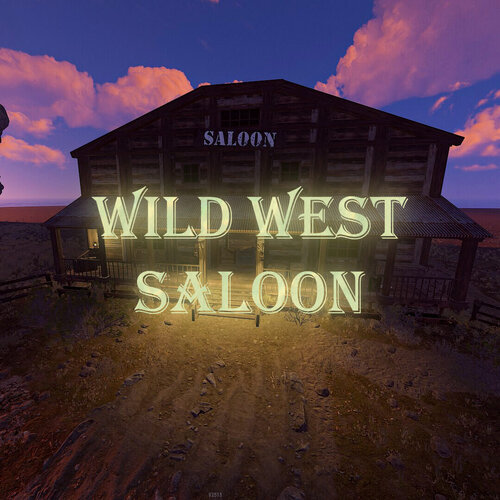
A high detail prefab that will give your server a wild west feel! Great for Roleplay,PVE and theme servers!
No loot in there so you will be able to add anything you want!
LOOT:
None.
This monument includes:
-3 Slot Machines
-1 Piano
-1 Fireplace
-2 Wanted Posters
Prefab Count:2207
- Free
- 0 Downloads
-
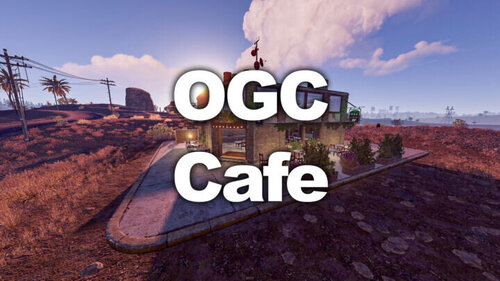
Well, you might not be able to buy coffee in this monument but you will be able
to spend some scrap on a slot machine or play some notes with the piano!
LOOT:
2 Food Crates
1 Green Crate
1 Normal Crate
1 Tool Crate
1 Ammo Crate
1 Green Card
This monument includes:
-2 Slot Machines
-1 Piano
-1 Hobo Barrel
Prefab Count:650
- Free
- 0 Downloads
-
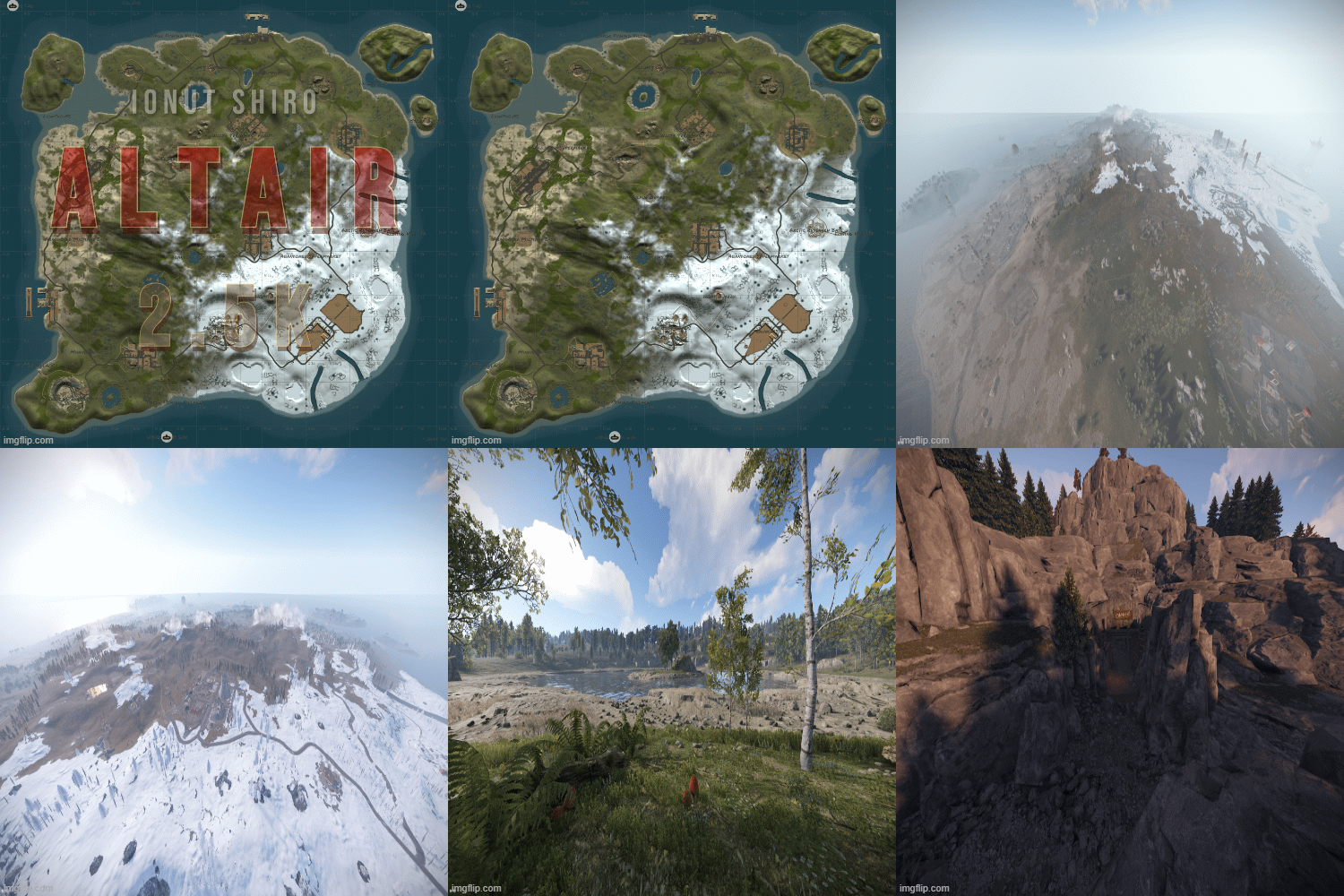
Immerse your players in world packed with monuments and beautiful aesthetics. This 3k map contains every vanilla monument, caves, a zipline path from Power Plant to Train Yard, freshwater lakes, and a custom mineshaft with a secret building area and loot. Below is a full list of monuments included.
Altair features a very high monument count, including everyone's favorite, Launch Site, but with balanced building space kept in mind. Your players will love the endless variety, and because the map is 3K, players will be contesting monuments like never before. This map is the closest you can come to pleasing everyone!
Altair also features a higher node count than typical procgen maps . Nodes spawn on all topology and biomes (Fields, forests, deserts, etc.) not just on cliffsides, providing a much needed increase in building materials. Your players can recover from a raid quicker or take care of upkeep in their massive compound, so that they can focus on PVPing. This is also a great way to keep players from moving on to a new server if their base is raided, since rebuilding a base can be a daunting task at times.
All of my maps have one goal in common, increasing engagement and retaining players. Through trial, error, and suggestions on my own personal servers, I can confidently say that this map is perfect for up and coming servers with pop at or below 75.
General Information:
Map size: 3K
Approximate Prefab count: 7770
All monuments are vanilla. There is one custom mineshaft with loot and a secret building area inside.
Map Highlights:
Large tunnel system.
High monument density with balanced room for player to build.
Launch Site is included, which is not possible for this map size through procedural generated maps.
Multiple rivers and lakes.
Small building blocked radius around quarries to prevent walling in.
Every vanilla monument is included and hand placed in this map.
Monuments Included:
Airfield
Arctic Research Base
Bandit Camp
Caves (4)
Compound
Desert Military Base
Dome
Excavator
Fishing Village (4)
Freshwater handmade lakes
Gas Station
Harbor 1 & 2
HQM Quarry
Ice Lake (3)
Junkyard
Launch Site
Lighthouse (2)
Military Tunnels
Mineshaft Tunnel
Large & Small Oil Rigs
Power Plant
Powerline Zipline Path
Sewer Branch
Stables A
Stone Quarry
Sulfur Quarry
Supermarket (2)
Swamp (2)
Train Yard
Underwater Labs (2)
Warehouse (2)
Water Treatment Plant
Water Well (5)
- $8.48
- 3 Downloads
-
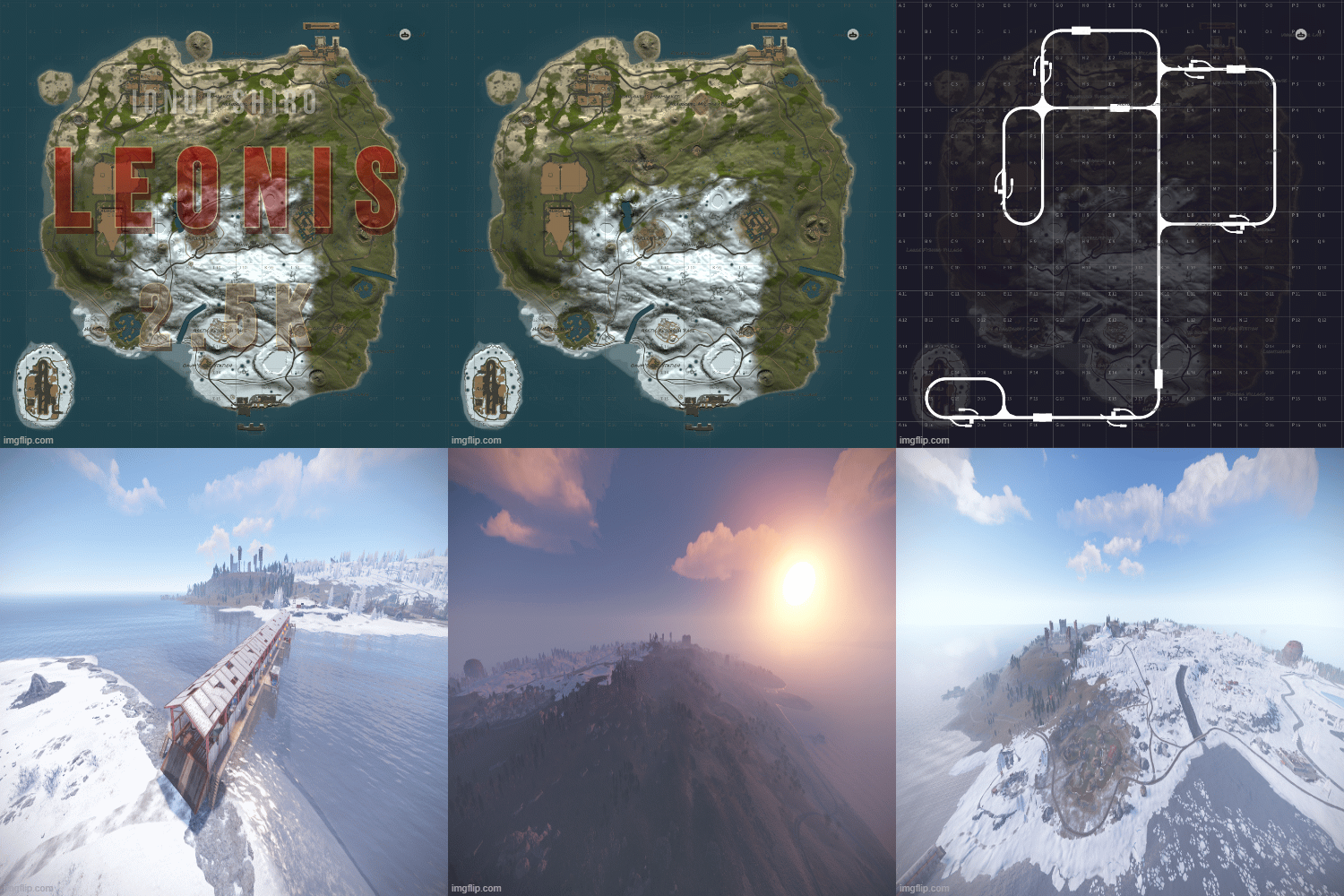
Welcome to Leonis - a 2.5K island filled with all of your favorite monuments and an above ground railway system. With rivers, caves, and plenty of space to build, players will have no problem finding a safe area to base up and stash their loot!
Leonis also features a higher node count than typical procgen maps . Nodes spawn on all topology and biomes (Fields, forests, deserts, etc.) not just on cliffsides, providing a much needed increase in building materials. Your players can recover from a raid quicker or take care of upkeep in their massive compound, so that they can focus on PVPing. This is also a great way to keep players from moving on to a new server if their base is raided, since rebuilding a base can be a daunting task at times.
All of my maps have one goal in common, increasing engagement and retaining players. Through trial, error, and suggestions on my own personal servers, I can confidently say that this map is perfect for up and coming servers with pop at or below 50.
General Information:
Map size: 2.5K
Approximate prefab count: 4855
There is one custom monument included in this map. It is a Military Surplus Bridge that leads to the Airfield island. It contains multiple loot areas and diesel barrels, as well as a blue card shack, but the interior loot is well guarded by scientists. If the bridge is too difficult for some players to cross, they can also make their way to airfield through the underground tunnel system.
Custom Monument included:
Military Surplus Bridge
Vanilla Monuments Included:
Airfield
Arctic Research Base
Bandit Town
Caves (5)
Compound
Desert Military Base
Dome
Fishing Village (3)
Gas Station (2)
Harbor 1
Harbor 2
HQM Quarry
Ice Lake (3)
Junkyard
Launch Site
Lighthouse (2)
Large and Small Oil Rig
Power Plant
Satellite Dish
Sewer Branch
Stables A
Stone Quarry
Sulfur Quarry
Supermarket
Swamp (2)
Underwater Labs
Warehouse
Water Well (3)
- $4.88
- 3 Downloads
-
Markeb features monuments from every tier level, including Launch Site, but with balanced building space kept in mind. There is also a railway loop with beautiful bridges that circles the island for easy commute and player enjoyment.
Markeb also features a higher node count than typical procgen maps . Nodes spawn on all topology and biomes (Fields, forests, deserts, etc.) not just on cliffsides, providing a much needed increase in building materials. Your players can recover from a raid quicker or take care of upkeep in their massive compound, so that they can focus on PVPing. This is also a great way to keep players from moving on to a new server if their base is raided, since rebuilding a base can be a daunting task at times.
All of my maps have one goal in common, increasing engagement and retaining players. Through trial, error, and suggestions on my own personal servers, I can confidently say that this map is perfect for up and coming servers with pop at or below 50.
General Information:
Map size: 2.5K
Approximate Prefab Count: 9760
All monuments are vanilla, there are no custom monuments on this map.
All monuments were hand placed
Map Highlights:
Smaller map size keeps PVP centralized.
Large tunnel system.
Above Ground Railway Loop
High monument density with balanced room for player to build.
Launch Site is included, which is not possible for this map size through procedural generated maps.
Monuments manually placed:
Airfield
Arctic Research Base
Bandit Town
Caves (5)
Compound
Desert Military Base
Dome
Fishing Village (3)
Gas Station
Harbor 1 & 2
HQM Quarry
Ice Lakes (3)
Junkyard
Launch Site
Lighthouse (2)
Military Tunnels
Large & Small Oil Rig
Power Plant
Satellite Dish
Stone Quarry
Sulfur Quarry
Sewer Branch
Supermarket
Swamps (3)
Train Yard
Underwater Labs
Warehouse
Water Treatment
- $4.88
- 8 Downloads
-
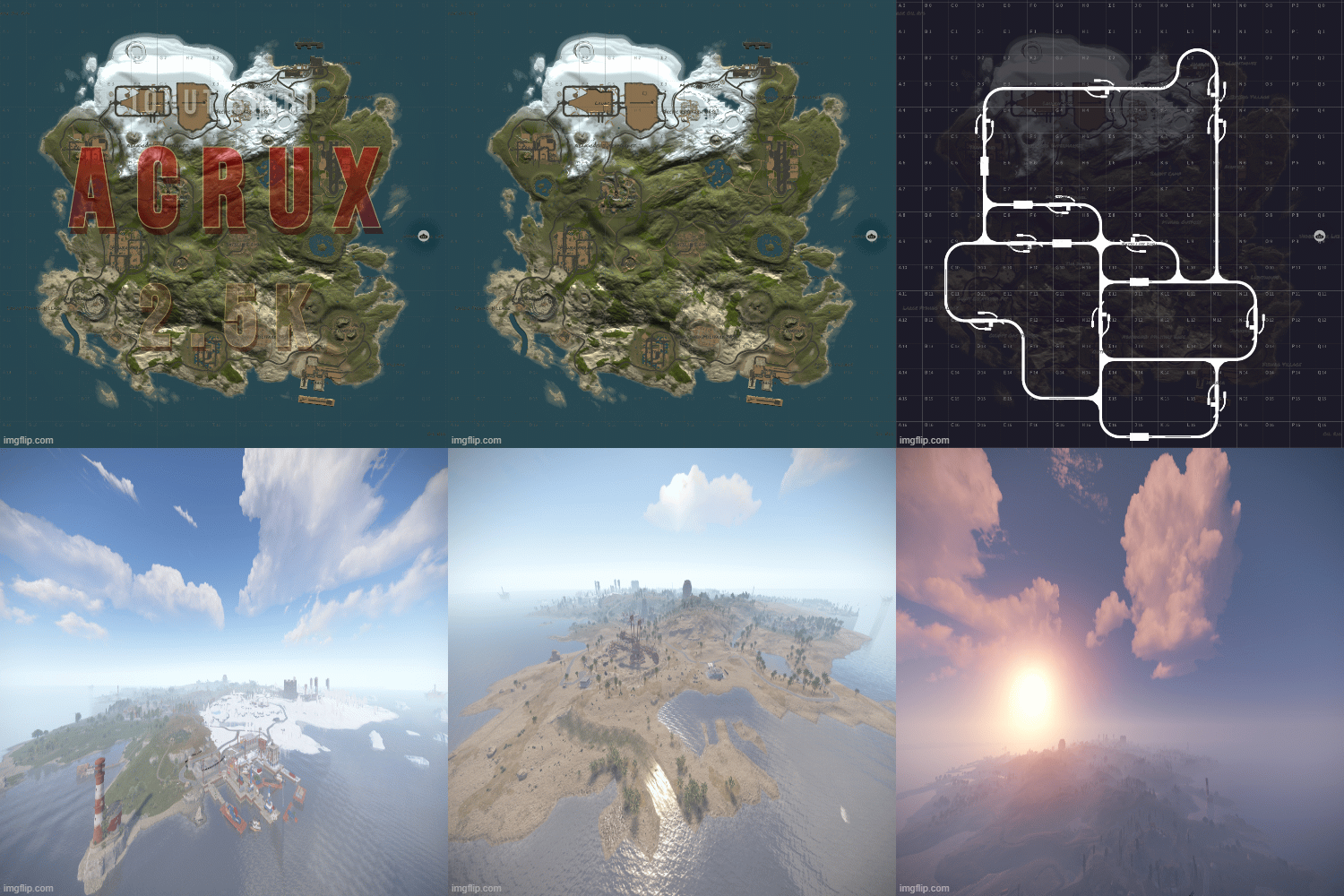
Are you growing your server's pop, but feel that 3.5K+ maps are just too big for your players? Do your players want a greater challenge and larger monuments without being too spread out?
Acrux solves all these problems, and your players will love all of the benefits this map provides your up and coming server!
Players will have plenty of space to base up, and with so many monuments just around the corner, Launch Site included for the chads, they can improve their skills or run cards any time they want. There will never be a shortage of PVP on a map that keeps everything contained in a smaller area, and no matter how late players join the wipe, they will always have something to do or someone to fight only a short distance from home.
Acrux also features a higher node count than typical procgen maps . Nodes spawn on all topology and biomes (Fields, forests, deserts, etc.) not just on cliffsides, providing a much needed increase in building materials. Your players can recover from a raid quicker or take care of upkeep in their massive compound, so that they can focus on PVPing. This is also a great way to keep players from moving on to a new server if their base is raided, since rebuilding a base can be a daunting task at times.
All of my maps have one goal in common, increasing engagement and retaining players. Through trial, error, and suggestions on my own personal servers, I can confidently say that this map is perfect for up and coming servers with pop at or below 50.
General Information:
Map size: 2.5K
Approximate prefab count: 2755
All monuments are vanilla, there are no custom monuments on this map.
Map Highlights:
Smaller map size keeps PVP centralized.
Large tunnel system.
Low prefab count for optimized FPS.
High monument density with balanced room for player to build.
Launch Site is included, which is not possible for this map size through procedural generated maps.
Monuments manually placed:
Outpost
Bandit Town
Harbor
Lighthouses
Junkyard
Satellite Dish
Train Yard
Power Plant
Airfield
Military Tunnels
Excavator
Large and Small Oil Rigs
Launch Site
Icebergs
Underwater Labs
Dome
Gas Station
Two Warehouses
Supermarket
The following monuments have been procgen added:
Arctic Research Base
Desert Military Base
Caves
Swamps
Ice Lakes
Fishing Villages
- $4.88
- 2 Downloads
-
Is your map too large for your pop, but you want maximum monuments to keep you players busy? Or worse yet, do your players farm all day, raid each other, then log off or switch to another server because they ran out of things to do?
If so, Lyra is exactly what you are looking for to host on your weekly or even monthly server - this isn't your average 2.5K procgen map!
Lyra features a high monument count, including everyone's favorite, Launch Site, but with balanced building space kept in mind. Your players will love the shorter commute to monuments, and because the map is 2.5K, players will be contesting monuments like never before. Gone are the days of traveling halfway through the map for one gun fight, only to die and lose motivation to travel all the way back again and find that everyone is gone.
Lyra also features a higher node count than typical procgen maps . Nodes spawn on all topology and biomes (Fields, forests, deserts, etc.) not just on cliffsides, providing a much needed increase in building materials. Your players can recover from a raid quicker or take care of upkeep in their massive compound, so that they can focus on PVPing. This is also a great way to keep players from moving on to a new server if their base is raided, since rebuilding a base can be a daunting task at times.
All of my maps have one goal in common, increasing engagement and retaining players. Through trial, error, and suggestions on my own personal servers, I can confidently say that this map is perfect for up and coming servers with pop at or below 50.
General Information:
Map size: 2.5K
Approximate prefab count: 4385
All monuments are vanilla, there are no custom monuments on this map.
Map Highlights:
Smaller map size keeps PVP centralized.
Large tunnel system.
Low prefab count for optimized FPS.
High monument density with plenty of room for player to build.
Launch Site is included, which is not possible for this map size through procedural generated maps.
Monuments manually placed:
Outpost
Bandit Town
Lighthouses
Dome
Junkyard
Swamps
Sewer Branch
Satellite Dish
Train Yard
Power Plant
Military Tunnels
Launch Site
Large and Small Oil Rigs
Underwater Labs
Gas Station
Warehouse
Supermarket
The following monuments have been procgen added:
Arctic Research Base
Desert Military Base
Caves
Swamps
Ice Lakes
Fishing Villages
- $4.88
- 2 Downloads
-
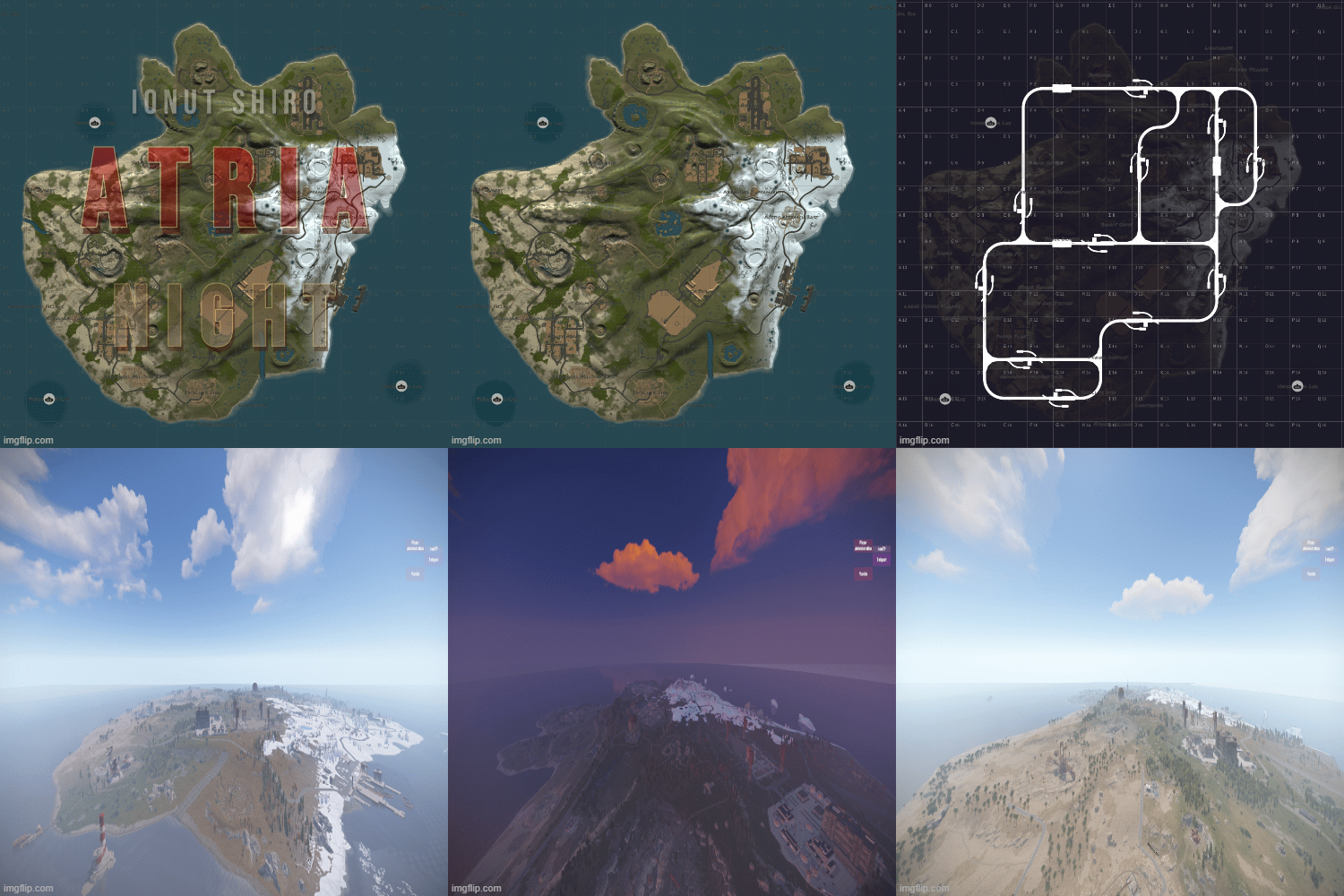
Are your players tired of traveling across a large map, only to find that they haven't encountered any roaming teams along the way? Does everything seem too spread out in proportion to your server's pop, but you want to keep a wide selection of monuments to keep your players entertained?
If so, Atria is the perfect map to host on your weekly or even monthly server - this isn't your average 2.5K procgen map!
Atria is loaded with monuments, including the much requested Launch Site, but also carefully designed in a way that still provides plenty of room to build. Your players will love the shorter commute to monuments, and because the map is 2.5K, competition will be greatly enhanced. Never will your players travel halfway across a large map when there is PVP right in their own backyard.
Atria also features a higher node count than typical procgen maps . Nodes spawn on all topology and biomes (Fields, forests, deserts, etc.) not just on cliffsides, providing a much needed increase in building materials. Your players can recover from a raid quicker or take care of upkeep in their massive compound, so that they can focus on PVPing. This is also a great way to keep players from moving on to a new server if their base is raided, since rebuilding a base can be a daunting task at times.
All of my maps have one goal in common, increasing engagement and retaining players. Through trial, error, and suggestions on my own personal servers, I can confidently say that this map is perfect for up and coming servers with pop at or below 50.
General Information:
Map size: 2.5K
Approximate prefab count: 3875
All monuments are vanilla, there are no custom monuments on this map.
Map Highlights:
Smaller map size keeps PVP centralized.
Large tunnel system.
Low prefab count for optimized FPS.
High monument density with balanced room for player to build.
Launch Site is included, which is not possible for this map size through procedural generated maps.
Monuments manually placed:
Bandit Town
Lighthouses
Dome
Junkyard
Sewer Branch
Water Treatment
Swamps
Satellite Dish
Train Yard
Power Plant
Airfield
Launch Site
Large and Small Oil Rigs
Underwater Labs
Water Well
Gas Station
Supermarkets
Warehouse
Ranch
The following monuments have been procgen added:
Arctic Research Base
Desert Military Base
Caves
Swamps
Water Well
Ice Lakes
Fishing Villages
- $4.88
- 2 Downloads
-
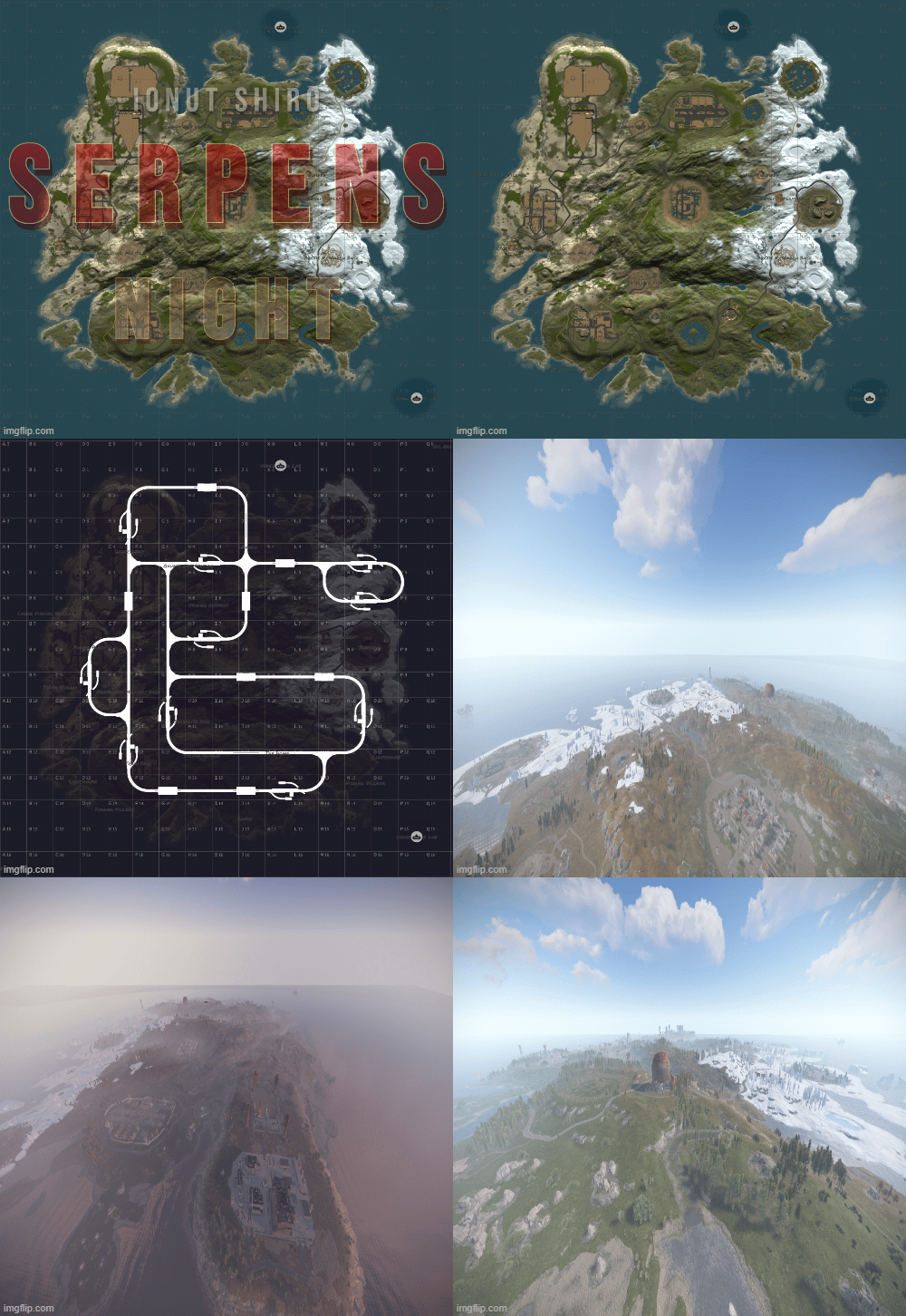
If your players are looking for a small map with a huge variety of monuments, look no further! Serpens will keep your players entertained all wipe!
Serpens features many of your player's most requested monuments, including Launch Site, but with maximum building space taken into account. This map will peek your players busy all wipe, and because the map is 2.5K, players will be fighting for control all day and night. Keep PVP focused nearby, and eliminate long roams searching for players.
Serpens also features a higher node count than typical procgen maps . Nodes spawn on all topology and biomes (Fields, forests, deserts, etc.) not just on cliffsides, providing a much needed increase in building materials. Your players can recover from a raid quicker or take care of upkeep in their massive compound, so that they can focus on PVPing. This is also a great way to keep players from moving on to a new server if their base is raided, since rebuilding a base can be a daunting task at times.
All of my maps have one goal in common, increasing engagement and retaining players. Through trial, error, and suggestions on my own personal servers, I can confidently say that this map is perfect for up and coming servers with pop at or below 50.
General Information:
Map size: 2.5K
Approximate prefab count: 3415
All monuments are vanilla, there are no custom monuments on this map.
Map Highlights:
Smaller map size keeps PVP centralized.
Large tunnel system.
Low prefab count for optimized FPS.
High monument density with balanced room for player to build.
Launch Site is included, which is not possible for this map size through procedural generated maps.
Monuments manually placed:
Airfield
Arctic Research Base
Bandit Town
Compound
Desert Military Base
Dome
Fishing Village (3)
Gas Station
HQM Quarry
Icebergs (5)
Junkyard
Launch Site
Lighthouse (2)
Large and Small Oil Rigs
Power Plant
Powerline zipline path
Satellite Dish
Stables A
Stone Quarry
Sulfur Quarry
Supermarket
Train Yard
Underwater Labs (2)
Warehouse
Monuments procedurally added:
Caves (3)
Ice Lakes (2)
Swamp (2)
Water Well
- $4.88
- 2 Downloads
-
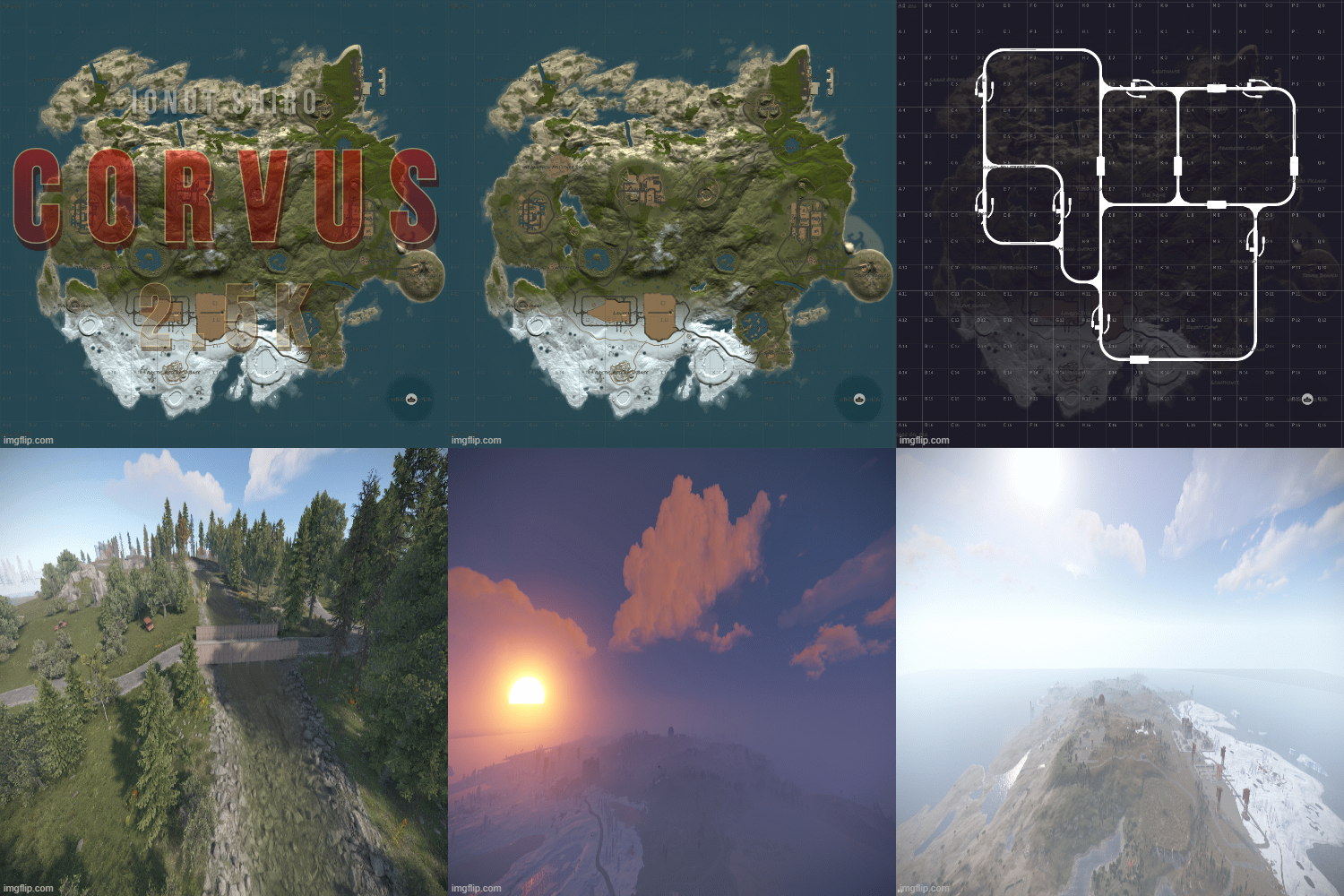
How many times have your players asked for more monuments a few days into wipe? Are your players tired of basic progen maps every wipe, and possibly... playing other servers behind your back?? 👀
If you want to maintain pop and keep your players busy all wipe, Corvus is the map for you!
Corvus features many of your player's favorite monuments, including Launch Site, but with maximum building space taken into account. Monuments and gunfights are right next door to your players bases, and because the map is 2.5K, players will be fighting for control all day and night. With Corvus, your players can keep PVP focused nearby, and not have to worry about if they can make it back to the fight in time to recover their loot.
Corvus also features a higher node count than typical procgen maps . Nodes spawn on all topology and biomes (Fields, forests, deserts, etc.) not just on cliffsides, providing a much needed increase in building materials. Your players can recover from a raid quicker or take care of upkeep in their massive compound, so that they can focus on PVPing. This is also a great way to keep players from moving on to a new server if their base is raided, since rebuilding a base can be a daunting task at times.
All of my maps have one goal in common, increasing engagement and retaining players. Through trial, error, and suggestions on my own personal servers, I can confidently say that this map is perfect for up and coming servers with pop at or below 50.
General Information:
Map size: 2.5K
Approximate prefab count: 3080
All monuments are vanilla, there are no custom monuments on this map.
Map Highlights:
Smaller map size keeps PVP centralized.
Large tunnel system.
Low prefab count for optimized FPS.
High monument density with balanced room for player to build.
Launch Site is included, which is not possible for this map size through procedural generated maps.
Monuments manually placed:
Outpost
Harbor
Bandit Town
Sewer Branch
Lighthouses
Caves
Dome
Junkyard
Train Yard
Power Plant
Launch Site
Large and Small Oil Rigs
Underwater Labs
Water Well
Gas Station
Supermarkets
Warehouse
The following monuments have been procgen added:
Arctic Research Base
Desert Military Base
Caves
Swamps
Ice Lakes
Fishing Villages
- $4.88
- 6 Downloads
- 3 Comments
-
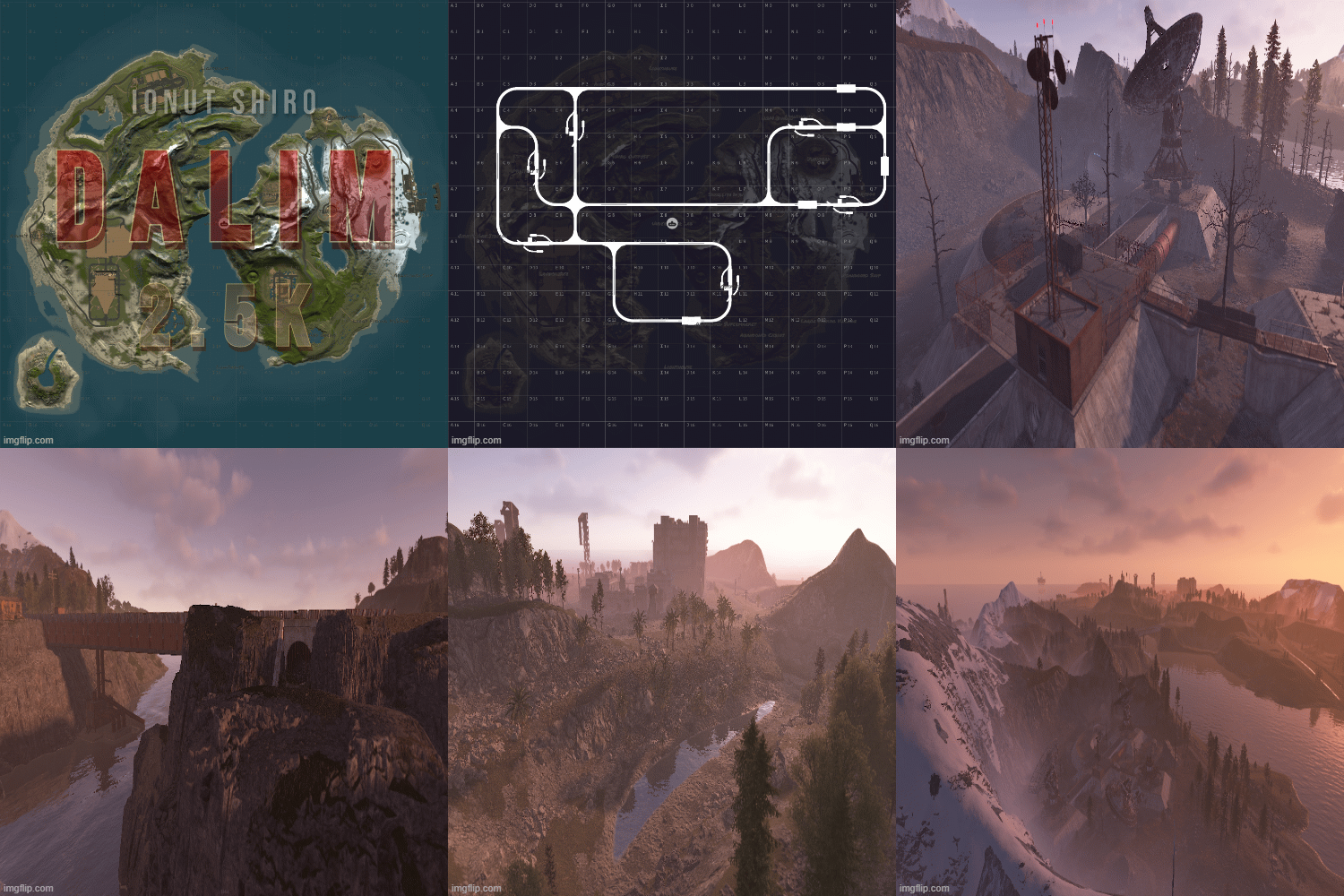
Dalim 2.5K - With Launch Site
This map is perfect for up and coming servers with pop lower than 50.
Smaller map size keeps PVP centralized.
Large tunnel system and two bridges connecting the islands.
High monument density with balanced room for player to build.
Launch Site is included, which is not possible for this map size through procedural generated maps.
Monuments Included:
Outpost
Bandit Town
Lighthouses
Dome
Caves
Junkyard
Swamps
Satellite Dish
Airfield
Military Tunnels
Launch Site
Both Oil Rigs
Custom Above Ground Labs with Puzzles
Mini Monuments
And More!
- $4.88
- 3 Downloads
-
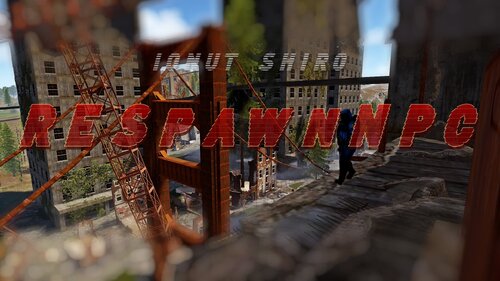
RESpawnNPC is a complete rework and expansion of the free SpawnNPC plugin, rebuilt with performance improvements, extended functionality, and full in-game UI management.
This version transforms the original concept into a modern NPC control framework with monument support, biome rules, event spawning, profile systems, advanced loot logic, and full custom map compatibility.
Built for PvE, PvP, Hardcore, Event, and Custom Map servers.
RESpawnNPC gives you full control over NPC spawning on your server using a powerful in-game UI.
Unlike the original SpawnNPC, this version supports better :
Monument-based spawning
Biome-based spawning
Event-based NPC guards
Custom spawn profiles
Custom monument and custom map support
Advanced loot systems
Reward integrations
Performance-optimized AI logic
All configuration can be handled directly in-game.
No manual file editing required unless you want to.
Core Features
Monument-based NPC spawning
Biome-based spawn control
Event-based NPC spawning:
Supply Drops
Hackable Locked Crates
Bradley APC
Patrol Helicopter
Underwater Labs
Tunnel Entrances
Custom Spawn Profiles
Per-location spawn rules
In-game Admin UI
NPC radar debug tool
Optional infighting disable
Dormant AI optimization system
Advanced Loot System
Choose how NPC loot is generated:
Vanilla Rust loot
Crate-based loot with min/max control
Extra loot layering
Kits integration for loadouts
Loot logic is optimized and no longer recreates containers every spawn.
Reward Support
Optional integrations:
Economics
ServerRewards
Rewards configurable per preset.
Optional Dependencies
Kits
MarkerManager
Economics
ServerRewards
Plugin runs without them.
Chat Command :
Description
Permission Required
/renpc
Opens the Admin UI panel
respawnnpc.admin
/renpc count
Displays total NPCs managed by the plugin
respawnnpc.command
/renpc ui
Opens the Admin UI
respawnnpc.admin
/renpc kill
Kills all plugin-spawned NPCs
respawnnpc.admin
/renpc respawn
Kills and fully respawns all NPCs
respawnnpc.admin
/renpc reload
Reloads the plugin
respawnnpc.admin
/renpc show [seconds]
Enables NPC radar debug drawing
respawnnpc.admin
/renpc hide
Disables NPC radar drawing
respawnnpc.admin
/renpc monuments
Lists detected monuments on the map
respawnnpc.admin
/renpc presets
Lists available NPC presets
respawnnpc.admin
Profile Management Commands
Description
Permission Required
/renpc profile create <name>
Creates a new custom spawn profile
respawnnpc.admin
/renpc profile load <name>
Loads an existing profile
respawnnpc.admin
/renpc profile unload
Unloads active profile and despawns its NPCs
respawnnpc.admin
/renpc profile delete <name>
Deletes a profile from data storage
respawnnpc.admin
/renpc profile list
Lists all saved profiles
respawnnpc.admin
Custom Spawn Point Commands
Description
Permission Required
/renpc add <preset> [count] [label]
Adds a spawn point at your position to the active profile
respawnnpc.admin
/renpc remove <id>
Removes a spawn point from active profile
respawnnpc.admin
/renpc list
Lists all spawn points in active profile
respawnnpc.admin
Permissions :
Description
respawnnpc.admin
Full administrative access to UI, spawn editing, profiles, radar, and management tools
respawnnpc.command
Allows access to base informational commands like /rnpc count
respawnnpc.ignore
Players with this permission receive no damage from plugin NPCs
- $20
- 38 Downloads
-
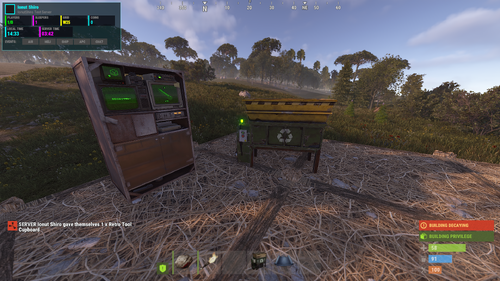
This plugin allows you to place and pickup recyclers! It is simple and perfect for your tebex shop, give the players the ability buy a recycler, without having to wait for an admin to place it!
Hit it with a hammer and its in your inventory! Simple as that!
Notes:
If you plan on changing the skin do it before giving anyone a place able recycler, as it will break the current placed recyclers! "Wont allow them to pick them up"
Permissions:
placeablerecyclers.give - permission for the command /giverecycler
placeablerecyclers.remove - permission for the command /removerecycler
Commands:
/recycleradmin - Admin panel
/giverecycler - Would give you a recycler!
/giverecycler [playername] - Would give the player name given a recycler!
/removerecycler - Toggleable command to enable/disable the ability to pickup a placeablerecycler!
Configuration:
{ "SkinID": 2245200021 }
Language:
{ "Given": "<color=green>A Placeable Recycler has been given to {0}!</color>", "Returned": "<color=green>You have picked up the recycler!</color>", "PlayerNotFound": "<color=red>Cannot find the player by the given ID or Name {0}!</color>" }- $4
- 10 Downloads
-
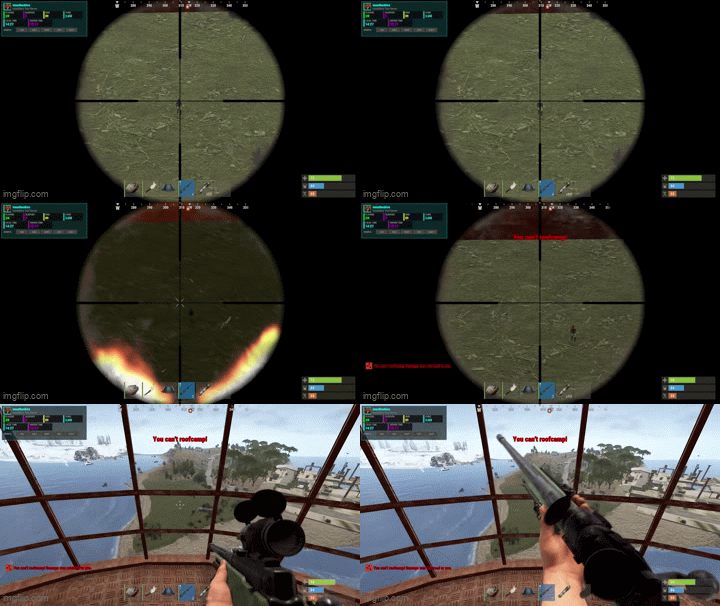
NoRoofCamp is a anti–roof camping plugin that prevents unfair elevated PvP without breaking legitimate gameplay such as base defense, raids, monuments, or helicopters.
Instead of blindly blocking damage, the plugin evaluates combat context, height, terrain, building ownership, and raid state to determine whether damage should be allowed, blocked, or reflected.
Everything is configurable and manageable through an in-game admin UI.
What it does ?
Detects and prevents unfair roof camping
Differentiates between:
Roof camping
Base defense
Active raids
Legitimate elevated combat
Supports:
Damage blocking
Damage reflection (optional)
Optional protection at monuments
Allows helicopter combat (optional)
Displays configurable warnings (screen + chat)
Tracks combat and raid state to avoid false positives
Includes a live admin control panel
How detection works?
The plugin evaluates multiple conditions before acting:
Attacker height above terrain
Victim position (grounded vs elevated)
Distance between players
Building ownership and authorization
Active raid or combat state
Monument zones
Helicopter combat
Only when all roof camping conditions are met, damage is blocked or reflected.
Examples :
Elevated sniper shooting ground player → damage blocked
Player defending their own base → allowed
Active raid between teams → allowed
Roof camper at monument → blocked
Helicopter PvP → allowed
Explosives during raids → never blocked
Commands :
Description
/nrc
Open the admin control panel
/nrc reload
Reload the plugin configuration
/nrc stats
View active combat / roofcamp tracking data
/nrc clear
Clear all stored combat tracking entries
Permission
Description
noroofcamp.admin
Grants access to admin UI and admin commands
noroofcamp.bypass
Completely bypasses all roof-camp detection and restrictions
Config :
{ "Combat Duration (seconds)": 30, "Raid Duration (seconds)": 120, "Show Message On Screen": true, "Show Message In Chat": true, "Screen Message": "<color=#ff0000>You can't roofcamp!</color>", "Chat Message": "<color=#ff0000>You can't roofcamp! Damage was returned to you.</color>", "Message Display Duration (seconds)": 2, "Message Fade Out Duration (seconds)": 0.3, "Enable Damage Reflection": false, "Damage Reflection Divider": 5, "Minimum HP After Reflection": 5, "Allow Heli Roofcamping": true, "Ground Check Distance": 2, "Building Check Radius": 6, "Cleanup Interval (seconds)": 60, "Max Height Above Terrain": 4, "Enable Monument Roofcamp Protection": true }
- $16
-
KillActivity is a modern kill feed + activity tracker that keeps your server feeling alive and competitive.
Players get a clean HUD feed that shows kills in real time (PVP/NPC/animals/vehicles), optionally including weapon and distance — while admins can configure what counts as “activity” and track spikes in combat happening across the server.
Features :
Premium-looking HUD kill feed (CUI)
Fully configurable filters (PVP, NPC, animals, vehicles)
Optional distance + weapon display
Activity tracking over a time window (detect “hot” moments)
Admin UI for live management
Quick commands to add/remove monitored entities
Lightweight and non-spammy design
Permissions :
killactivity.admin — admin UI + admin commands
killactivity.use — registered (optional; not enforced by default)
Commands :
/killadmin — open admin UI
/addentity <shortprefabname> — add monitored entity
/removeentity <shortprefabname> — remove monitored entity
Config :
{ "General Settings": { "Max Kill Feed Entries": 5, "Display Duration (seconds)": 8.0, "Show Distance": true, "Show Grid Location": true, "Show Headshots": true, "Show Weapon Mods": true, "Minimum Distance to Show": 0.0, "Maximum Distance to Show": 1000.0 }, "UI Colors": { "Panel Background": "#0d0d12F0", "Panel Border": "#00ffff40", "Killer Name Color": "#00ffffFF", "Victim Name Color": "#ff00ffFF", "Distance Color": "#00ff00FF", "Grid Color": "#ffff00FF", "Weapon Text Color": "#ffffffFF", "Headshot Icon Color": "#ff0000FF", "Text White": "#ffffffFF", "Text Gray": "#888888FF", "Admin Panel Background": "#0d0d12F5", "Admin Panel Border": "#00ffff60", "Admin Button": "#1a1a2eFF", "Admin Button Hover": "#00ffff40", "Admin Button Active": "#00ffffFF", "Admin Toggle On": "#00ff00FF", "Admin Toggle Off": "#ff0000FF" }, "UI Position": { "Anchor (TopLeft, TopCenter, TopRight, BottomLeft, BottomCenter, BottomRight)": "TopRight", "Offset X": 0.0, "Offset Y": 0.0, "Entry Width": 350.0, "Entry Height": 28.0, "Entry Spacing": 4.0, "Grow Direction (Up, Down)": "Down" }, "Kill Types": { "Player vs Player": true, "Player vs NPC": true, "NPC vs Player": true, "Player vs Animal": true, "Animal vs Player": true, "Trap vs Player": true, "Turret vs Player": true, "Vehicle Kills (Vehicle vs Player)": true, "Player vs Vehicle (Bradley/Heli)": true, "Self Kills (Suicide)": false }, "Weapon Filters": [], "Group Settings": { "killactivity.vip": { "Killer Name Color": "#ffd700FF", "Victim Name Color": "#ffd700FF", "Show Kills": true }, "killactivity.premium": { "Killer Name Color": "#ff00ffFF", "Victim Name Color": "#ff00ffFF", "Show Kills": true }, "killactivity.admin": { "Killer Name Color": "#ff0000FF", "Victim Name Color": "#ff0000FF", "Show Kills": true } }, "Entity Display Names": { "scientist": "Scientist", "scientistnpc_heavy": "Heavy Scientist", "scientistnpc_roam": "Scientist", "scientistnpc_cargo": "Cargo Scientist", "scientistnpc_oilrig": "Oil Rig Scientist", "scarecrow": "Scarecrows", "tunneldweller": "Tunnel Dweller", "underwaterdweller": "Underwater Dweller", "bear": "Bear", "polarbear": "Polar Bear", "wolf": "Wolf", "boar": "Boar", "stag": "Stag", "chicken": "Chicken", "horse": "Horse", "simpleshark": "Shark", "bradleyapc": "Bradley APC", "patrolhelicopter": "Patrol Helicopter", "autoturret_deployed": "Auto Turret", "guntrap.deployed": "Shotgun Trap", "flameturret.deployed": "Flame Turret", "landmine": "Landmine", "beartrap": "Bear Trap", "teslacoil.deployed": "Tesla Coil", "spikes.floor": "Floor Spikes", "barricade.metal": "Metal Barricade", "cactus-1": "Cactus", "cactus-2": "Cactus", "cactus-3": "Cactus", "sam_site_turret_deployed": "SAM Site" } }- $9.60
- 9 Downloads
-
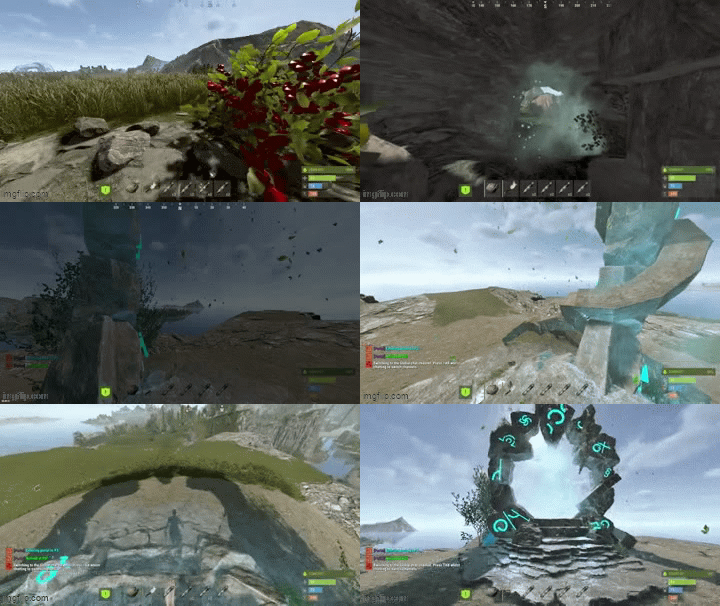
AdvancedPortals is a portal system for Rust with a clean UI, visual portal spheres, effect presets, and an admin panel for managing everything in-game.
Create portals with multiple entry/exit points, allow bi-directional or one-way travel, optionally require permissions per-portal, and customize the entire experience with effects, sounds, cooldowns, delays, and messages.
What it does?
Create unlimited portals with multiple entry & exit points
Supports one-way or two-way portals
Optional permission locking per portal
Polished player UI (/portals) to browse available portals
Full Admin UI panel (/portaladmin) to manage portals + settings
Visual portal spheres using Rust’s built-in sphere entity
Effect presets (mystical / fire / electric / silent etc.)
Entry/exit messages + teleport sound
Cooldown + optional teleport delay
Auto wipes portal data when the map changes (seed/size/new save)
Ambient portal effects (optional, timed)
Permissions :
Global permissions
advancedportals.use
Allows players to use portals and open the portal UI.
advancedportals.admin
Allows access to all admin commands and the admin panel.
Per-portal permissions (auto-generated)
If a portal has Requires Permission enabled, the plugin will generate a permission like:
advancedportals.use.<portal_name>
Example:
Portal display name: "Outpost Portal"
Permission becomes:
advancedportals.use.outpost_portal
Commands :
Player Commands :
/portals
Opens the portals list UI (only shows portals you have permission to use)
Admin Commands :
/portal
Shows help + usage
/portal create <name>
Creates a new portal
/portal delete <name>
Deletes a portal and all its points
/portal list
Lists all portals and their entry/exit counts
/addportalentry <portalname>
Adds an entry point at your current location
/addportalexit <portalname>
Adds an exit point at your current location
Admin UI
Portal Controls
Enable / Disable portals
Toggle One-Way / Two-Way
Toggle Requires Permission
Toggle portal sphere visibility
Add entry / exit points
Clear all entries / exits
Teleport to a portal for testing
Delete portals
Select effect preset per portal
Page through portals list
Settings Controls
Toggle global portal sphere visuals
Toggle effects on/off
Toggle enter message / exit message
Toggle combat restrictions
View cooldown/delay/radius values (edit in config)
How portals work ?
Each portal can have:
Entry Points (where players enter)
Exit Points (where players appear)
When a player touches a portal entry sphere:
The plugin picks a random exit point
Teleports the player
Plays optional effects + messages
One-Way behavior
If One Way = true:
Entry points work normally
Exit points do not teleport players back
Config :
{ "Teleport Cooldown (seconds)": 3.0, "Teleport Delay (seconds)": 0.0, "Sphere Radius": 1.5, "Sphere Entity Count (visuals)": 3, "Show Sphere Visuals": true, "Use Portal Effects": true, "Show Enter Message": true, "Show Exit Message": true, "Enter Message": "<color=#9b59b6>[Portal]</color> <color=#00ffff>Entering portal to {destination}...</color>", "Exit Message": "<color=#9b59b6>[Portal]</color> <color=#00ff00>Arrived at {destination}!</color>", "Effect Prefab (entry)": "assets/prefabs/misc/orebonus/effects/bonus_hit.prefab", "Effect Prefab (exit)": "assets/prefabs/misc/orebonus/effects/bonus_hit.prefab", "Teleport Sound": "assets/prefabs/misc/orebonus/effects/bonus_hit.prefab", "Ambient Effect Prefab": "", "Ambient Effect Interval (seconds)": 10.0, "Custom Prefab Path (empty = use sphere)": "", "Block Teleport In Combat": false, "Available Effect Presets": { "mystical": { "Name": "Mystical", "Ambient Effect": "", "Entry Effect": "assets/prefabs/misc/orebonus/effects/bonus_hit.prefab", "Exit Effect": "assets/prefabs/misc/orebonus/effects/bonus_hit.prefab" }, "fire": { "Name": "Fire", "Ambient Effect": "", "Entry Effect": "assets/bundled/prefabs/fx/impacts/additive/fire.prefab", "Exit Effect": "assets/bundled/prefabs/fx/impacts/additive/fire.prefab" }, "nature": { "Name": "Nature", "Ambient Effect": "", "Entry Effect": "assets/prefabs/misc/orebonus/effects/bonus_hit.prefab", "Exit Effect": "assets/prefabs/misc/orebonus/effects/bonus_hit.prefab" }, "electric": { "Name": "Electric", "Ambient Effect": "", "Entry Effect": "assets/prefabs/locks/keypad/effects/lock.code.unlock.prefab", "Exit Effect": "assets/prefabs/locks/keypad/effects/lock.code.unlock.prefab" }, "silent": { "Name": "Silent", "Ambient Effect": "", "Entry Effect": "", "Exit Effect": "" } } }- $9.60
- 4 Downloads
-
Add progression to base building by requiring special upgrade materials — with drops, UI, analytics, and full admin control.
BaseUpgrades turns the normal Rust upgrade system into something deeper and more rewarding.
Instead of players jumping straight to stone/metal/HQM, upgrades now require configurable construction components (wood beams, rebar, bolts, titanium plates, etc). These components are earned through gathering, crates, barrels, NPCs — or given manually — fully controlled by config.
It’s designed to feel like an MMO-style progression layer, without being grindy, and without replacing Rust’s core resource system.
The plugin ships with smart defaults, a full UI admin panel, and a clean upgrade indicator so players always know what they’re missing.
What it does ?
Adds extra material requirements for upgrading foundations / walls / floors / roofs / stairs / ramps
Different requirements per tier (wood → stone → metal → HQM) and structure type
Custom “construction items” with skins (nails, beams, bolts, rebar, etc)
Configurable drop system (ores, trees, barrels, crates, NPCs, supply drops, etc)
Supports loot tables, drop groups, or individual item drop rules
VIP discount multiplier support
Optional scaling cost based on upkeep
UI popup showing required vs owned items (only when needed, if enabled)
Pickup notification UI for construction items
Full Discord logging (optional)
Built-in analytics report for admins (consumption stats, blocked upgrades, etc)
Admin UI to toggle drop sources, edit tables, give test items, reload config
Everything can be customized or disabled.
Examples :
Player upgrades a stone wall
Needs vanilla upgrade cost PLUS rebar + concrete (configurable)
Player chops a tree
Chance to drop wood beams or nails, based on drop rules
Admin wants to tweak barrels
Opens admin UI → edits the “barrel” drop table live → saved to config
VIP player upgrades
Pays fewer special materials because of VIP multiplier
Permissions
Description
baseupgrades.give
Allow player to spawn upgrade items for themselves
baseupgrades.giveto
Allow giving upgrade items to other players
baseupgrades.report
Allow running analytics report
baseupgrades.vip
Eligible for VIP upgrade discount
baseupgrades.bypass
Ignore upgrade material requirements entirely
baseupgrades.admin
Access full admin UI & console controls
Chat Commands
Description
/bugive <item> <amount>
Give yourself custom upgrade materials
/bugiveto <player> <item> <amount>
Give materials to another player
/bu.report
Show upgrade consumption & analytics
/bu.admin
Open admin UI
/bu.debug
Debug object you are looking at (node, crate, etc)
Console Commands :
Description
bu.close
Close admin UI
bu.page <page>
Navigate UI pages
bu.toggle <dropSource>
Enable/disable a drop source
bu.option <key> <value>
Change plugin options live
bu.reload
Reload config and rebuild caches
bu.droppage <index>
Paginate drop source list
bu.dropedit <source>
Edit specific drop source
bu.dropedit.close
Close drop editor
bu.dropedit.additem <source> <item>
Add item to drop
bu.dropedit.removeitem <source> <item>
Remove item
bu.dropedit.useindividual <source>
Force custom item mode
bu.selectitem <item>
Open give-to-player panel
Config :
{ "Options": { "Can Stack": true, "Award Only On Full Harvest": true, "VIP Cost Multiplier": 0.8, "Scale By Upkeep (higher upkeep = higher cost)": false, "Upkeep Scale Factor": 0.001, "Enable Discord Logging": false, "Discord Webhook URL": "", "Enable Upgrade UI": true, "UI Display Duration (seconds)": 8.0, "Double Drop Prevention Window (seconds)": 0.5, "UI Panel Background Color": "#0d0d12F0", "UI Panel Border Color": "#00ffff60", "UI Accent Color": "#00ffffFF", "UI Text Color": "#ffffffFF", "UI Success Color": "#00ff00FF", "UI Error Color": "#ff4444FF", "Show Item Pickup Notification": true, "Pickup Notification Duration (seconds)": 3.0, "Show UI Only When Missing Items": false, "Max Requirement Multiplier Cap": 5.0 }, "Upgrade Tiers": { "wood": { "Default": [ { "Name": "nails", "Amount": 10 }, { "Name": "wood_beams", "Amount": 5 } ], "Foundation": [ { "Name": "nails", "Amount": 15 }, { "Name": "wood_beams", "Amount": 8 } ], "Wall": [ { "Name": "nails", "Amount": 12 }, { "Name": "wood_beams", "Amount": 6 } ], "Floor": [ { "Name": "nails", "Amount": 8 }, { "Name": "wood_beams", "Amount": 4 } ], "Roof": [ { "Name": "nails", "Amount": 8 }, { "Name": "wood_beams", "Amount": 4 } ], "Stairs": [ { "Name": "nails", "Amount": 6 }, { "Name": "wood_beams", "Amount": 3 } ], "Ramp": [ { "Name": "nails", "Amount": 6 }, { "Name": "wood_beams", "Amount": 3 } ] }, "stone": { "Default": [ { "Name": "rebar", "Amount": 8 }, { "Name": "concrete", "Amount": 20 } ], "Foundation": [ { "Name": "rebar", "Amount": 12 }, { "Name": "concrete", "Amount": 30 } ], "Wall": [ { "Name": "rebar", "Amount": 10 }, { "Name": "concrete", "Amount": 25 } ], "Floor": [ { "Name": "rebar", "Amount": 6 }, { "Name": "concrete", "Amount": 15 } ], "Roof": [ { "Name": "rebar", "Amount": 6 }, { "Name": "concrete", "Amount": 15 } ], "Stairs": [ { "Name": "rebar", "Amount": 4 }, { "Name": "concrete", "Amount": 10 } ], "Ramp": [ { "Name": "rebar", "Amount": 4 }, { "Name": "concrete", "Amount": 10 } ] }, "metal": { "Default": [ { "Name": "bolts", "Amount": 20 }, { "Name": "metal_plates", "Amount": 10 } ], "Foundation": [ { "Name": "bolts", "Amount": 30 }, { "Name": "metal_plates", "Amount": 15 } ], "Wall": [ { "Name": "bolts", "Amount": 25 }, { "Name": "metal_plates", "Amount": 12 } ], "Floor": [ { "Name": "bolts", "Amount": 15 }, { "Name": "metal_plates", "Amount": 8 } ], "Roof": [ { "Name": "bolts", "Amount": 15 }, { "Name": "metal_plates", "Amount": 8 } ], "Stairs": [ { "Name": "bolts", "Amount": 10 }, { "Name": "metal_plates", "Amount": 5 } ], "Ramp": [ { "Name": "bolts", "Amount": 10 }, { "Name": "metal_plates", "Amount": 5 } ] }, "toptier": { "Default": [ { "Name": "rebar", "Amount": 40 }, { "Name": "concrete", "Amount": 80 }, { "Name": "bolts", "Amount": 120 }, { "Name": "titanium_plates", "Amount": 30 } ], "Foundation": [ { "Name": "rebar", "Amount": 50 }, { "Name": "concrete", "Amount": 100 }, { "Name": "bolts", "Amount": 150 }, { "Name": "titanium_plates", "Amount": 40 } ], "Wall": [ { "Name": "rebar", "Amount": 45 }, { "Name": "concrete", "Amount": 90 }, { "Name": "bolts", "Amount": 135 }, { "Name": "titanium_plates", "Amount": 35 } ], "Floor": [ { "Name": "rebar", "Amount": 30 }, { "Name": "concrete", "Amount": 60 }, { "Name": "bolts", "Amount": 90 }, { "Name": "titanium_plates", "Amount": 25 } ], "Roof": [ { "Name": "rebar", "Amount": 30 }, { "Name": "concrete", "Amount": 60 }, { "Name": "bolts", "Amount": 90 }, { "Name": "titanium_plates", "Amount": 25 } ], "Stairs": [ { "Name": "rebar", "Amount": 20 }, { "Name": "concrete", "Amount": 40 }, { "Name": "bolts", "Amount": 60 }, { "Name": "titanium_plates", "Amount": 15 } ], "Ramp": [ { "Name": "rebar", "Amount": 20 }, { "Name": "concrete", "Amount": 40 }, { "Name": "bolts", "Amount": 60 }, { "Name": "titanium_plates", "Amount": 15 } ] } }, "Custom Items": { "wood_beams": { "DisplayName": "Wood Beams", "ItemID": 642482233, "SkinID": 2884222695 }, "nails": { "DisplayName": "Nails", "ItemID": 642482233, "SkinID": 2885116080 }, "concrete": { "DisplayName": "Concrete", "ItemID": 642482233, "SkinID": 2885116737 }, "rebar": { "DisplayName": "Rebar", "ItemID": 642482233, "SkinID": 2885115439 }, "metal_plates": { "DisplayName": "Metal Plates", "ItemID": 642482233, "SkinID": 2885115829 }, "bolts": { "DisplayName": "Bolts", "ItemID": 642482233, "SkinID": 2884224851 }, "titanium_plates": { "DisplayName": "Titanium Plates", "ItemID": 642482233, "SkinID": 2884224233 } }, "Drop Groups": { "IndustrialParts": [ "metal_plates", "bolts", "rebar" ], "WoodParts": [ "wood_beams", "nails" ], "StoneParts": [ "concrete", "rebar" ] }, "Loot Tables": { "defaultloottable": { "wood_beams": { "Drop Chance": 0.4, "Min Amount": 1, "Max Amount": 5 }, "nails": { "Drop Chance": 0.5, "Min Amount": 2, "Max Amount": 8 }, "concrete": { "Drop Chance": 0.35, "Min Amount": 1, "Max Amount": 6 }, "rebar": { "Drop Chance": 0.3, "Min Amount": 1, "Max Amount": 4 }, "metal_plates": { "Drop Chance": 0.25, "Min Amount": 1, "Max Amount": 3 }, "bolts": { "Drop Chance": 0.3, "Min Amount": 1, "Max Amount": 5 }, "titanium_plates": { "Drop Chance": 0.1, "Min Amount": 1, "Max Amount": 2 } } }, "Drop Sources": { "ore_stone": { "Loot": { "concrete": { "Drop Chance": 0.6, "Min Amount": 1, "Max Amount": 8 } }, "Enabled": true, "UseLootTable": false, "LootTableName": null, "UseDropGroup": false, "DropGroupName": null }, "ore_metal": { "Loot": { "metal_plates": { "Drop Chance": 0.5, "Min Amount": 1, "Max Amount": 6 } }, "Enabled": true, "UseLootTable": false, "LootTableName": null, "UseDropGroup": false, "DropGroupName": null }, "ore_sulfur": { "Loot": { "bolts": { "Drop Chance": 0.4, "Min Amount": 1, "Max Amount": 5 } }, "Enabled": true, "UseLootTable": false, "LootTableName": null, "UseDropGroup": false, "DropGroupName": null }, "oak_tree": { "Loot": { "wood_beams": { "Drop Chance": 0.7, "Min Amount": 2, "Max Amount": 10 } }, "Enabled": true, "UseLootTable": false, "LootTableName": null, "UseDropGroup": false, "DropGroupName": null }, "birch_tree": { "Loot": { "wood_beams": { "Drop Chance": 0.65, "Min Amount": 2, "Max Amount": 8 } }, "Enabled": true, "UseLootTable": false, "LootTableName": null, "UseDropGroup": false, "DropGroupName": null }, "pine_tree": { "Loot": { "wood_beams": { "Drop Chance": 0.7, "Min Amount": 2, "Max Amount": 10 } }, "Enabled": true, "UseLootTable": false, "LootTableName": null, "UseDropGroup": false, "DropGroupName": null }, "palm_tree": { "Loot": { "wood_beams": { "Drop Chance": 0.7, "Min Amount": 2, "Max Amount": 10 } }, "Enabled": true, "UseLootTable": false, "LootTableName": null, "UseDropGroup": false, "DropGroupName": null }, "beech_tree": { "Loot": { "wood_beams": { "Drop Chance": 0.7, "Min Amount": 2, "Max Amount": 10 } }, "Enabled": true, "UseLootTable": false, "LootTableName": null, "UseDropGroup": false, "DropGroupName": null }, "swamp_tree": { "Loot": { "wood_beams": { "Drop Chance": 0.65, "Min Amount": 1, "Max Amount": 8 } }, "Enabled": true, "UseLootTable": false, "LootTableName": null, "UseDropGroup": false, "DropGroupName": null }, "oak_a": { "Loot": { "wood_beams": { "Drop Chance": 0.7, "Min Amount": 2, "Max Amount": 10 } }, "Enabled": true, "UseLootTable": false, "LootTableName": null, "UseDropGroup": false, "DropGroupName": null }, "oak_b": { "Loot": { "wood_beams": { "Drop Chance": 0.7, "Min Amount": 2, "Max Amount": 10 } }, "Enabled": true, "UseLootTable": false, "LootTableName": null, "UseDropGroup": false, "DropGroupName": null }, "oak_c": { "Loot": { "wood_beams": { "Drop Chance": 0.7, "Min Amount": 2, "Max Amount": 10 } }, "Enabled": true, "UseLootTable": false, "LootTableName": null, "UseDropGroup": false, "DropGroupName": null }, "oak_d": { "Loot": { "wood_beams": { "Drop Chance": 0.7, "Min Amount": 2, "Max Amount": 10 } }, "Enabled": true, "UseLootTable": false, "LootTableName": null, "UseDropGroup": false, "DropGroupName": null }, "oak_e": { "Loot": { "wood_beams": { "Drop Chance": 0.7, "Min Amount": 2, "Max Amount": 10 } }, "Enabled": true, "UseLootTable": false, "LootTableName": null, "UseDropGroup": false, "DropGroupName": null }, "oak_f": { "Loot": { "wood_beams": { "Drop Chance": 0.7, "Min Amount": 2, "Max Amount": 10 } }, "Enabled": true, "UseLootTable": false, "LootTableName": null, "UseDropGroup": false, "DropGroupName": null }, "birch_big_temp": { "Loot": { "wood_beams": { "Drop Chance": 0.65, "Min Amount": 2, "Max Amount": 8 } }, "Enabled": true, "UseLootTable": false, "LootTableName": null, "UseDropGroup": false, "DropGroupName": null }, "birch_medium_temp": { "Loot": { "wood_beams": { "Drop Chance": 0.6, "Min Amount": 1, "Max Amount": 6 } }, "Enabled": true, "UseLootTable": false, "LootTableName": null, "UseDropGroup": false, "DropGroupName": null }, "birch_small_temp": { "Loot": { "wood_beams": { "Drop Chance": 0.5, "Min Amount": 1, "Max Amount": 4 } }, "Enabled": true, "UseLootTable": false, "LootTableName": null, "UseDropGroup": false, "DropGroupName": null }, "pine_a": { "Loot": { "wood_beams": { "Drop Chance": 0.7, "Min Amount": 2, "Max Amount": 10 } }, "Enabled": true, "UseLootTable": false, "LootTableName": null, "UseDropGroup": false, "DropGroupName": null }, "pine_b": { "Loot": { "wood_beams": { "Drop Chance": 0.7, "Min Amount": 2, "Max Amount": 10 } }, "Enabled": true, "UseLootTable": false, "LootTableName": null, "UseDropGroup": false, "DropGroupName": null }, "pine_c": { "Loot": { "wood_beams": { "Drop Chance": 0.7, "Min Amount": 2, "Max Amount": 10 } }, "Enabled": true, "UseLootTable": false, "LootTableName": null, "UseDropGroup": false, "DropGroupName": null }, "pine_d": { "Loot": { "wood_beams": { "Drop Chance": 0.7, "Min Amount": 2, "Max Amount": 10 } }, "Enabled": true, "UseLootTable": false, "LootTableName": null, "UseDropGroup": false, "DropGroupName": null }, "palm_tree_tall_a_entity": { "Loot": { "wood_beams": { "Drop Chance": 0.7, "Min Amount": 2, "Max Amount": 10 } }, "Enabled": true, "UseLootTable": false, "LootTableName": null, "UseDropGroup": false, "DropGroupName": null }, "palm_tree_tall_b_entity": { "Loot": { "wood_beams": { "Drop Chance": 0.7, "Min Amount": 2, "Max Amount": 10 } }, "Enabled": true, "UseLootTable": false, "LootTableName": null, "UseDropGroup": false, "DropGroupName": null }, "palm_tree_short_a_entity": { "Loot": { "wood_beams": { "Drop Chance": 0.6, "Min Amount": 1, "Max Amount": 6 } }, "Enabled": true, "UseLootTable": false, "LootTableName": null, "UseDropGroup": false, "DropGroupName": null }, "palm_tree_short_b_entity": { "Loot": { "wood_beams": { "Drop Chance": 0.6, "Min Amount": 1, "Max Amount": 6 } }, "Enabled": true, "UseLootTable": false, "LootTableName": null, "UseDropGroup": false, "DropGroupName": null }, "palm_tree_med_a_entity": { "Loot": { "wood_beams": { "Drop Chance": 0.65, "Min Amount": 1, "Max Amount": 8 } }, "Enabled": true, "UseLootTable": false, "LootTableName": null, "UseDropGroup": false, "DropGroupName": null }, "palm_tree_med_b_entity": { "Loot": { "wood_beams": { "Drop Chance": 0.65, "Min Amount": 1, "Max Amount": 8 } }, "Enabled": true, "UseLootTable": false, "LootTableName": null, "UseDropGroup": false, "DropGroupName": null }, "american_beech_a": { "Loot": { "wood_beams": { "Drop Chance": 0.7, "Min Amount": 2, "Max Amount": 10 } }, "Enabled": true, "UseLootTable": false, "LootTableName": null, "UseDropGroup": false, "DropGroupName": null }, "american_beech_b": { "Loot": { "wood_beams": { "Drop Chance": 0.7, "Min Amount": 2, "Max Amount": 10 } }, "Enabled": true, "UseLootTable": false, "LootTableName": null, "UseDropGroup": false, "DropGroupName": null }, "american_beech_c": { "Loot": { "wood_beams": { "Drop Chance": 0.7, "Min Amount": 2, "Max Amount": 10 } }, "Enabled": true, "UseLootTable": false, "LootTableName": null, "UseDropGroup": false, "DropGroupName": null }, "american_beech_d": { "Loot": { "wood_beams": { "Drop Chance": 0.7, "Min Amount": 2, "Max Amount": 10 } }, "Enabled": true, "UseLootTable": false, "LootTableName": null, "UseDropGroup": false, "DropGroupName": null }, "american_beech_a_dead": { "Loot": { "wood_beams": { "Drop Chance": 0.6, "Min Amount": 1, "Max Amount": 6 } }, "Enabled": true, "UseLootTable": false, "LootTableName": null, "UseDropGroup": false, "DropGroupName": null }, "douglas_fir_a": { "Loot": { "wood_beams": { "Drop Chance": 0.7, "Min Amount": 2, "Max Amount": 10 } }, "Enabled": true, "UseLootTable": false, "LootTableName": null, "UseDropGroup": false, "DropGroupName": null }, "douglas_fir_b": { "Loot": { "wood_beams": { "Drop Chance": 0.7, "Min Amount": 2, "Max Amount": 10 } }, "Enabled": true, "UseLootTable": false, "LootTableName": null, "UseDropGroup": false, "DropGroupName": null }, "douglas_fir_c": { "Loot": { "wood_beams": { "Drop Chance": 0.7, "Min Amount": 2, "Max Amount": 10 } }, "Enabled": true, "UseLootTable": false, "LootTableName": null, "UseDropGroup": false, "DropGroupName": null }, "douglas_fir_d": { "Loot": { "wood_beams": { "Drop Chance": 0.7, "Min Amount": 2, "Max Amount": 10 } }, "Enabled": true, "UseLootTable": false, "LootTableName": null, "UseDropGroup": false, "DropGroupName": null }, "swamp_tree_a": { "Loot": { "wood_beams": { "Drop Chance": 0.65, "Min Amount": 1, "Max Amount": 8 } }, "Enabled": true, "UseLootTable": false, "LootTableName": null, "UseDropGroup": false, "DropGroupName": null }, "swamp_tree_b": { "Loot": { "wood_beams": { "Drop Chance": 0.65, "Min Amount": 1, "Max Amount": 8 } }, "Enabled": true, "UseLootTable": false, "LootTableName": null, "UseDropGroup": false, "DropGroupName": null }, "swamp_tree_c": { "Loot": { "wood_beams": { "Drop Chance": 0.65, "Min Amount": 1, "Max Amount": 8 } }, "Enabled": true, "UseLootTable": false, "LootTableName": null, "UseDropGroup": false, "DropGroupName": null }, "driftwood_1": { "Loot": { "nails": { "Drop Chance": 0.5, "Min Amount": 1, "Max Amount": 4 } }, "Enabled": true, "UseLootTable": false, "LootTableName": null, "UseDropGroup": false, "DropGroupName": null }, "driftwood_2": { "Loot": { "nails": { "Drop Chance": 0.5, "Min Amount": 1, "Max Amount": 4 } }, "Enabled": true, "UseLootTable": false, "LootTableName": null, "UseDropGroup": false, "DropGroupName": null }, "driftwood_3": { "Loot": { "nails": { "Drop Chance": 0.5, "Min Amount": 1, "Max Amount": 4 } }, "Enabled": true, "UseLootTable": false, "LootTableName": null, "UseDropGroup": false, "DropGroupName": null }, "driftwood_4": { "Loot": { "nails": { "Drop Chance": 0.5, "Min Amount": 1, "Max Amount": 4 } }, "Enabled": true, "UseLootTable": false, "LootTableName": null, "UseDropGroup": false, "DropGroupName": null }, "driftwood_5": { "Loot": { "nails": { "Drop Chance": 0.5, "Min Amount": 1, "Max Amount": 4 } }, "Enabled": true, "UseLootTable": false, "LootTableName": null, "UseDropGroup": false, "DropGroupName": null }, "dead_log_a": { "Loot": { "wood_beams": { "Drop Chance": 0.5, "Min Amount": 1, "Max Amount": 4 } }, "Enabled": true, "UseLootTable": false, "LootTableName": null, "UseDropGroup": false, "DropGroupName": null }, "dead_log_b": { "Loot": { "wood_beams": { "Drop Chance": 0.5, "Min Amount": 1, "Max Amount": 4 } }, "Enabled": true, "UseLootTable": false, "LootTableName": null, "UseDropGroup": false, "DropGroupName": null }, "dead_log_c": { "Loot": { "wood_beams": { "Drop Chance": 0.5, "Min Amount": 1, "Max Amount": 4 } }, "Enabled": true, "UseLootTable": false, "LootTableName": null, "UseDropGroup": false, "DropGroupName": null }, "loot_barrel_1": { "Loot": {}, "Enabled": true, "UseLootTable": true, "LootTableName": "defaultloottable", "UseDropGroup": false, "DropGroupName": null }, "loot_barrel_2": { "Loot": {}, "Enabled": true, "UseLootTable": true, "LootTableName": "defaultloottable", "UseDropGroup": false, "DropGroupName": null }, "oil_barrel": { "Loot": {}, "Enabled": true, "UseLootTable": true, "LootTableName": "defaultloottable", "UseDropGroup": false, "DropGroupName": null }, "crate_normal": { "Loot": {}, "Enabled": true, "UseLootTable": true, "LootTableName": "defaultloottable", "UseDropGroup": false, "DropGroupName": null }, "crate_normal_2": { "Loot": {}, "Enabled": true, "UseLootTable": true, "LootTableName": "defaultloottable", "UseDropGroup": false, "DropGroupName": null }, "crate_normal_2_food": { "Loot": {}, "Enabled": true, "UseLootTable": true, "LootTableName": "defaultloottable", "UseDropGroup": false, "DropGroupName": null }, "crate_normal_2_medical": { "Loot": {}, "Enabled": true, "UseLootTable": true, "LootTableName": "defaultloottable", "UseDropGroup": false, "DropGroupName": null }, "crate_basic": { "Loot": {}, "Enabled": true, "UseLootTable": true, "LootTableName": "defaultloottable", "UseDropGroup": false, "DropGroupName": null }, "crate_tools": { "Loot": {}, "Enabled": true, "UseLootTable": true, "LootTableName": "defaultloottable", "UseDropGroup": false, "DropGroupName": null }, "crate_underwater_basic": { "Loot": {}, "Enabled": true, "UseLootTable": true, "LootTableName": "defaultloottable", "UseDropGroup": false, "DropGroupName": null }, "crate_underwater_advanced": { "Loot": {}, "Enabled": true, "UseLootTable": true, "LootTableName": "defaultloottable", "UseDropGroup": false, "DropGroupName": null }, "crate_elite": { "Loot": {}, "Enabled": true, "UseLootTable": true, "LootTableName": "defaultloottable", "UseDropGroup": false, "DropGroupName": null }, "crate_mine": { "Loot": {}, "Enabled": true, "UseLootTable": true, "LootTableName": "defaultloottable", "UseDropGroup": false, "DropGroupName": null }, "bradley_crate": { "Loot": {}, "Enabled": true, "UseLootTable": true, "LootTableName": "defaultloottable", "UseDropGroup": false, "DropGroupName": null }, "heli_crate": { "Loot": {}, "Enabled": true, "UseLootTable": true, "LootTableName": "defaultloottable", "UseDropGroup": false, "DropGroupName": null }, "supply_drop": { "Loot": {}, "Enabled": true, "UseLootTable": true, "LootTableName": "defaultloottable", "UseDropGroup": false, "DropGroupName": null }, "minecart": { "Loot": {}, "Enabled": true, "UseLootTable": true, "LootTableName": "defaultloottable", "UseDropGroup": false, "DropGroupName": null }, "foodbox": { "Loot": {}, "Enabled": true, "UseLootTable": true, "LootTableName": "defaultloottable", "UseDropGroup": false, "DropGroupName": null }, "vehicle_parts": { "Loot": {}, "Enabled": true, "UseLootTable": true, "LootTableName": "defaultloottable", "UseDropGroup": false, "DropGroupName": null }, "trash-pile-1": { "Loot": {}, "Enabled": true, "UseLootTable": true, "LootTableName": "defaultloottable", "UseDropGroup": false, "DropGroupName": null }, "scientistnpc_full": { "Loot": {}, "Enabled": true, "UseLootTable": true, "LootTableName": "defaultloottable", "UseDropGroup": false, "DropGroupName": null }, "scientistnpc_heavy": { "Loot": {}, "Enabled": true, "UseLootTable": true, "LootTableName": "defaultloottable", "UseDropGroup": false, "DropGroupName": null }, "scarecrow": { "Loot": {}, "Enabled": true, "UseLootTable": true, "LootTableName": "defaultloottable", "UseDropGroup": false, "DropGroupName": null } } }- $28
- 5 Downloads
- 9 Comments