
-
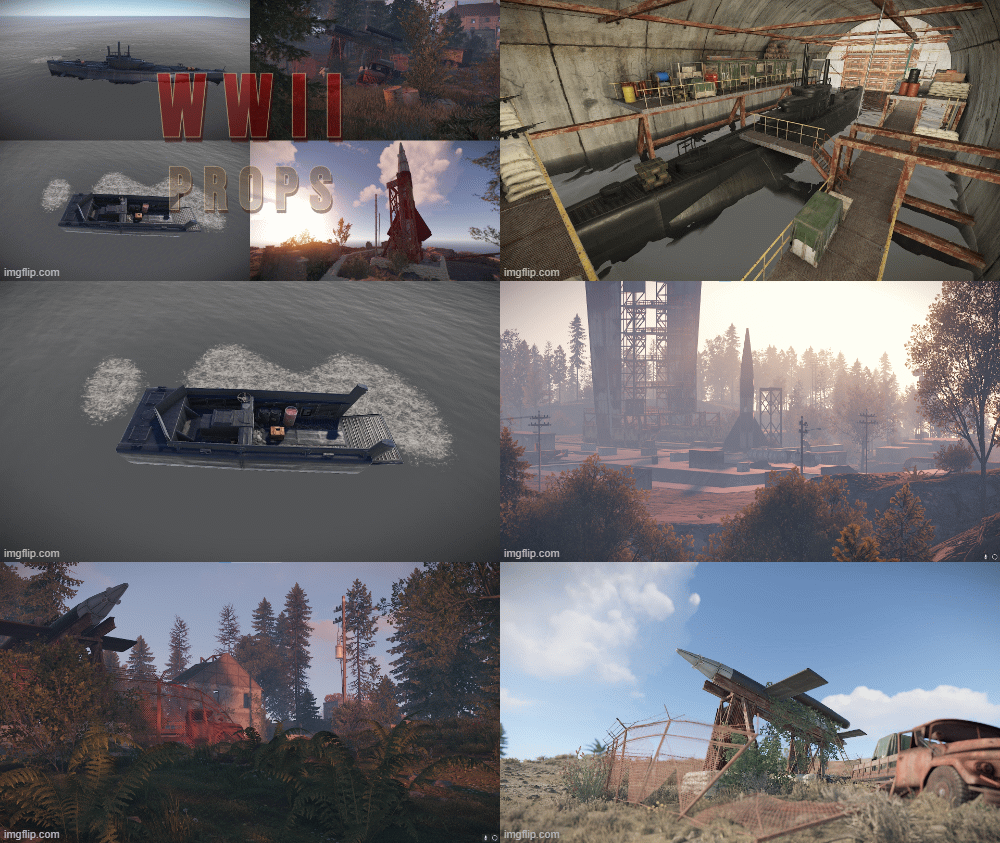 Several custom prefabs for Rust by KBEdits, WWII themed add on custom Prefabs that can make any server more fun. These standalone prefabs have a military theme to them, they can fit in with any existing map. These prefabs are standalone, this means they do not have any prefab modifiers. They are designed to be placed and blended with ease. Contains Submarine (u-boat) 207 prefabs WWII V1 (Doodle-Bug) 91 prefabs WWII V2 Rocket 276 prefabs WWII Landing Craft 241 prefabs The images show the possible use/placement of the prefabs, there is no prefab modifiers and images only depict the uses of these prefabs.$4.25
 -
 A custom Arena based upon the Launch-Site Monument for Rust Arena Servers, has all the main launch-site buildings with some sealed up to help server performance. This Arena can be used for Monument Training, can fit in with any existing Arena style setup. This Arena has been created for a range of game modes in mind, Team Death Match, Capture The Flag, Last Man Standing, Domination and many others. The Arena is re created from the original Launch-site Monument, with loot boxes removed. For most Gun Game modes there are plenty of places for spawn points and if used with Arena-Items from Codefling makes a great arena to have fun in. The Arena has all the prevent movement and invisible colliders setup, also has a observation platform above for dead players. Perfect for both Day and Night time battles. Even with the high prefab count this Arena runs smoothly and has a high player FPS.$8.50
 -
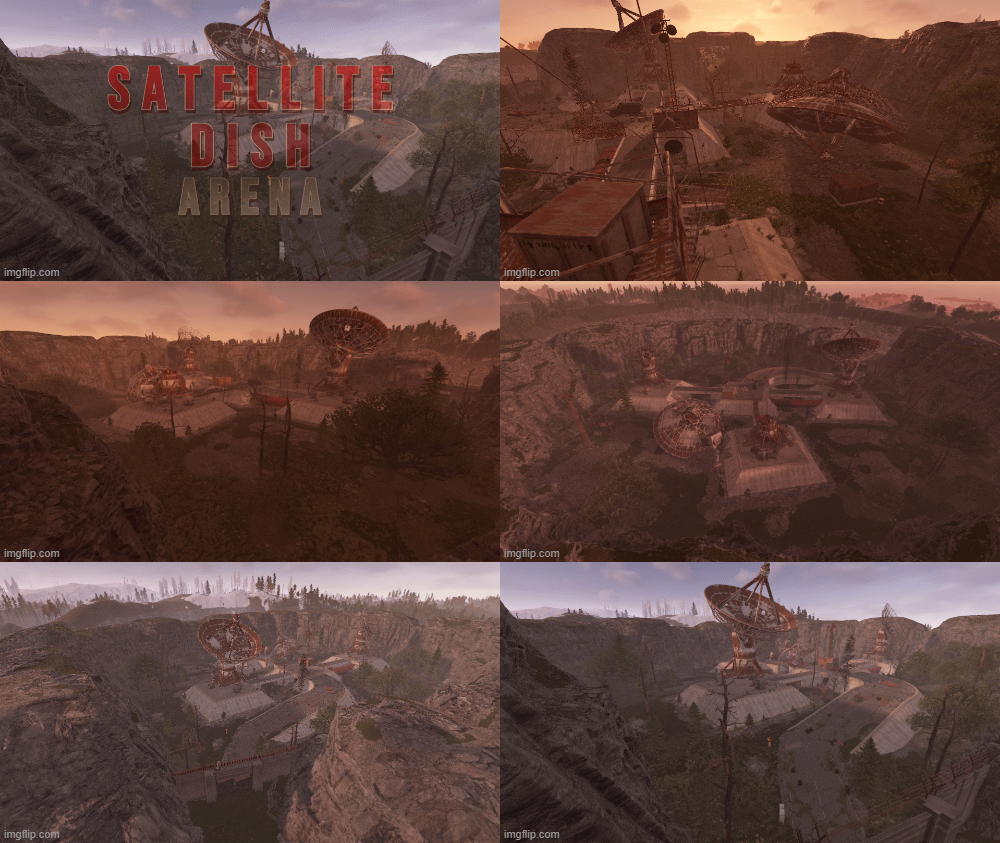 A new Custom Arena for Rust servers based upon the Satellite Monument. This Arena can be used for Monument Training, can fit in with any existing Arena style setup. This Arena has been created for a range of game modes in mind, Team Death Match, Capture The Flag, Last Man Standing, Domination and many others. The Arena is re created from the original Satellite, with loot boxes removed. For most Gun Game modes there are plenty of places for spawn points and if used with Arena-Items from Codefling makes a great arena to have fun in. The Arena has all the prevent movement and invisible colliders setup, also has a observation platform above for dead players. Perfect for both Day and Night time battles. Even with the high prefab count this Arena runs smoothly and has a high player FPS.$8.50
 -
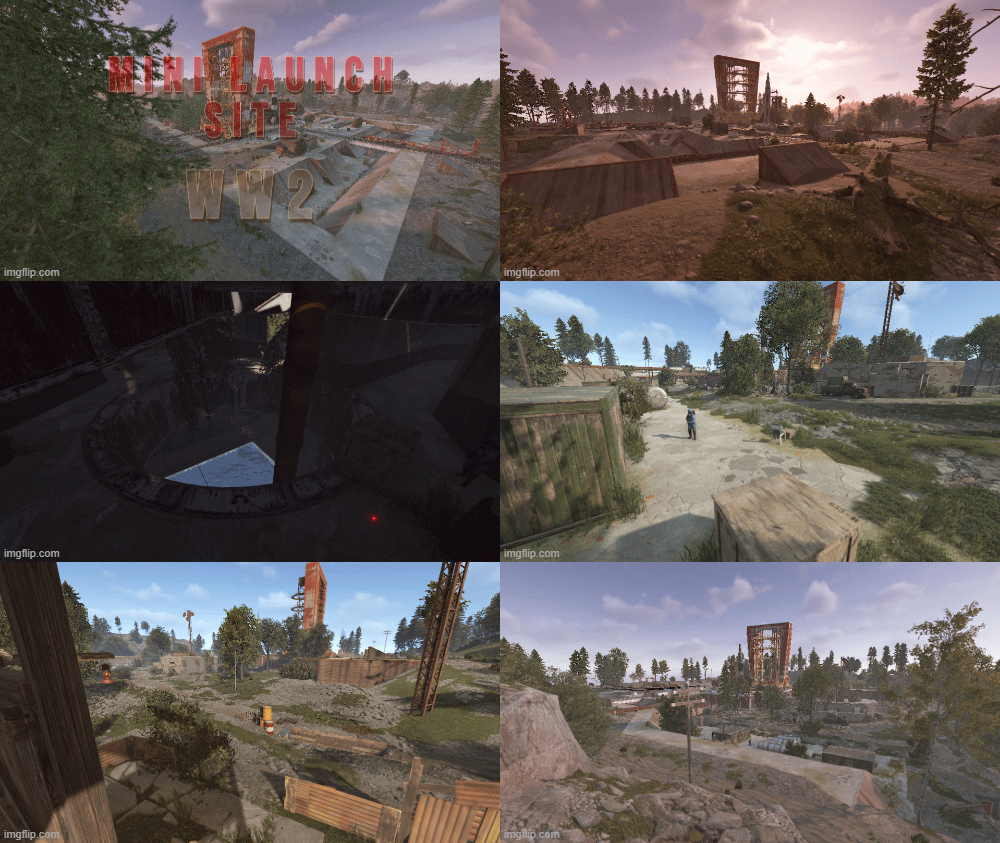 This Mini launch has a military theme to it, it can fit into any map as a new monument or as a main monument on a small map. This prefab will take a little extra work to place on a map due to its size and what it contains. Placing the prefab for the flooded part is best at Y height 21.076. This allows for the beach-side as well on one side. There is a mine entrance on one side that can be added to or removed and filled in. If you have any requests then please get in touch with us on our Discord listed below. This is a Green/Blue/Red custom puzzle that gives electric power for 18 minutes to the central outpost in the center after the Red card has been swiped. There is a Sentry Turret at the back which closes after the Red Card has been swiped. This allows other players to counter the hacked crate. To try and prevent camping the central outpost there is 2 sentry turrets inside with some scientists. Normal scientist spawns outside. Its best to watch the video showcasing the monument to get a better idea what it contains and the terrain around it. Contains Bradley APC path going around the dirt path. Contains Recycler inside the outpost. Workbench and research table above and is accessible all the time. Hackable crate. 6 Normal crate 11 Military crate 2 food crate 3 barrel spawners Red Card spawner Prefab count 3952$12.75
 -
 Legend of Morningstar is a halloween themed rust map featuring both procedural and a large variety of custom monuments. The Vale is themed in a Primstyle manner combined with the Mainland in the current Timeline. The North Provides a small Island with Oilrigs and a Bradly Road over the full northern island.$21.25
 -
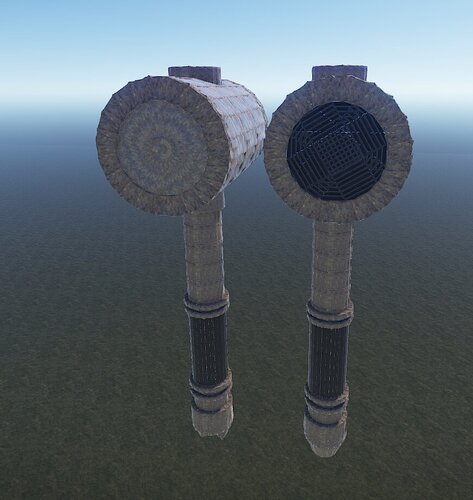 Two beautiful hammers complement your map with their powerful and warlike appearance, or complement your prefab house!Free
 -
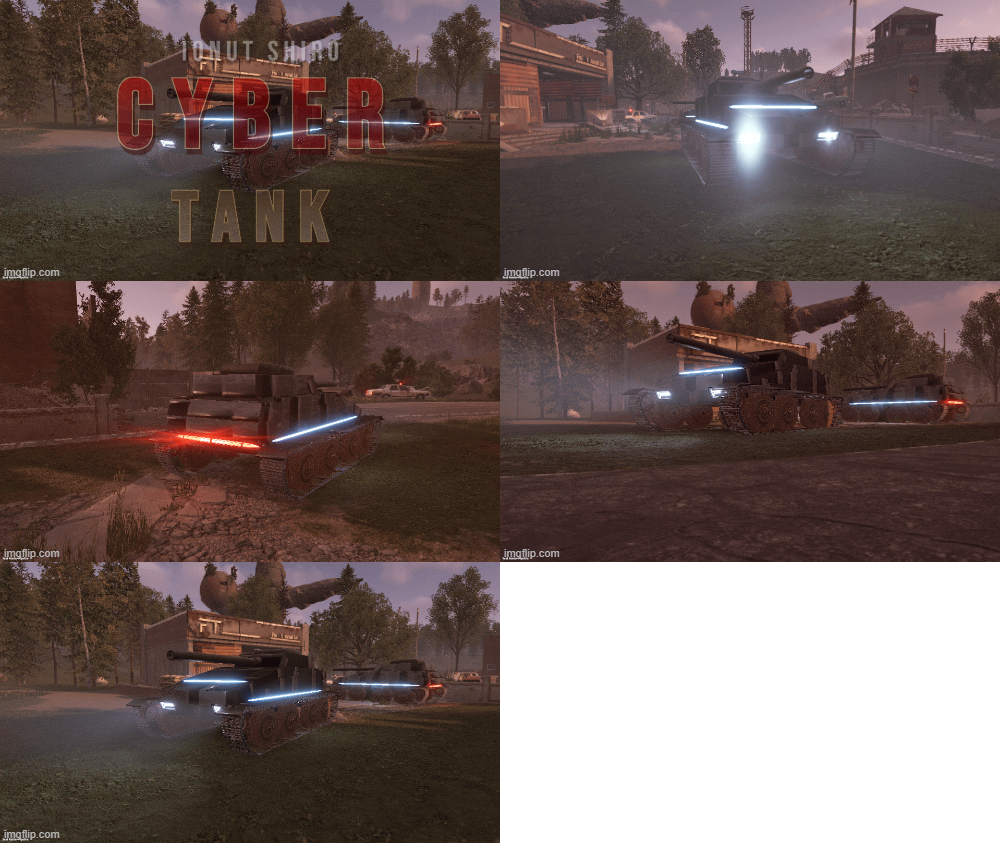 The tank of the future fits perfectly into the theme of the game cyberpunk 2077. It will look beautiful everywhere$2.13
 -
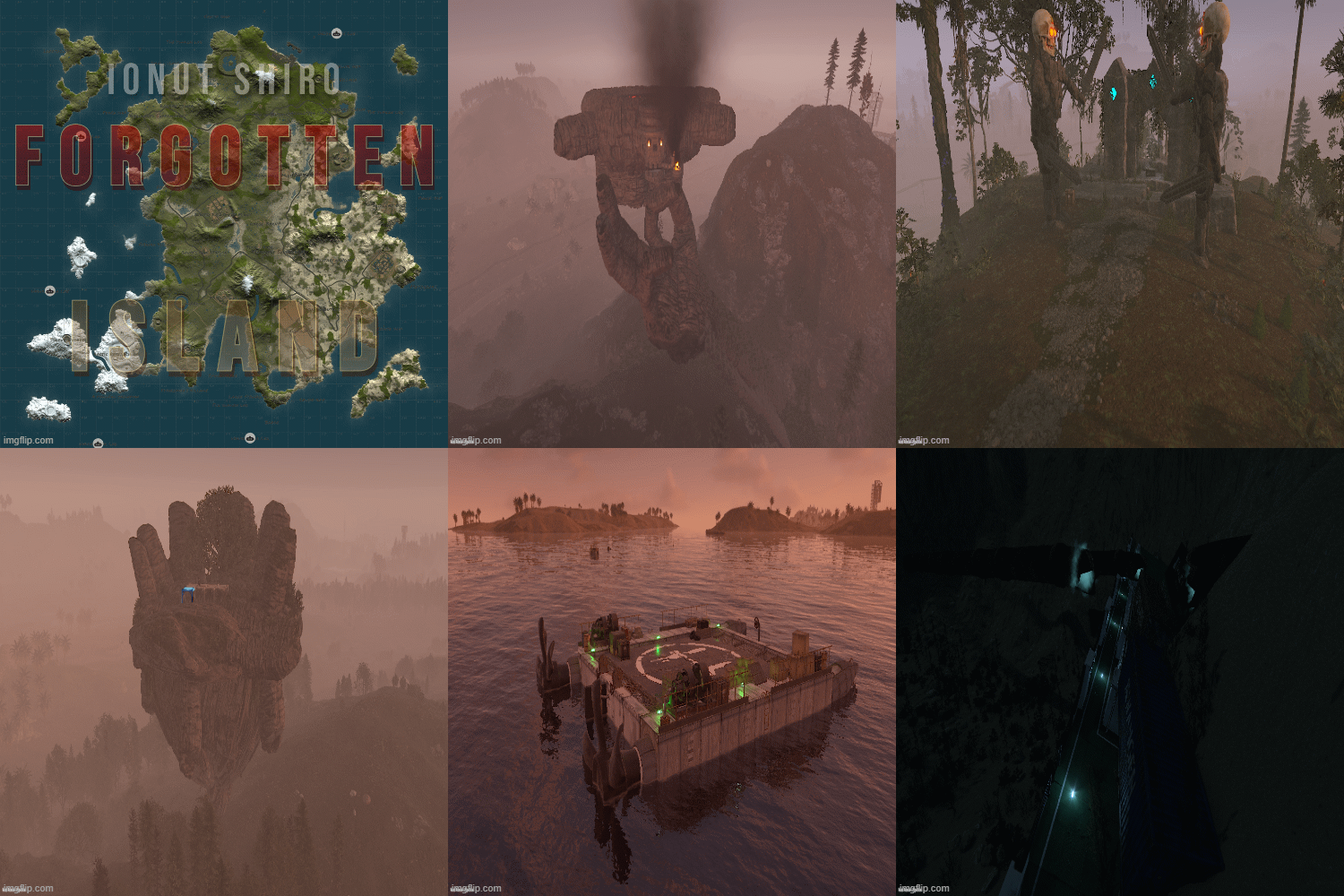 Dive together with players of your server in search of underwater treasures or explore the water of this big and beautiful world. On this map you can find custom constructions on land, water and underwater. Beautiful landscapes of atmospheric monuments. Experience new emotions from playing Rust$21.25
 -
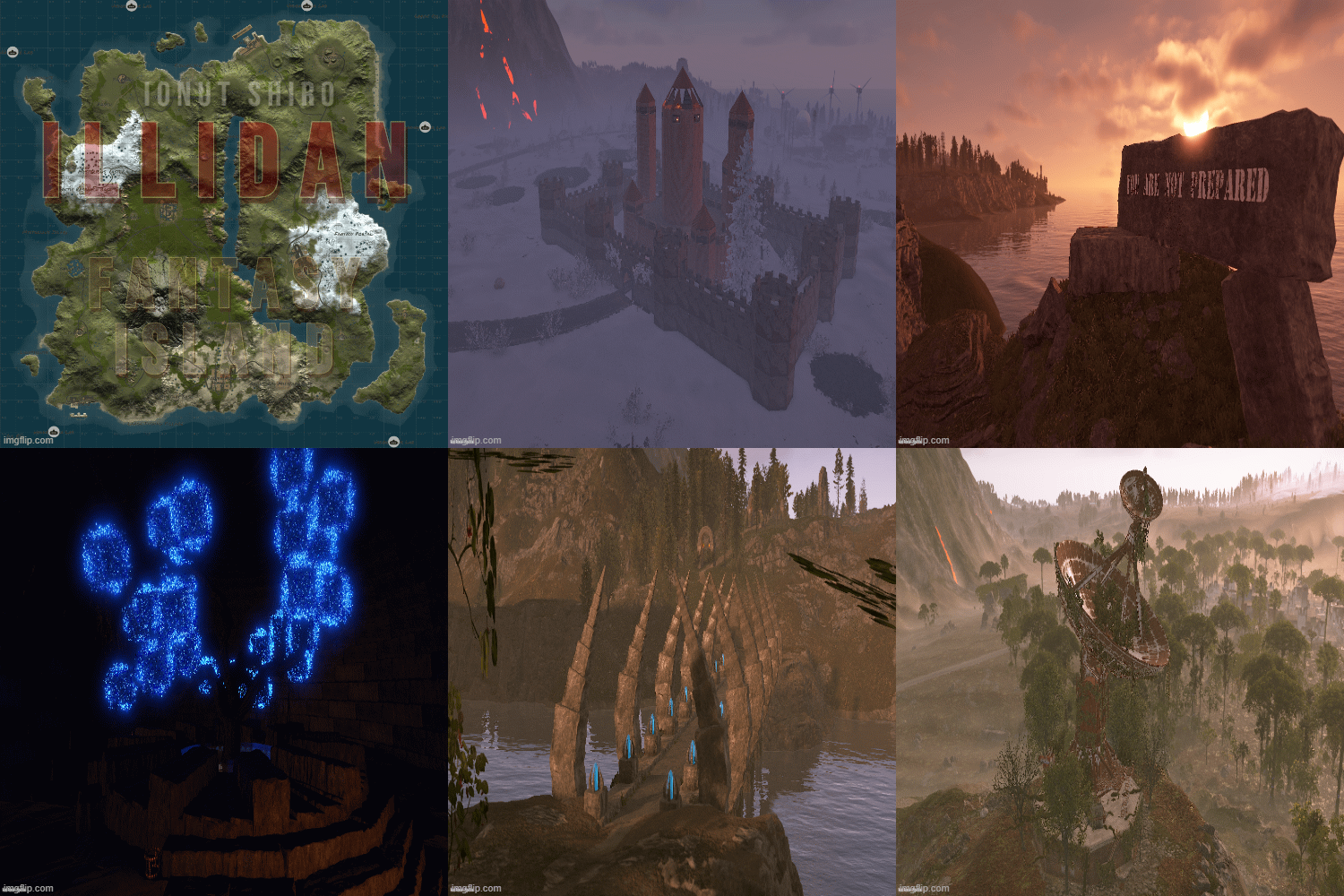 On this map, you and your players will immerse yourself in a fantasy world. Greet the dawn and see off the sunset at a lonely oasis or riding on the skull of a king ,explore the unexplored fantasy world, where you will find a bunch of interesting and unique building sites, atmospheric custom monuments , as well as beautiful scenery that will make you immerse yourself in the fantasy world and experience new emotions from playing Rust.$25.50
 -
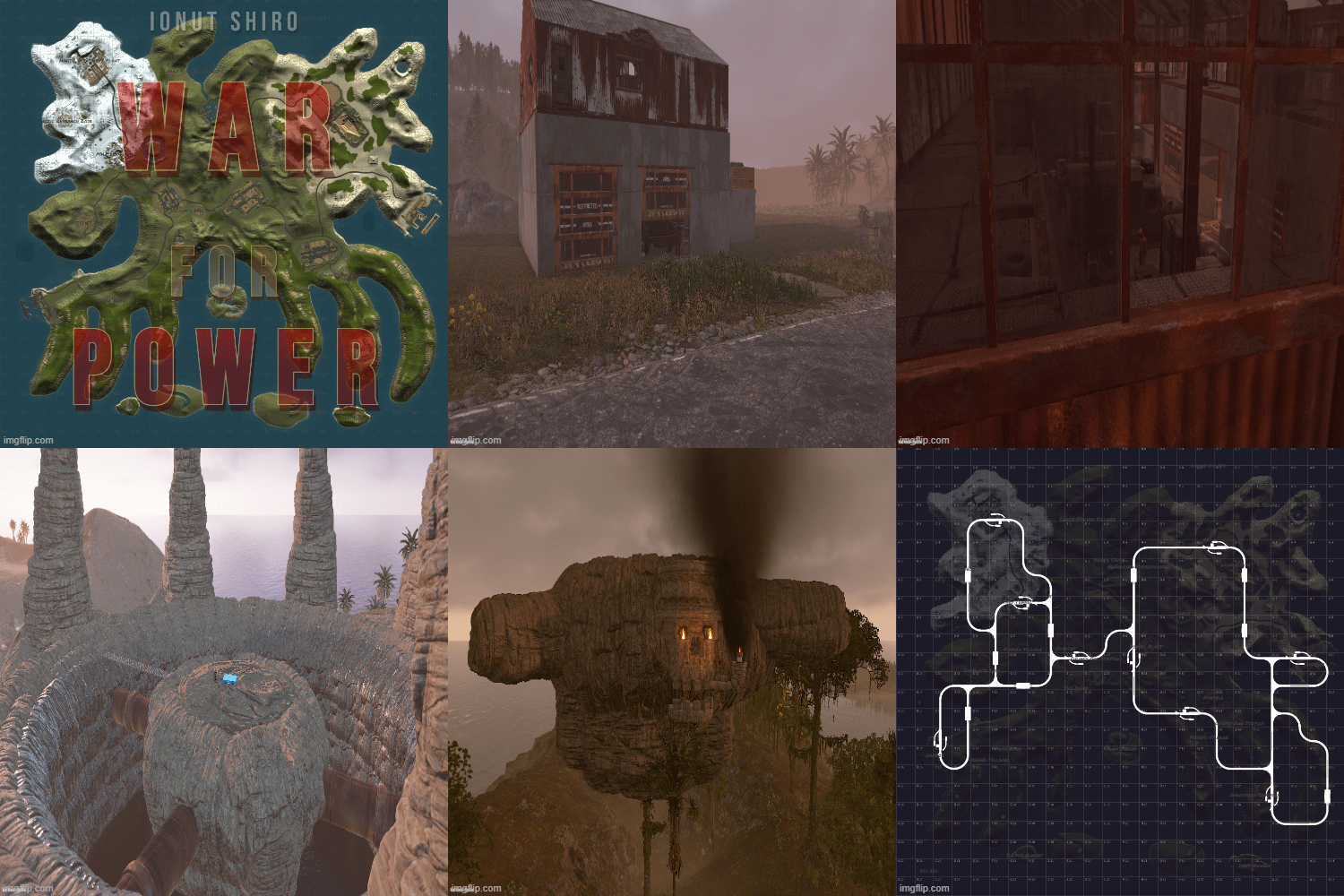 War for Power is a dystopian 3500 sized map featuring procedural monuments with custom decor to them and a good dozen amount of base building prefabs across the map along with a farm island for nodes.$21.25
 -
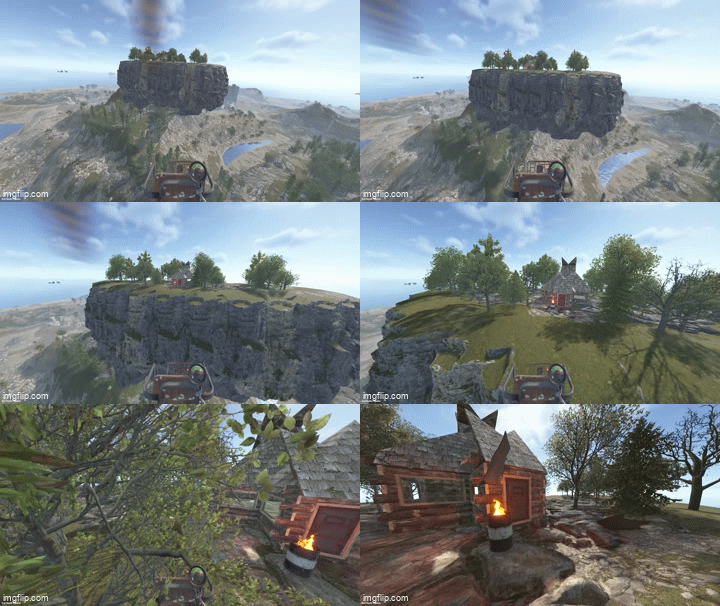
Floating Islands Floating Islands adds rock islands that float high above your map, with flat walkable ground, natural cliff sides, a hanging rocky underside and groves of trees. Players can reach them by minicopter and build bases, set up sky hubs or hold events on them. Spawn islands by hand or let the plugin place them across the map, away from monuments. No map editing, no RustEdit and no CopyPaste needed: everything is spawned at runtime and survives restarts. Core Features - 15 ready-made islands: 5 types in 3 sizes (Small, Standard, Large) - Round: the classic floating island - Pond: round island with a swimmable rock pond in the middle - Long: up to 136 x 68 m, good for runways and long bases - Wide: broad oval with plenty of building room - Square: rounded-corner platform with the most flat ground for its size - Flat walkable rock floor framed by a continuous cliff rim - Mirrored cliff underside with no gaps or see-through edges - 19 to 40 trees per island in groves of five (oak, beech, birch and pine) - Built only from rock formations and trees, with no foundations or building blocks - Islands spawn in small batches per frame, so the server doesn't stutter - Islands are restored after a restart; an incomplete spawn is removed automatically - Rocks can't be mined and trees can't be chopped (configurable) - Islands are visible from about twice Rust's normal distance (configurable, up to the whole map) Auto Spawn - Optional: places a configured number of islands automatically when the server starts - Finds free spots across the map, over land and over the sea - Keeps a set distance from every monument, from other islands and from the map edge - Floats each island a set height above the ground beneath it - Keeps every island floor within minicopter reach - Picks island types from your list without repeating until all have been used - /island.spawnall places one of every island across the map in one command - Fixed positions can be used instead of automatic placement - After a map wipe, islands are placed fresh on the new map Installation 1. Put FloatingIslands.cs in oxide/plugins/. 2. Put the 15 FloatingIsland-*.json files in oxide/data/FloatingIslands/. 3. Edit oxide/config/FloatingIslands.json if you want auto spawn, then run oxide.reload FloatingIslands. Chat Commands : /island.spawn [plan] [rotation] Spawn an island at your position (floor at your feet) /island.auto [count] Auto-place islands now (default: up to the configured number) /island.spawnall Place one of every island across the map /island.list List spawned islands with their IDs and positions /island.cancel Stop a spawn that is still running /island.remove [last|all|auto|id|plan] Remove islandsConsole Commands : island.spawn <plan> <x> <y> <z> [rotation] Spawn an island at exact coordinates island.auto [count] Auto-place islands now island.spawnall Place one of every island across the map island.spots [plan] Show how many free auto-spawn spots a plan has island.list List spawned islands island.cancel Stop a running spawn island.remove [last|all|auto|id|plan] Remove islandsPermissions : floatingislands.use - Use all island commands (admins always can)Config : { "Runtime plan file name (without .json)": "FloatingIsland-Standard", "Permission": "floatingislands.use", "Entities spawned per server frame": 10, "Keep spawned entities across restarts": true, "Prevent damage to spawned island entities": true, "Island visibility range (Medium = Rust default, Large = double, Global = whole map)": "Large", "Auto spawn": { "Enabled": false, "Number of islands": 3, "Plans to pick from at random": [ "FloatingIsland-Standard", "FloatingIsland-Standard-Pond", "FloatingIsland-Standard-Long", "FloatingIsland-Standard-Wide", "FloatingIsland-Standard-Square" ], "Minimum distance from monuments (m)": 150.0, "Minimum distance between islands (m)": 250.0, "Minimum distance from the map edge (m)": 150.0, "Height of the island bottom above the ground below it (m)": 30.0, "Keep the island floor within minicopter reach": true, "Allow spawning over the ocean": true, "Share of islands placed over land (0-1)": 0.5, "Random rotation": true, "Spawn missing islands when the server starts": true, "Fixed positions instead of auto-detect (x, y, z; y 0 = automatic height)": [] } } File Information Submitter Ionut Shiro Submitted 10/14/2026 Category Plugins View File
-
Floating Islands adds rock islands that float high above your map, with flat walkable ground, natural cliff sides, a hanging rocky underside and groves of trees. Players can reach them by minicopter and build bases, set up sky hubs or hold events on them. Spawn islands by hand or let the plugin place them across the map, away from monuments. No map editing, no RustEdit and no CopyPaste needed: everything is spawned at runtime and survives restarts. Core Features - 15 ready-made islands: 5 types in 3 sizes (Small, Standard, Large) - Round: the classic floating island - Pond: round island with a swimmable rock pond in the middle - Long: up to 136 x 68 m, good for runways and long bases - Wide: broad oval with plenty of building room - Square: rounded-corner platform with the most flat ground for its size - Flat walkable rock floor framed by a continuous cliff rim - Mirrored cliff underside with no gaps or see-through edges - 19 to 40 trees per island in groves of five (oak, beech, birch and pine) - Built only from rock formations and trees, with no foundations or building blocks - Islands spawn in small batches per frame, so the server doesn't stutter - Islands are restored after a restart; an incomplete spawn is removed automatically - Rocks can't be mined and trees can't be chopped (configurable) - Islands are visible from about twice Rust's normal distance (configurable, up to the whole map) Auto Spawn - Optional: places a configured number of islands automatically when the server starts - Finds free spots across the map, over land and over the sea - Keeps a set distance from every monument, from other islands and from the map edge - Floats each island a set height above the ground beneath it - Keeps every island floor within minicopter reach - Picks island types from your list without repeating until all have been used - /island.spawnall places one of every island across the map in one command - Fixed positions can be used instead of automatic placement - After a map wipe, islands are placed fresh on the new map Installation 1. Put FloatingIslands.cs in oxide/plugins/. 2. Put the 15 FloatingIsland-*.json files in oxide/data/FloatingIslands/. 3. Edit oxide/config/FloatingIslands.json if you want auto spawn, then run oxide.reload FloatingIslands. Chat Commands : /island.spawn [plan] [rotation] Spawn an island at your position (floor at your feet) /island.auto [count] Auto-place islands now (default: up to the configured number) /island.spawnall Place one of every island across the map /island.list List spawned islands with their IDs and positions /island.cancel Stop a spawn that is still running /island.remove [last|all|auto|id|plan] Remove islandsConsole Commands : island.spawn <plan> <x> <y> <z> [rotation] Spawn an island at exact coordinates island.auto [count] Auto-place islands now island.spawnall Place one of every island across the map island.spots [plan] Show how many free auto-spawn spots a plan has island.list List spawned islands island.cancel Stop a running spawn island.remove [last|all|auto|id|plan] Remove islandsPermissions : floatingislands.use - Use all island commands (admins always can)Config : { "Runtime plan file name (without .json)": "FloatingIsland-Standard", "Permission": "floatingislands.use", "Entities spawned per server frame": 10, "Keep spawned entities across restarts": true, "Prevent damage to spawned island entities": true, "Island visibility range (Medium = Rust default, Large = double, Global = whole map)": "Large", "Auto spawn": { "Enabled": false, "Number of islands": 3, "Plans to pick from at random": [ "FloatingIsland-Standard", "FloatingIsland-Standard-Pond", "FloatingIsland-Standard-Long", "FloatingIsland-Standard-Wide", "FloatingIsland-Standard-Square" ], "Minimum distance from monuments (m)": 150.0, "Minimum distance between islands (m)": 250.0, "Minimum distance from the map edge (m)": 150.0, "Height of the island bottom above the ground below it (m)": 30.0, "Keep the island floor within minicopter reach": true, "Allow spawning over the ocean": true, "Share of islands placed over land (0-1)": 0.5, "Random rotation": true, "Spawn missing islands when the server starts": true, "Fixed positions instead of auto-detect (x, y, z; y 0 = automatic height)": [] } }$21.25
-
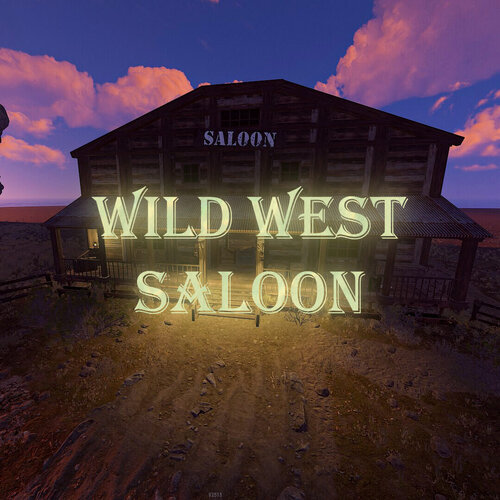
Wild West Saloon A high detail prefab that will give your server a wild west feel! Great for Roleplay,PVE and theme servers! No loot in there so you will be able to add anything you want! LOOT: None. This monument includes: -3 Slot Machines -1 Piano -1 Fireplace -2 Wanted Posters Prefab Count:2207 File Information Submitter Ionut Shiro Submitted 10/11/2026 Category Prefabs View File
-
A high detail prefab that will give your server a wild west feel! Great for Roleplay,PVE and theme servers! No loot in there so you will be able to add anything you want! LOOT: None. This monument includes: -3 Slot Machines -1 Piano -1 Fireplace -2 Wanted Posters Prefab Count:2207Free
-
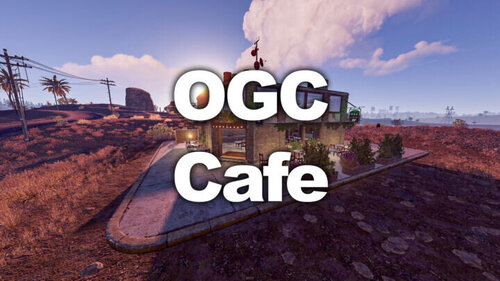
OGC Cafeteria Well, you might not be able to buy coffee in this monument but you will be able to spend some scrap on a slot machine or play some notes with the piano! LOOT: 2 Food Crates 1 Green Crate 1 Normal Crate 1 Tool Crate 1 Ammo Crate 1 Green Card This monument includes: -2 Slot Machines -1 Piano -1 Hobo Barrel Prefab Count:650 File Information Submitter Ionut Shiro Submitted 10/11/2026 Category Prefabs View File