



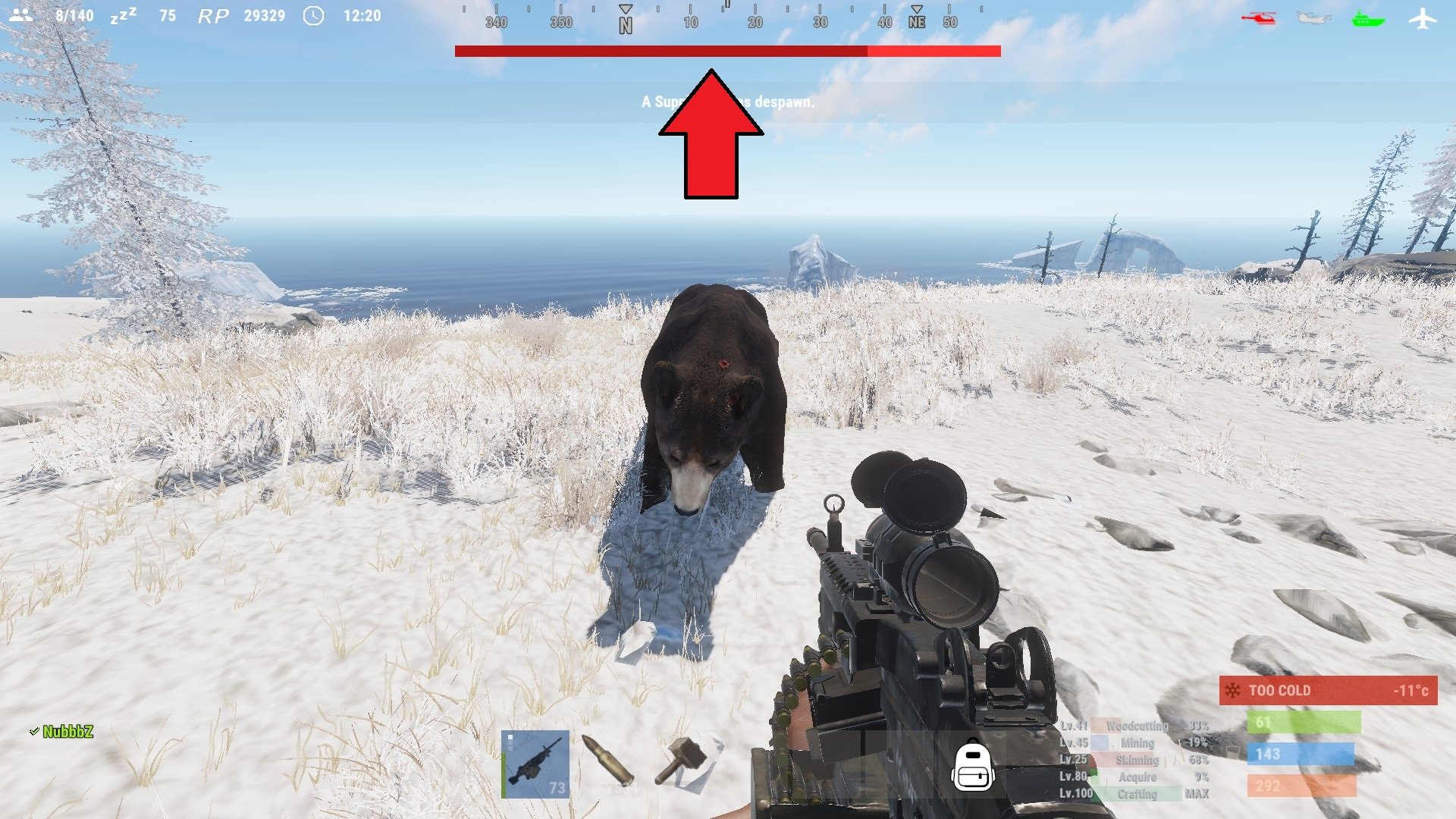
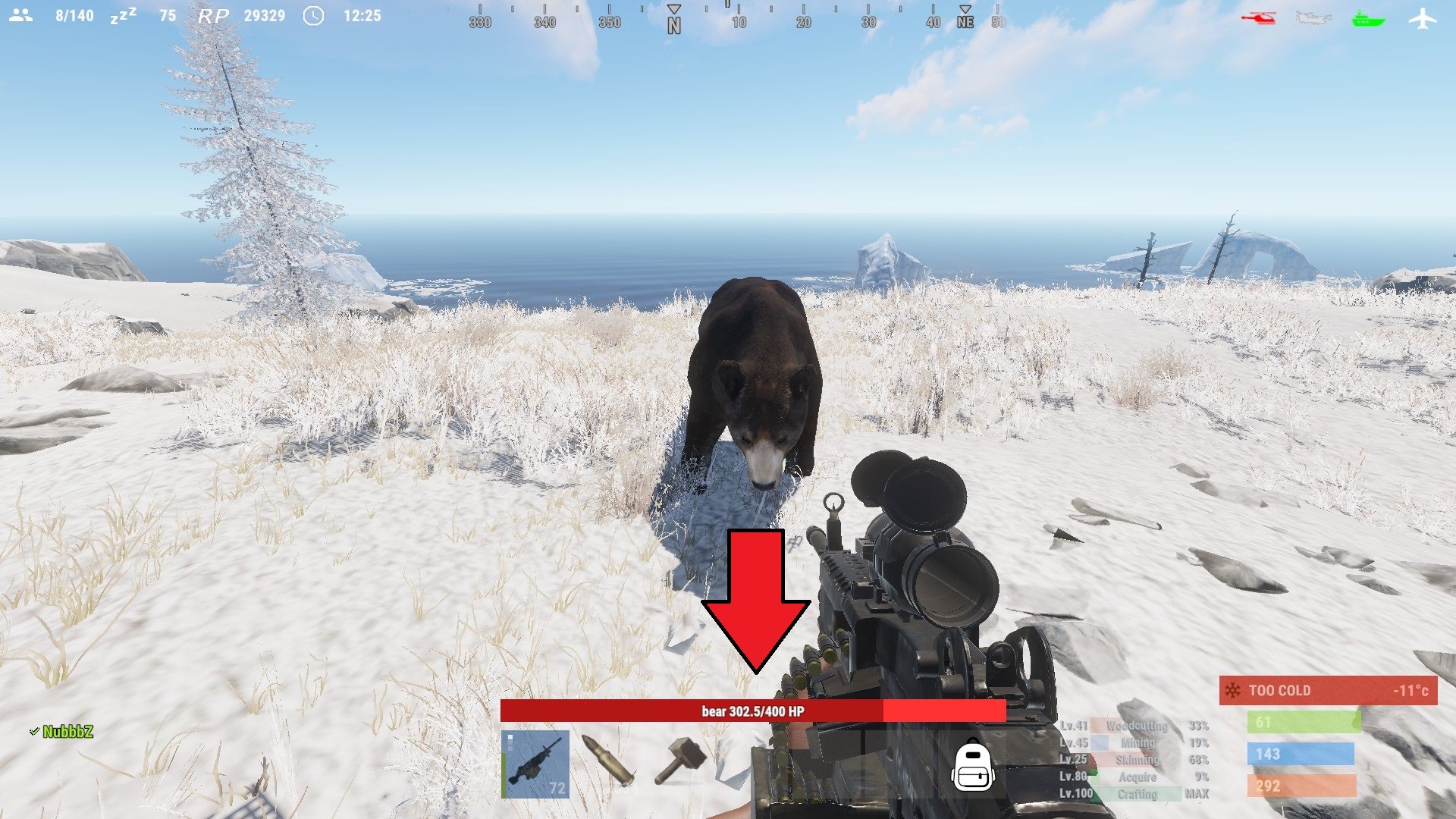
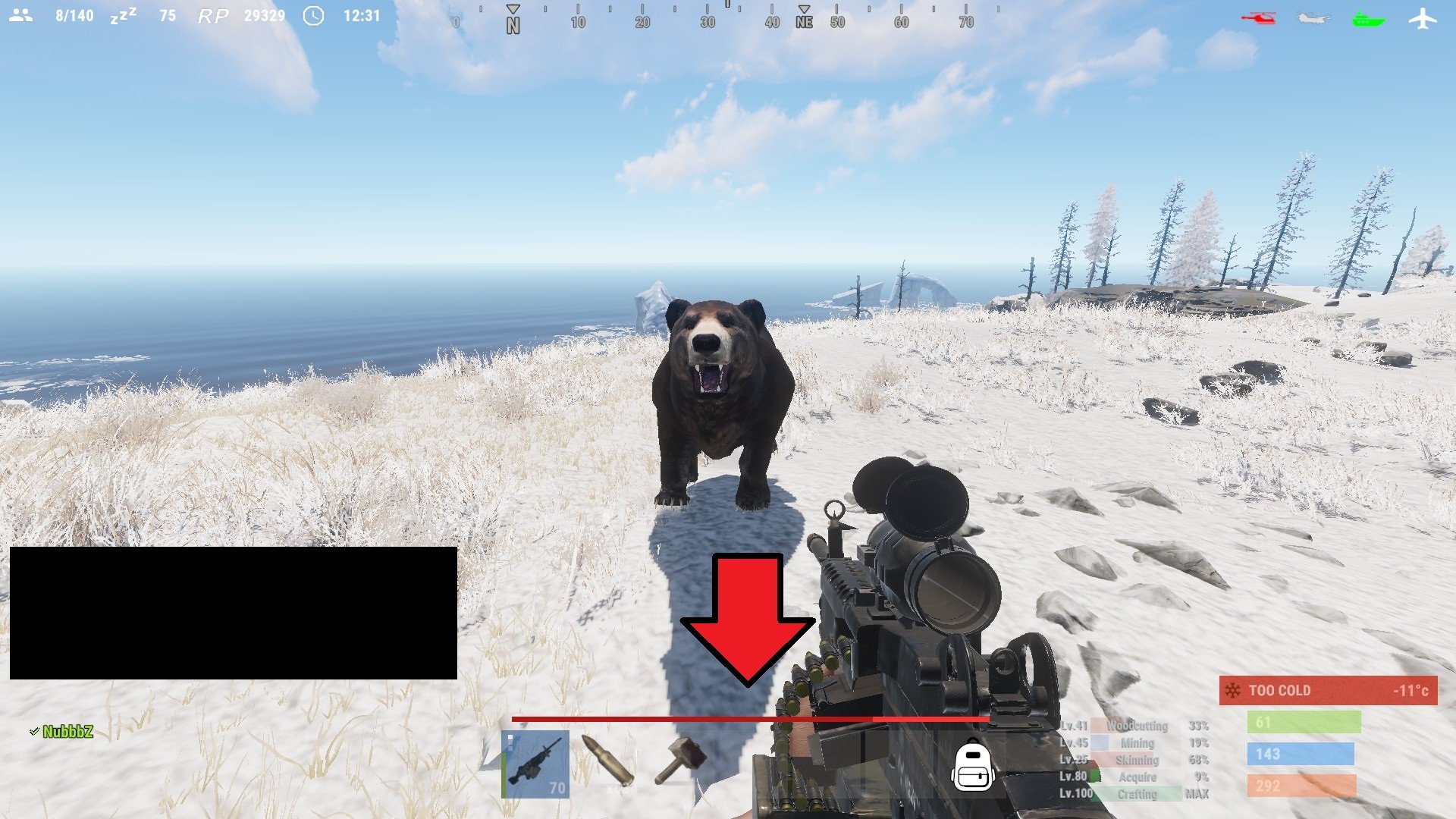
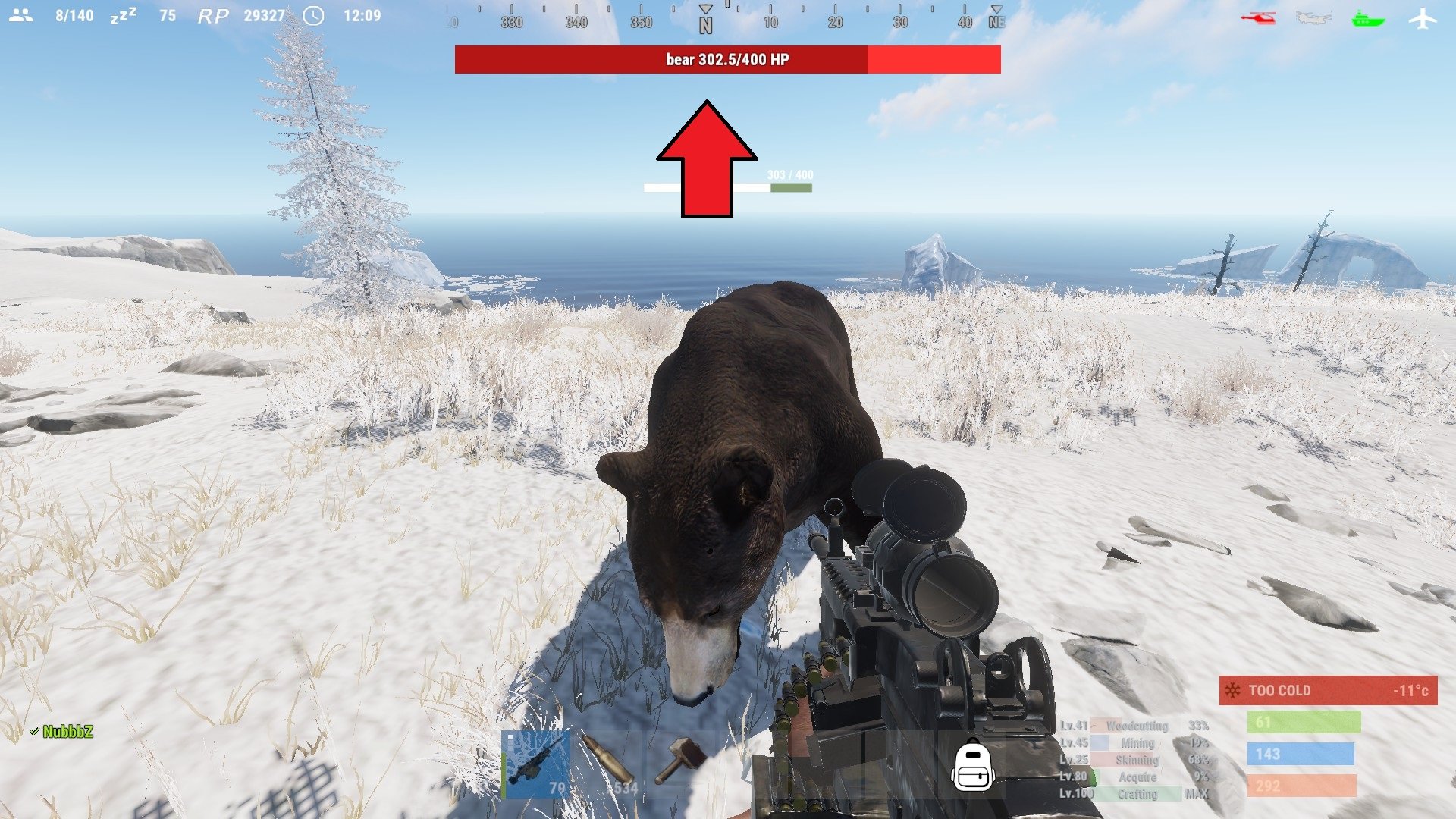
See your targets health with a nice HUD. With 4 customizable styles, change it up how ever you would like it to be, you can change the texts format, colors, etc!
Note:
if none of the styles suit you, you can always ask me to make a new one, just give me a rough sketch and I will make it!
With an internal whitelist you can choose what entities the HUD will trigger on "shortprefabname"!
"ActiveTargetDuration" is the length the HUD will be shown for when you attack a target, the length is reset if you attack a target again!
TextFormat {0} = target name, {1} = target current health, {2} = target max health
By default, the lang file is set to show the targets display name, and is set to null in the file. You can change from null to anything you want that entity to be shown as, for example "chicken": "Mr. Pecker!"
Styles:
top detailed
top thin
hotbar detailed
hotbar thin
Permission:
targethealthhud.use
Config:
{
  "Style": "top detailed",
  "TextFormat": "{0} {1}/{2} HP",
  "ActiveTargetDuration": 60,
  "Whitelist": [
    "npc_bandit_guard",
    "scientistnpc_ch47_gunner",
    "scientistnpc_oilrig",
    "scientistnpc_excavator",
    "scientistnpc_junkpile_pistol",
    "scientistnpc_roam",
    "scientistnpc_roamtethhered",
    "scientistnpc_patrol",
    "scientistnpc_peacekeeper",
    "scientistnpc_heavy",
    "scientistnpc_full_pistol",
    "scientistnpc_full_any",
    "scientistnpc_full_mp5",
    "scientistnpc_full_lr300",
    "scientistnpc_full_shotgun",
    "scientistnpc_cargo",
    "scientistnpc_cargo_turret_any",
    "scientistnpc_cargo_turret_lr300",
    "npc_underwaterdweller",
    "npc_tunneldweller",
    "patrolhelicopter",
    "bradleyapc",
    "simpleshark",
    "bear",
    "boar",
    "chicken",
    "stag",
    "wolf"
  ],
  "UI General": {
    "TextColor": "1 1 1 1",
    "PrimaryColor": "0.7058824 0.07843138 0.07843138 1",
    "SecondaryColor": "1 0.1960784 0.1960784 1"
  },
  "UI Styles": {
    "Top Detailed": {
      "AnchorMin": "0.3297916 0.9127777",
      "AnchorMax": "0.6683334 0.9424074"
    },
    "Top Thin": {
      "AnchorMin": "0.3297916 0.9127777",
      "AnchorMax": "0.6683334 0.9312962"
    },
    "Hotbar Detailed": {
      "AnchorMin": "0.3437505 0.1185186",
      "AnchorMax": "0.6406256 0.1462963"
    },
    "Hotbar Thin": {
      "AnchorMin": "0.34375 0.1203704",
      "AnchorMax": "0.640625 0.1314815"
    }
  }
}
Language:
{
  "npc_bandit_guard": null,
  "scientistnpc_ch47_gunner": null,
  "scientistnpc_oilrig": null,
  "scientistnpc_excavator": null,
  "scientistnpc_junkpile_pistol": null,
  "scientistnpc_roam": null,
  "scientistnpc_roamtethhered": null,
  "scientistnpc_patrol": null,
  "scientistnpc_peacekeeper": null,
  "scientistnpc_heavy": null,
  "scientistnpc_full_pistol": null,
  "scientistnpc_full_any": null,
  "scientistnpc_full_mp5": null,
  "scientistnpc_full_lr300": null,
  "scientistnpc_full_shotgun": null,
  "scientistnpc_cargo": null,
  "scientistnpc_cargo_turret_any": null,
  "scientistnpc_cargo_turret_lr300": null,
  "npc_underwaterdweller": null,
  "npc_tunneldweller": null,
  "patrolhelicopter": null,
  "bradleyapc": null,
  "simpleshark": null,
  "bear": null,
  "boar": null,
  "chicken": null,
  "stag": null,
  "wolf": null
}
You are solely allowed to use TargetHealthHUD, any means of breaking the use term is not allowed, for example listed above.
Copyright © 2020 NubbbZ
You may only provide a review once you have downloaded the file.
There are no reviews to display.