



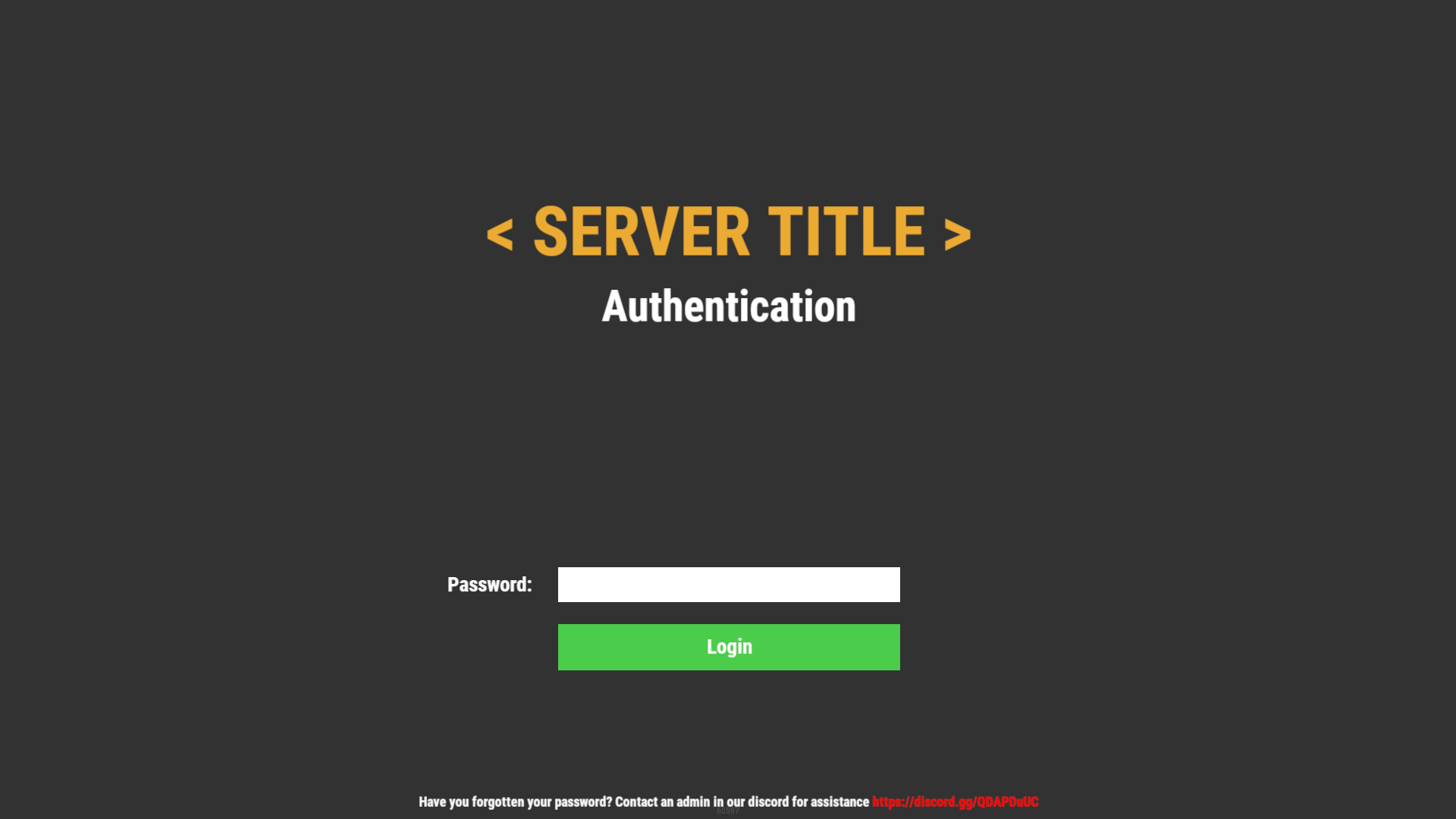
Simple but beautiful user authentication system! Protect your players with a simple authentication system. A password comes a long way! Use a database or local datafile, as it is up to you! With so many features and options to customize! I guarantee you would be satisfied!
Note:
Passwords are now SHA256 Hashed, I have decided to not salt the hashes for the simple reason, if the server or database was breached, the hacker would have access to the salt one way or another, and once they have the salt its pointless! I was thinking of using the players steamid as salt but again, a hacker is not that dumb to not take a look at the plugin to figure it out.
Database table will auto generate if it does not exist!
["UI", "Input", "Secure"] Show/Hide password in the input field
IPAutoAuth - if you logged in previously by the same ip, the login screen will not show up! KeepAuthOnDisconnect overrides if enabled!
Permissions:
userauth.bypass - Bypass the authentication/registration process!
userauth.resetpass - Permission to use the command /resetpass
userauth.movementbypass - Bypass movement lock!
Commands:
/resetpass <steamid> - Resets the given players password, if they are connected registration process would initialize!
Configuration:
{
  "DB": {
    "DB_Host": "localhost",
    "DB_Name": "userauth",
    "DB_Password": "",
    "DB_Port": "3306",
    "DB_Username": "root",
    "UseDatabase": false
  },
  "Freeze": {
    "DisableChat": true,
    "DisableChatCommands": true,
    "DisableConsoleCommands": true,
    "DisableMovement": true,
    "DisableVoice": true
  },
  "IPAutoAuth": false,
  "KeepAuthOnDisconnect": false,
  "Kick": {
    "Enable_FailedLoginKick": true,
    "Enable_TimedKick": true,
    "FailedLoginKickTimes": 3,
    "TimedKickInSeconds": 60
  },
  "UI": {
    "Background_Color": "0.2 0.2 0.2 1",
    "Button": {
      "Background_Color": "0.3 0.8 0.3 1",
      "Text_Color": "1 1 1 1",
      "Text_Size": 18
    },
    "Footer": {
      "Text_Color": "1 1 1 1",
      "Text_Size": 12
    },
    "Header": {
      "Text_Color": "1 1 1 1",
      "Text_Size": 38
    },
    "Input": {
      "Max_Length": 32,
      "Secure": true
    },
    "Title": {
      "Text_Color": "0.92 0.67 0.2 1",
      "Text_Size": 60
    }
  }
}
Language:
{
  "UI_Title": "< SERVER TITLE >",
  "UI_Authentication_Header": "Authentication",
  "UI_Authentication_Button": "Login",
  "UI_Authentication_Footer": "Have you forgotten your password? Contact an admin in our discord for assistance <color=red>https://discord.gg/QDAPDuUC</color>",
  "UI_Registration_Header": "Registration",
  "UI_Registration_Button": "Register",
  "UI_Registration_Footer": "Do you need some assistance? Contact an admin in our discord for assistance <color=red>https://discord.gg/QDAPDuUC</color>",
  "Authentication_Kick_Reason": "You did not login in time!",
  "Registration_Kick_Reason": "You did not register in time!",
  "Failed_Login_Reason": "You have entered your password wrong a number of times!",
  "Error_UI_Bad_Password": "Please try again, You have {0} tries left!",
  "Error_UI_Empty_Password": "No password was provided, please enter a password!",
  "NoInput": "No input was provided!",
  "ParseError": "Could not parse input, try again!",
  "CommandComplete": "Command has been executed successfully!"
}
Planned features:
Ability to change password!
Ability to lock registrations!
Ability to protect players when they are locked! "Godmode"
Command whitelist!
Little text recommending that people use a secure/unique password
But you have the right to use UserAuth for personal use "This means you can use the plugin, but it cannot be copied and/or distributed or Resold"
Copyright © 2020 NubbbZ
You may only provide a review once you have downloaded the file.
There are no reviews to display.