



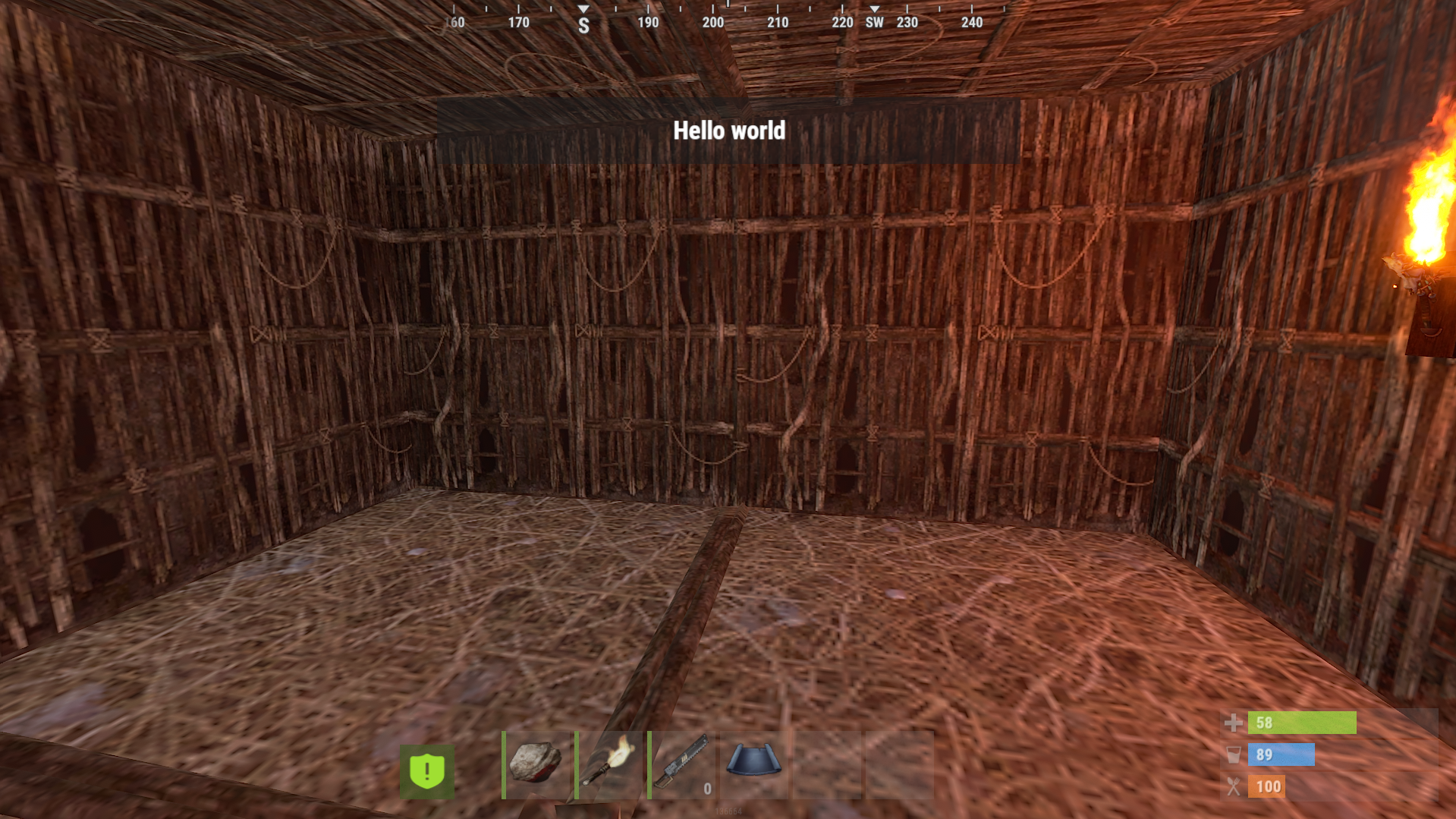

Gametip Soundalert offers the Admin a small Plugin to Broadcast a Gametip to all Players.Every Player will also get a notification Sound.
The Plugins plays the Effect "Team Invitation" when you send a Gametip.
Can be used from your Server Console (works with Schedule/TImedEvents) or Ingame with Permission:
effecttimer.use
Timer Command
effecttimer TipLength Tip Text to Send
Example
effecttimer 10 This is a Test Tip
This will send a Tip for 10 Seconds and poke all Players with a Invitation Sound.
No Config Required
What's New in Version 2.0.1
Released
Updated
As soon as you purchase my content you agree to the terms and conditions.
Attached are are the following rules and TOS (Terms of Service) you are agreeing to when purchasing and using my content.
(Use of Product)
By downloading my products and content you are not allowed to resell or use it for commercial use without permission.
This includes minor editing, modifying or renaming any of my work and using it for your own commercial applications.
Any redistribution of my creations is STRICTLY prohibited.
Attached are are the following rules and TOS (Terms of Service) you are agreeing to when purchasing and using my content.
(Use of Product)
By downloading my products and content you are not allowed to resell or use it for commercial use without permission.
This includes minor editing, modifying or renaming any of my work and using it for your own commercial applications.
Any redistribution of my creations is STRICTLY prohibited.
You may only provide a review once you have downloaded the file.
There are no reviews to display.