


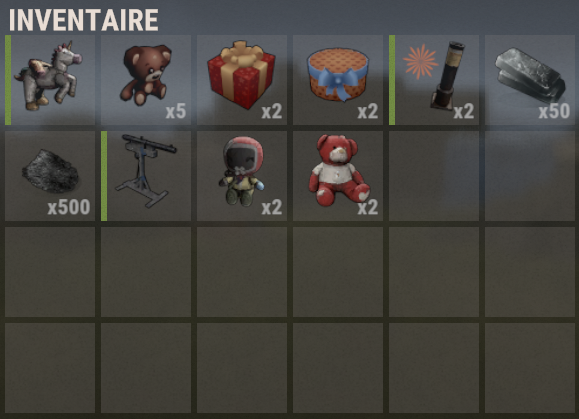
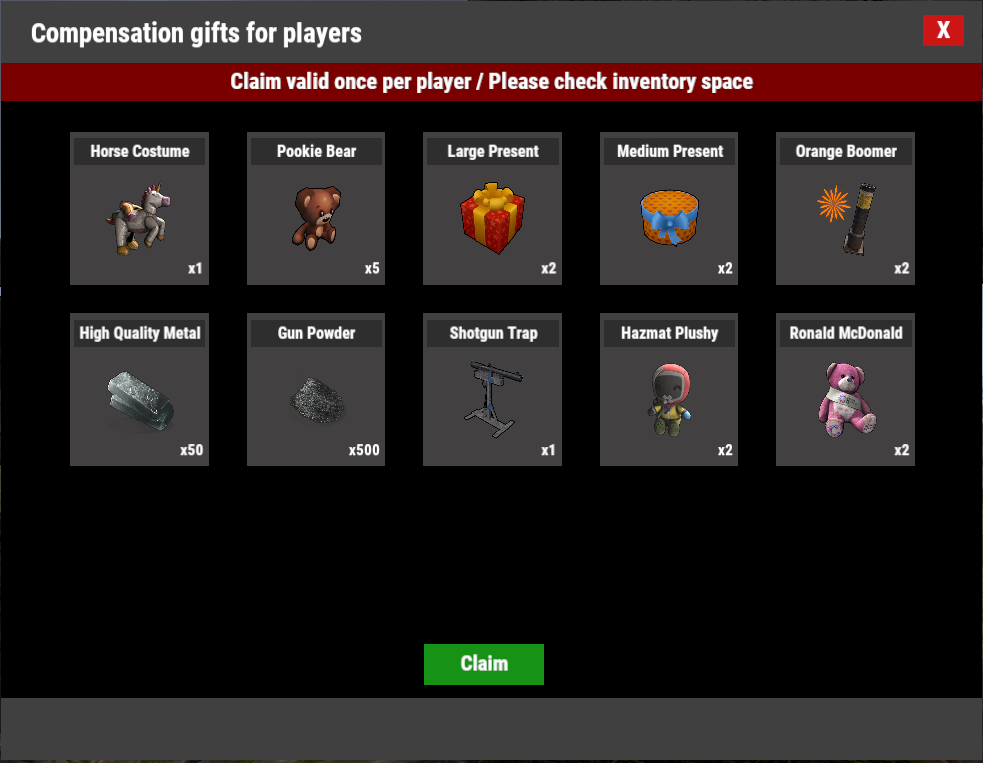
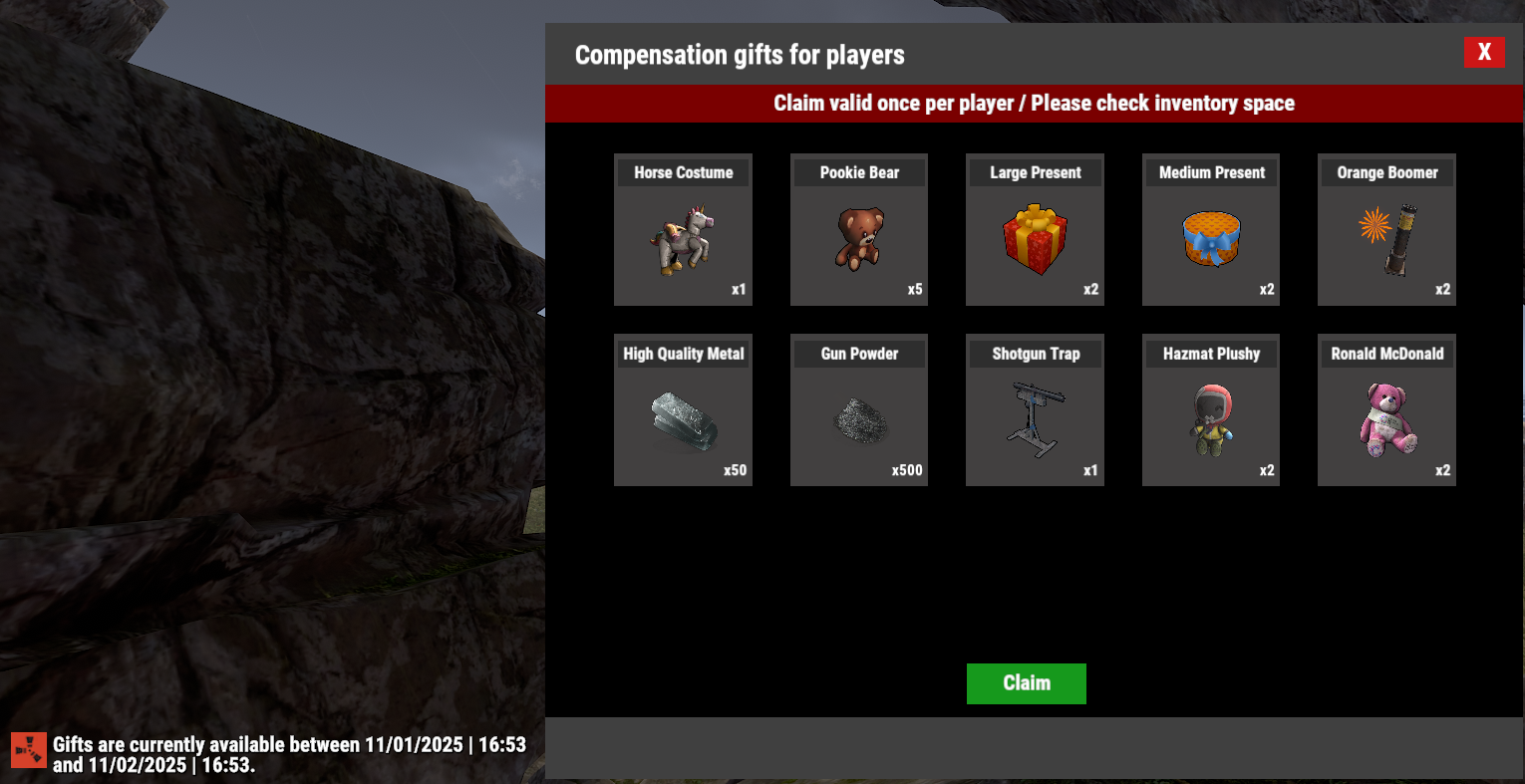
One-click activation with automatic 24h gift window
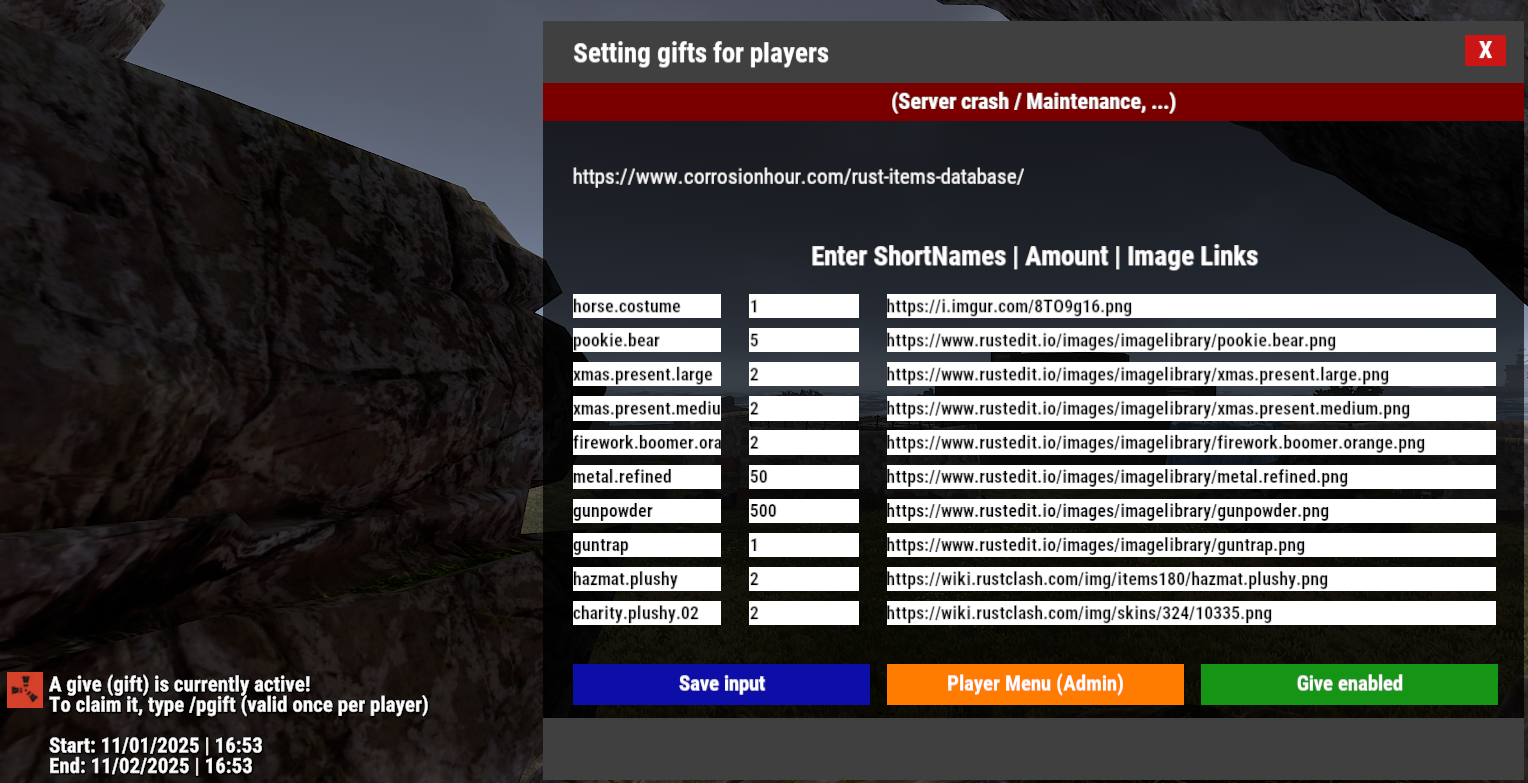
When you press Enable, the plugin automatically creates a 24-hour period during which players can claim their gift.
No manual scheduling or date setup — activate it and it’s ready.
Adjustable time zone
Choose your preferred time zone (Paris, London, UTC, etc.).
All timestamps displayed by the plugin follow this setting.
Clean and user-friendly CUI
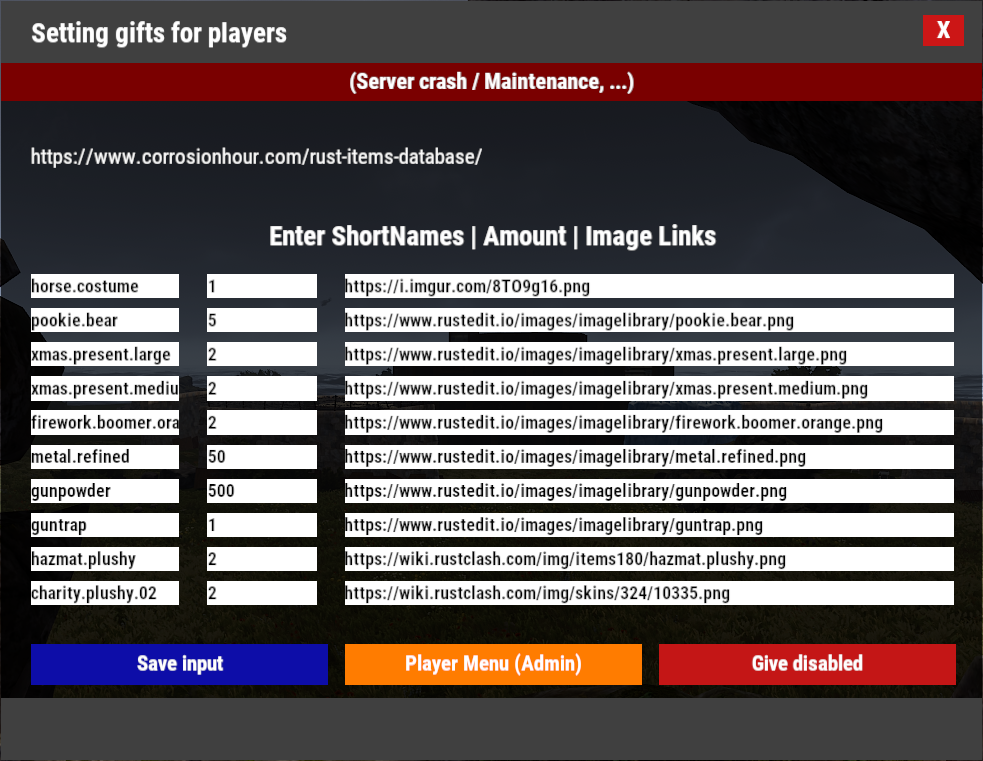
A custom interface where:
-
Admins configure items, quantities, and images
-
Players see and claim their rewards
-
ImageLibrary support provides clean visuals
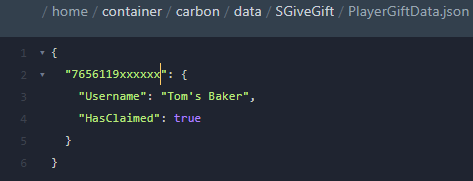
One-time claim per player
Each player can claim the gift only once during the active period.
All claim data is automatically saved.
ImageLibrary support
Easily link custom images for each reward to enhance presentation.
Simple data handling
All admin settings and player claim data are saved automatically and safely reloaded on server restart.
Permissions
-
sgivegift.admin
Grants access to the admin UI for configuring gifts.
Commands
Player Commands
-
/pgift
Opens the player gift menu (if a gift event is currently active).
Admin Commands
-
/agift
Opens the admin UI to configure items, quantities, images, and to enable/disable the gift. -
/genitems (Rust admin only)
Generates a JSON file containing a dictionary of all item shortnames.
Configuration file
Citation{
"Configurable timezone": "Europe/Paris",
"Indicative list of timezones available in the plugin": [
"Europe/Paris",
"Europe/London",
"Europe/Berlin",
"Europe/Moscow",
"America/New_York",
"America/Los_Angeles",
"UTC"
]
}
Data file (example)
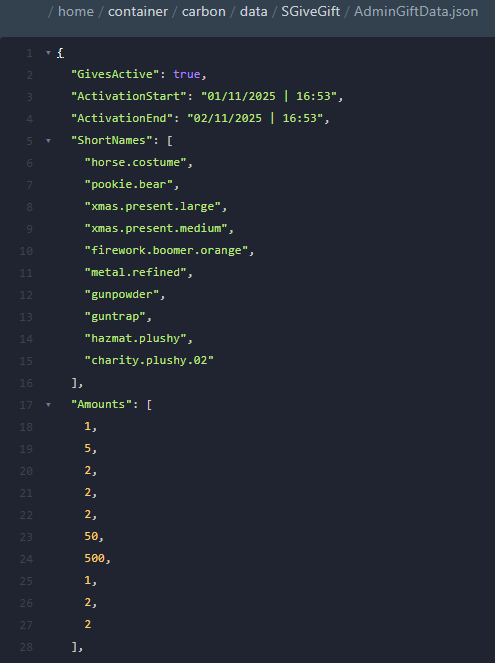
data/SGiveGift/AdminGiftData.json
Citation{
"GivesActive": false,
"ActivationStart": "",
"ActivationEnd": "",
"ShortNames": [
"horse.costume",
"pookie.bear",
"xmas.present.large",
"xmas.present.medium",
"firework.boomer.orange",
"metal.refined",
"gunpowder",
"guntrap",
"hazmat.plushy",
"charity.plushy.02"
],
"Amounts": [
1,
5,
2,
2,
2,
50,
500,
1,
2,
2
],
"ImageLinks": [
"https://i.imgur.com/8TO9g16.png",
"https://www.rustedit.io/images/imagelibrary/pookie.bear.png",
"https://www.rustedit.io/images/imagelibrary/xmas.present.large.png",
"https://www.rustedit.io/images/imagelibrary/xmas.present.medium.png",
"https://www.rustedit.io/images/imagelibrary/firework.boomer.orange.png",
"https://www.rustedit.io/images/imagelibrary/metal.refined.png",
"https://www.rustedit.io/images/imagelibrary/gunpowder.png",
"https://www.rustedit.io/images/imagelibrary/guntrap.png",
"https://wiki.rustclash.com/img/items180/hazmat.plushy.png",
"https://wiki.rustclash.com/img/skins/324/10335.png"
]
}
Edited by Noryx
What's New in Version 1.0.0
Released
No changelog available for this version.
Devoloper: Aero70
You may not copy, modify, merge, publish, distribute, sublicense, or sell copies of This Software without the Developer’s consent
THIS SOFTWARE IS PROVIDED BY THE COPYRIGHT HOLDERS AND CONTRIBUTORS "AS IS" AND ANY EXPRESS OR IMPLIED WARRANTIES, INCLUDING, BUT NOT LIMITED TO,
THE IMPLIED WARRANTIES OF MERCHANTABILITY AND FITNESS FOR A PARTICULAR PURPOSE ARE DISCLAIMED. IN NO EVENT SHALL THE COPYRIGHT HOLDER OR CONTRIBUTORS
BE LIABLE FOR ANY DIRECT, INDIRECT, INCIDENTAL, SPECIAL, EXEMPLARY, OR CONSEQUENTIAL DAMAGES (INCLUDING, BUT NOT LIMITED TO, PROCUREMENT OF SUBSTITUTE
GOODS OR SERVICES; LOSS OF USE, DATA, OR PROFITS; OR BUSINESS INTERRUPTION) HOWEVER CAUSED AND ON ANY THEORY OF LIABILITY, WHETHER IN CONTRACT, STRICT
LIABILITY, OR TORT (INCLUDING NEGLIGENCE OR OTHERWISE) ARISING IN ANY WAY OUT OF THE USE OF THIS SOFTWARE, EVEN IF ADVISED OF THE POSSIBILITY OF SUCH DAMAGE.
You may only provide a review once you have downloaded the file.
There are no reviews to display.