



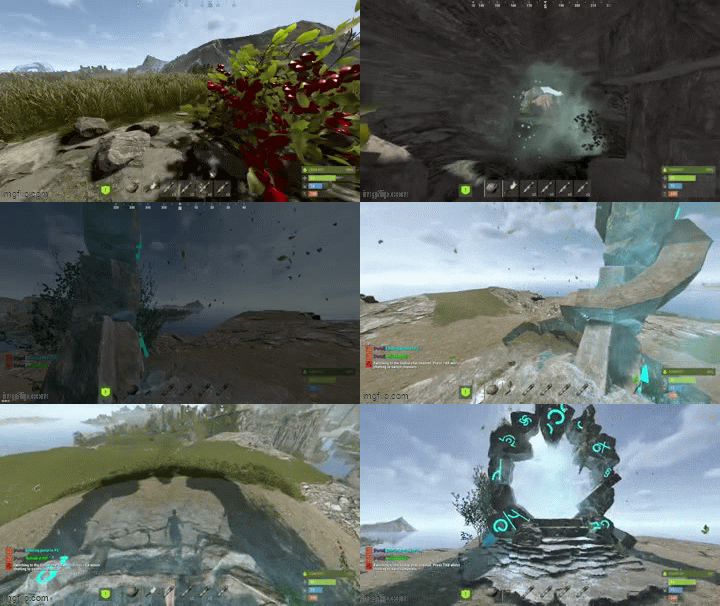
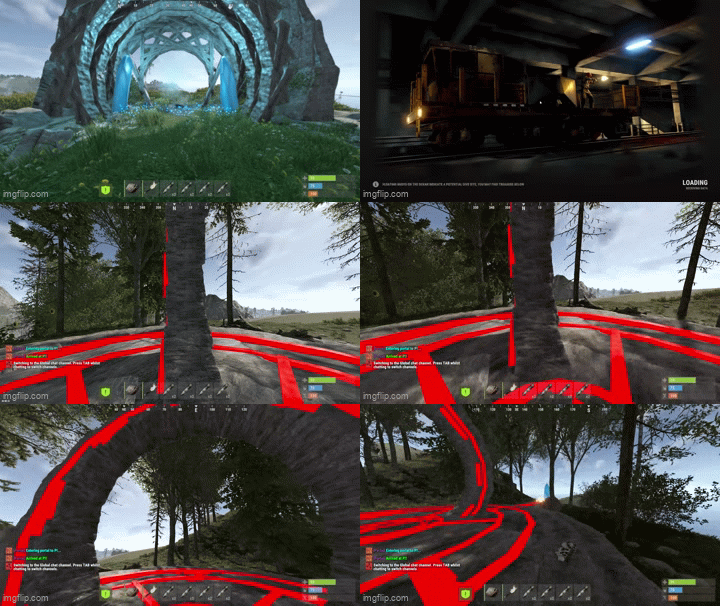
AdvancedPortals is a portal system for Rust with a clean UI, visual portal spheres, effect presets, and an admin panel for managing everything in-game.
Create portals with multiple entry/exit points, allow bi-directional or one-way travel, optionally require permissions per-portal, and customize the entire experience with effects, sounds, cooldowns, delays, and messages.
What it does?
Create unlimited portals with multiple entry & exit points
Supports one-way or two-way portals
Optional permission locking per portal
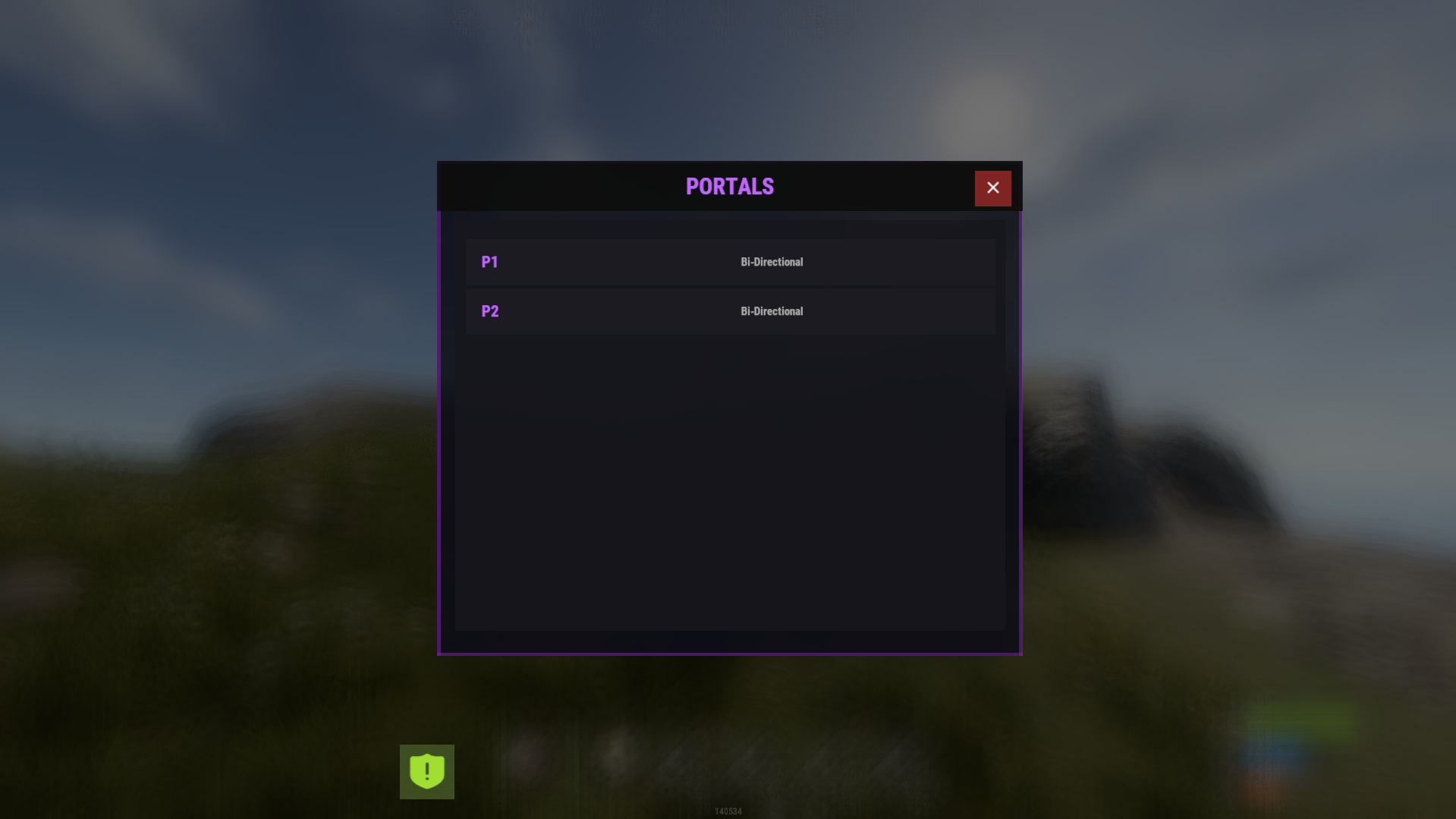
Polished player UI (
/portals) to browse available portalsFull Admin UI panel (
/portaladmin) to manage portals + settingsVisual portal spheres using Rust’s built-in sphere entity
Effect presets (mystical / fire / electric / silent etc.)
Entry/exit messages + teleport sound
Cooldown + optional teleport delay
Auto wipes portal data when the map changes (seed/size/new save)
Ambient portal effects (optional, timed)
Permissions :
Global permissions
advancedportals.use
Allows players to use portals and open the portal UI.advancedportals.admin
Allows access to all admin commands and the admin panel.
Per-portal permissions (auto-generated)
If a portal has Requires Permission enabled, the plugin will generate a permission like:
advancedportals.use.<portal_name>
Example:
Portal display name: "Outpost Portal"
Permission becomes:
advancedportals.use.outpost_portal
Commands :
Player Commands :
/portals
Opens the portals list UI (only shows portals you have permission to use)
Admin Commands :
/portal
Shows help + usage/portal create <name>
Creates a new portal/portal delete <name>
Deletes a portal and all its points/portal list
Lists all portals and their entry/exit counts/addportalentry <portalname>
Adds an entry point at your current location/addportalexit <portalname>
Adds an exit point at your current location
Admin UI
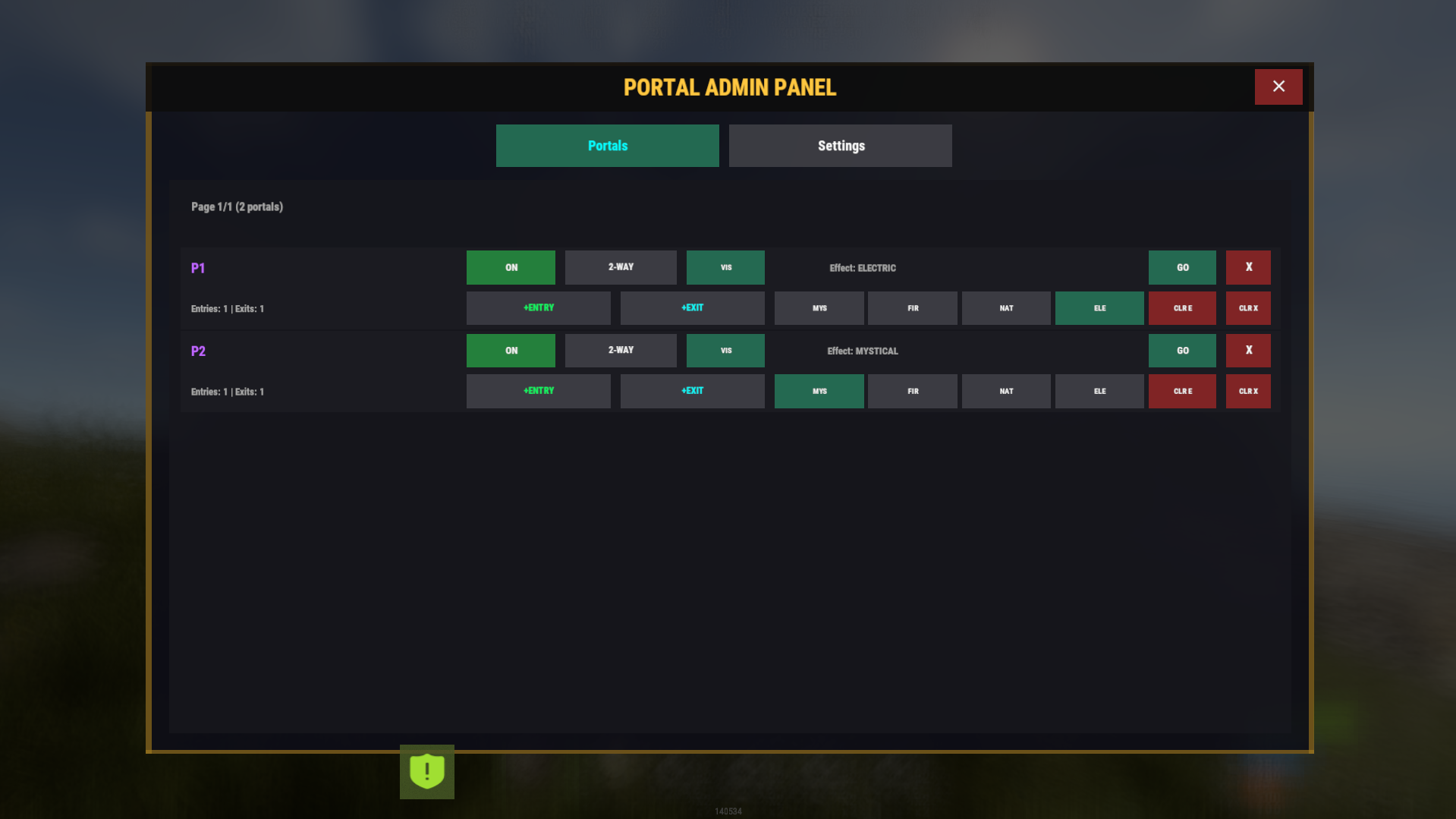
Portal Controls
Enable / Disable portals
Toggle One-Way / Two-Way
Toggle Requires Permission
Toggle portal sphere visibility
Add entry / exit points
Clear all entries / exits
Teleport to a portal for testing
Delete portals
Select effect preset per portal
Page through portals list
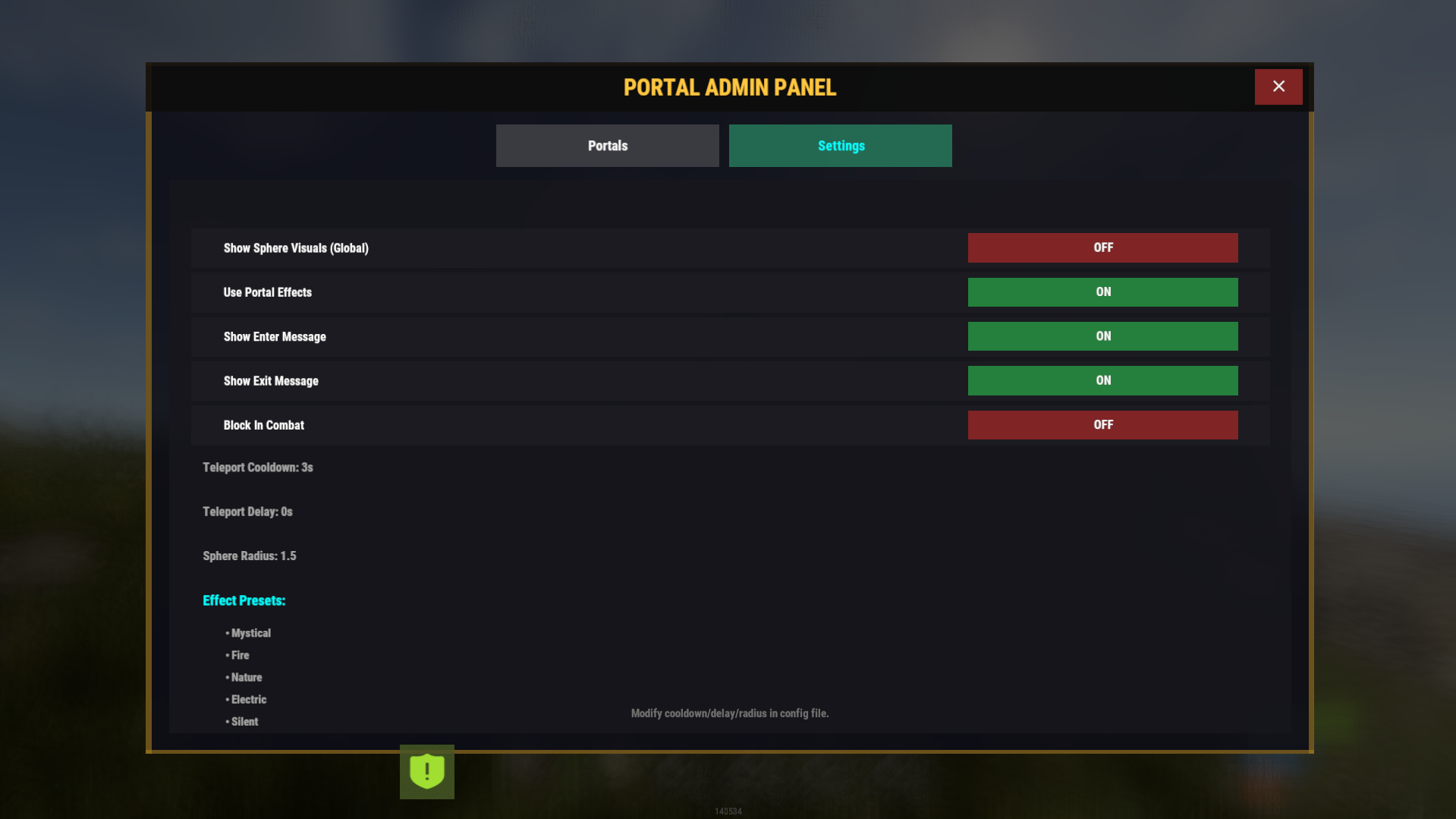
Settings Controls
Toggle global portal sphere visuals
Toggle effects on/off
Toggle enter message / exit message
Toggle combat restrictions
View cooldown/delay/radius values (edit in config)
How portals work ?
Each portal can have:
Entry Points (where players enter)
Exit Points (where players appear)
When a player touches a portal entry sphere:
The plugin picks a random exit point
Teleports the player
Plays optional effects + messages
One-Way behavior
If One Way = true:
Entry points work normally
Exit points do not teleport players back
Config :
{
  "Teleport Cooldown (seconds)": 3.0,
  "Teleport Delay (seconds)": 0.0,
  "Sphere Radius": 1.5,
  "Sphere Entity Count (visuals)": 3,
  "Show Sphere Visuals": true,
  "Use Portal Effects": true,
  "Show Enter Message": true,
  "Show Exit Message": true,
  "Enter Message": "<color=#9b59b6>[Portal]</color> <color=#00ffff>Entering portal to {destination}...</color>",
  "Exit Message": "<color=#9b59b6>[Portal]</color> <color=#00ff00>Arrived at {destination}!</color>",
  "Effect Prefab (entry)": "assets/prefabs/misc/orebonus/effects/bonus_hit.prefab",
  "Effect Prefab (exit)": "assets/prefabs/misc/orebonus/effects/bonus_hit.prefab",
  "Teleport Sound": "assets/prefabs/misc/orebonus/effects/bonus_hit.prefab",
  "Ambient Effect Prefab": "",
  "Ambient Effect Interval (seconds)": 10.0,
  "Custom Prefab Path (empty = use sphere)": "",
  "Block Teleport In Combat": false,
  "Available Effect Presets": {
    "mystical": {
      "Name": "Mystical",
      "Ambient Effect": "",
      "Entry Effect": "assets/prefabs/misc/orebonus/effects/bonus_hit.prefab",
      "Exit Effect": "assets/prefabs/misc/orebonus/effects/bonus_hit.prefab"
    },
    "fire": {
      "Name": "Fire",
      "Ambient Effect": "",
      "Entry Effect": "assets/bundled/prefabs/fx/impacts/additive/fire.prefab",
      "Exit Effect": "assets/bundled/prefabs/fx/impacts/additive/fire.prefab"
    },
    "nature": {
      "Name": "Nature",
      "Ambient Effect": "",
      "Entry Effect": "assets/prefabs/misc/orebonus/effects/bonus_hit.prefab",
      "Exit Effect": "assets/prefabs/misc/orebonus/effects/bonus_hit.prefab"
    },
    "electric": {
      "Name": "Electric",
      "Ambient Effect": "",
      "Entry Effect": "assets/prefabs/locks/keypad/effects/lock.code.unlock.prefab",
      "Exit Effect": "assets/prefabs/locks/keypad/effects/lock.code.unlock.prefab"
    },
    "silent": {
      "Name": "Silent",
      "Ambient Effect": "",
      "Entry Effect": "",
      "Exit Effect": ""
    }
  }
}
You may only provide a review once you have downloaded the file.
There are no reviews to display.