


Shemov
RustEdit Designer
-
Joined
-
Last visited
12 files
-
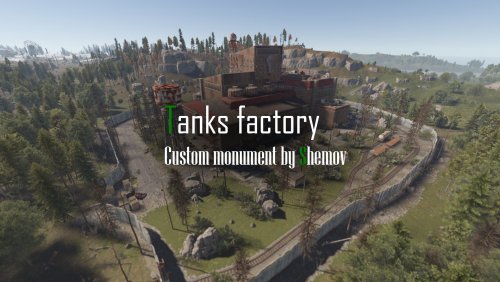
The abandoned wood industry for looting with blue card.
Features:
Simple installation on your map;
Great detail;
This one needs blue card and one fuze for FULL looting.
General:
Prefabs count: 1598;
Type: for looting;
Modifiers: Height&Splat&Topology.
Loot:
Barrels: 15;
Ordinary crates: 4;
Random crates: 2;
and 1 red card.
Required Dependencies: RustEdit DLL https://github.com/k1lly0u/Oxide.Ext.RustEdit
If you have any ideas for work please tell me about it.
I make custom prefabs to order. Discord: shemov#6310
- $6.30
-
This is great alternative of Launch Site. For looting needs red card.
Features:
Simple installation;
Optimized FPS;
Great detail;
This one needs 1 fuze and 1 red card for looting.
General:
Prefabs count: 4799;
Type: For looting;
Modifiers: Height&Splat&Topology.
Loot:
Barrels: 46;
Ordinary crates: 18;
Random crates: 6;
Elite crates: 6;
Locked crate: 1.
If you have some ideas for work please tell me about it.
Required Dependencies: RustEdit DLL https://github.com/k1lly0u/Oxide.Ext.RustEdit
I make custom prefabs to order. Discord: shemov#6310
- $13.60
- 1 Downloads