rhaziel
WeOxide Member
-
Joined
-
Last visited
Files posted by rhaziel
-
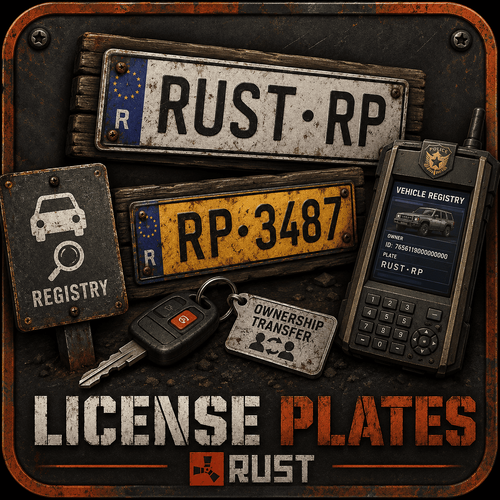
License Plates — Registered vehicles for your roleplay server
Every vehicle gets a real, physical license plate — front and rear — auto-assigned the moment it's driven and made official for a fee. A searchable registry ties each plate to its owner and full history, the police can run controls and flag stolen vehicles, and a leveled mechanic profession installs plates, fits custom plates and brokers vehicle sales. Ownership transfers, mutation taxes and invoices are all built in and wired to your economy plugin.
How it works
Assigned — a plate (format AA-123-BC) is generated on first drive and mounted front & rear.
Registered — the owner pays the official fee; the plate becomes permanent and enters the registry.
Readable — an aim-to-read HUD reveals the plate, owner and any stolen flag from up to 15m away.
Main features
Physical plates — real in-world signs on the vehicle, front and rear, with calibrated placement for cars, bikes, boats, helis and more.
Registry & deep scan — search any plate (full or partial) for owner, vehicle type, registration date, previous plates and full log.
Police control — run controls, report vehicles stolen, clear flags, and leave offense notes on a plate's file.
Fake plates & fraud — a timed fake plate hides the real one, but a police deep scan exposes the fraud, the real plate and who fitted it.
Mechanic profession A real player job. Mechanics install plates for clients, level up as they work (10 levels, +XP per plate fitted) and unlock cheaper installs (down to ~40% of base cost). They set the client price (fixed or within a min/max range), and a per-vehicle XP cooldown prevents farming. Operations: change a plate, fit a custom plate, assign first ownership, or broker a full vehicle sale — every step invoiced automatically.
Economy & ownership Configurable fees for registration, ownership transfer (mutation tax), vehicle sale (state fee) and custom plates. Transfers use timed invoices — the buyer confirms and pays before the plate changes hands. Works with EconomyRP, Economics and ServerRewards. Three registration modes: self-service, NPC, or mechanic-only.
Custom plates For a premium, players choose their own text (2–10 characters), a text colour, a background colour, and toggle the country band — with a live preview and validation that prevents duplicates.
In-game menu & admin One clean menu, four role-gated tabs — My Vehicles, Registry, Mechanic, Admin. Admins configure the whole plugin live (economy, fees, mechanic, vehicles, fake plates, display) and calibrate plate placement — no config-file editing.
Vehicle coverage Car, Motorbike, Minicopter, Attack Heli, Scrap Heli, Boat, RHIB, Tugboat, Snowmobile, Bicycle, Horse, Kayak and more. Each category can be toggled and set to front-only, rear-only or both.
Commands
/plaque — open the menu
read / hud — read or aim-to-read a plate
immat — register your vehicle
transfert — transfer ownership
changer / vente — mechanic operations
declarer — declare at an NPC
controle — police control
(The base command is renameable in the config.)
Permissions
licenseplates.admin — full admin panel
licenseplates.police — controls & stolen flags
licenseplates.garagiste — mechanic profession
licenseplates.fausse — fit fake plates
Languages: EN / FR / RU / DE — Version 1.0.0 by Rhaziel
- $24.99
- 1 Downloads