
Everything posted by La1m1e
-
View File Safe Zone Garage Comfortable shelter with safe zone, car lift and some loot inside, uses IO so Oxide.Ext.RustEdit.dll is necessary on your server. Just put all files into /CustomPrefabs folder and use with pre-built height and splat (if it still works on latest version, im not sure) Submitter La1m1e Submitted 05/08/2022 Category Prefabs
-
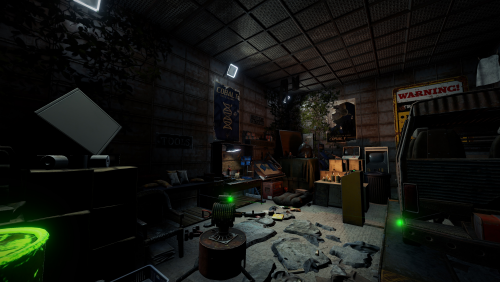 Comfortable shelter with safe zone, car lift and some loot inside, uses IO so Oxide.Ext.RustEdit.dll is necessary on your server. Just put all files into /CustomPrefabs folder and use with pre-built height and splat (if it still works on latest version, im not sure)$1