



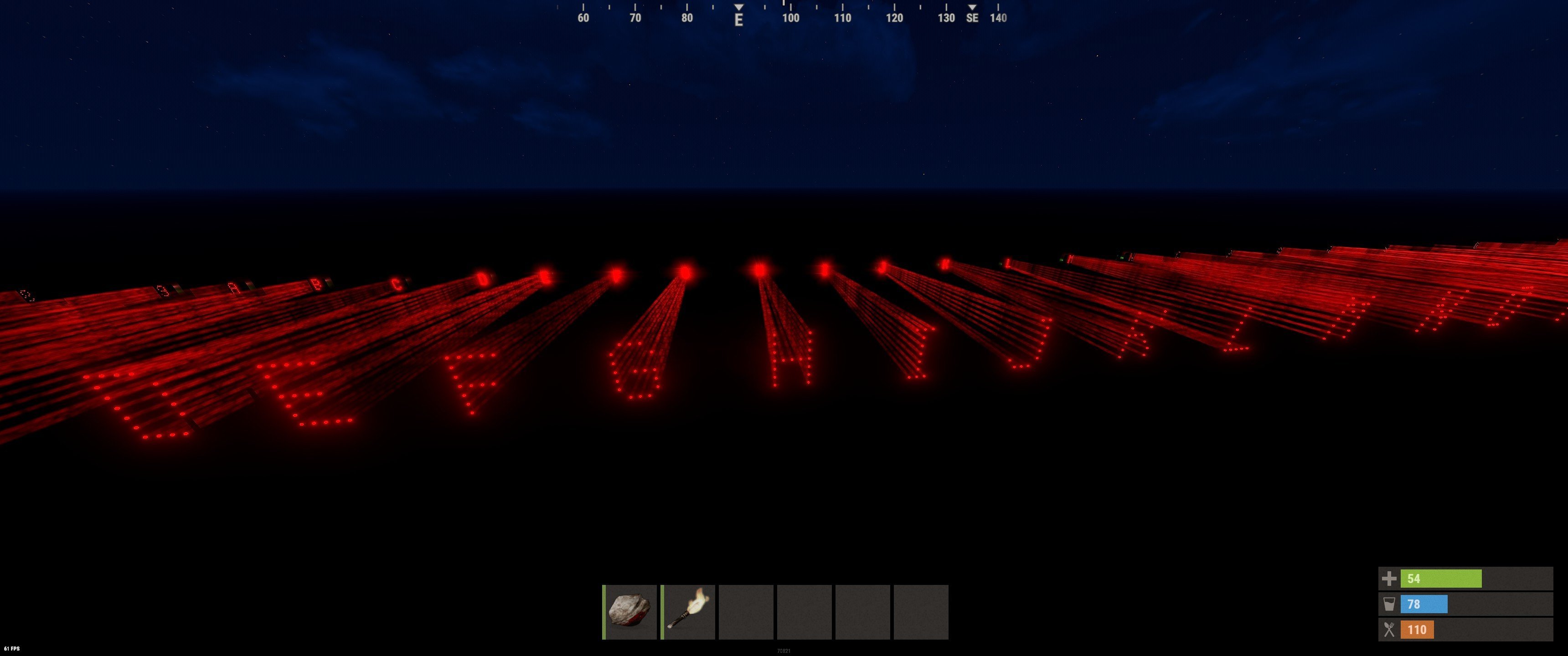
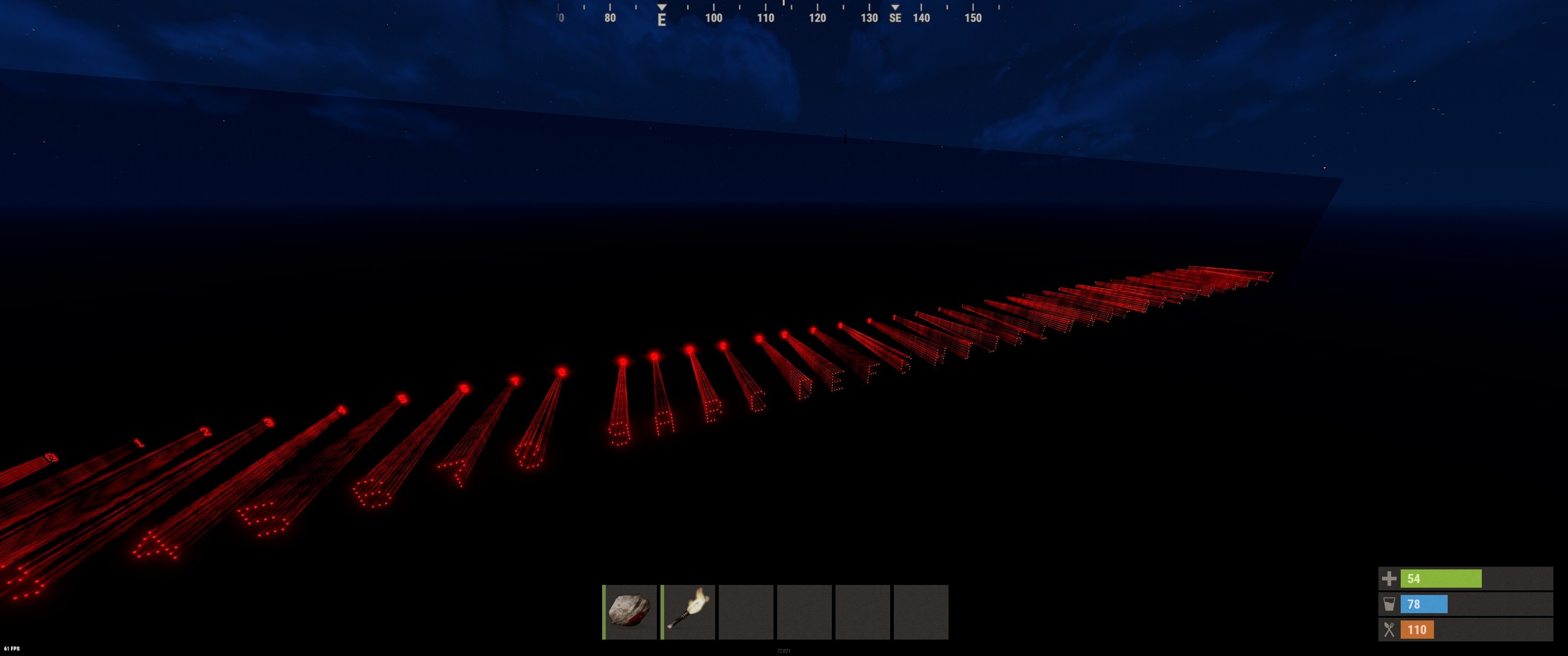
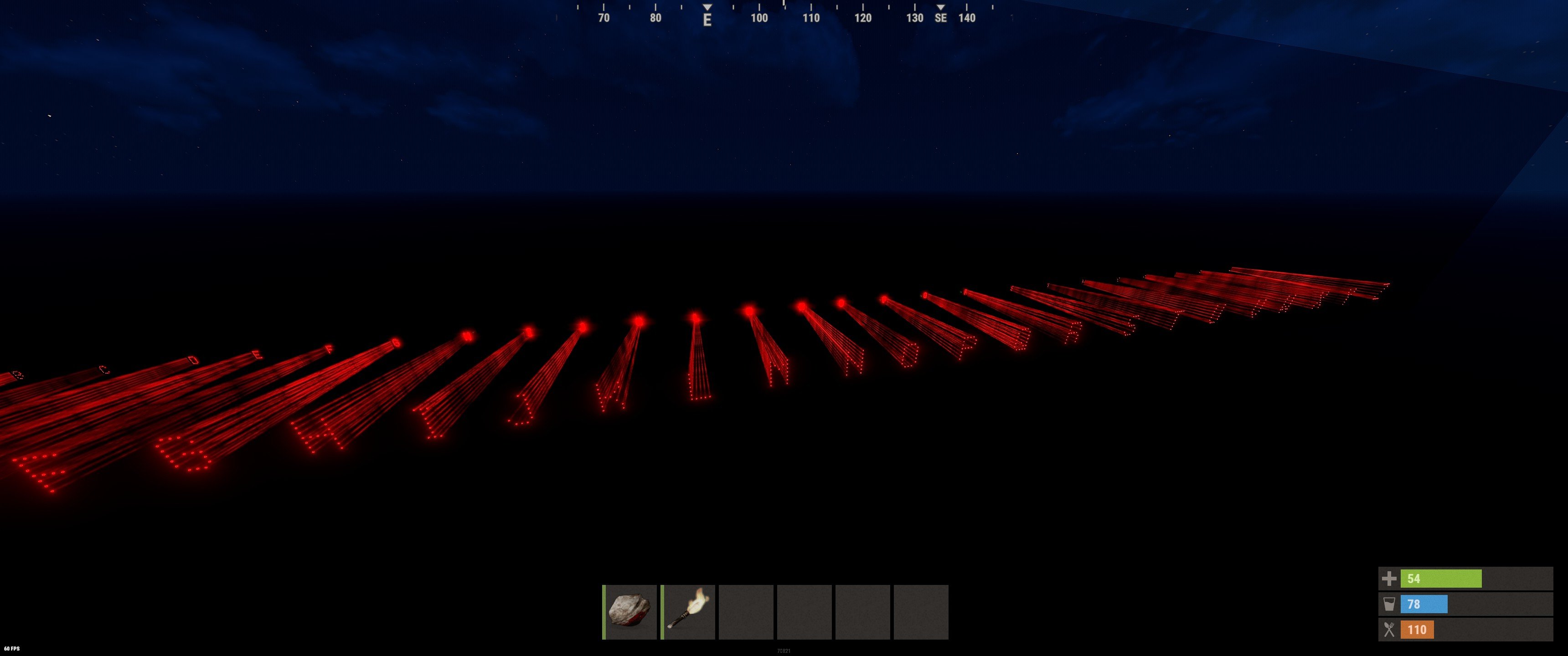
Laser font set from 0-9 and A-Z.
This font set projects any lettering onto the back of a pane of glass or onto any other object.
The further away the lasers are from the object to be projected, the larger the lettering and vice versa.
After the lasers are placed in the desired arrangement, they can be broken and connected to generators using the OR switches attached to the back of each laser.
Contents of the package:
- Numbers from 0-9
- Letters from A-Z
- Laser measure to measure the maximum distance between the laser and the object to be illuminated
- 3 additional flicker generators to generate a flicker effect if desired
The Prefab was created by ☆☆☆ Abracadaver ☆☆☆
Upon purchasing any content you hereby agree to the terms and conditions listed below.
Below are the following rules and TOS (Terms of Service) you are agreeing to when purchasing and using my custom maps, monuments and prefabs.
(Use of Product)
By downloading this product or any other works you may use these on your maps as you please, however, you may NOT resell these products or in any way associate them in a commercial use without permission from the author or without optioning the Commercial Licence (Fee Applies).
This includes minor editing, modifying or renaming any of my work and using it for your own commercial applications.
In addition, any other redistribution of my maps, monuments or creations is STRICTLY prohibited.
Below are the following rules and TOS (Terms of Service) you are agreeing to when purchasing and using my custom maps, monuments and prefabs.
(Use of Product)
By downloading this product or any other works you may use these on your maps as you please, however, you may NOT resell these products or in any way associate them in a commercial use without permission from the author or without optioning the Commercial Licence (Fee Applies).
This includes minor editing, modifying or renaming any of my work and using it for your own commercial applications.
In addition, any other redistribution of my maps, monuments or creations is STRICTLY prohibited.
You may only provide a review once you have downloaded the file.
There are no reviews to display.