Skip to content
View in the app

A better way to browse. Learn more.

WeOxide Marketplace ¬ Rust Custom Maps ¬ Prefabs ¬ Monuments and Plugins Free & Paid Assets

A full-screen app on your home screen with push notifications, badges and more.

To install this app on iOS and iPadOS
  1. Tap the Share icon in Safari
  2. Scroll the menu and tap Add to Home Screen.
  3. Tap Add in the top-right corner.
To install this app on Android
  1. Tap the 3-dot menu (⋮) in the top-right corner of the browser.
  2. Tap Add to Home screen or Install app.
  3. Confirm by tapping Install.

WeOxide · Rust Marketplace

Maps. Plugins. Prefabs.

Find your next server upgrade. Explore creations from the Rust community.

Discover the latest creations

What's new

Page 1 / 1
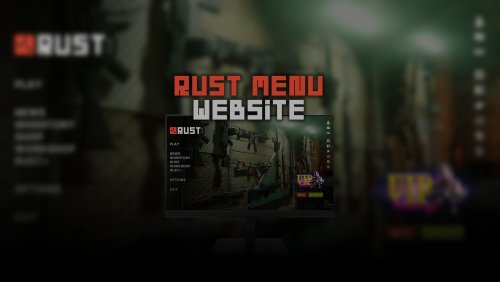
Rust Menu - Website
Tools

Rust Menu - Website

- WEBSITE TEMPLATE - RUST GAME MENU • Let your Web Site visitors know what is being played on your Server. • This html template is fully editable. • Edit all texts with a simple notepad, or with your favorite editor. - C

BADGYVERVersion 1.0.1
CUI Editor
Tools

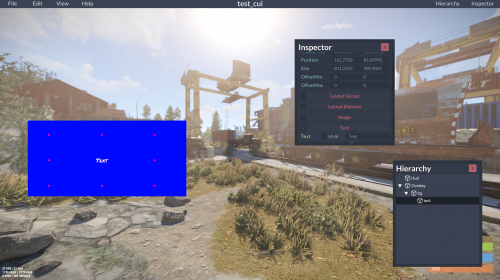
CUI Editor

CUIEditor - standalone Rust Community UI Editor. Create complex UIs with ease! This is a fork of https://github.com/bazuka5801/CuiBuilder Open Help->Keybinds to see available keybinds.

_senyaaVersion 1.0.6

Browse all ↗

Fresh from the creators

Recently updated

Page 1 / 1
Rust Menu - Website
Tools

Rust Menu - Website

- WEBSITE TEMPLATE - RUST GAME MENU • Let your Web Site visitors know what is being played on your Server. • This html template is fully editable. • Edit all texts with a simple notepad, or with your favorite editor. - C

BADGYVERVersion 1.0.1
CUI Editor
Tools

CUI Editor

CUIEditor - standalone Rust Community UI Editor. Create complex UIs with ease! This is a fork of https://github.com/bazuka5801/CuiBuilder Open Help->Keybinds to see available keybinds.

_senyaaVersion 1.0.6

Browse all ↗

Community favourites

Highest rated

Page 1 / 1

No rated files in this category yet.

Browse all ↗

Built for servers like yours

Page 1 / 1
Rust Menu - Website
Tools

Rust Menu - Website

- WEBSITE TEMPLATE - RUST GAME MENU • Let your Web Site visitors know what is being played on your Server. • This html template is fully editable. • Edit all texts with a simple notepad, or with your favorite editor. - C

BADGYVERVersion 1.0.1
CUI Editor
Tools

CUI Editor

CUIEditor - standalone Rust Community UI Editor. Create complex UIs with ease! This is a fork of https://github.com/bazuka5801/CuiBuilder Open Help->Keybinds to see available keybinds.

_senyaaVersion 1.0.6

Browse all ↗

More for your next server

On sale

Page 1 / 1

No active file sales in this category.

Browse all ↗

From the community

Latest file reviews

ChaoticStryfe★ 5 / 5

The Canada 4K custom map for Rust offers a distinctive gameplay experience by replicating the geographical shape of Canada. This 4000-size map integrates procedural monuments alongside unique features. It a compelling choice for Rust server administrators seeking a fresh and immersive environment.

Canada 4K Custom Map ↗
B_Ghosted★ 4 / 5

This is such an awesome replacement for a Supermarket. There is an issue though, regarding the Keycards. Once you drop down the tunnel and swipe the keycard, the door doesn't open. There seems to be an addition on this download that is not in the video. Door controllers! Grrr... I think this is the issue, but I'm not too sure. If you could issue a hotfix for it, I'd greatly appreciate it.

Bandito Super Marked ↗
WavyDankk★ 5 / 5

What a great map! This was a very detailed piece of work! It is an excellent map that I would recommend to anyone interested in purchasing it. I will be back to purchase from Shiro again 🙂

Seongapdo Island 4K ↗
JeLlee★ 5 / 5

A good plugin, I recommend, quite fine-tuning of each NPC. If we also added the function of disabling the war between NPCs, it would be the best plugin!

SpawnNPC ↗
6,561Registered members
36Joined in the last 7 days
641Files you can explore

Account

Navigation

Search

Search

Configure browser push notifications

Chrome (Android)
  1. Tap the lock icon next to the address bar.
  2. Tap Permissions → Notifications.
  3. Adjust your preference.
Chrome (Desktop)
  1. Click the padlock icon in the address bar.
  2. Select Site settings.
  3. Find Notifications and adjust your preference.