



47 files
-
Run effects on players or yourself! The plugins is primarily used as an API for other plugins like https://weoxide.net/index.php?/file/274-cookingeffectswrapper/
If you want other effects, message me and i can add them :)
Permissions:
effects.use Commands:
/vomit <optional playername> /blur <optional playername> /shake <optional playername> /breathe <optional playername> /lick <optional playername> /killeffects <optional playername> Config:
{ "Effects": { "vomit": { "Enabled": true, "InstantEffect": true, "EffectLengthInSeconds": 60, "EffectInterval": 6 }, "lick": { "Enabled": true, "InstantEffect": true, "EffectLengthInSeconds": 60, "EffectInterval": 6 }, "breathe": { "Enabled": true, "InstantEffect": true, "EffectLengthInSeconds": 60, "EffectInterval": 6 }, "shake": { "Enabled": true, "InstantEffect": true, "EffectLengthInSeconds": 60, "EffectInterval": 6 }, "blur": { "Enabled": true, "InstantEffect": true, "EnableFlashing": true, "StaticBlurOpacity": 0.5, "FlashingBlurOpacity": 0.3, "EffectLengthInSeconds": 60, "EffectInterval": 6 } } } Hooks:
void EffectVomit(BasePlayer Player, int Length, float Interval, bool Instant) void EffectShake(BasePlayer Player, int Length, float Interval, bool Instant) void EffectBlur(BasePlayer Player, int Length, float Interval, bool Instant, bool Flashing) void EffectLick(BasePlayer Player, int Length, float Interval, bool Instant) void EffectBreathe(BasePlayer Player, int Length, float Interval, bool Instant)- $10
-
Make custom commands, custom crafts, etc! Enter a command and it checks if you got the stuff and the correct amount and executes the configured command!
Notes:
If Permission or Message is not set aka "" then they will be skipped! Configuration:
{ "Commands": { "firebullets": { "ExecuteCommand": "giveto {1} ammo.rifle.incendiary 64", "Permission": "firebullets", "Message": "Enjoy the fire bullets!", "TakeItems": true, "Items": [ { "Shortname": "ammo.rifle", "Amount": 64 }, { "Shortname": "lowgradefuel", "Amount": 32 } ] } } }
- $5
- 2 Downloads
-
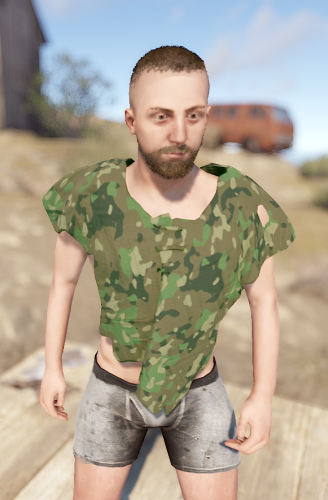
Magic Poncho is an item with a custom skin and additional abilities to farm more resources in the game.
Poncho is slightly visible in the dark.
The plugin provides the ability to customize which item needs to be increased when collecting or farming resources.
The plugin provides the ability to smelt the extracted resources.
Ponchos can be repaired because ponchos lose their durability when farmed.
The plugin provides the ability to craft a poncho.
It is possible to issue an item through the server console, a command in the chat, or through another plugin.
In order for players to find the item, there are settings for item spawning in loot boxes.
Permission Smelting = magicponcho.smelting
Permission Craft=magicponcho.craft
chat command.
Enable/disable smelting = smelting
Item craft=craftponcho
console command.
Give item to player = giveponcho SteamID
To issue a poncho through another plugin, use.
Identifier item skin = 2806678960
Item shortname = attire.hide.poncho
Item name = Magic military poncho
Default config file.
{ "Global settings": { "Item name": "Magic militari poncho", "How fast the item breaks (by default, the item has 250 HP)": 1.0, "Enable smelting of mined resources": false, "Enable crafting poncho": false, "Enable spawn for poncho in loot boxes": false }, "Multiplier settings": { "Item list (item shortname : multiplier)": { "wood": 2.0, "stones": 2.0, "sulfur.ore": 2.0, "metal.ore": 2.0, "hq.metal.ore": 2.0, "leather": 2.0, "bone.fragments": 2.0, "fat.animal": 2.0, "cloth": 2.0, "bearmeat": 2.0, "meat.boar": 2.0, "horsemeat.raw": 2.0, "deermeat.raw": 2.0, "wolfmeat.raw": 2.0, "chicken.raw": 2.0, "cactusflesh": 2.0, "mushroom": 2.0, "potato": 2.0, "seed.potato": 2.0, "seed.hemp": 2.0, "pumpkin": 2.0, "seed.pumpkin": 2.0, "corn": 2.0, "seed.corn": 2.0, "yellow.berry": 2.0, "seed.yellow.berry": 2.0, "green.berry": 2.0, "seed.green.berry": 2.0, "red.berry": 2.0, "seed.red.berry": 2.0, "blue.berry": 2.0, "seed.blue.berry": 2.0, "black.berry": 2.0, "seed.black.berry": 2.0, "white.berry": 2.0, "seed.white.berry": 2.0 } }, "Crafting settings": { "Cost of manufacturing poncho": { "scrap": 250, "leather": 10, "sewingkit": 1 } }, "Spawn settings": { "What crates can contain ponchos (item shortname : chance drop)": { "bradley_crate": 25, "heli_crate": 25 } } }
- $3
- 1 Downloads
-
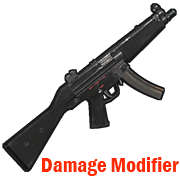
Modifies the damage from your weapon.
Permission = "weapondamagemodifier.use";
Some weapons have already been added to the config file for example.
You can edit the list to your liking by adding or removing weapons from the list.
How to find out the shortname of a weapon?
Enable debugging in the config file.
"Default: what weapon the player is using, what damage was received from this weapon.": true,
"Modifier: what weapon the player is using, what damage was received from this weapon.": true
Reload the plugin.
Choose an active weapon for your character, and deal damage to the entity.
Information will be displayed to you in the server console.
"Hit Info (Initiator - who did the damage). Weapon (ShortName - what weapon). Damage (Total - what was the damage)."
Copy the name of the weapon and add it to the list in your config file.
Save the config file.
Reload the plugin.
Default config file.
{ "Debag settings": { "Default: what weapon the player is using, what damage was received from this weapon.": true, "Modifier: what weapon the player is using, what damage was received from this weapon.": true }, "Multiplier settings": { "Weapon list (weapon shortname : multiplier)": { "explosive.timed.deployed": 1.0, "explosive.satchel.deployed": 1.0, "grenade.beancan.deployed": 1.0, "grenade.f1.deployed": 1.0, "rocket_basic": 1.0, "rocket_hv": 1.0, "rocket_fire": 1.0, "mp5.entity": 1.0, "thompson.entity": 1.0, "m92.entity": 1.0, "bolt_rifle.entity": 1.0, "l96.entity": 1.0, "m39.entity": 1.0 } } }
- $2
- 10 Downloads
-
Connecting to your server using the specified Steam ID.
Good for testing a server, or for a group of friends who need privacy.
Just add a Steam ID to the config file and you will be able to connect to the server.
Default config file.
{ "Connect [SteamID]": [ "*****************", "*****************" ] }
- Free
- 13 Downloads
-
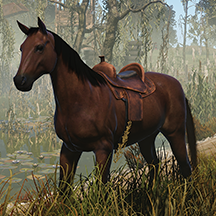
Maybe someday you need to cure your horse?
Then this plugin is for you.
Take the medical syringe and walk close to the horse and press the right mouse button.
1 medical syringe will restore 25 HP for a horse.
Permission "horsetreatment.use"
Configuration file.
{ "Settings": { "Horse Life Recovery Quantity.": 25.0 } }
- Free
- 16 Downloads
-
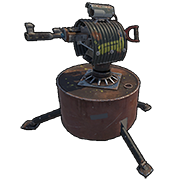
Plugin to block specific weapons or ammo in the auto turret
To bypass the blocking, it is provided. Permission = "turretblocked.bypassblocked"
Configuration file.
{ "Prohibited weapon.": [ "lmg.m249", "rifle.l96", "rifle.m39", "rifle.ak", "rifle.lr300", "rifle.bolt", "rifle.semiauto" ], "Prohibited ammunition.": [ "ammo.rifle.explosive", "ammo.rifle.incendiary", "ammo.rifle.hv", "ammo.rifle" ] }
- Free
- 4 Downloads
-
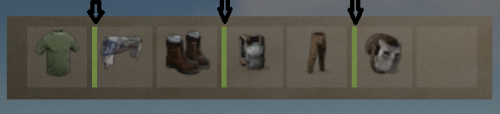
This plugin allows NPC to not only deal damage to the on hit player, but also reduce the durability of equipped armor.
Currently, the plugin randomly selects from the available equipped armor what has durability and reduces this value when it hits the player.
The perfect plugin for Hardcore servers to keep players from stockpiling a lot of items.
The plugin only processes items that have a durability scale.
Reduces armor durability for each item that is listed in the config file.
Permission, for the plugin to work = "armornotforever.use";
Permission, armor will take damage such as player = "armornotforever.damagetotal";
Permission, armor will take damage as you set = "armornotforever.damagemultiplier";
Permission, armor does not take damage = "armornotforever.damagebypass";
If the player has "armornotforever.damagetotal" permission.
This means the settings from the "Multiplier settings" list will not be taken into account and the armor with a probability (50/50) will be damaged such as the player receives.
If the player has "armornotforever.damagemultiplier" permission.
This means if in the settings "attire.hide.poncho": 1.0,
then the poncho has a (50/50) chance of taking 1 damage.
If the player has "armornotforever.damagebypass" permission.
This means that the player's armor will not take damage.
I also want to draw attention to the fact that if you test the plugin in god mode, then the armor will not take damage.
In the "Global settings" there is an item "Debag" by turning it on you will see in the server console what item and what damage is done to the player's armor.
Default the config file.
{ "Global settings": { "Debag": true, "Damage from (Suicide). Does not damage armor.": false, "Damage from (Bleeding). Does not damage armor.": false, "Damage from (Drowning). Does not damage armor.": false, "Damage from (Thirst). Does not damage armor.": false, "Damage from (Hunger). Does not damage armor.": false, "Damage from (Cold). Does not damage armor.": false, "Damage from (Heat). Does not damage armor.": false, "Damage from (Fall). Does not damage armor.": false, "Damage from (Radiation). Does not damage armor.": false }, "Multiplier settings": { "Item list Head (item shortname : multiplier)": { "metal.facemask": 1.0, "diving.mask": 1.0, "hat.gas.mask": 1.0, "heavy.plate.helmet": 1.0, "bucket.helmet": 1.0, "wood.armor.helmet": 1.0, "sunglasses": 1.0, "twitchsunglasses": 1.0, "riot.helmet": 1.0, "coffeecan.helmet": 1.0, "deer.skull.mask": 1.0 }, "Item list Body (item shortname : multiplier)": { "hazmatsuit": 1.0, "hazmatsuit.arcticsuit": 1.0, "hazmatsuit.nomadsuit": 1.0, "hazmatsuit.spacesuit": 1.0, "heavy.plate.jacket": 1.0, "metal.plate.torso": 1.0, "roadsign.jacket": 1.0, "bone.armor.suit": 1.0, "wood.armor.jacket": 1.0, "attire.hide.poncho": 1.0, "jumpsuit.suit": 1.0, "jumpsuit.suit.blue": 1.0, "cratecostume": 1.0, "barrelcostume": 1.0, "gloweyes": 1.0 }, "Item list Pants (item shortname : multiplier)": { "heavy.plate.pants": 1.0, "wood.armor.pants": 1.0, "roadsign.kilt": 1.0 } } }- Free
- 39 Downloads
-
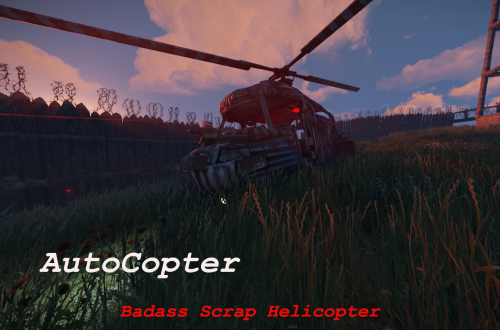
AutoCopter brings you all the tools needed to survive the Rust Apocalypse while flying in your private helicopter.
Features
Customizable Health Points
Customizable upgrade costs
Fancy extra light in the back
2 turrets on top of fuel tanks and 1 in front of the helicopter
Destroying or crashing the scrap helicopter will refund all items on ground including weapons and ammo.
Chat Commands
/upautocopter -> Will upgrade your owned Scrap transport helicopter with turrets and light
Configuration
The settings and options can be configured in the AutoCopter file under the config directory. The use of an editor and validator is recommended to avoid formatting issues and syntax errors.
{ "UpgradeCost": 4000, "HeliConfig": { "MaxHealth": 4000.0 } }
- $5
- 11 Downloads
-
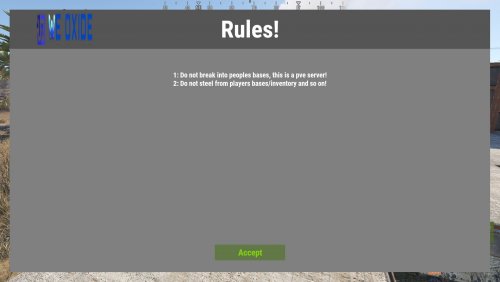
Simple and highly customizable UI, Show your players the rules when they first connect to the server!
Text Styling: Yes u can combine them!
<color=red>This changes the text color to red!</color> <b>This makes text bold!</b> <i>This makes text italic!</i> <size=20>This changes the text size to 20!</size> Commands:
/rules - shows the rules! Configuration:
{ "Text": [ "1: Do not break into peoples bases, this is a pve server!", "2: Do not steel from players bases/inventory and so on!" ], "UI": { "MainPanel": { "BackgroundColor": "0.5 0.5 0.5 1", "Size": { "AnchorMin": "0 0", "AnchorMax": "1 1", "OffsetMin": "25 25", "OffsetMax": "-25 -25" } }, "Header": { "Text": "Rules!", "FontSize": 60, "FontColor": "1 1 1 1", "BackgroundColor": "0.33 0.33 0.33 1", "Size": { "AnchorMin": "0 1", "AnchorMax": "1 1", "OffsetMin": "0 -100", "OffsetMax": "0 0" }, "Image": { "Shown": true, "ImageURL": "https://weoxide.net/uploads/monthly_2022_02/713574979_WEOXIDE_basic-file-1022200x106.png.160179787166532ce1a2b0924939fb25.png", "Size": { "AnchorMin": "0 0.5", "AnchorMax": "0 0.5", "OffsetMin": "69 -40", "OffsetMax": "211 40" } } }, "Rules": { "FontSize": 18, "FontColor": "1 1 1 1", "Size": { "AnchorMin": "0 0", "AnchorMax": "1 1", "OffsetMin": "35 70", "OffsetMax": "-35 -135" } }, "AcceptButton": { "Text": "Accept", "TextColor": "0.511 0.837 0.021 1", "TextSize": 22, "BackgroundColor": "0.3921569 0.4705882 0.2745098 1", "Size": { "AnchorMin": "0.5 0", "AnchorMax": "0.5 0", "OffsetMin": "-90 30", "OffsetMax": "90 70" } } } }
- $10
- 3 Downloads