Jump to content
View in the app

A better way to browse. Learn more.

WeOxide Marketplace ¬ Rust Custom Maps ¬ Prefabs ¬ Monuments and Plugins Free & Paid Assets

A full-screen app on your home screen with push notifications, badges and more.

To install this app on iOS and iPadOS
  1. Tap the Share icon in Safari
  2. Scroll the menu and tap Add to Home Screen.
  3. Tap Add in the top-right corner.
To install this app on Android
  1. Tap the 3-dot menu (⋮) in the top-right corner of the browser.
  2. Tap Add to Home screen or Install app.
  3. Confirm by tapping Install.

Paddle

WeOxide Member
  • Joined

  1. Paddle replied to Schipall's topic in Prefabs
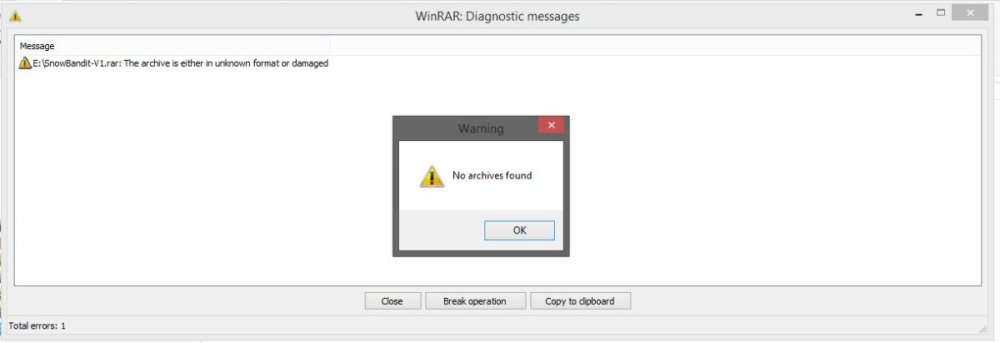
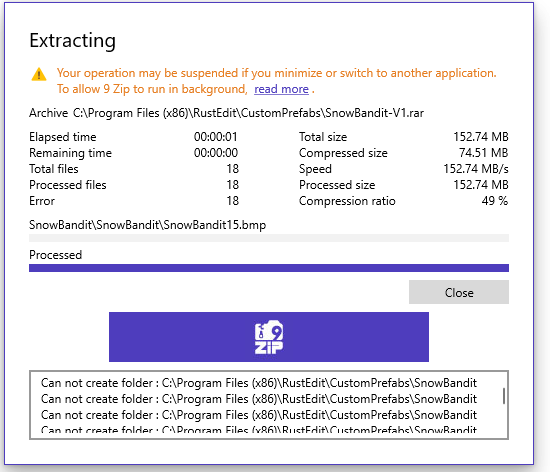
    As stated it may work at your end but when it gets to our end it is corrupt and my fully up to date licenced version of winrar will not open it and that is a relevant reason to give it 1 star as it is unusable
  2. Paddle replied to Schipall's topic in Prefabs
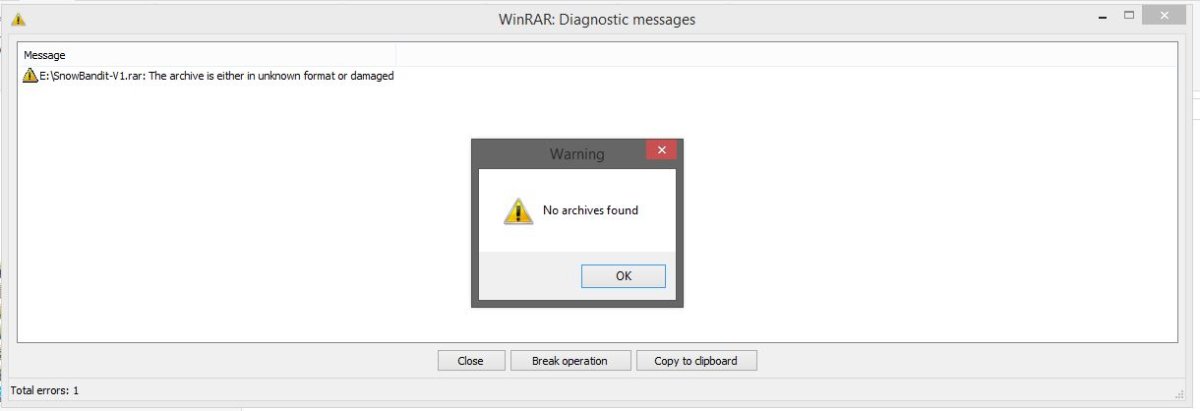
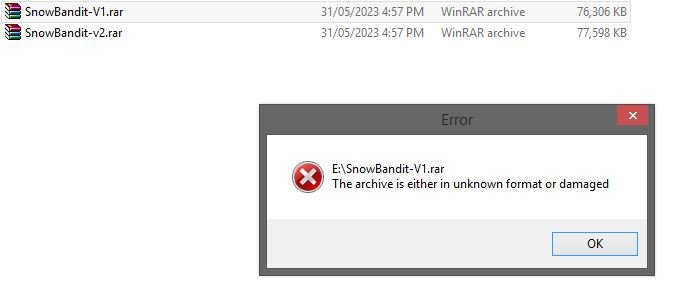
    Fyi I have over 20 years working in IT so I am no idiot when it come to rar / zip files I have had another admin download on a different network on a different machine and is having the same issue here are some screen snips maybe it a error when the files are being sent out from your end as we have both done multiple downloads with the same issue
  3. Paddle replied to Schipall's topic in Prefabs
    rar files for both versions are corrupt and wont unzip in winrar

Configure browser push notifications

Chrome (Android)
  1. Tap the lock icon next to the address bar.
  2. Tap Permissions → Notifications.
  3. Adjust your preference.
Chrome (Desktop)
  1. Click the padlock icon in the address bar.
  2. Select Site settings.
  3. Find Notifications and adjust your preference.