
Skip to content
View in the app

A better way to browse. Learn more.

WeOxide Marketplace ¬ Rust Custom Maps ¬ Prefabs ¬ Monuments and Plugins Free & Paid Assets

A full-screen app on your home screen with push notifications, badges and more.

To install this app on iOS and iPadOS
  1. Tap the Share icon in Safari
  2. Scroll the menu and tap Add to Home Screen.
  3. Tap Add in the top-right corner.
To install this app on Android
  1. Tap the 3-dot menu (⋮) in the top-right corner of the browser.
  2. Tap Add to Home screen or Install app.
  3. Confirm by tapping Install.

Niko

RustEdit Designer
  • Joined

  • Last visited

2 files

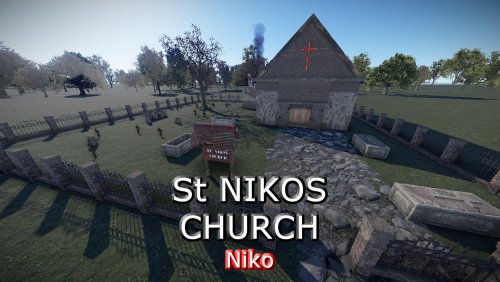
  1. Small Church to add to any map
    • Free
    • 70 Downloads
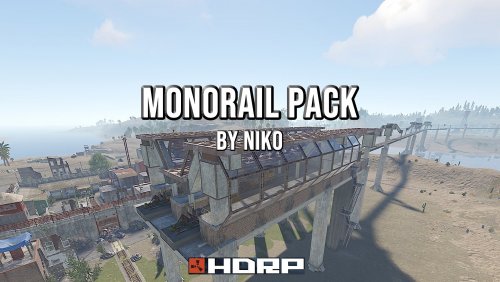
  2. This MonoRail pack gives you all you need to add a high raised rail network to your map, the two stations come with a blended base so you know what height to place them and with some creative blending you will have workcarts running around in no time.
    Included
    Station Passthrough
    Station Terminus
    45Deg Bend
    Straight
    Double Straight
    Concave Straight
    Convex Straight
    Left Split
    Y Split
    Single Pylon
    Double Pylon
    Single Pylon with Straight
    Double Pylon with Straight
    You can use the Left split if you like as a right split if inverted
    The convex and concave are used to go up or down inclines, they only work 1 way so if the alignment looks funny, rotate and try again
    • $14.95
    • 5 Downloads

Account

Navigation

Search

Search

Configure browser push notifications

Chrome (Android)
  1. Tap the lock icon next to the address bar.
  2. Tap Permissions → Notifications.
  3. Adjust your preference.
Chrome (Desktop)
  1. Click the padlock icon in the address bar.
  2. Select Site settings.
  3. Find Notifications and adjust your preference.