



409 files
-
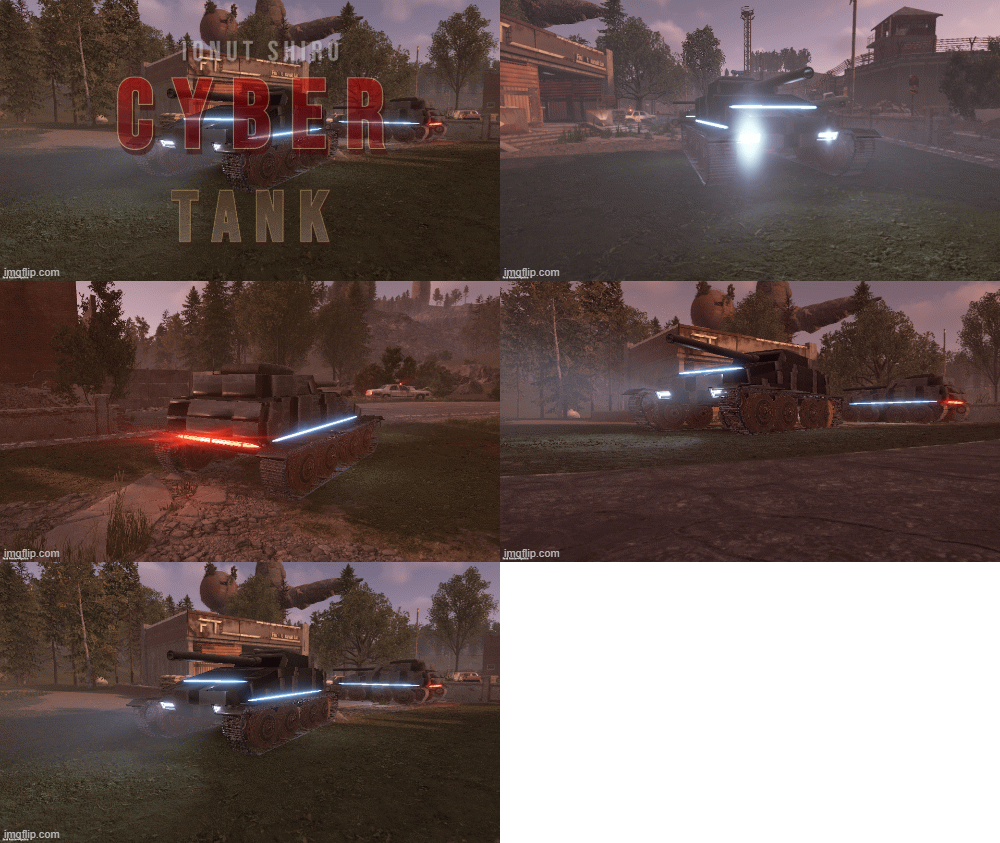
The tank of the future fits perfectly into the theme of the game cyberpunk 2077.
It will look beautiful everywhere
- $2.50
- 2 Downloads
-
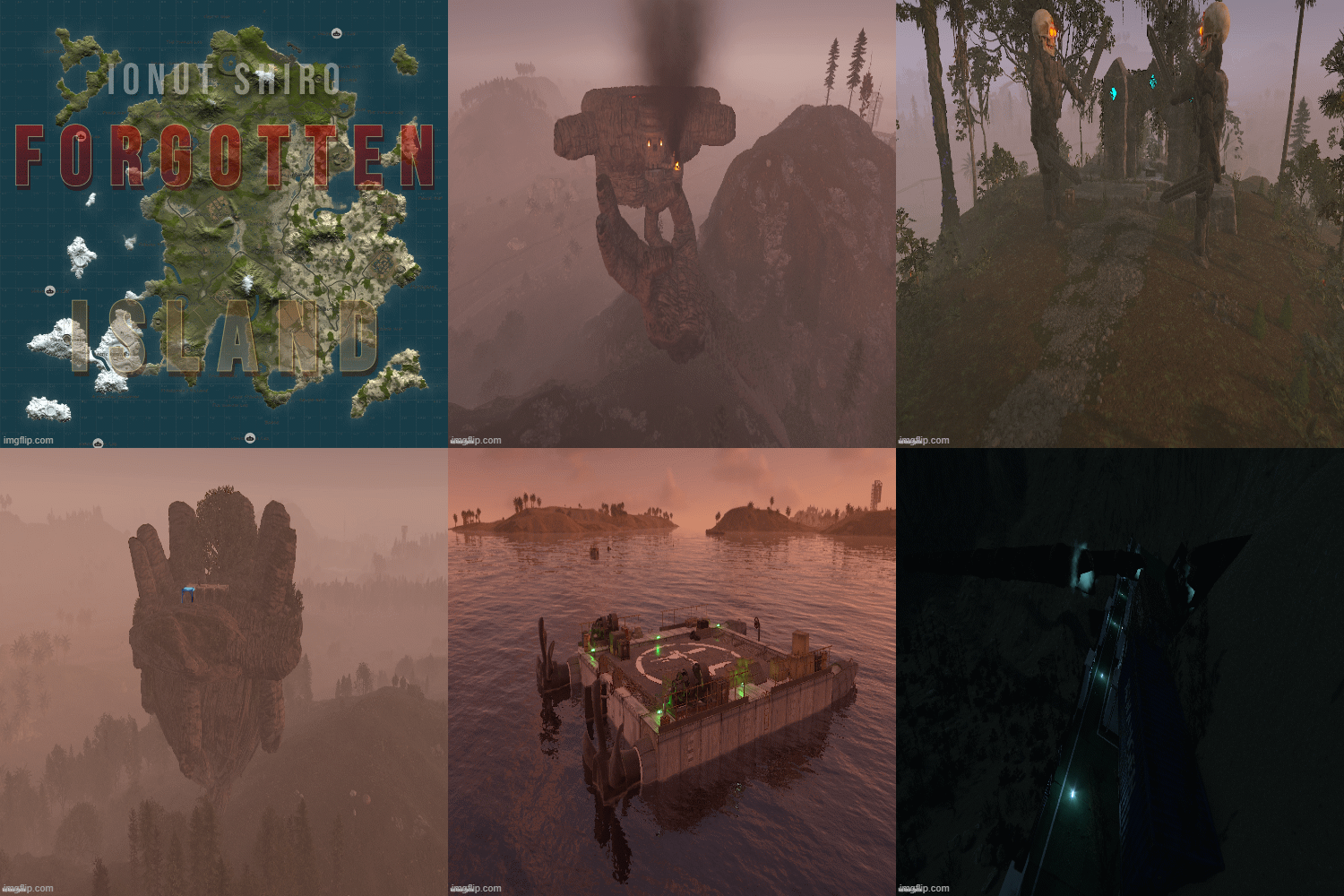
Dive together with players of your server in search of underwater treasures or explore the water of this big and beautiful world. On this map you can find custom constructions on land, water and underwater. Beautiful landscapes of atmospheric monuments. Experience new emotions from playing Rust
- $25
-
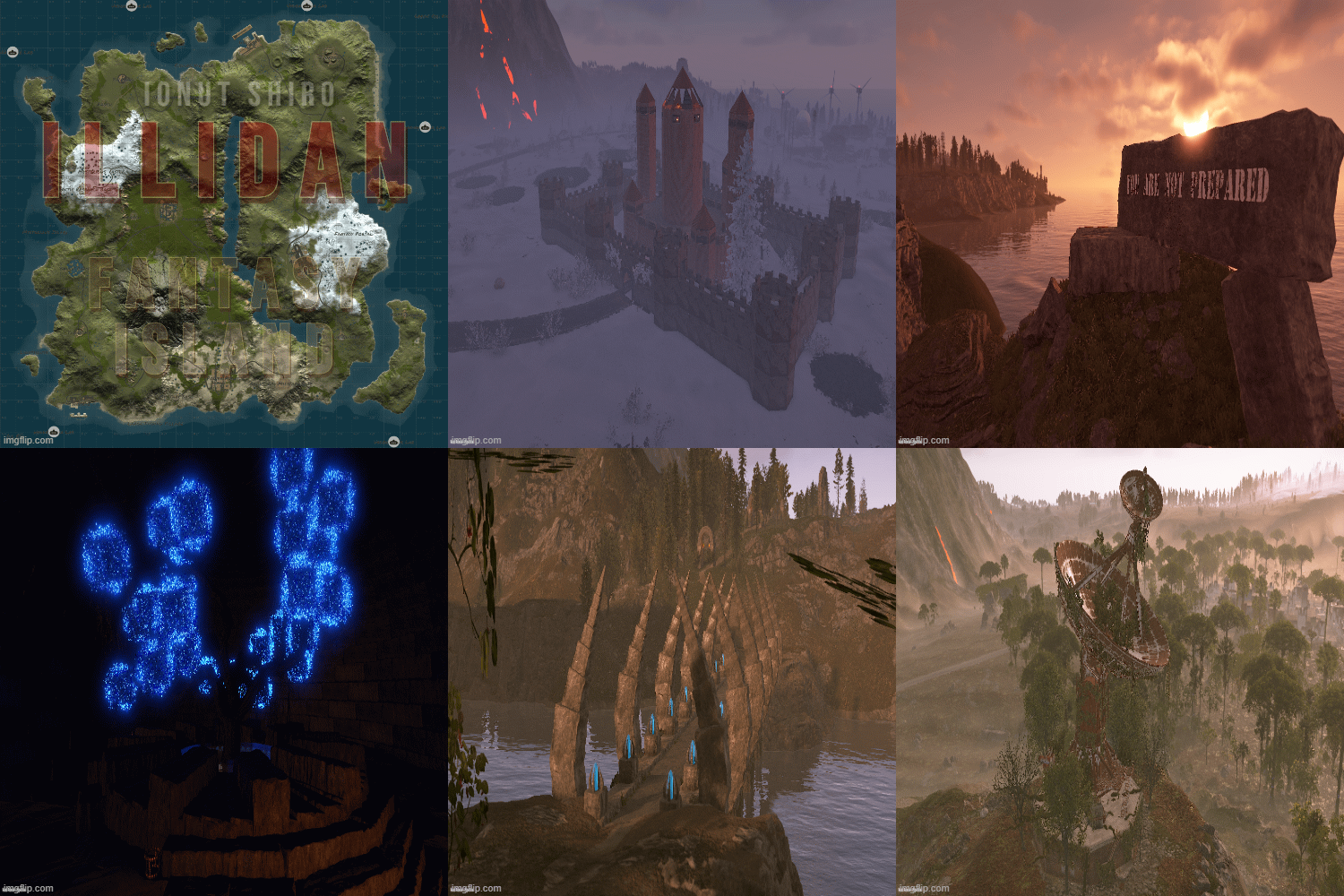
On this map, you and your players will immerse yourself in a fantasy world.
Greet the dawn and see off the sunset at a lonely oasis or riding on the skull of a king ,explore the unexplored fantasy world, where you will find a bunch of interesting and unique building sites, atmospheric custom monuments , as well as beautiful scenery that will make you immerse yourself in the fantasy world and experience new emotions from playing Rust.
- $30
-
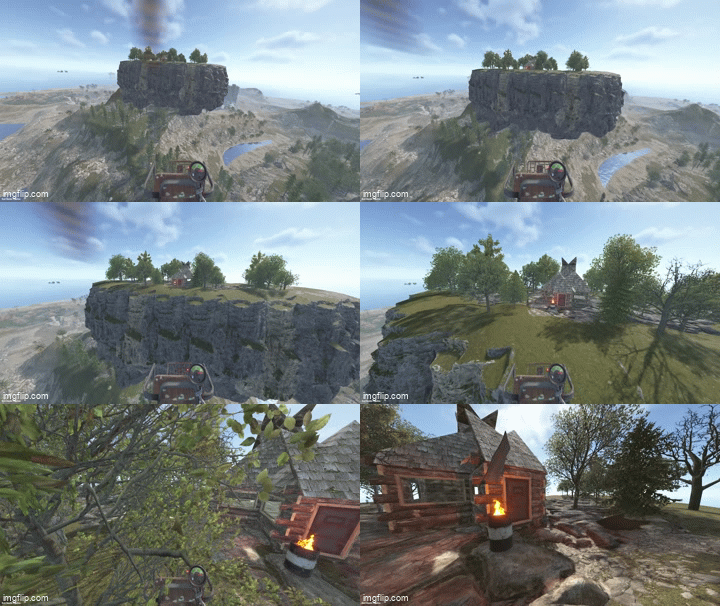
Floating Islands adds rock islands that float high above your map, with flat walkable ground, natural cliff sides, a hanging rocky underside and groves of trees. Players can reach them by minicopter and build bases, set up sky hubs or hold events on them. Spawn islands by hand or let the plugin place them across the map, away from monuments. No map editing, no RustEdit and no CopyPaste needed: everything is spawned at runtime and survives restarts.
Core Features
- 15 ready-made islands: 5 types in 3 sizes (Small, Standard, Large)
- Round: the classic floating island
- Pond: round island with a swimmable rock pond in the middle
- Long: up to 136 x 68 m, good for runways and long bases
- Wide: broad oval with plenty of building room
- Square: rounded-corner platform with the most flat ground for its size
- Flat walkable rock floor framed by a continuous cliff rim
- Mirrored cliff underside with no gaps or see-through edges
- 19 to 40 trees per island in groves of five (oak, beech, birch and pine)
- Built only from rock formations and trees, with no foundations or building blocks
- Islands spawn in small batches per frame, so the server doesn't stutter
- Islands are restored after a restart; an incomplete spawn is removed automatically
- Rocks can't be mined and trees can't be chopped (configurable)
- Islands are visible from about twice Rust's normal distance (configurable, up to the whole map)
Auto Spawn
- Optional: places a configured number of islands automatically when the server starts
- Finds free spots across the map, over land and over the sea
- Keeps a set distance from every monument, from other islands and from the map edge
- Floats each island a set height above the ground beneath it
- Keeps every island floor within minicopter reach
- Picks island types from your list without repeating until all have been used
- /island.spawnall places one of every island across the map in one command
- Fixed positions can be used instead of automatic placement
- After a map wipe, islands are placed fresh on the new map
Installation
1. Put FloatingIslands.cs in oxide/plugins/.
2. Put the 15 FloatingIsland-*.json files in oxide/data/FloatingIslands/.
3. Edit oxide/config/FloatingIslands.json if you want auto spawn, then run oxide.reload FloatingIslands.
Chat Commands :
/island.spawn [plan] [rotation] Spawn an island at your position (floor at your feet) /island.auto [count] Auto-place islands now (default: up to the configured number) /island.spawnall Place one of every island across the map /island.list List spawned islands with their IDs and positions /island.cancel Stop a spawn that is still running /island.remove [last|all|auto|id|plan] Remove islandsConsole Commands :
island.spawn <plan> <x> <y> <z> [rotation] Spawn an island at exact coordinates island.auto [count] Auto-place islands now island.spawnall Place one of every island across the map island.spots [plan] Show how many free auto-spawn spots a plan has island.list List spawned islands island.cancel Stop a running spawn island.remove [last|all|auto|id|plan] Remove islandsPermissions :
floatingislands.use - Use all island commands (admins always can)Config :
{ "Runtime plan file name (without .json)": "FloatingIsland-Standard", "Permission": "floatingislands.use", "Entities spawned per server frame": 10, "Keep spawned entities across restarts": true, "Prevent damage to spawned island entities": true, "Island visibility range (Medium = Rust default, Large = double, Global = whole map)": "Large", "Auto spawn": { "Enabled": false, "Number of islands": 3, "Plans to pick from at random": [ "FloatingIsland-Standard", "FloatingIsland-Standard-Pond", "FloatingIsland-Standard-Long", "FloatingIsland-Standard-Wide", "FloatingIsland-Standard-Square" ], "Minimum distance from monuments (m)": 150.0, "Minimum distance between islands (m)": 250.0, "Minimum distance from the map edge (m)": 150.0, "Height of the island bottom above the ground below it (m)": 30.0, "Keep the island floor within minicopter reach": true, "Allow spawning over the ocean": true, "Share of islands placed over land (0-1)": 0.5, "Random rotation": true, "Spawn missing islands when the server starts": true, "Fixed positions instead of auto-detect (x, y, z; y 0 = automatic height)": [] } }- $25
-
HealthBar brings a clean, MMO-style health bar system to Rust — without cluttering the screen or spamming players.
Whenever a player damages an NPC, animal, vehicle, turret, Bradley, or helicopter, a smooth animated health bar appears — showing:
name
distance
remaining HP
percentage
color-coded status
Bars automatically fade away after combat, and players can toggle the feature individually if they prefer a clean screen.
Everything is configurable — distance, icons, entities, UI style, and behavior.
Perfect for PvE servers, PvP arenas, boss events, and servers that want cleaner combat feedback.
What it does ?
Detects combat targets and shows health bars in real time
Works with:
NPCs
Animals
Bradley APC
Patrol Helicopter / CH47
Vehicles (boats, minicopters, modular cars, trains, etc.)
Turrets + SAM sites
Shows:
name
distance
numeric health
percentage
entity-type icon
Smart visibility system (time-based, distance aware)
Fully configurable UI (position, colors, toggles)
Per-player toggle command
Admin tools for tuning distance + reloading config
Safe, optimized, timer-driven updates (no UI flicker, no spam)
Permissions :
Description
healthbar.use
Allows player to use / toggle health bars (recommended default)
healthbar.admin
Allows access to admin commands (distance + reload)
Player Commands :
Description
/healthbar
Shows help menu
/healthbar toggle
Enables / disables health bars for you
console: healthbar.toggle
Console toggle (bindable)
Admin Commands :
Description
/healthbar distance <meters>
Sets visibility distance
/healthbar reload
Reloads configuration
{ "Show Health Bars For NPCs": true, "Show Health Bars For Animals": true, "Show Health Bars For Bradley": true, "Show Health Bars For Attack Helicopter": true, "Show Health Bars For Vehicles": true, "Show Health Bars For Turrets": true, "Show Distance Text": true, "Health Bar Visibility Distance (meters)": 50.0, "Health Bar Fade Distance (meters)": 60.0, "Update Rate (seconds)": 0.15, "Show Entity Name": true, "Show Numeric Health": true, "Show Health Percentage": true, "Show Entity Type Icon": true, "UI Position - Anchor Min": "0.35 0.13", "UI Position - Anchor Max": "0.65 0.19", "Health Bar Display Duration (seconds)": 5.0, "Enabled By Default": true, "NPC Names": { "scientist": "Scientist", "scientistnpc": "Scientist", "tunneldweller": "Tunnel Dweller", "underwaterdweller": "Underwater Dweller", "murderer": "Murderer", "junkpile": "Junkpile Scientist", "scarecrow": "Scarecrow", "heavyscientist": "Heavy Scientist", "hazmat": "Hazmat Scientist", "bandit": "Bandit", "gingerbread": "Gingerbread", "zombie": "Zombie" }, "Animal Names": { "bear": "Bear", "polarbear": "Polar Bear", "wolf": "Wolf", "boar": "Boar", "stag": "Stag", "deer": "Deer", "chicken": "Chicken", "horse": "Horse", "shark": "Shark" }, "Vehicle Names": { "rhib": "RHIB", "rowboat": "Rowboat", "kayak": "Kayak", "minicopter": "Minicopter", "scraptransport": "Scrap Heli", "hotairballoon": "Hot Air Balloon", "sedan": "Sedan", "snowmobile": "Snowmobile", "tomaha": "Tomaha", "workcart": "Workcart", "locomotive": "Locomotive", "magnetcrane": "Magnet Crane", "modularcar": "Modular Car", "attackhelicopter": "Attack Heli", "ch47": "Chinook" } }
- $7
- 8 Downloads
-
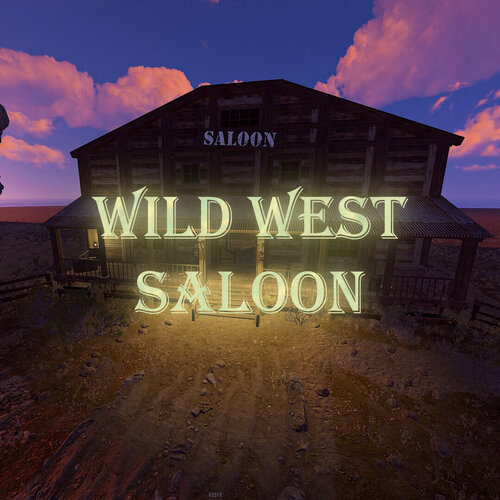
A high detail prefab that will give your server a wild west feel! Great for Roleplay,PVE and theme servers!
No loot in there so you will be able to add anything you want!
LOOT:
None.
This monument includes:
-3 Slot Machines
-1 Piano
-1 Fireplace
-2 Wanted Posters
Prefab Count:2207
- Free
- 0 Downloads
-
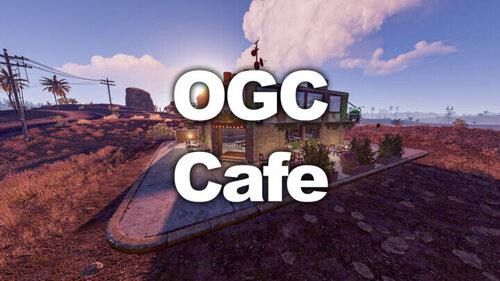
Well, you might not be able to buy coffee in this monument but you will be able
to spend some scrap on a slot machine or play some notes with the piano!
LOOT:
2 Food Crates
1 Green Crate
1 Normal Crate
1 Tool Crate
1 Ammo Crate
1 Green Card
This monument includes:
-2 Slot Machines
-1 Piano
-1 Hobo Barrel
Prefab Count:650
- Free
- 2 Downloads
-
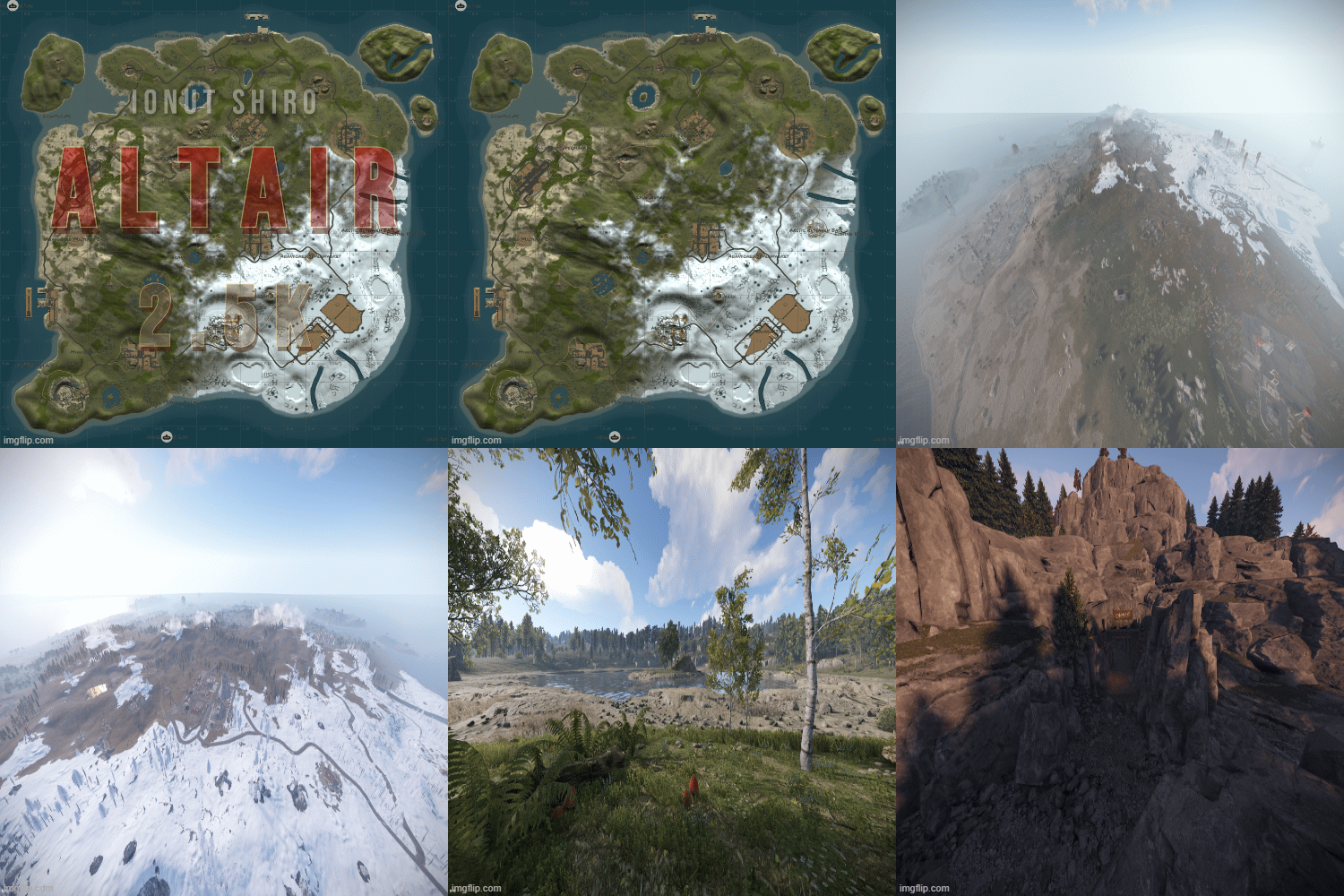
Immerse your players in world packed with monuments and beautiful aesthetics. This 3k map contains every vanilla monument, caves, a zipline path from Power Plant to Train Yard, freshwater lakes, and a custom mineshaft with a secret building area and loot. Below is a full list of monuments included.
Altair features a very high monument count, including everyone's favorite, Launch Site, but with balanced building space kept in mind. Your players will love the endless variety, and because the map is 3K, players will be contesting monuments like never before. This map is the closest you can come to pleasing everyone!
Altair also features a higher node count than typical procgen maps . Nodes spawn on all topology and biomes (Fields, forests, deserts, etc.) not just on cliffsides, providing a much needed increase in building materials. Your players can recover from a raid quicker or take care of upkeep in their massive compound, so that they can focus on PVPing. This is also a great way to keep players from moving on to a new server if their base is raided, since rebuilding a base can be a daunting task at times.
All of my maps have one goal in common, increasing engagement and retaining players. Through trial, error, and suggestions on my own personal servers, I can confidently say that this map is perfect for up and coming servers with pop at or below 75.
General Information:
Map size: 3K
Approximate Prefab count: 7770
All monuments are vanilla. There is one custom mineshaft with loot and a secret building area inside.
Map Highlights:
Large tunnel system.
High monument density with balanced room for player to build.
Launch Site is included, which is not possible for this map size through procedural generated maps.
Multiple rivers and lakes.
Small building blocked radius around quarries to prevent walling in.
Every vanilla monument is included and hand placed in this map.
Monuments Included:
Airfield
Arctic Research Base
Bandit Camp
Caves (4)
Compound
Desert Military Base
Dome
Excavator
Fishing Village (4)
Freshwater handmade lakes
Gas Station
Harbor 1 & 2
HQM Quarry
Ice Lake (3)
Junkyard
Launch Site
Lighthouse (2)
Military Tunnels
Mineshaft Tunnel
Large & Small Oil Rigs
Power Plant
Powerline Zipline Path
Sewer Branch
Stables A
Stone Quarry
Sulfur Quarry
Supermarket (2)
Swamp (2)
Train Yard
Underwater Labs (2)
Warehouse (2)
Water Treatment Plant
Water Well (5)
- $10.60
- 3 Downloads
-
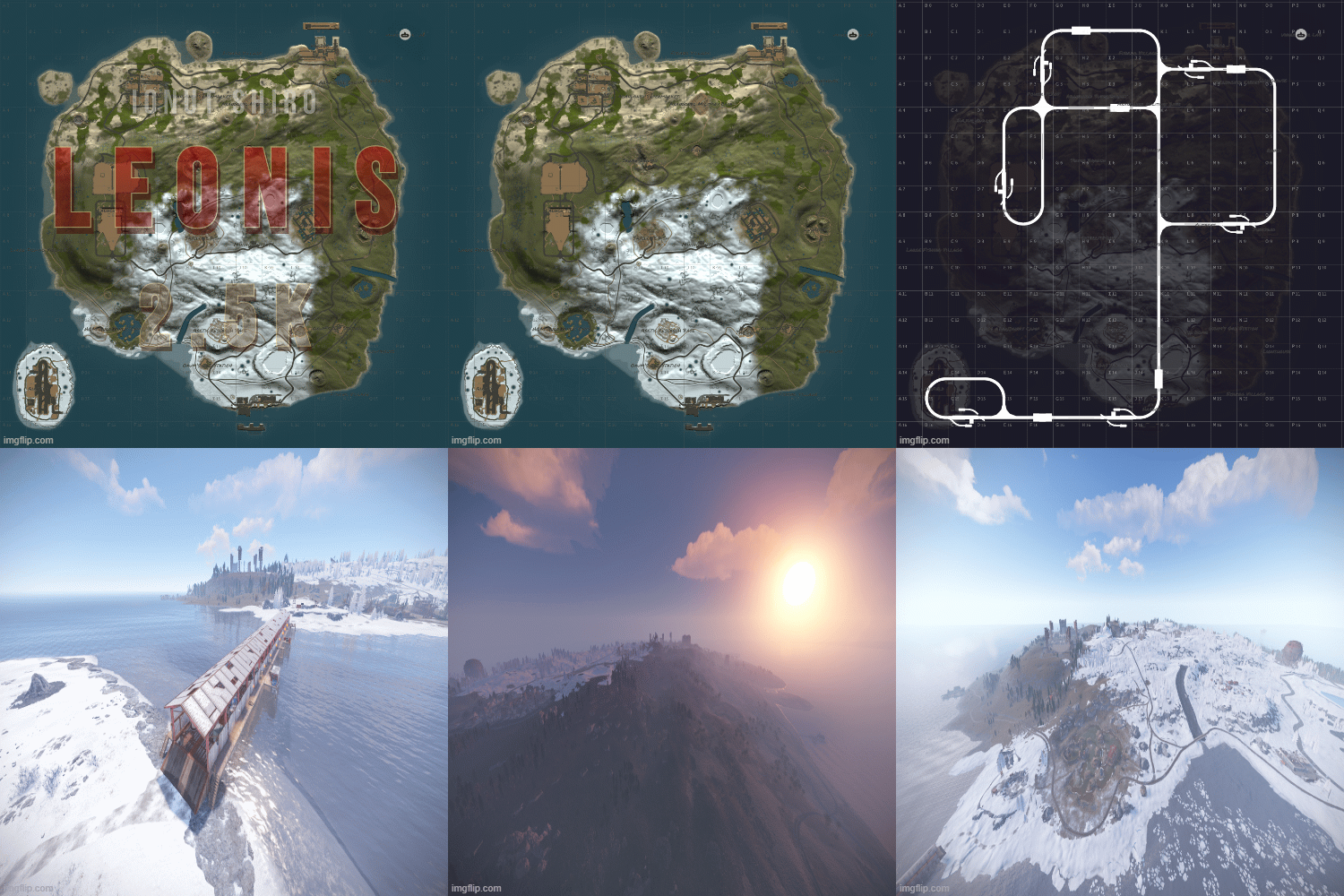
Welcome to Leonis - a 2.5K island filled with all of your favorite monuments and an above ground railway system. With rivers, caves, and plenty of space to build, players will have no problem finding a safe area to base up and stash their loot!
Leonis also features a higher node count than typical procgen maps . Nodes spawn on all topology and biomes (Fields, forests, deserts, etc.) not just on cliffsides, providing a much needed increase in building materials. Your players can recover from a raid quicker or take care of upkeep in their massive compound, so that they can focus on PVPing. This is also a great way to keep players from moving on to a new server if their base is raided, since rebuilding a base can be a daunting task at times.
All of my maps have one goal in common, increasing engagement and retaining players. Through trial, error, and suggestions on my own personal servers, I can confidently say that this map is perfect for up and coming servers with pop at or below 50.
General Information:
Map size: 2.5K
Approximate prefab count: 4855
There is one custom monument included in this map. It is a Military Surplus Bridge that leads to the Airfield island. It contains multiple loot areas and diesel barrels, as well as a blue card shack, but the interior loot is well guarded by scientists. If the bridge is too difficult for some players to cross, they can also make their way to airfield through the underground tunnel system.
Custom Monument included:
Military Surplus Bridge
Vanilla Monuments Included:
Airfield
Arctic Research Base
Bandit Town
Caves (5)
Compound
Desert Military Base
Dome
Fishing Village (3)
Gas Station (2)
Harbor 1
Harbor 2
HQM Quarry
Ice Lake (3)
Junkyard
Launch Site
Lighthouse (2)
Large and Small Oil Rig
Power Plant
Satellite Dish
Sewer Branch
Stables A
Stone Quarry
Sulfur Quarry
Supermarket
Swamp (2)
Underwater Labs
Warehouse
Water Well (3)
- $6.10
- 3 Downloads
-
Markeb features monuments from every tier level, including Launch Site, but with balanced building space kept in mind. There is also a railway loop with beautiful bridges that circles the island for easy commute and player enjoyment.
Markeb also features a higher node count than typical procgen maps . Nodes spawn on all topology and biomes (Fields, forests, deserts, etc.) not just on cliffsides, providing a much needed increase in building materials. Your players can recover from a raid quicker or take care of upkeep in their massive compound, so that they can focus on PVPing. This is also a great way to keep players from moving on to a new server if their base is raided, since rebuilding a base can be a daunting task at times.
All of my maps have one goal in common, increasing engagement and retaining players. Through trial, error, and suggestions on my own personal servers, I can confidently say that this map is perfect for up and coming servers with pop at or below 50.
General Information:
Map size: 2.5K
Approximate Prefab Count: 9760
All monuments are vanilla, there are no custom monuments on this map.
All monuments were hand placed
Map Highlights:
Smaller map size keeps PVP centralized.
Large tunnel system.
Above Ground Railway Loop
High monument density with balanced room for player to build.
Launch Site is included, which is not possible for this map size through procedural generated maps.
Monuments manually placed:
Airfield
Arctic Research Base
Bandit Town
Caves (5)
Compound
Desert Military Base
Dome
Fishing Village (3)
Gas Station
Harbor 1 & 2
HQM Quarry
Ice Lakes (3)
Junkyard
Launch Site
Lighthouse (2)
Military Tunnels
Large & Small Oil Rig
Power Plant
Satellite Dish
Stone Quarry
Sulfur Quarry
Sewer Branch
Supermarket
Swamps (3)
Train Yard
Underwater Labs
Warehouse
Water Treatment
- $6.10
- 8 Downloads