



409 files
-
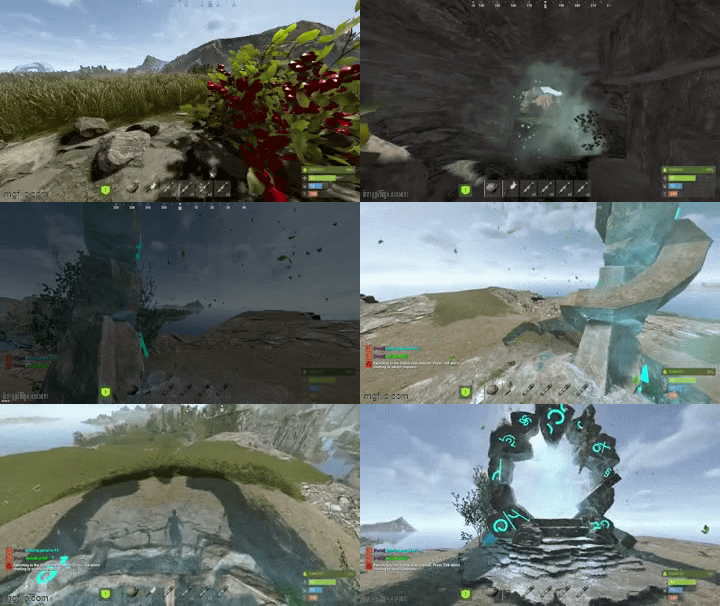
AdvancedPortals is a portal system for Rust with a clean UI, visual portal spheres, effect presets, and an admin panel for managing everything in-game.
Create portals with multiple entry/exit points, allow bi-directional or one-way travel, optionally require permissions per-portal, and customize the entire experience with effects, sounds, cooldowns, delays, and messages.
What it does?
Create unlimited portals with multiple entry & exit points
Supports one-way or two-way portals
Optional permission locking per portal
Polished player UI (/portals) to browse available portals
Full Admin UI panel (/portaladmin) to manage portals + settings
Visual portal spheres using Rust’s built-in sphere entity
Effect presets (mystical / fire / electric / silent etc.)
Entry/exit messages + teleport sound
Cooldown + optional teleport delay
Auto wipes portal data when the map changes (seed/size/new save)
Ambient portal effects (optional, timed)
Permissions :
Global permissions
advancedportals.use
Allows players to use portals and open the portal UI.
advancedportals.admin
Allows access to all admin commands and the admin panel.
Per-portal permissions (auto-generated)
If a portal has Requires Permission enabled, the plugin will generate a permission like:
advancedportals.use.<portal_name>
Example:
Portal display name: "Outpost Portal"
Permission becomes:
advancedportals.use.outpost_portal
Commands :
Player Commands :
/portals
Opens the portals list UI (only shows portals you have permission to use)
Admin Commands :
/portal
Shows help + usage
/portal create <name>
Creates a new portal
/portal delete <name>
Deletes a portal and all its points
/portal list
Lists all portals and their entry/exit counts
/addportalentry <portalname>
Adds an entry point at your current location
/addportalexit <portalname>
Adds an exit point at your current location
Admin UI
Portal Controls
Enable / Disable portals
Toggle One-Way / Two-Way
Toggle Requires Permission
Toggle portal sphere visibility
Add entry / exit points
Clear all entries / exits
Teleport to a portal for testing
Delete portals
Select effect preset per portal
Page through portals list
Settings Controls
Toggle global portal sphere visuals
Toggle effects on/off
Toggle enter message / exit message
Toggle combat restrictions
View cooldown/delay/radius values (edit in config)
How portals work ?
Each portal can have:
Entry Points (where players enter)
Exit Points (where players appear)
When a player touches a portal entry sphere:
The plugin picks a random exit point
Teleports the player
Plays optional effects + messages
One-Way behavior
If One Way = true:
Entry points work normally
Exit points do not teleport players back
Config :
{ "Teleport Cooldown (seconds)": 3.0, "Teleport Delay (seconds)": 0.0, "Sphere Radius": 1.5, "Sphere Entity Count (visuals)": 3, "Show Sphere Visuals": true, "Use Portal Effects": true, "Show Enter Message": true, "Show Exit Message": true, "Enter Message": "<color=#9b59b6>[Portal]</color> <color=#00ffff>Entering portal to {destination}...</color>", "Exit Message": "<color=#9b59b6>[Portal]</color> <color=#00ff00>Arrived at {destination}!</color>", "Effect Prefab (entry)": "assets/prefabs/misc/orebonus/effects/bonus_hit.prefab", "Effect Prefab (exit)": "assets/prefabs/misc/orebonus/effects/bonus_hit.prefab", "Teleport Sound": "assets/prefabs/misc/orebonus/effects/bonus_hit.prefab", "Ambient Effect Prefab": "", "Ambient Effect Interval (seconds)": 10.0, "Custom Prefab Path (empty = use sphere)": "", "Block Teleport In Combat": false, "Available Effect Presets": { "mystical": { "Name": "Mystical", "Ambient Effect": "", "Entry Effect": "assets/prefabs/misc/orebonus/effects/bonus_hit.prefab", "Exit Effect": "assets/prefabs/misc/orebonus/effects/bonus_hit.prefab" }, "fire": { "Name": "Fire", "Ambient Effect": "", "Entry Effect": "assets/bundled/prefabs/fx/impacts/additive/fire.prefab", "Exit Effect": "assets/bundled/prefabs/fx/impacts/additive/fire.prefab" }, "nature": { "Name": "Nature", "Ambient Effect": "", "Entry Effect": "assets/prefabs/misc/orebonus/effects/bonus_hit.prefab", "Exit Effect": "assets/prefabs/misc/orebonus/effects/bonus_hit.prefab" }, "electric": { "Name": "Electric", "Ambient Effect": "", "Entry Effect": "assets/prefabs/locks/keypad/effects/lock.code.unlock.prefab", "Exit Effect": "assets/prefabs/locks/keypad/effects/lock.code.unlock.prefab" }, "silent": { "Name": "Silent", "Ambient Effect": "", "Entry Effect": "", "Exit Effect": "" } } }- $12
- 6 Downloads
-
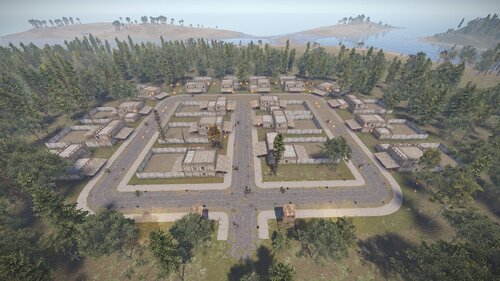
A nice looking town can work with the Hotel Plugin (it is not 100% compatible yet since it has 2 doors and the plugin only uses one door) or by its own.
To make it work with the Hotel plugin just place codelocks on main entrance in every hose and place normal locks on the rest of the doors to avoid unwanted visitors.
The town has 18 houses. Each house comes with a nice yard where you can build on, you can build inside the house aswell. Also all the houses come with several prefabs like lights, bed, tables, etc. All the houses have a helipad on top.
You can only build inside the house and in the yard, everything else is blocked, makes it perfect for roleplay, pve or even pvp.
If you want to use it as an arena just block all the doors with locks.
Tip: First apply the splat, then the height (in case you need to adjust the prefab to the splat).
- $10
- 1 Downloads
-
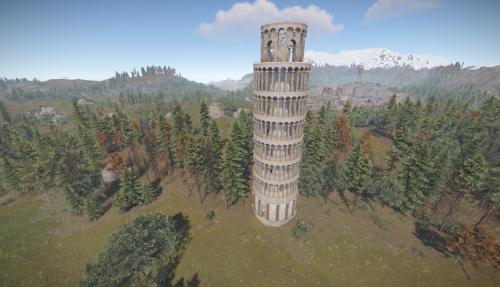
This prefab was made by a good friend of mine, Thomas , that also happens to be Italian and his goal is to remake all the Italian important sightseeing points in Rust full scale
We present you the Leaning Tower of Pisa of Italy , this is part of a larger scale project with more incomming monuments full scale from important sightseeing points of Italy.
It is not a puzzle monument.
Entity count : 2965
- $5
- 2 Downloads
-
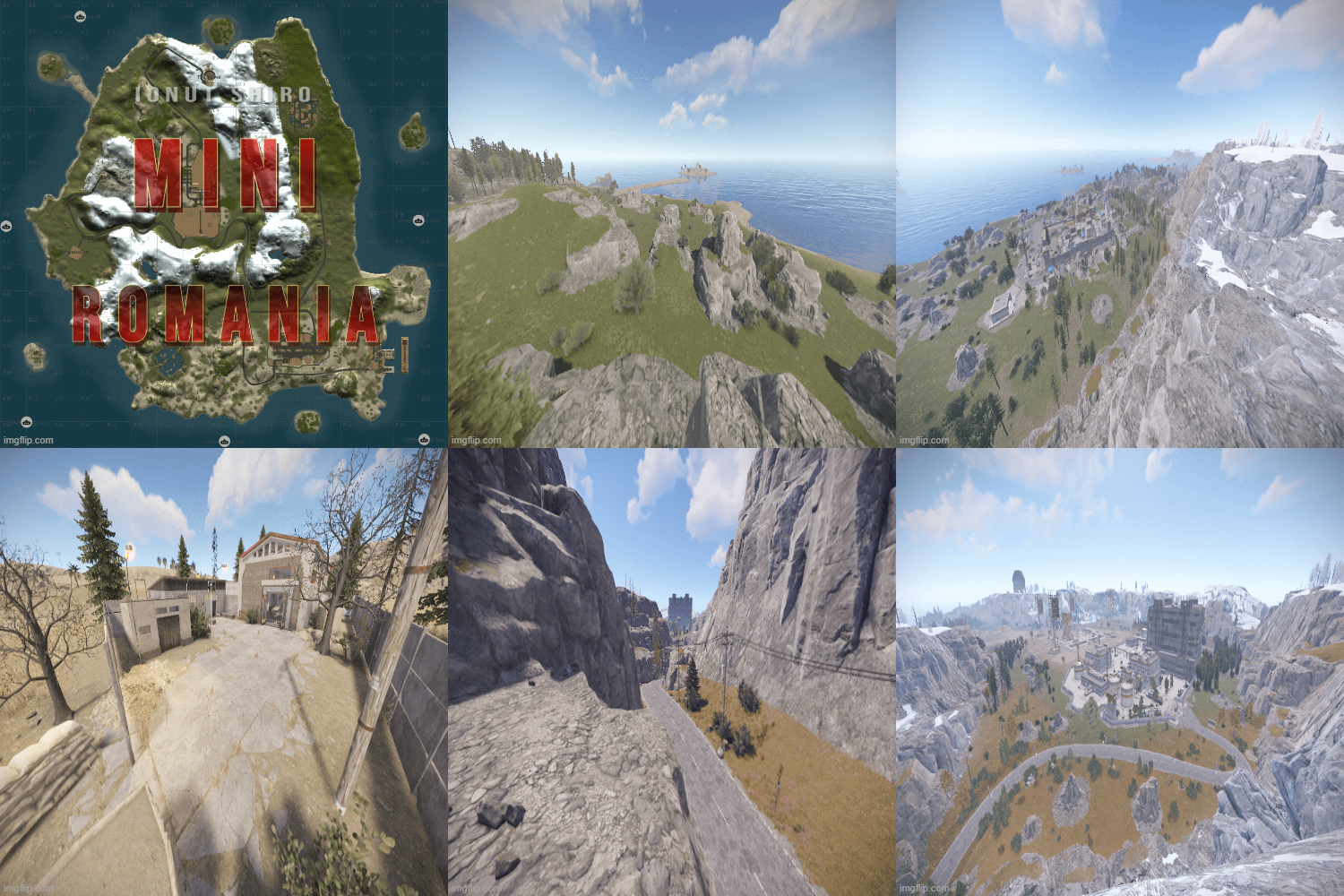
Mini-Romania 2.5k is a custom map shaped after the country of Romania , terrain and mountains are made to be a replica of the country's landscape.
The famous Carpathian Mountains , various lakes and many other terrain wonders are to be found on this map.
Terrain's been worked to be at advantage for both PVP and PVE players.
The big Carpathian Mountains shield monuments and make it harder to reach from one to another.
~ Custom Monuments & Prefabs:
- Safehouse
- Bar
- Warehouse
~ Entity Count : 13473
~ Map Size : 2500
- $18
-
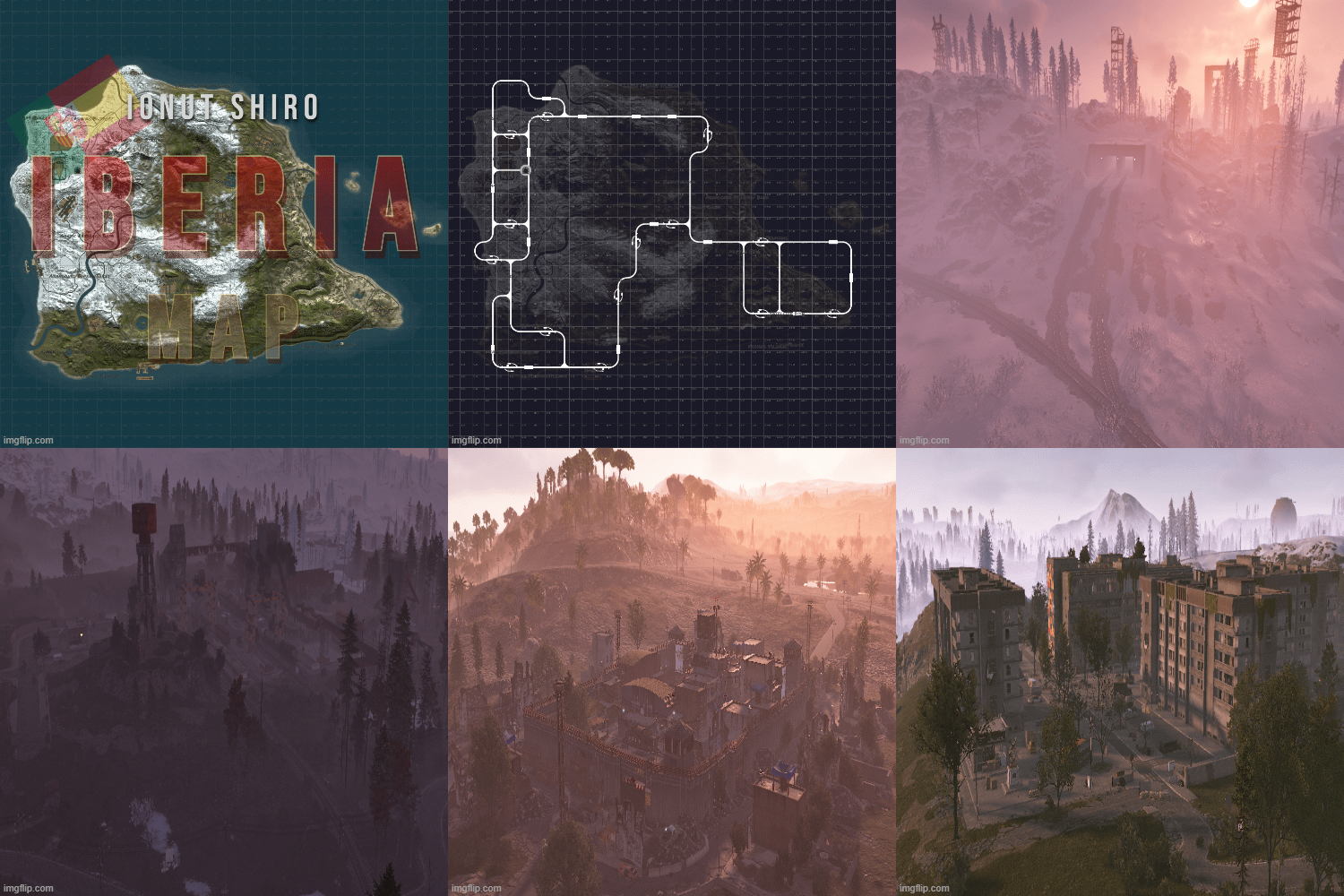
Explore Iberia, a large handcrafted Rust map inspired by the landscapes of the Iberian Peninsula. The map blends snow-covered mountain regions, green valleys, rugged coastlines, rivers and warmer southern terrain, creating plenty of variety for exploration and base building.
A great choice for Vanilla, PvP, PvE and modded servers looking for a realistic, diverse world with plenty to discover.
The map layout is customly hand made with procedural monuments placed on the map only.
- $12
-
Explore a massive custom Rust map inspired by the real shape and landscape of Portugal. The terrain features a long natural coastline, large mountain ranges, snowy northern and central regions, rivers, valleys, forests and an extensive road network designed around both progression and exploration.
Ideal for large servers, PVE, PVP, roleplay and exploration-focused communities looking for something different from a standard procedural Rust island.
- $12
-
his prefab is structured like the Sphere Tank, but has a lot more surprises and loot.
Prefab Count 598 (how many prefabs are in the pack)
This prefab contains :
1 Green Card
Puzzle
36 Crate (Normal, Elite, Food, Medic)
20 Barrels (Loot-Barrel 1, Loot-Barrel 2, Oil-Barrel)
21 NPC
Copy the prefab folder to your RustEdit Custom Prefabs folder.
Drop the prefab and apply the prefab modifiers.
This prefab requires Rustedit.dll https://github.com/k1lly0u/Oxide.Ext.RustEdit
- dome
- mb
- rust dome
- rust monument
-
Tagged with:
- $6
- 1 Downloads
-
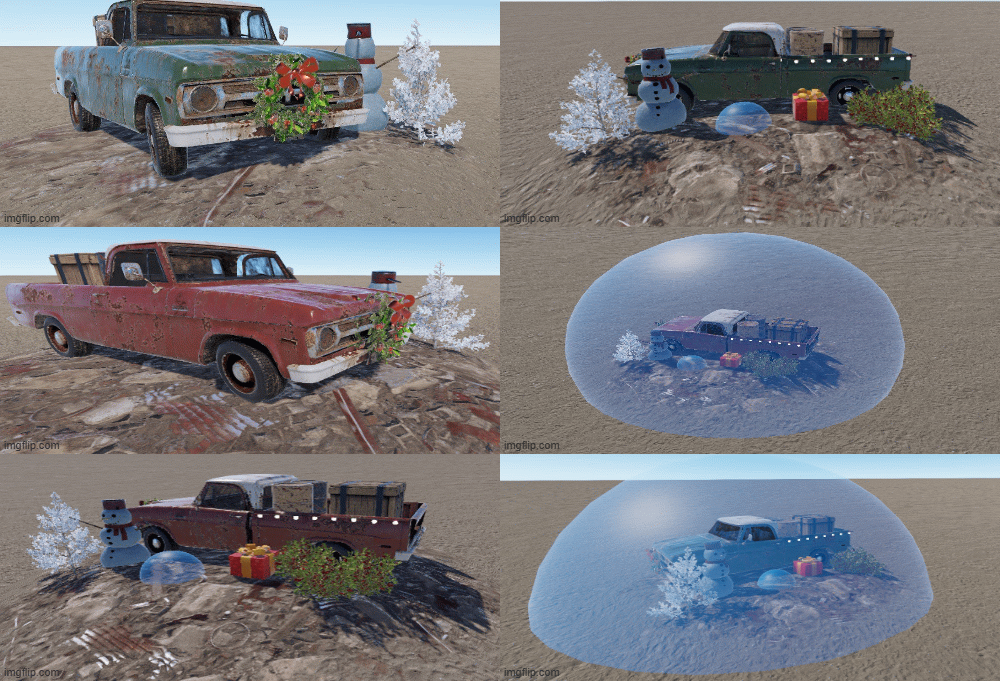
Enchance your festive maps with those junkpiles and warm your players hearts for christmas !
This pack of two prefabs includes:
Christmas truck red junkpile: only 15 Entities, various loot, pickable red berries and 1 NPC
Christmas truck green junkpile: only 15 Entities, various loot, pickable red berries and 1 NPC
Nice addition to junkpile to add for the holidays.
- $1.50
- 4 Downloads
-
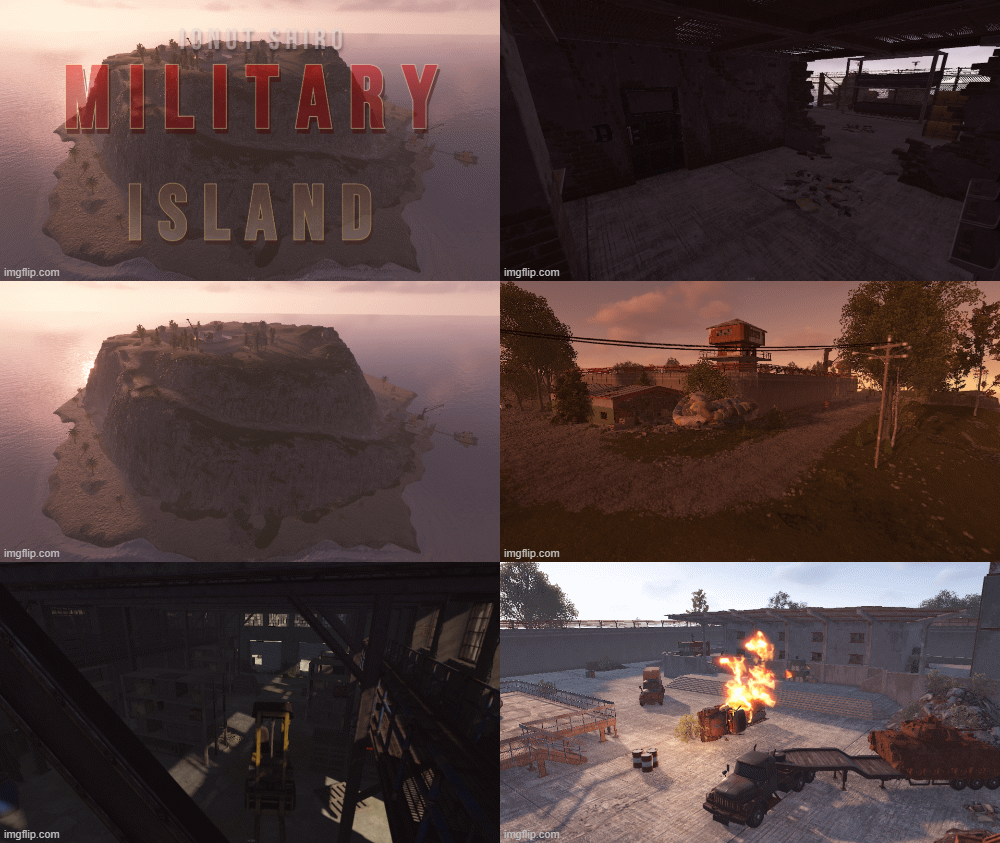
Military-Island, a multi-level loot monument where weapons are stored for the military.
It is recommended to add bradley to patrol the island from harbor to top for a better experience.
This prefab contains 5 puzzles: 1 Green 3 Blue and 1 Red Card Puzzel
NPC scientists guard and protect the weapons.
You have the opportunity to storm and loot this camp but be careful because this monument is not easy.
I wish you a lot of fun exploring the island.
Prefab Count 1700 (how many prefabs are in the pack)
this prefab contains
1 Red Card Room
3 Blue Card Room
1 Green Card room
33 Crate
16 Barrel
20 NPC
Copy the prefab folder to your RustEdit Custom Prefabs folder.
Place the prefab down and apply the prefab modifiers.
This prefab requires rustedit.dll https://github.com/k1lly0u/Oxide.Ext.RustEdit
- $7
-
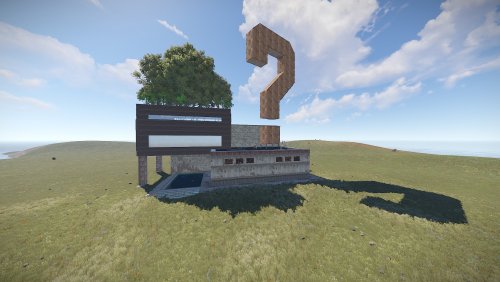
A modern art gallery consisting of controversial pieces and oversized/undersized entities.
It holds no loot and has no puzzles as .
Explore the gallery and find easter eggs.
Suitable for PVE/Rolelplay Servers.
This prefab was originally made by Ixis and it's maintained by me since 2022.
Entity Count : 2884
- $5
- 3 Downloads