



Shiro
Administrator
-
Joined
-
Last visited
Everything posted by Shiro
-
View File Mrs. Greens Supermarket (The GreenHell Spermket) Overgrowth Version of the Spermket Supermarket for Temperate Biome. Prefabcount: around 1000 My horse and me are not included. Requires: uMod/Oxide, RustEdit DLL Submitter Ixis Submitted 03/27/2022 Category Prefabs
-
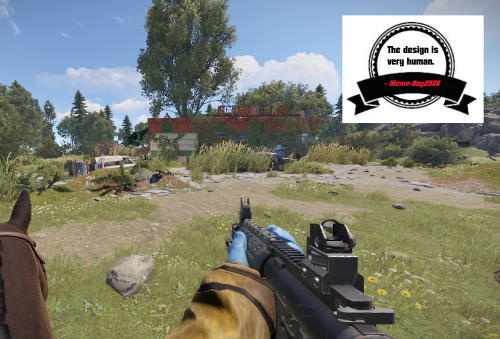 Overgrowth Version of the Spermket Supermarket for Temperate Biome. Prefabcount: around 1000 My horse and me are not included. Requires: uMod/Oxide, RustEdit DLL$3
 -
View File Arctic Gas Station Gas Station for snowy and arctic areas. Prefabcount: around 800 Requires: uMod/Oxide, RustEdit DLL Submitter Ixis Submitted 03/27/2022 Category Prefabs
-
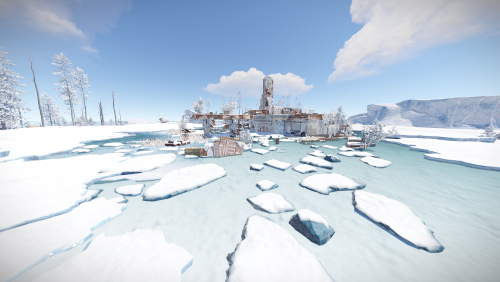 Gas Station for snowy and arctic areas. Prefabcount: around 800 Requires: uMod/Oxide, RustEdit DLL$3
 -
View File Snowy Mining Outpost Mining Outpost for snowy and arctic areas. Prefabcount: around 300 For more pictures visit my Discord-Server: https://discord.gg/B9BYGN74 Requires: uMod/Oxide, RustEdit DLL Submitter Ixis Submitted 03/23/2022 Category Prefabs
-
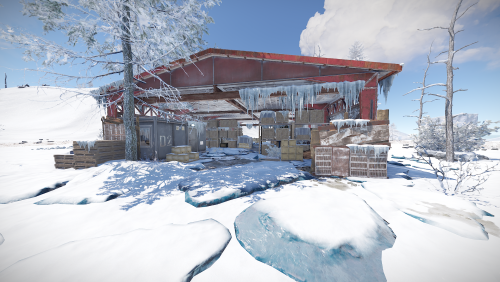 Mining Outpost for snowy and arctic areas. Prefabcount: around 300 Requires: uMod/Oxide, RustEdit DLL$3
 -
View File Modern Art Gallery A modern art gallery consisting of controversial pieces and oversized/undersized entities. It holds no loot and has no puzzles as . Explore the gallery and find easter eggs. Suitable for PVE/Rolelplay Servers. This prefab was originally made by Ixis and it's maintained by me since 2022. Submitter Shiro Submitted 03/19/2022 Category Prefabs
-
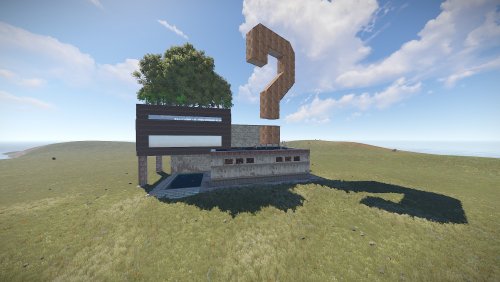 A modern art gallery consisting of controversial pieces and oversized/undersized entities. It holds no loot and has no puzzles as . Explore the gallery and find easter eggs. Suitable for PVE/Rolelplay Servers. This prefab was originally made by Ixis and it's maintained by me since 2022. Entity Count : 2884$10
 -
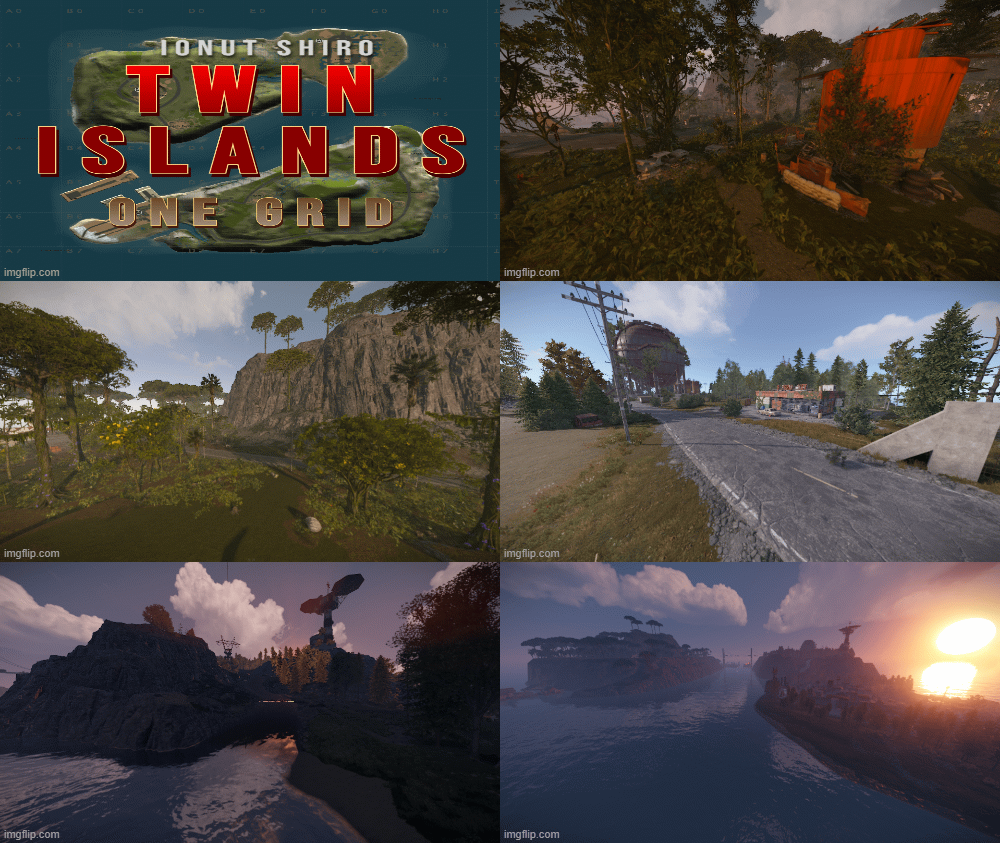 A simple nicely laid out 1 grid map (1000 Map Size) split in 2 separate islands with high hills with nice and unique spots for action to take place Underground tunnels are functional Cargo Ship passes thru the middle and circles the rest of the map Password comes with the map inside the "Read me" file. The map contains the monuments : ~Procedural Monuments : - The Dome - Gas Stations - Harbor - Large & Small Oil Rigs - 2 Underwater Labs - Several water pumps - Ranch - Roadside Blue Card Bunker -Medium Cave - 2 Fishing Villages - Compound & Bandit Camp Vending Machines ~ Entity Count : 1006 ~ Map Size : 1000 Password Comes with the map.$8
 -
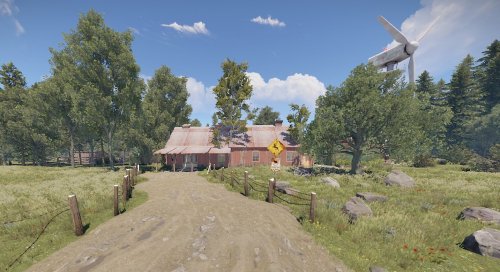 Large buildable PVE/Roleplay-Area. (Note: You can't build everything. That means you are not able to place walls if there is alrdy a foundation. What you can is placing all kind of deployables and definitly build when theres no foundation.) The basic idea of this is the animal shelter itself (Nice with a pet-plugin or maybe a soon coming extention). You can spawn wolfs, chicken, bears, whatever in the seperated cells (they will stay there). There is space for a vet, a farmer and a (car) mechanic or whatever your playerbase can think of. Two "crimescenes" for RP-Szenarios are also included. Swimming dead bodies and stuff in the underground silo and human meat parts in the boar trough. You can spraycan some entities. (doors, boxes, ect.) The area in and around the area has no prevent building zone. Prefabcount: around 3000 Requires: uMod/Oxide, RustEdit DLL Feedback would be appreciated.$10
 -
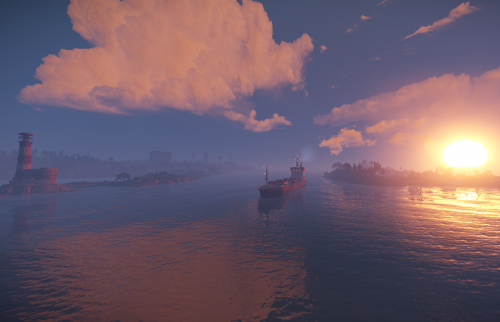 Michigan 4K is a custom shaped map with procedural monuments , it has been shaped after the State of Michigan Map has been optimized even for the players with low spec computers to ensure quality and pleasure while playing on it ! Map will offer unique areas for players to explore and build at or just tactical placement of monuments for the action to develop smoothly. Map contains a custom cargo path to go between the 2 northern islands It is important to load plugin before starting your server otherwise your server will not start with the map! Password comes with the map inside the "Read me" file. The map contains the monuments : ~Procedural Monuments : - Water Treatment Plant - Train Yard - Airfield - Power Plant - Launch Site - Satellite Dish - Giant Excavator - Bandit Camp - Military Tunnels - Harbor - Arctic Research Base - Outpost - Sewer Branch - The Dome - HQM & Sulfur & Stone Quarries - Gas Stations - Mining Outpost - Abandoned Supermarket - Large & Small Oil Rigs - 6 Underwater Labs ~ Entity Count : 7089 ~ Map Size : 4000 Password Comes with the map.$10
- 1 review
-
-

- 1
-
-
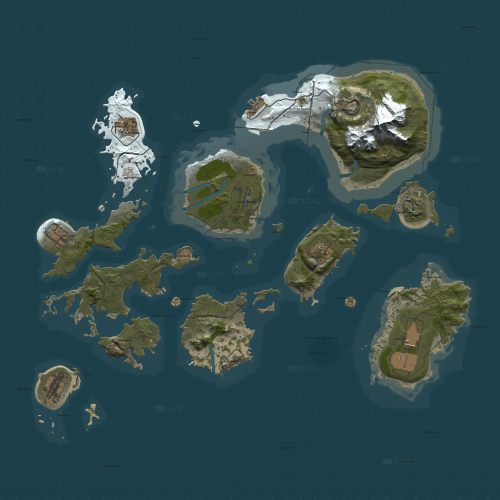 The Oxide Islands 3K is a rust custom map containing 7 big islands with procedural monuments and unique base opportunities and 5 small islands with no monuments or whatsoever to encourage building! Terrain of the map is 3000 with all islands together , 5000 with ocean included. Map is done in a very unatural way for rust casual players with the terrain being split in different islands not too close together, the islands are connected via railways from one end to the other having stations at every major island and Terminus at important islands or monuments where one line ends. The map features Terminus Safe Zone which combines both Compound and Bandit Camp features all in 1 place in an unique reproduction i attempted at remaking Terminus and Alexandria from The Walking Dead show. On the mountains you will find a very tactical location for helicopters hunting , a unique custom Heli Tower prefab. Between the 3 major monuments in south you can find a custom military underwater base with elite loot and a bradley guarding it! In the ZIP file you will find a SimpleWorkcartSpawner plugin thats be designed in a light way to spawn workcarts only on certain spots around the map which are added in the config that comes along with the map in the ZIP file , there you can edit which ones you want to spawn , if less or more , how often and if any. Along with that workcart plugin there is another plugin to prevent map theft that you will have to upload in your plugins folder to ensure that noone who joins your server will be able to run that map on theirs without owning it! The map features custom and procedural monuments ~Procedural Monuments : - Launch Site - Excavator - Military Tunnels - Airfield - Power Plant - Water Treatment Plant - Trainyard - Sewerbranch - Sphere Tank - Desert Military Base - Roadside monuments including Supermarkets - Mining Outposts - Fishing Villages - Lighthouses - Stables - Several underwater Labs ~ Custom Monuments : - Terminus Safezone - Public Heli Tower - Military Underwater Base made by Immp & edited by me ~ Entity Count : 37571 ~ Map Size : 5000 Password Comes with the map.$25
 -
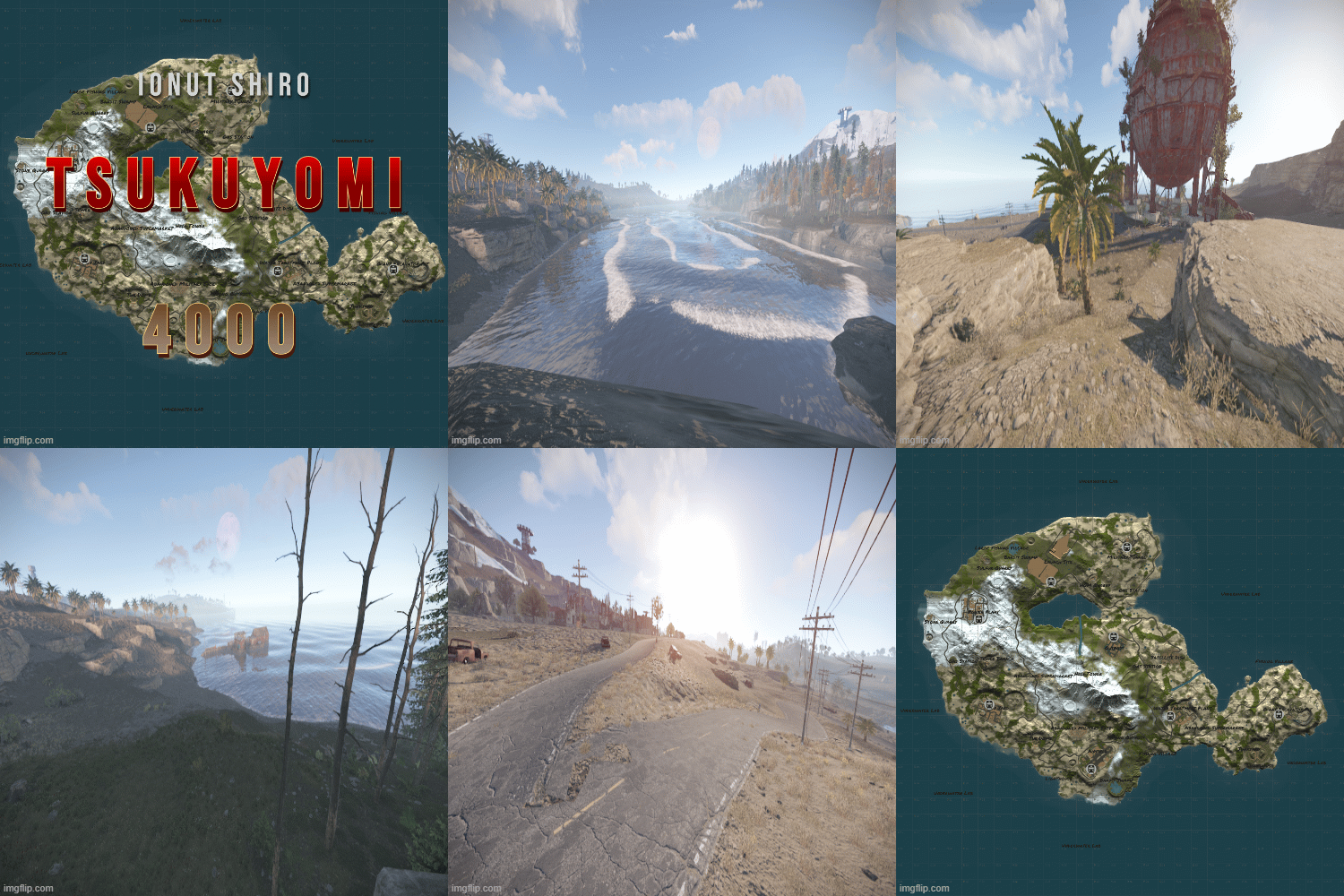 Tsukuyomi 4K is a rust custom map with all procedural monuments featured in unique locations and couple custom prefabs/monuments for players to build and enjoy the beauties of a well made rust map terrain The map contains all procedural monuments and couple custom monuments spread around Password comes with the map inside the "Read me" file. The map features custom and procedural monuments ~Procedural Monuments : - Launch Site - Excavator - Military Tunnels - Airfield - Power Plant - Water Treatment Plant - Trainyard - Junkyard - Sewerbranch - Sphere Tank - Satellite Dish - Desert Military Base - Bandit Town - Outpost - Couple Caves & Ice Lakes & Swamps - Roadside monuments including Supermarkets - Mining Outposts - Fishing Villages - Lighthouses - Water Wells & Quarries - Stables - Several underwater Labs ~ Custom Monuments : - Gas Station - Bandit Swamp - Public Heli Tower ~ Entity Count : 10398 ~ Map Size : 4000 Password Comes with the map.$10
 -
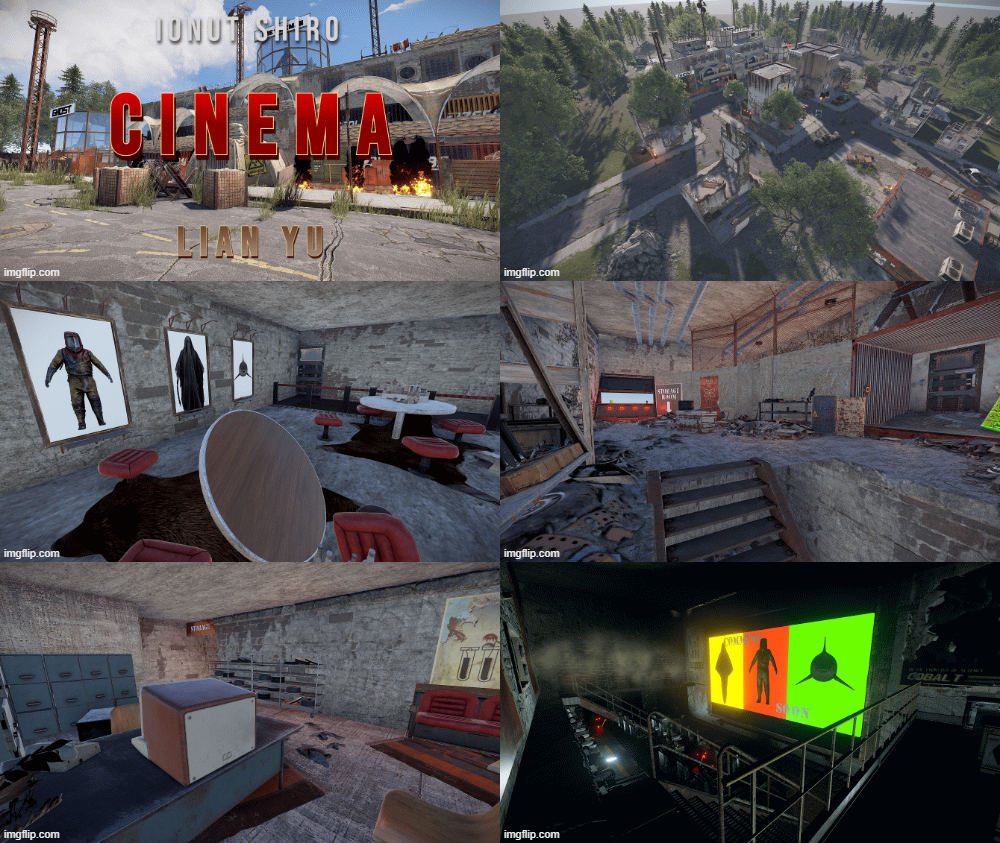 "We will use this last working Cinema for Propaganda purpouse. Use it to Store Radiationjunk and dont let people get it. Burn the death corpses and spread the true words using the civil broadcast system of the Cinema!" - Last message before the Cobalt Scientist disappear Custom Monument with three Puzzles Cinema Inside: Fuse + Greencard for Access to the Cinema Room Loot: Greencrate, Foodcrate Cinema Room: Target to activate the Door to the first big Puzzle Loot: normal Crate Cinema Backroom: Search the for Timers and activate them Swipe alll Cardreaders at the same time (Greencard) Redcardreader can now be used to get into the next Room Loot: Normal Crate, 2x Greencrate, 1x hidden Elite Crate Redcard Backroom: You need a Code to get into the Redroom Mainloot Room Loot: Some Barrels, Normal Crate, Hidden Elite Crate Redcard Room provides access to the Exit Take the Airshaft to the Generator Room. Fuel up Generator to Open the Exit Door. Loot: Green Crate Pack Provides Full Monument like Screenshot (Streets, Housed included) Hight-, Splat-, Topology included$8
 -
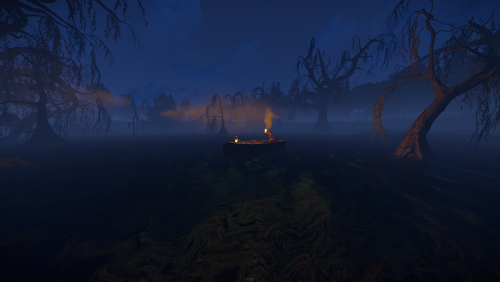 A custom swamp made for building purpouses , not a monument , no loot inside it. The mysterious swamp has a hidden rabbit hole that will lead you to a massive underground cave system with space for building , you can find down there a hobo barrel and a recycler! It comes with height mask , splat mask , biome mask, alpha mask and topology mask. Entity Count : 150 To use this on your map copy the files into your "CustomPrefabs" folder in RustEdit directory and after that you can see your new prefab in the Custom Prefabs list in Rust Edit.$3.50
- 1 review
-
-
- 1
-
-
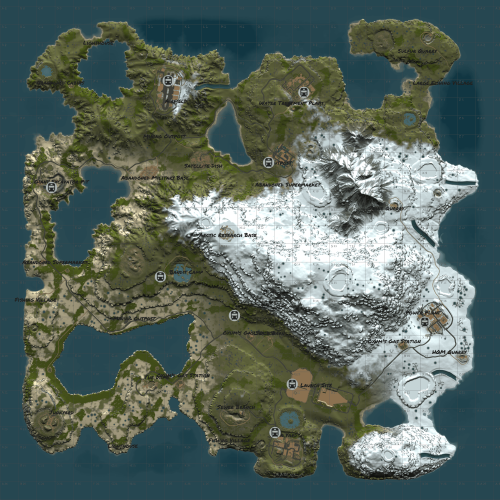 W4way 4K is a rust custom map with all facepunch monuments featured in unique locations for players to build and enjoy the beauties of a well made rust map terrain The map contains all procedural monuments Map is free to use but not so share or claim as its own. Map has been made by Shiro & Blunt Password comes with the map inside the "Read me" file. The map features facepunch monuments ~ Facepunch Monuments : - Launch Site - Excavator - Military Tunnels - Airfield - Power Plant - Water Treatment Plant - Trainyard - Junkyard - Sewerbranch - Sphere Tank - Satellite Dish - Desert Military Base - Arctic Research Base - Bandit Town - Outpost - Couple Caves & Ice Lakes & Swamps - Roadside monuments including Gas Stations - Supermarkets - Mining Outposts - Fishing Villages - Lighthouses - Water Wells & Quarries - Stables - Several underwater Labs ~ Entity Count : 8148 ~ Map Size : 4000 Password Comes with the map.Free
 -
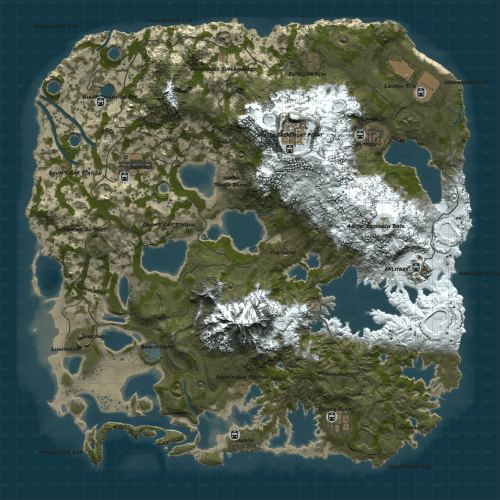 W4Ter 4.4K is a rust custom map with all facepunch monuments featured in unique locations for players to build and enjoy the beauties of a well made rust map terrain Map is free to use but not so share or claim as its own. Map has been made by Shiro & Blunt. Password comes with the map inside the "Read me" file. ~Facepunch Monuments : - Launch Site - Excavator - Military Tunnels - Airfield - Power Plant - Water Treatment Plant - Junkyard - Sewerbranch - Sphere Tank - Satellite Dish - Arctic Research Base - Bandit Town - Outpost - Couple Caves & Ice Lakes & Swamps - Roadside monuments including Gas Stations - Supermarkets - Mining Outposts - Fishing Villages - Lighthouses - Water Wells & Quarries - Stables - Several underwater Labs ~ Entity Count : 9029 ~ Map Size : 4400 Password Comes with the map.Free
 -
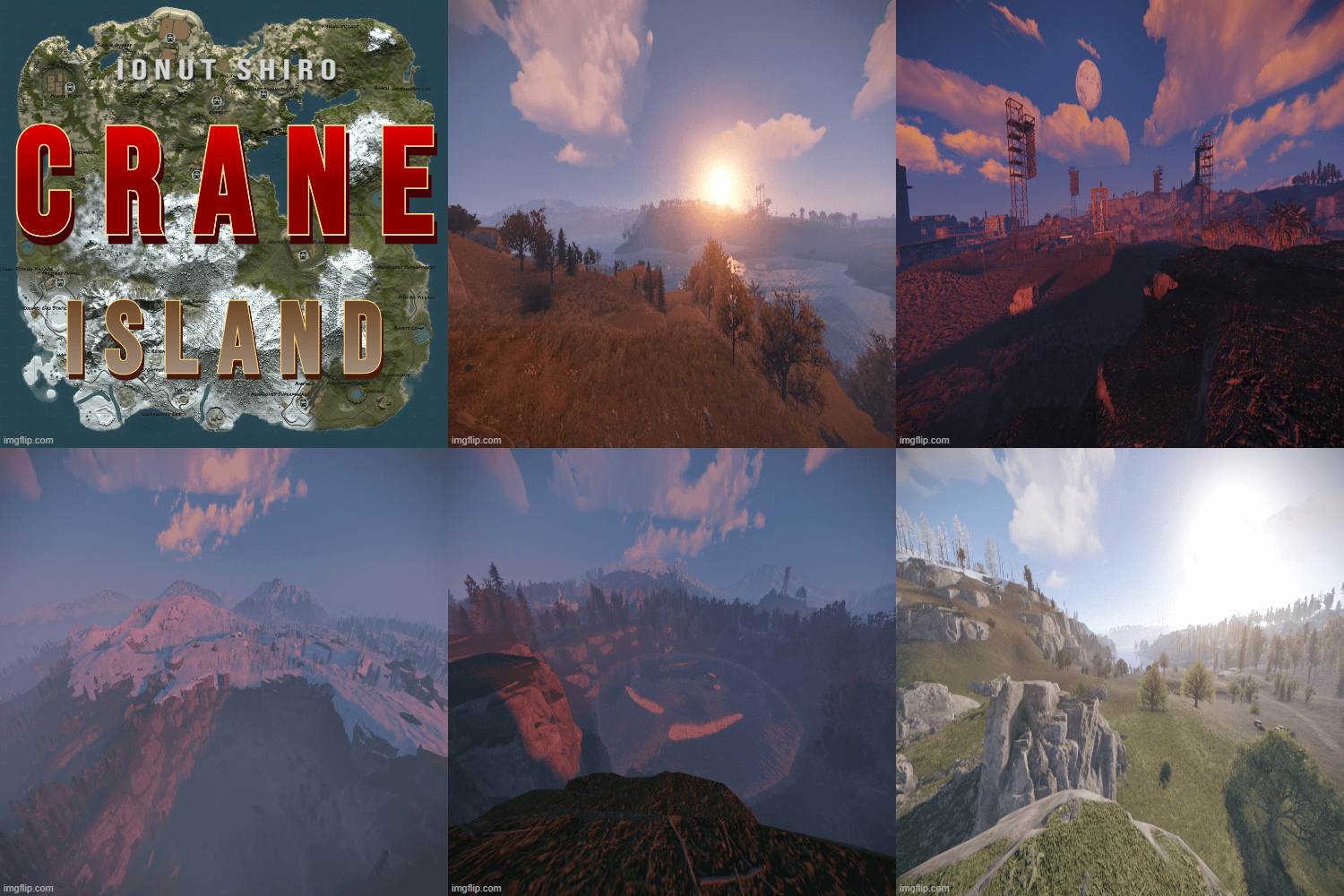 Crane Island 3.8 k is a rust custom map with all procedural monuments featured in unique locations for players to build and enjoy the beauties of a well made rust map terrain The map contains all procedural monuments Map is free to use but not so share or claim as its own. Terrain has been build by Blunt , reviewed & updated by @Shiro. Password comes with the map inside the "Read me" file. In the zip file you have a plugin you must upload on your server before starting the server with this map or else server will not start! The map features custom and procedural monuments ~Procedural Monuments : - Launch Site - Excavator - Military Tunnels - Airfield - Power Plant - Water Treatment Plant - Trainyard - Junkyard - Sewerbranch - Sphere Tank - Satellite Dish - Desert Military Base - Arctic Research Base - Bandit Town - Outpost - Couple Caves & Ice Lakes & Swamps - Roadside monuments including Gas Stations - Supermarkets - Mining Outposts - Fishing Villages - Lighthouses - Water Wells & Quarries - Stables - Several underwater Labs ~ Entity Count : 9132 ~ Map Size : 3850 Password Comes with the map.Free
- 3 comments
- 2 reviews
-
-
-

- 2
-
-
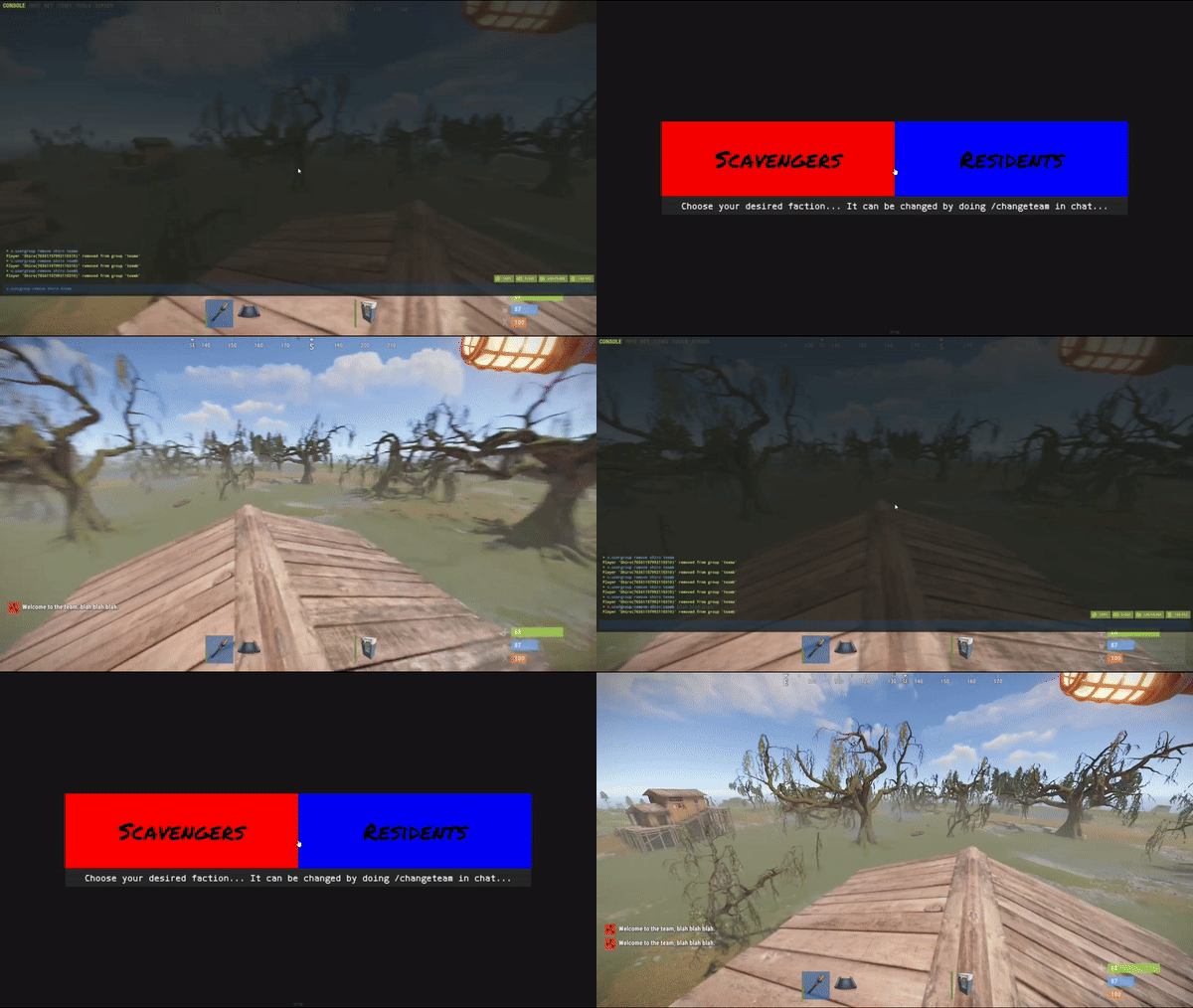 Simple system allows players to choose which team/side/faction or group they want to be in. On first load you will have to create your own oxide groups for the players to chose from example "Team A/ Team B" you can easily rename those from lang file to example "Scavangers/Residents" or whatever you want. The purpouse of this plugin is for PVE/Roleplay servers with different types of perks for different types of oxide groups or Event Servers where players can chose their sides. Permissions: TeamMenu.change - Allows you to use the command /changeteam Commands: /changeteam API: bool ForceChangeTeam (string id) string GetPlayerTeam (string id) string[] GetTeamMembers (string Team) int? GetTeamCount (string Team) Configuration: { "onLoad": true, "onAwake": true, "Confirmation_Message": false, "AutoShow_TeamRemoval": true, "TeamA": { "Group": "teama", "Color": "1 0 0 1" }, "TeamB": { "Group": "teamb", "Color": "0 0 1 1" } } Language: { "UI_Description": "Choose your desired faction... It can be changed by doing /changeteam in chat...", "Confirmation_Message": "Welcome to the team, blah blah blah.", "TeamA": "TeamA", "TeamB": "TeamB" }$5
 -
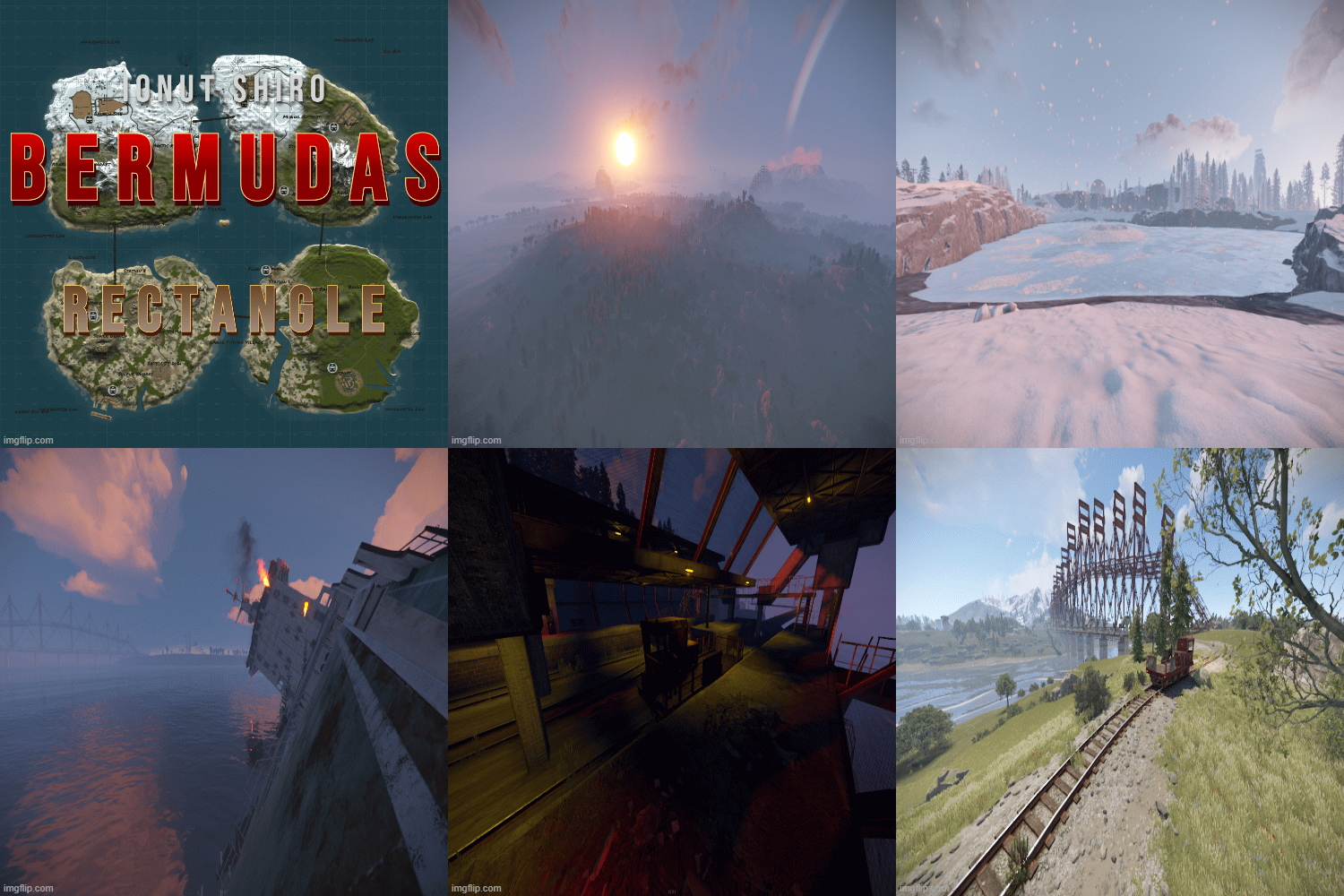 Bermuda's Rectangle 4K is a rust custom map with 4 different islands where each island has a different biome and landscape than the others. A balanced monument placement with unique sightings from each island. The map contains all procedural monuments except Junkyard It is called Bermuda's Rectangle and not Triangle because we have 4 islands and not 3 Map has 2 versions , Normal version without railways and the other version with Railways connecting all 4 islands and couple stations! A strange force is pulling ships towards the bottom of the ocean , dwell down to the bottom and explore the riches of the ocean. Password comes with the map inside the "Read me" file. Zip file contains a normal version which has no railways and the railways version with the plugin for railways and config for locations It is important to load plugin before starting your server otherwise your server will not start with the map! The map features custom and procedural monuments ~Procedural Monuments : - Water Treatment Plant - Train Yard - Airfield - Power Plant - Launch Site - Satellite Dish - Giant Excavator - Bandit Camp - Outpost - Sewer Branch - The Dome - HQM & Sulfur & Stone Quarries - 3 Gas Stations - 3 Mining Outpost - 2 Abandoned Supermarket - Large & Small Oil Rigs - 6 Underwater Labs ~Custom Monuments : - 2 Custom Shipwrecks by Niko & Lambo ~ Entity Count : 14541 Simple Version ~ Entity Count : 21517 Railways Version ~ Map Size : 4000 Password Comes with the map.$25
 -
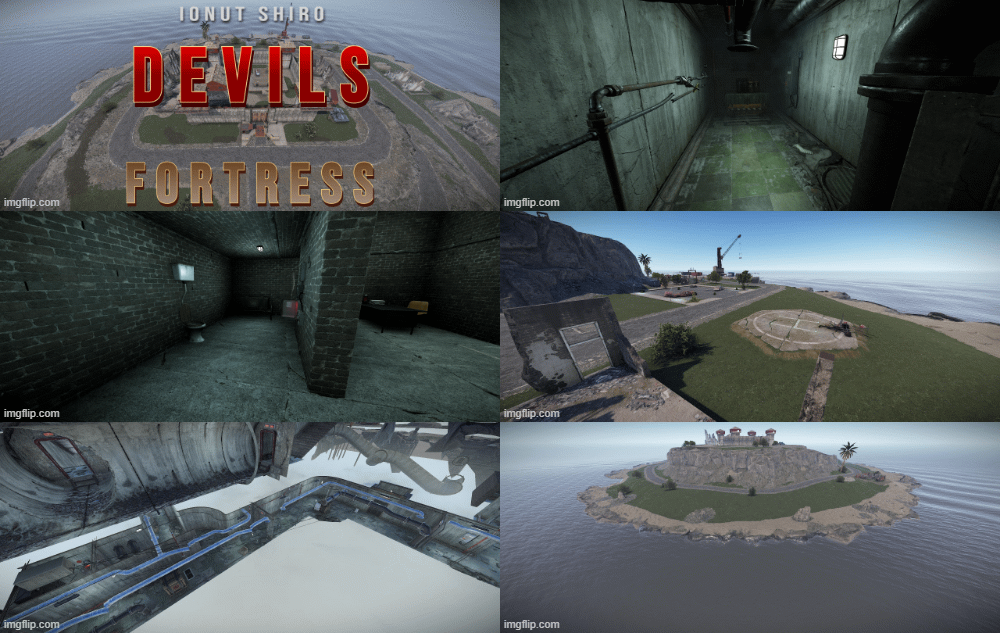 Introducing Devils Fortress, a multi-tier loot monument that includes all 3 standard puzzles, green, blue and red keycards, also includes custom puzzles with descriptive instructions. Bradley APC patrols the island, both upper and lower roads, NPC scientists guarding and protecting the fortress, where you will find from starter loot to end-game loot, and some extra areas to explore. The Chinook helicopter can also drop an additional locked crate on the dock area for players to hack and loot. Here are some key features of Devils Fortress: CCTV cameras to view and monitor the Fortress, use FORTXX. (Where XX is ranged from 01 to 25) NPC Scientists in multiple areas inside the Fortress. Bradley APC patrols the roads around the Fortress. Keycards spawning desks and multiple custom puzzles to solve as players progress. Locked crate located in the second RED keycard room. Realistic beach designs, now with cliffs/rocks leading into water. Day/Night cycle light system in the compound. About 2400 prefabs in total. Included is Height, Splat, Alpha, Road and Topology filters that can be applied as required during installation. This monument is a great replacement for Launch site, or a great additional add-on. Sewer Tunnels have been extended to allow multiple entrance/exit routes. Road system has been extended to the upper and lower part of the monument, with Bradley APC covering the entire road. Installation: When placing Devils Fortress, use the MAX WATER LEVEL at the Docks for reference on the ocean level, and please remember to remove all previous roads/APC path spawns before you apply the "Spawn Roads" feature. (Failure to do this may cause more than one Bradley APC to spawn and could impact server performance greatly.) Requirements: Devils Fortress requires either of the following for the spawning of loot, NPC, APC and all puzzles to be active : Either latest versions of Oxide and the Oxide.Ext.RustEdit.dll file in the servers Rust_Dedicated\Managed folder.$7.99
 -
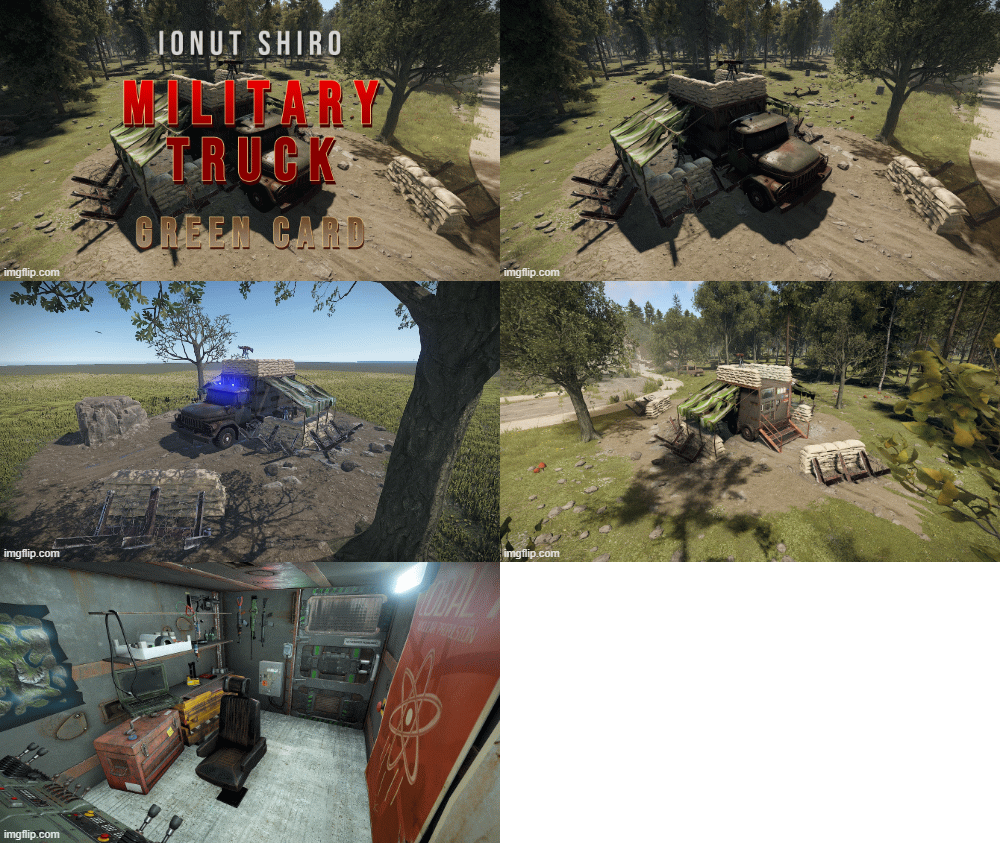 Greencard Side Prefab Loot Bluecard Normal Crate First Aid Crate Topology, Splat, Stone, Trees IncludedFree
 -
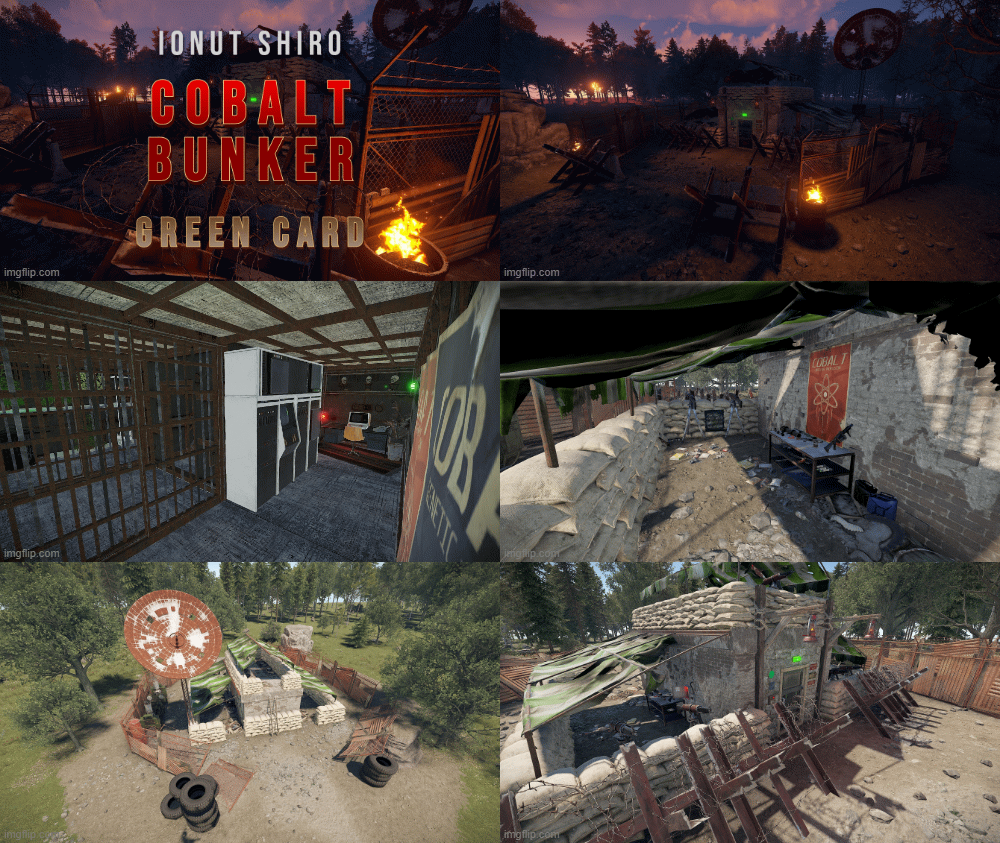 Small Roadside Monument / Prefab Use Fuse to Open the First Door HBF Sensors open the Second door Bunker with Small Green Puzzle Use Fuse, Press "Hidden" Timer and Push Button in the other Room Cardreader can be used after that with Greencard General Loot 3x Oil Barrels 2x Loot Barrels 1x Food Barrel 3x Hemp Greenroom Military Crate Ammo Crate No NPC Spawns IncludedFree
 -
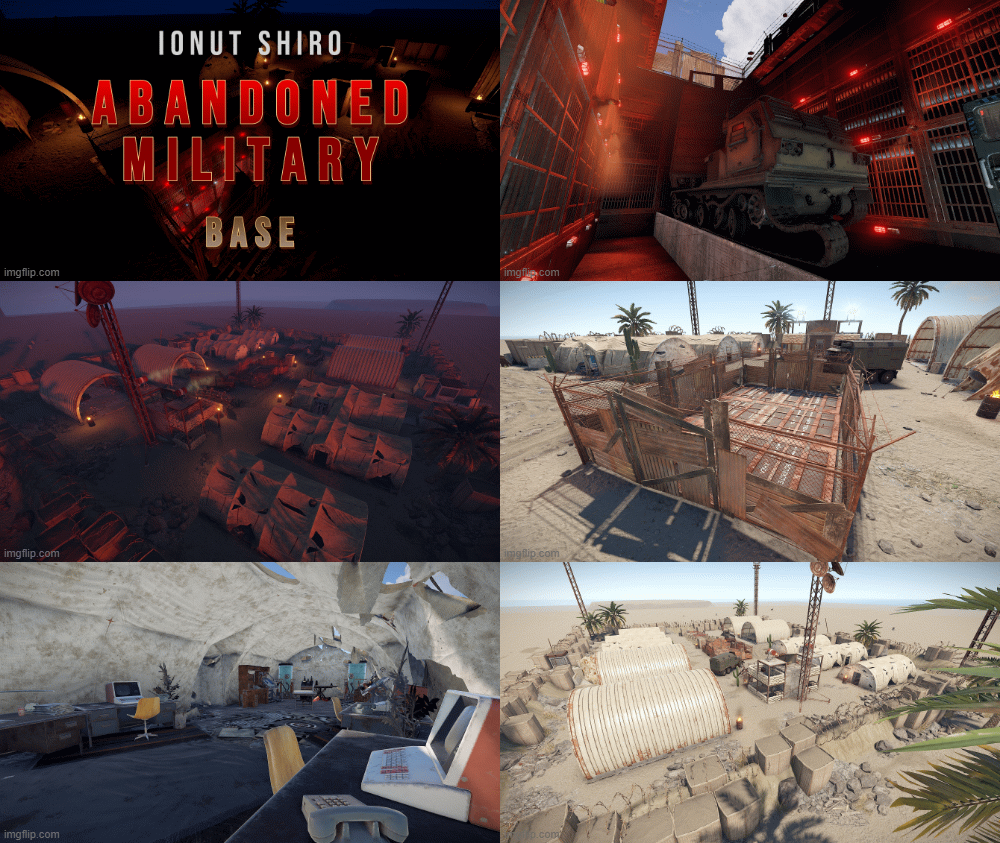 Accessing the MLRS is pretty easy for a strong weapon. We switched to a Card / Puzzle System for the MLRS to "stop" the easy access. 4-Switch Puzzle (overground) + Fuse to Access Underground Bunker (Normal Crates, 3x Tool Crates) Greencard + Fuse to Access next Level (Green Crate, Tech Crate) Bluecard + Fuse to Aceess Blueroom with Underground MLRS (Green Crate, Tech Crate) Button Opens the Bunkerdoors for MLRS and also starts Siren-Lights & Redlights.$8
 -
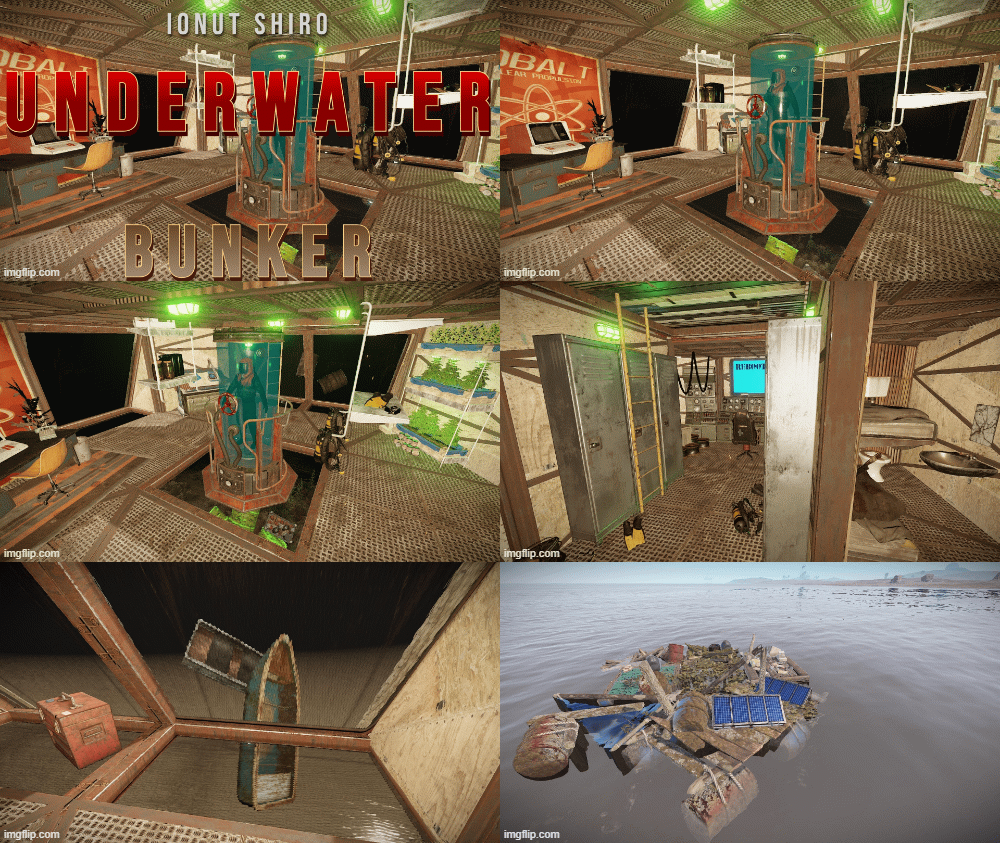 Small Offshore Prefab. Loot: Fuse + Blueroom with 1 Elite Crate 2 Tool Crates 1 Fuel Crate Water Trigger, Prevent Building Sphre included No height, Splat, Alpha included. Just place it on the water.Free
