
Shiro
Administrator
-
Joined
-
Last visited
Files posted by Shiro
-
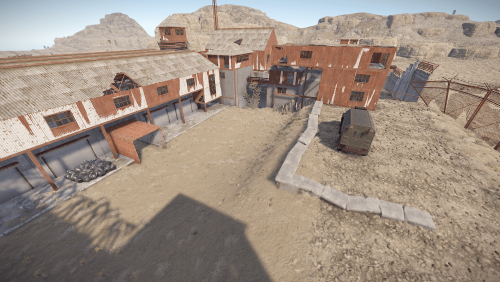
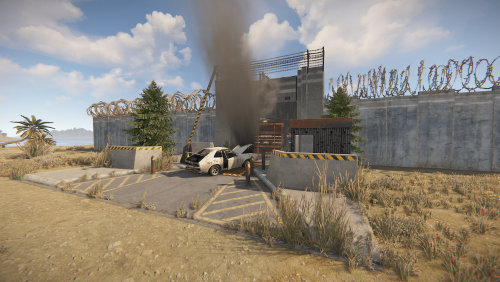
This monument has been made by @kilgoar and will be maintained by me.
Tdhe inspiration for it was the famous The Dust 2 map from Counter Strike.
It has no keycard puzzles , medium loot , it can also be used as an Arena not just as a monument.
- Free
- 37 Downloads
-
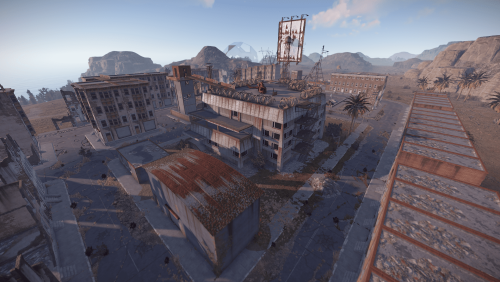
Weenie Town is a monument made by @kilgoar used on Uqbar map and maintained by me.
It's a large town holding jump puzzles , a green keycard puzzle and hidden loot in the houses and buildings in it.
Inside the town you can also find a gas station and a supermarket.
Majority of buildings are accesible.
- Free
- 34 Downloads
-
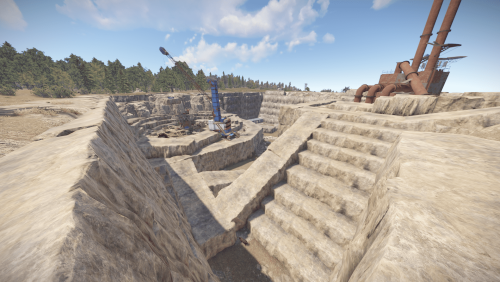
Enchance your boring procedural Quarries with this addition to any of your maps , just drag and drop apply all masks and replace the Stone Quarry with Sulfur/Metal and give your maps a new look and feel !
To use this on your maps simply place it where your existing Quarries are and apply the masks , if you wish different types of quarries after applying the masks break the monument and replace the Stone Quarry with Sulfur or Metal!
If you need help to use it don't hesitate to contact me!
- $3
- 1 Downloads
-
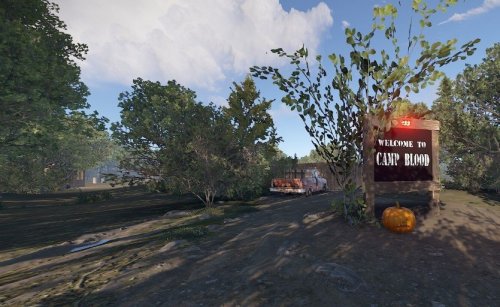
Entity count 485. Camp Blood is designed after "Friday the 13th". There is a touch of fog in the air and you can just feel Jason lurking around the corner. Best to place by a large lake on your map. No NPC's placed because they will just run off with adding them in rust edit. I use zombies on my server from Umod. Its free and called "Better Scarecrows". (still need to place them in rust edit) The players love the zombie vibe with the fog and all the cabins to look around in search of loot. There are 2 latrines, 1 mess hall, girls cabin, boys cabin, counselors cabin, shower Room and lots of trails through the forest to each. There is an area for a campfire already lit and a large hay bale to practice shooting areas. This is a perfect prefab for the spooky holiday coming up that players will love! Theres loot all around and inside the cabins.
- $4.99
- 3 Downloads
-
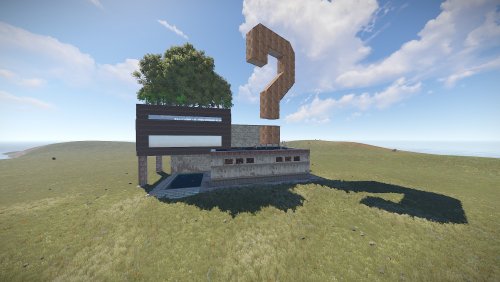
A modern art gallery consisting of controversial pieces and oversized/undersized entities.
It holds no loot and has no puzzles as .
Explore the gallery and find easter eggs.
Suitable for PVE/Rolelplay Servers.
This prefab was originally made by Ixis and it's maintained by me since 2022.
Entity Count : 2884
- $10
- 2 Downloads
-
Blue Keycard Puzzle
141 Entities
Loot Spawns
4 x Elite
2 x Small Green Military
3 x Diesel
3 x Oil Barrel
1 x Fuel Container
1 x Tech Parts Container
1 x Building Supplies crate with brown box loot inside
1 x Normal Brown
1 x Repair Bench
1 x Research Table
1 x Red Card
This was made with Npc in mind but due to Rust Edit Npc Spawns not working correctly this will be down to the server owner to use a third party npc spawner and place them at the monument
- Free
- 20 Downloads
-
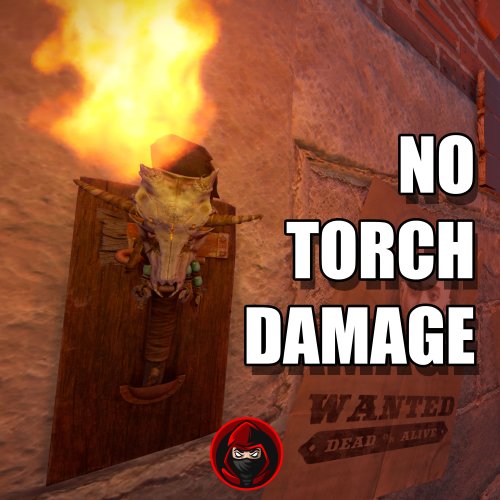
Plugins disable the Torch Damage Globaly.
No Damage on Player used Torch and no damage on Torch Holders from the new DLC.
No Config File. Plug & Play
- Free
- 13 Downloads
-
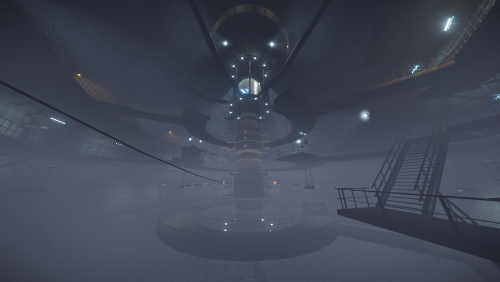
The monument was created based on the game Stalker.
It features custom corridors from the original version with the addition of riddles and Loot Rooms.
The puzzle contains various elite crates and normal loot.
This is one of the many upcomming monuments from our S.T.A.L.K.E.R inspired project and it was realised in collaboration with a friend.
It does not contain any masks , since it's a massive surface to cover i did not want to mess up your map/s so simply place it on ground and apply the alpha on entry points and topologies you wish , if you do not know how to or you require help do not hesitate to contact me here or on discord!
Entity Count: 8200
- $24
- 3 Downloads
-
The monument was created based on the game Stalker: Shadow of Chernobyl and is a similar copy to the game version of Chaes.
It features custom corridors from the original version with the addition of riddles and Loot Rooms.
At the location, you can find 3 elite boxes using access cards and 2 without access cards.
This is one of the many upcomming monuments from our S.T.A.L.K.E.R inspired project and it was realised by a good friend of mine.
Entity Count: 7745
- $15
- 5 Downloads
-
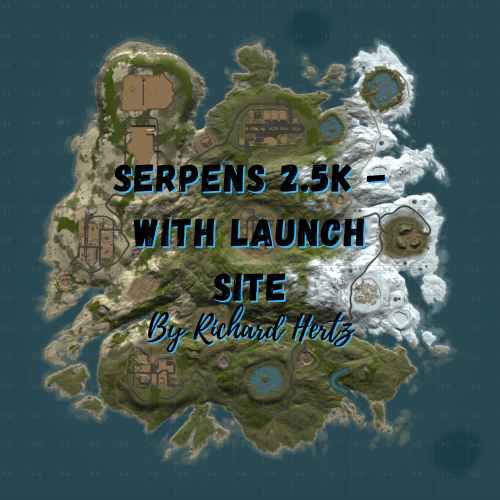
If your players are looking for a small map with a huge variety of monuments, look no further! Serpens will keep your players entertained all wipe!
Serpens features many of your player's most requested monuments, including Launch Site, but with maximum building space taken into account. This map will peek your players busy all wipe, and because the map is 2.5K, players will be fighting for control all day and night. Keep PVP focused nearby, and eliminate long roams searching for players. Serpens also features a higher node count than typical procgen maps . Nodes spawn on all topology and biomes (Fields, forests, deserts, etc.) not just on cliffsides, providing a much needed increase in building materials. Your players can recover from a raid quicker or take care of upkeep in their massive compound, so that they can focus on PVPing. This is also a great way to keep players from moving on to a new server if their base is raided, since rebuilding a base can be a daunting task at times. All of my maps have one goal in common, increasing engagement and retaining players. Through trial, error, and suggestions on my own personal servers, I can confidently say that this map is perfect for up and coming servers with pop at or below 50.
General Information:
Map size: 2.5K Approximate prefab count: 3415 All monuments are vanilla, there are no custom monuments on this map. Map Highlights:
Smaller map size keeps PVP centralized. Large tunnel system. Low prefab count for optimized FPS. High monument density with balanced room for player to build. Launch Site is included, which is not possible for this map size through procedural generated maps. Monuments manually placed:
Airfield Arctic Research Base Bandit Town Compound Desert Military Base Dome Fishing Village (3) Gas Station HQM Quarry Icebergs (5) Junkyard Launch Site Lighthouse (2) Large and Small Oil Rigs Power Plant Powerline zipline path Satellite Dish Stables A Stone Quarry Sulfur Quarry Supermarket Train Yard Underwater Labs (2) Warehouse Monuments procedurally added:
Caves (3) Ice Lakes (2) Swamp (2) Water Well Password is included with the map file. After purchase, you may edit or adjust however you see fit.
To report bugs or give suggestions, feel free to message me here, or on discord any time: 𝓡𝓲𝓬𝓱𝓪𝓻𝓭 𝓗𝓮𝓻𝓽𝔃#0001
- $6.10
- 1 Downloads
-
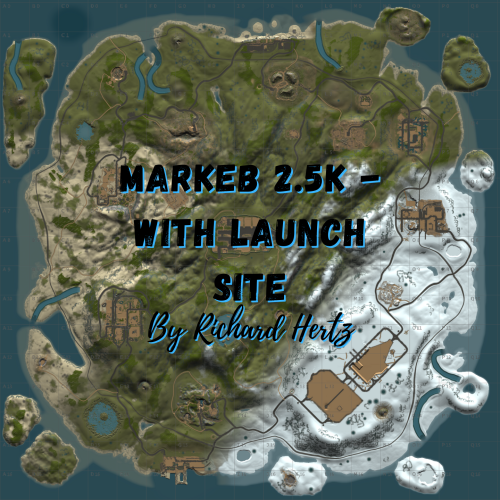
Markeb features monuments from every tier level, including Launch Site, but with balanced building space kept in mind. There is also a railway loop with beautiful bridges that circles the island for easy commute and player enjoyment.
Markeb also features a higher node count than typical procgen maps . Nodes spawn on all topology and biomes (Fields, forests, deserts, etc.) not just on cliffsides, providing a much needed increase in building materials. Your players can recover from a raid quicker or take care of upkeep in their massive compound, so that they can focus on PVPing. This is also a great way to keep players from moving on to a new server if their base is raided, since rebuilding a base can be a daunting task at times.
All of my maps have one goal in common, increasing engagement and retaining players. Through trial, error, and suggestions on my own personal servers, I can confidently say that this map is perfect for up and coming servers with pop at or below 50.
General Information:
Map size: 2.5K Approximate Prefab Count: 9760 All monuments are vanilla, there are no custom monuments on this map. All monuments were hand placed Map Highlights:
Smaller map size keeps PVP centralized. Large tunnel system. Above Ground Railway Loop High monument density with balanced room for player to build. Launch Site is included, which is not possible for this map size through procedural generated maps. Monuments manually placed:
Airfield Arctic Research Base Bandit Town Caves (5) Compound Desert Military Base Dome Fishing Village (3) Gas Station Harbor 1 & 2 HQM Quarry Ice Lakes (3) Junkyard Launch Site Lighthouse (2) Military Tunnels Large & Small Oil Rig Power Plant Satellite Dish Stone Quarry Sulfur Quarry Sewer Branch Supermarket Swamps (3) Train Yard Underwater Labs Warehouse Water Treatment Password is included with the map file. After purchase, you may edit or adjust however you see fit.
To report bugs, feel free to message me here, or on discord: 𝓡𝓲𝓬𝓱𝓪𝓻𝓭 𝓗𝓮𝓻𝓽𝔃#0001
- $6.10
- 6 Downloads
-
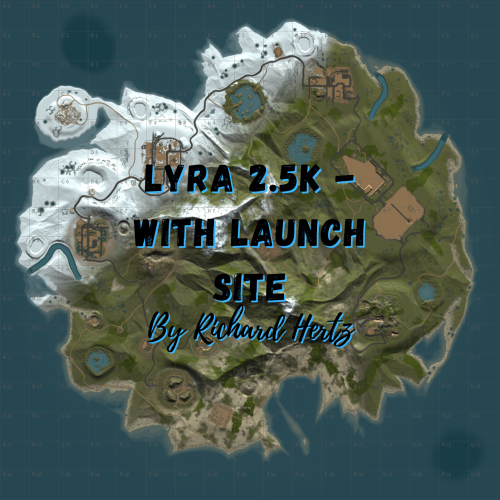
Is your map too large for your pop, but you want maximum monuments to keep you players busy? Or worse yet, do your players farm all day, raid each other, then log off or switch to another server because they ran out of things to do?
If so, Lyra is exactly what you are looking for to host on your weekly or even monthly server - this isn't your average 2.5K procgen map!
Lyra features a high monument count, including everyone's favorite, Launch Site, but with balanced building space kept in mind. Your players will love the shorter commute to monuments, and because the map is 2.5K, players will be contesting monuments like never before. Gone are the days of traveling halfway through the map for one gun fight, only to die and lose motivation to travel all the way back again and find that everyone is gone. Lyra also features a higher node count than typical procgen maps . Nodes spawn on all topology and biomes (Fields, forests, deserts, etc.) not just on cliffsides, providing a much needed increase in building materials. Your players can recover from a raid quicker or take care of upkeep in their massive compound, so that they can focus on PVPing. This is also a great way to keep players from moving on to a new server if their base is raided, since rebuilding a base can be a daunting task at times. All of my maps have one goal in common, increasing engagement and retaining players. Through trial, error, and suggestions on my own personal servers, I can confidently say that this map is perfect for up and coming servers with pop at or below 50.
General Information:
Map size: 2.5K Approximate prefab count: 4385 All monuments are vanilla, there are no custom monuments on this map. Map Highlights:
Smaller map size keeps PVP centralized. Large tunnel system. Low prefab count for optimized FPS. High monument density with plenty of room for player to build. Launch Site is included, which is not possible for this map size through procedural generated maps. Monuments manually placed:
Outpost Bandit Town Lighthouses Dome Junkyard Swamps Sewer Branch Satellite Dish Train Yard Power Plant Military Tunnels Launch Site Large and Small Oil Rigs Underwater Labs Gas Station Warehouse Supermarket
The following monuments have been procgen added:
Arctic Research Base Desert Military Base Caves Swamps Ice Lakes Fishing Villages Password is included with the map file. After purchase, you may edit or adjust however you see fit.
To report bugs or give suggestions, feel free to message me here, or on discord any time: 𝓡𝓲𝓬𝓱𝓪𝓻𝓭 𝓗𝓮𝓻𝓽𝔃#0001
- $6.10
- 1 Downloads
-
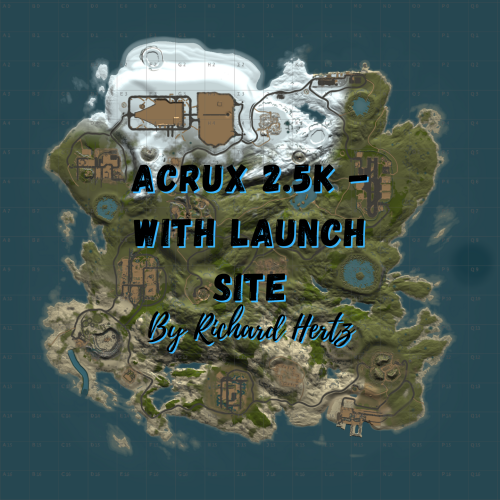
Are you growing your server's pop, but feel that 3.5K+ maps are just too big for your players? Do your players want a greater challenge and larger monuments without being too spread out?
Acrux solves all these problems, and your players will love all of the benefits this map provides your up and coming server!
Players will have plenty of space to base up, and with so many monuments just around the corner, Launch Site included for the chads, they can improve their skills or run cards any time they want. There will never be a shortage of PVP on a map that keeps everything contained in a smaller area, and no matter how late players join the wipe, they will always have something to do or someone to fight only a short distance from home. Acrux also features a higher node count than typical procgen maps . Nodes spawn on all topology and biomes (Fields, forests, deserts, etc.) not just on cliffsides, providing a much needed increase in building materials. Your players can recover from a raid quicker or take care of upkeep in their massive compound, so that they can focus on PVPing. This is also a great way to keep players from moving on to a new server if their base is raided, since rebuilding a base can be a daunting task at times. All of my maps have one goal in common, increasing engagement and retaining players. Through trial, error, and suggestions on my own personal servers, I can confidently say that this map is perfect for up and coming servers with pop at or below 50.
General Information:
Map size: 2.5K Approximate prefab count: 2755 All monuments are vanilla, there are no custom monuments on this map. Map Highlights:
Smaller map size keeps PVP centralized. Large tunnel system. Low prefab count for optimized FPS. High monument density with balanced room for player to build. Launch Site is included, which is not possible for this map size through procedural generated maps. Monuments manually placed:
Outpost Bandit Town Harbor Lighthouses Junkyard Satellite Dish Train Yard Power Plant Airfield Military Tunnels Excavator Large and Small Oil Rigs Launch Site Icebergs Underwater Labs Dome Gas Station Two Warehouses Supermarket The following monuments have been procgen added:
Arctic Research Base Desert Military Base Caves Swamps Ice Lakes Fishing Villages Password is included with the map file. After purchase, you may edit or adjust however you see fit.
To report bugs or give suggestions, feel free to message me here, or on discord any time: 𝓡𝓲𝓬𝓱𝓪𝓻𝓭 𝓗𝓮𝓻𝓽𝔃#0001
- $6.10
- 1 Downloads
-
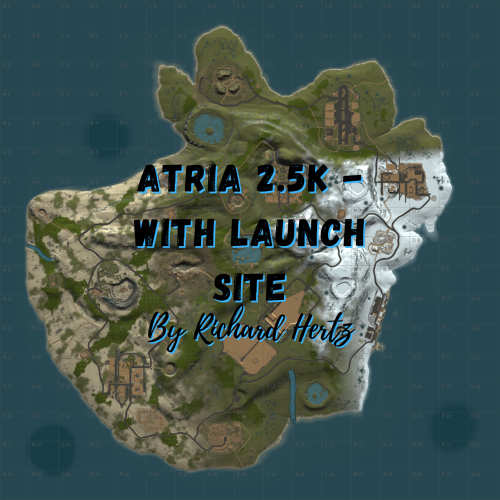
Are your players tired of traveling across a large map, only to find that they haven't encountered any roaming teams along the way? Does everything seem too spread out in proportion to your server's pop, but you want to keep a wide selection of monuments to keep your players entertained?
If so, Atria is the perfect map to host on your weekly or even monthly server - this isn't your average 2.5K procgen map!
Atria is loaded with monuments, including the much requested Launch Site, but also carefully designed in a way that still provides plenty of room to build. Your players will love the shorter commute to monuments, and because the map is 2.5K, competition will be greatly enhanced. Never will your players travel halfway across a large map when there is PVP right in their own backyard. Atria also features a higher node count than typical procgen maps . Nodes spawn on all topology and biomes (Fields, forests, deserts, etc.) not just on cliffsides, providing a much needed increase in building materials. Your players can recover from a raid quicker or take care of upkeep in their massive compound, so that they can focus on PVPing. This is also a great way to keep players from moving on to a new server if their base is raided, since rebuilding a base can be a daunting task at times. All of my maps have one goal in common, increasing engagement and retaining players. Through trial, error, and suggestions on my own personal servers, I can confidently say that this map is perfect for up and coming servers with pop at or below 50.
General Information:
Map size: 2.5K Approximate prefab count: 3875 All monuments are vanilla, there are no custom monuments on this map. Map Highlights:
Smaller map size keeps PVP centralized. Large tunnel system. Low prefab count for optimized FPS. High monument density with balanced room for player to build. Launch Site is included, which is not possible for this map size through procedural generated maps. Monuments manually placed:
Bandit Town Lighthouses Dome Junkyard Sewer Branch Water Treatment Swamps Satellite Dish Train Yard Power Plant Airfield Launch Site Large and Small Oil Rigs Underwater Labs Water Well Gas Station Supermarkets Warehouse Ranch The following monuments have been procgen added:
Arctic Research Base Desert Military Base Caves Swamps Water Well Ice Lakes Fishing Villages Password is included with the map file. After purchase, you may edit or adjust however you see fit.
To report bugs or give suggestions, feel free to message me here, or on discord any time: 𝓡𝓲𝓬𝓱𝓪𝓻𝓭 𝓗𝓮𝓻𝓽𝔃#0001
- $6.10
- 1 Downloads
-
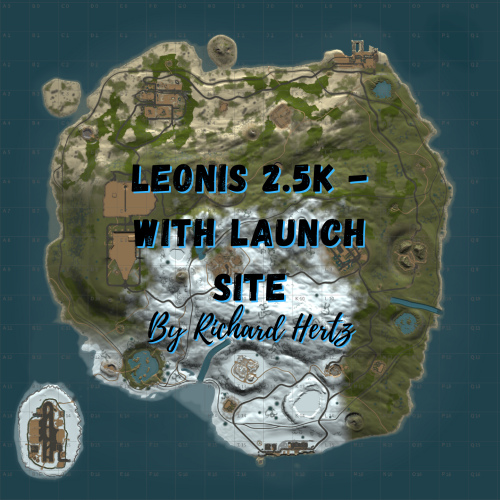
Welcome to Leonis - a 2.5K island filled with all of your favorite monuments and an above ground railway system. With rivers, caves, and plenty of space to build, players will have no problem finding a safe area to base up and stash their loot!
Leonis also features a higher node count than typical procgen maps . Nodes spawn on all topology and biomes (Fields, forests, deserts, etc.) not just on cliffsides, providing a much needed increase in building materials. Your players can recover from a raid quicker or take care of upkeep in their massive compound, so that they can focus on PVPing. This is also a great way to keep players from moving on to a new server if their base is raided, since rebuilding a base can be a daunting task at times.
All of my maps have one goal in common, increasing engagement and retaining players. Through trial, error, and suggestions on my own personal servers, I can confidently say that this map is perfect for up and coming servers with pop at or below 50.
General Information:
Map size: 2.5K Approximate prefab count: 4855 There is one custom monument included in this map. It is a Military Surplus Bridge that leads to the Airfield island. It contains multiple loot areas and diesel barrels, as well as a blue card shack, but the interior loot is well guarded by scientists. If the bridge is too difficult for some players to cross, they can also make their way to airfield through the underground tunnel system.
Custom Monument included:
Military Surplus Bridge Vanilla Monuments Included:
Airfield Arctic Research Base Bandit Town Caves (5) Compound Desert Military Base Dome Fishing Village (3) Gas Station (2) Harbor 1 Harbor 2 HQM Quarry Ice Lake (3) Junkyard Launch Site Lighthouse (2) Large and Small Oil Rig Power Plant Satellite Dish Sewer Branch Stables A Stone Quarry Sulfur Quarry Supermarket Swamp (2) Underwater Labs Warehouse Water Well (3) Password is included with the map file. After purchase, you may edit or adjust however you see fit.
To report bugs or give suggestions, feel free to message me here, or on discord any time: 𝓡𝓲𝓬𝓱𝓪𝓻𝓭 𝓗𝓮𝓻𝓽𝔃#0001
- $6.10
- 2 Downloads
-
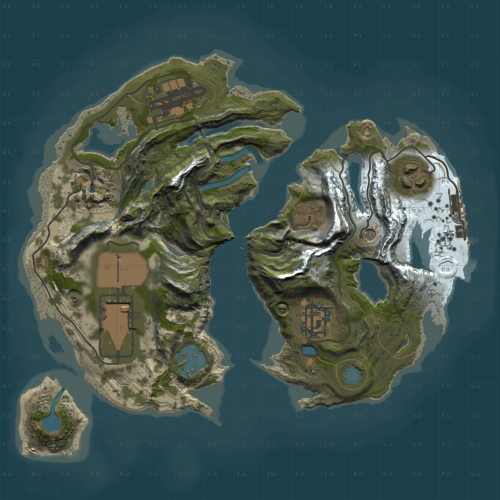
Dalim 2.5K - With Launch Site
This map is perfect for up and coming servers with pop lower than 50.
Smaller map size keeps PVP centralized. Large tunnel system and two bridges connecting the islands. High monument density with balanced room for player to build. Launch Site is included, which is not possible for this map size through procedural generated maps. Monuments Included:
Outpost Bandit Town Lighthouses Dome Caves Junkyard Swamps Satellite Dish Airfield Military Tunnels Launch Site Both Oil Rigs Custom Above Ground Labs with Puzzles Mini Monuments And More!
- $5.50
- 2 Downloads
-
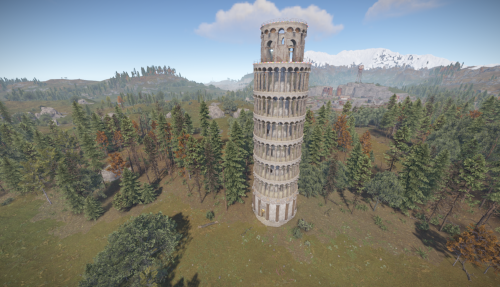
This prefab was made by a good friend of mine, Thomas , that also happens to be Italian and his goal is to remake all the Italian important sightseeing points in Rust full scale
We present you the Leaning Tower of Pisa of Italy , this is part of a larger scale project with more incomming monuments full scale from important sightseeing points of Italy.
It is not a puzzle monument.
Entity count : 2965
- $7
- 1 Downloads
-
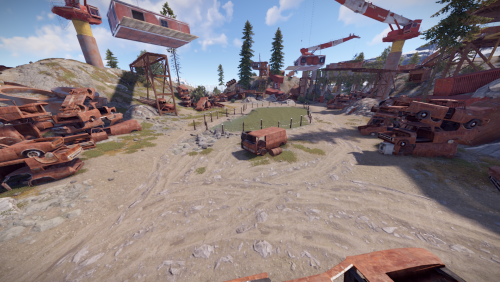
The Heaps was inspired by the original place introduced in The Walking Dead in Season 7 , this is a full scale re-made Junkyard with customizations for players to build inside the containers
but also underground in a medium sized tunnels network.
The monument has a helipad with a helicopter vendors , a recycler and a few places to relax around , it is not a puzzle monument.
Entity count : 825
- $12
- 4 Downloads
-
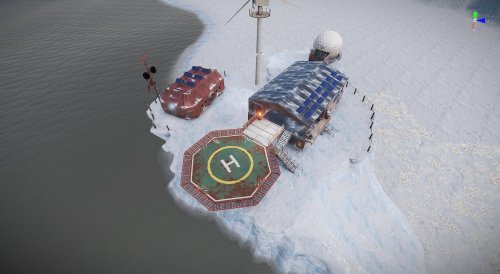
SnowBandit Prefab for Rust / Free to use. For placing in arctic surroundings. Contains:
AirWolf, Drone Delivery, Gambling, SaveZone, Greencard Spawner, FoodMarket, Water....
Prefabs count: 618
Please like it if you like it. 😉 Have fun with it!!! Thx
- Free
- 208 Downloads
-
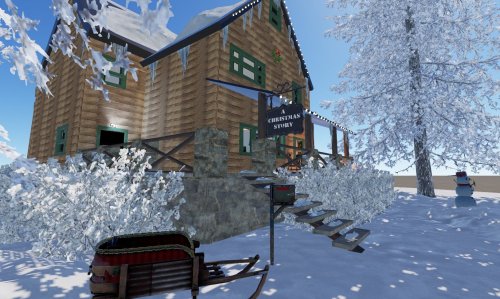
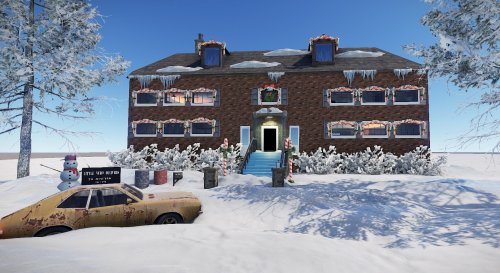
Entity count: 954
When you walk in you can just smell the turkey cooking and know that the furnace is acting up again and that Ralphies dad is most likely downstairs yelling and fixing it once again! The famous leg lamp is in the window rust style of course! Ralphie is just hours away from opening his presents and sure to get his "Red Ryder" BB gun that he wants so badly. But we all know he will probably just shoot his eye out right?
There is lots of loot upstairs and downstairs as well as some around the property. There is NPC's placed inside. I highly recommend using Better NPC so you can kit them out as you see i did above on my server and they act much better than the regular NPC's, very configurable plugin to use once its set up its amazing! There is a Blue keycard door to get in. There is some picture frames around the house to add /sil. The pictures are protected with a collider from theft, you need to go to the top of the picture frame to add your /sil in game for it to work. This is a great prefab for Christmas that your players are sure to love. Who doesnt love Ralphie and the Aunt who made him the adorable bunny suit.
- $4.99
- 2 Downloads
-
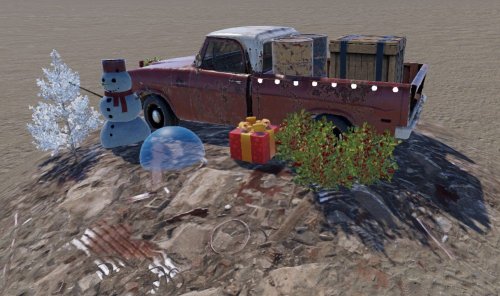
This pack of three prefabs includes:
Christmas truck red junkpile: only 15 Entities, various loot, pickable red berries and 1 NPC
Christmas truck green junkpile: only 15 Entities, various loot, pickable red berries and 1 NPC
Black Halloween van junkpile: only 40 Entities, various loot, pickable corn and pumpkins and 1 NPC
Nice addition to junkpile to add for the holidays.
- $2.99
- 4 Downloads
-
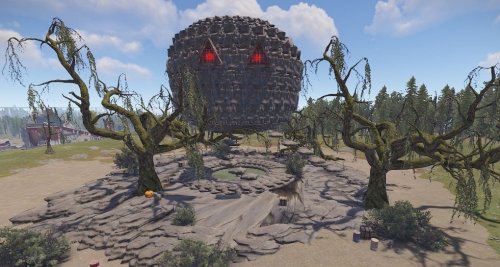
Sphere of Doom has an entity count of 823
Sphere of Doom is a giant pumpkin with various loot and NPC's inside and out. I replaced Dome on my Server with this one. It has some parkour to jump in the middle to gain loot as well as outside to get to the very top to gain loot. There is NPC's up top for those who choose to fly a heli there to just take the military crates. If you would like to kit out your NPC's as i did in the above pictures, i like to use Better NPC. It works very well once you get it set up and you can kit them out in various outfits and they will stay in places you want much better, very configurable plugin. Nice prefab to add for Halloween to give the players a different monument to explore for the month with a touch of spooky!
- $4.99
- 2 Downloads
-
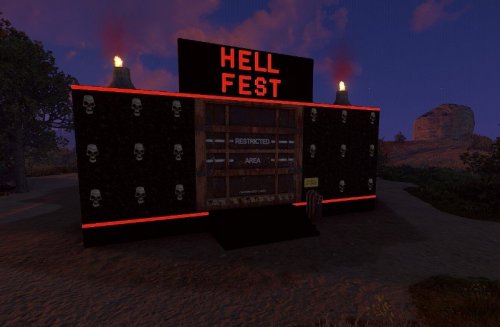
Entity Count: 562
Various loot inside. No NPC's placed, you must add yourself. I use Better NPC and kit my NPC's on my server as you can see in the pics. Your better off adding your own NPC to this prefab, there is tight spaces where the clowns go and they will not stay there. There is also a collider to cause damage if you fight the NPC's and step on the hot charcoal as you can see in the pic. The player will take some damage. There is a dummy button at the front door that tells them they are trapped til the end and must continue through. Only a wheelswitch to turn to get in the door and then the fight begins and they are trapped. I usually add four Better NPC's in this first room on my server to give them a challenge since they have to be careful where they step in there. The next room will be a card door they must go through to get to the clown maze part. If you decide to add your own NPC's and not use clowns you can certainly remove the letters and add your own. Great spooky prefab for Halloween because everyone loves clowns right?
- $4.99
- 4 Downloads
-
entity count: 2664
Multi leveled floors with red card room and lots of loot each level, NO NPC's added. You can add yourself. Rust Edit NPC's dont work well on this prefab. Better Npc's works amazing
on this prefab and you can kit them out. This is a great prefab to add to your server for the Holiday Season that the players will love looting!
Recycler x 1 located in Basement
- $4.99
- 8 Downloads
-
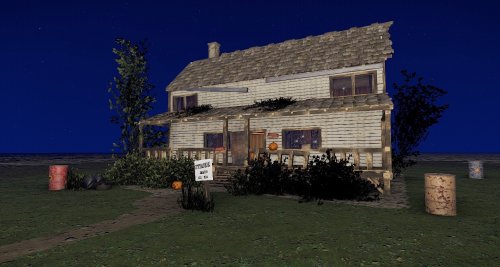
In the Small Town of Haddonfield, Michael Myers has come home once again to his house, do you dare go inside to loot is the question? Perfect house for Halloween to add to your map. Entity count of 1019. Comes with various loot inside and outside. Two story worth of loot. 2 NPC's added to house to fight while looting and have fun for the spooky season.
- $3.99
- 6 Downloads