
Jump to content
View in the app

A better way to browse. Learn more.

WeOxide Marketplace ¬ Rust Custom Maps ¬ Prefabs ¬ Monuments and Plugins Free & Paid Assets

A full-screen app on your home screen with push notifications, badges and more.

To install this app on iOS and iPadOS
  1. Tap the Share icon in Safari
  2. Scroll the menu and tap Add to Home Screen.
  3. Tap Add in the top-right corner.
To install this app on Android
  1. Tap the 3-dot menu (⋮) in the top-right corner of the browser.
  2. Tap Add to Home screen or Install app.
  3. Confirm by tapping Install.

Shiro

Administrator
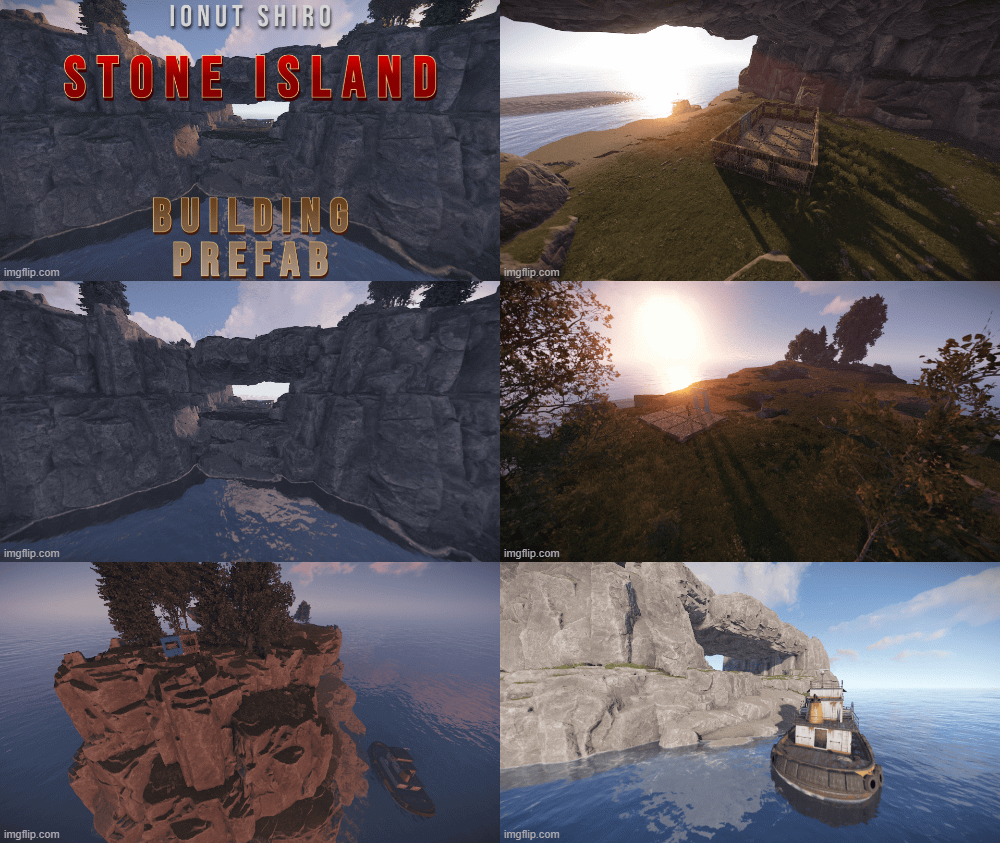
  • Joined

  • Last visited

Files posted by Shiro

  1. Here are all three doors including card reader (working)
     
    • Free
    • 6 Downloads
  2. Cabins with card reader Green-Red-Blue
    This prefab requires rustedit.dll https://github.com/k1lly0u/Oxide.Ext.RustEdit
    • Free
    • 13 Downloads
  3. A little decor scene with two trucks crashed on open street. Some flame and tesla effect for the ambience.
    The tesla sparks from the electricity pylon are dealing damage.

    The Prefab was created by ☆☆☆ Abracadaver ☆☆☆
    • Free
    • 16 Downloads
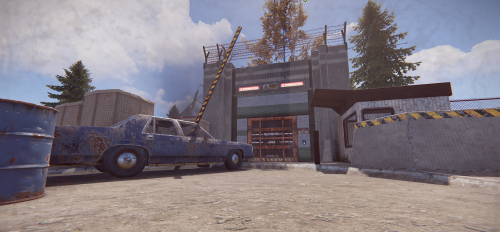
  4. his prefab is structured like the Sphere Tank, but has a lot more surprises and loot.
    Prefab Count 598 (how many prefabs are in the pack)
    This prefab contains :
    1 Green Card Puzzle 36 Crate (Normal, Elite, Food, Medic) 20 Barrels (Loot-Barrel 1, Loot-Barrel 2, Oil-Barrel) 21 NPC Copy the prefab folder to your RustEdit Custom Prefabs folder.
    Drop the prefab and apply the prefab modifiers.
    This prefab requires Rustedit.dll https://github.com/k1lly0u/Oxide.Ext.RustEdit
     
     
    • $9.99
  5. A nice car shop with an integrated car repair shop. The monument features a custom recycler and lots of decorative elements. Best suited for a roleplay server.
    Usable Items:
    1 x Phone
    2 x Car lift
    1 x Custom Recycler
    1 x Fridge
    1 x Radio
    Entity Count  : 21833

    Created by M&B Studios @Blacky McHase
    • $2.99
  6. Prefab Count 154 (how many prefabs are in the pack)

    This prefab contains
    4 Crate Normal 
    2 Med Crate
    2 Tool Crate
    1 Fuel Crate 
    2 NPC
    Copy the prefab folder to your RustEdit Custom Prefabs folder.
    Place the prefab down and apply the prefab modifiers.
    This prefab requires rustedit.dll https://github.com/k1lly0u/Oxide.Ext.RustEdit
    • $2.50
  7. Combined the two oilrigs, to make a more dangerous and exciting adventure of raiding the rigs.
    The rigs are connected with some cranes and pipes, simulating a construction site. You can use the pipes to switch between the two oilrigs.
    Tweaked the decorations a little and added some ladder triggers.
     
     
    I have repaired it and have permission to publish it
    The Prefab was originally created by Abracadaver 
    • Free
    • 3 Downloads
  8. Mini-Airfield is a reconstruction of the Facepunch procedural broken Airfield from @kilgoar but 50% smaller , keeping the original puzzle and deleting extra assets that took space and re-arranging the layout abit.
    This is part of a mini-monument series i started and they are perfect for small maps if you want to keep the same procedural monuments but smaller with a twist and extra decor.
    Just like normal Airfield this has a Green and Blue keycard puzzle with all the normal loot from Airfield present.
    No underground entrance present so you'd have to place your own outside or if you wish it inside just message me and i can make it happen.
    If you use plugins for events that use Airfield this might not work and you'd have to use 3rd party plugins like Monument Finder.
    Entity count : 1440
    Size 1 Grid and a half , normal Airfield is 3 grids +/-.
    • $15
    • 3 Purchases
    • 2 Downloads
  9. How many times have your players asked for more monuments a few days into wipe? Are your players tired of basic progen maps every wipe, and possibly... playing other servers behind your back?? 👀
    If you want to maintain pop and keep your players busy all wipe, Corvus is the map for you!
    Corvus features many of your player's favorite monuments, including Launch Site, but with maximum building space taken into account. Monuments and gunfights are right next door to your players bases, and because the map is 2.5K, players will be fighting for control all day and night. With Corvus, your players can keep PVP focused nearby, and not have to worry about if they can make it back to the fight in time to recover their loot. Corvus also features a higher node count than typical procgen maps . Nodes spawn on all topology and biomes (Fields, forests, deserts, etc.) not just on cliffsides, providing a much needed increase in building materials. Your players can recover from a raid quicker or take care of upkeep in their massive compound, so that they can focus on PVPing. This is also a great way to keep players from moving on to a new server if their base is raided, since rebuilding a base can be a daunting task at times. All of my maps have one goal in common, increasing engagement and retaining players. Through trial, error, and suggestions on my own personal servers, I can confidently say that this map is perfect for up and coming servers with pop at or below 50.
    General Information:
    Map size: 2.5K Approximate prefab count: 3080 All monuments are vanilla, there are no custom monuments on this map. Map Highlights:
    Smaller map size keeps PVP centralized. Large tunnel system. Low prefab count for optimized FPS. High monument density with balanced room for player to build. Launch Site is included, which is not possible for this map size through procedural generated maps. Monuments manually placed:    
    Outpost Harbor Bandit Town Sewer Branch Lighthouses Caves Dome Junkyard Train Yard Power Plant Launch Site Large and Small Oil Rigs Underwater Labs Water Well Gas Station Supermarkets Warehouse The following monuments have been procgen added:
    Arctic Research Base Desert Military Base Caves Swamps Ice Lakes Fishing Villages Password is included with the map file. After purchase, you may edit or adjust however you see fit.
    To report bugs, feel free to message me here, or on discord: 𝓡𝓲𝓬𝓱𝓪𝓻𝓭 𝓗𝓮𝓻𝓽𝔃#0001
    • $6.10
    • 3 Purchases
    • 4 Downloads
    • 3 Comments
  10. Immerse your players in world packed with monuments and beautiful aesthetics. This 3k map contains every vanilla monument, caves, a zipline path from Power Plant to Train Yard, freshwater lakes, and a custom mineshaft with a secret building area and loot. Below is a full list of monuments included.
    Altair features a very high monument count, including everyone's favorite, Launch Site, but with balanced building space kept in mind. Your players will love the endless variety, and because the map is 3K, players will be contesting monuments like never before. This map is the closest you can come to pleasing everyone! Altair also features a higher node count than typical procgen maps . Nodes spawn on all topology and biomes (Fields, forests, deserts, etc.) not just on cliffsides, providing a much needed increase in building materials. Your players can recover from a raid quicker or take care of upkeep in their massive compound, so that they can focus on PVPing. This is also a great way to keep players from moving on to a new server if their base is raided, since rebuilding a base can be a daunting task at times. All of my maps have one goal in common, increasing engagement and retaining players. Through trial, error, and suggestions on my own personal servers, I can confidently say that this map is perfect for up and coming servers with pop at or below 75.
    General Information:
    Map size: 3K
    Approximate Prefab count: 7770
    All monuments are vanilla. There is one custom mineshaft with loot and a secret building area inside.
    Map Highlights:
    Large tunnel system.
    High monument density with balanced room for player to build.
    Launch Site is included, which is not possible for this map size through procedural generated maps.
    Multiple rivers and lakes.
    Small building blocked radius around quarries to prevent walling in.
    Every vanilla monument is included and hand placed in this map.
    Monuments Included:
    Airfield
    Arctic Research Base
    Bandit Camp
    Caves (4)
    Compound
    Desert Military Base
    Dome
    Excavator
    Fishing Village (4)
    Freshwater handmade lakes
    Gas Station
    Harbor 1 & 2
    HQM Quarry
    Ice Lake (3)
    Junkyard
    Launch Site
    Lighthouse (2)
    Military Tunnels
    Mineshaft Tunnel
    Large & Small Oil Rigs
    Power Plant
    Powerline Zipline Path
    Sewer Branch
    Stables A
    Stone Quarry
    Sulfur Quarry
    Supermarket (2)
    Swamp (2)
    Train Yard
    Underwater Labs (2)
    Warehouse (2)
    Water Treatment Plant
    Water Well (5)
    Password is included with the map file. After purchase, you may edit or adjust however you see fit.
    To report bugs, feel free to message me here, or on discord: 𝓡𝓲𝓬𝓱𝓪𝓻𝓭 𝓗𝓮𝓻𝓽𝔃#0001
    • $10.60
    • 1 Purchases
    • 2 Downloads
  11. Ever wanted to make SAMSites shoot at the Patrol Helicopter or any other vehicles/entities? Well you can with SAM Site Targets, Config is easy and simple, use https://github.com/OrangeWulf/Rust-Docs/blob/master/Entities.md to find the entities shortprefabname, and change the config and bam!
    Notes:
    Unfortunately the default targeting vehicles like the minicopter are hardcoded in the samsite code, so if u change the targeting range to under 150 it wont work as the hardcoded value takes over...
    If you have the permission set to "", it would make it so all SAMSites attack that entity, bypassing the entity owner check!
    Configuration:
    { "Entities": { "attackhelicopter.entity": { "Can be targeted by static SAM Sites?": true, "Enabled": false, "Permission": "samsitetargets.attackhelicopter", "Rocket damage multiplier!": 1.0, "Rocket speed multiplier!": 1.0, "Seconds between rocket bursts!": 5.0, "Targeting range!": 150.0 }, "bradleyapc": { "Can be targeted by static SAM Sites?": true, "Enabled": false, "Permission": "samsitetargets.bradley", "Rocket damage multiplier!": 1.0, "Rocket speed multiplier!": 1.0, "Seconds between rocket bursts!": 5.0, "Targeting range!": 150.0 }, "ch47.entity": { "Can be targeted by static SAM Sites?": true, "Enabled": false, "Permission": "samsitetargets.ch47", "Rocket damage multiplier!": 1.0, "Rocket speed multiplier!": 1.0, "Seconds between rocket bursts!": 5.0, "Targeting range!": 150.0 }, "minicopter.entity": { "Can be targeted by static SAM Sites?": true, "Enabled": false, "Permission": "samsitetargets.minicopter", "Rocket damage multiplier!": 1.0, "Rocket speed multiplier!": 1.0, "Seconds between rocket bursts!": 5.0, "Targeting range!": 150.0 }, "patrolhelicopter": { "Can be targeted by static SAM Sites?": true, "Enabled": false, "Permission": "samsitetargets.patrolheli", "Rocket damage multiplier!": 1.0, "Rocket speed multiplier!": 1.0, "Seconds between rocket bursts!": 5.0, "Targeting range!": 150.0 }, "scraptransporthelicopter": { "Can be targeted by static SAM Sites?": true, "Enabled": false, "Permission": "samsitetargets.scrapheli", "Rocket damage multiplier!": 1.0, "Rocket speed multiplier!": 1.0, "Seconds between rocket bursts!": 5.0, "Targeting range!": 150.0 } } }
    • $10
    • 4 Purchases
    • 8 Downloads
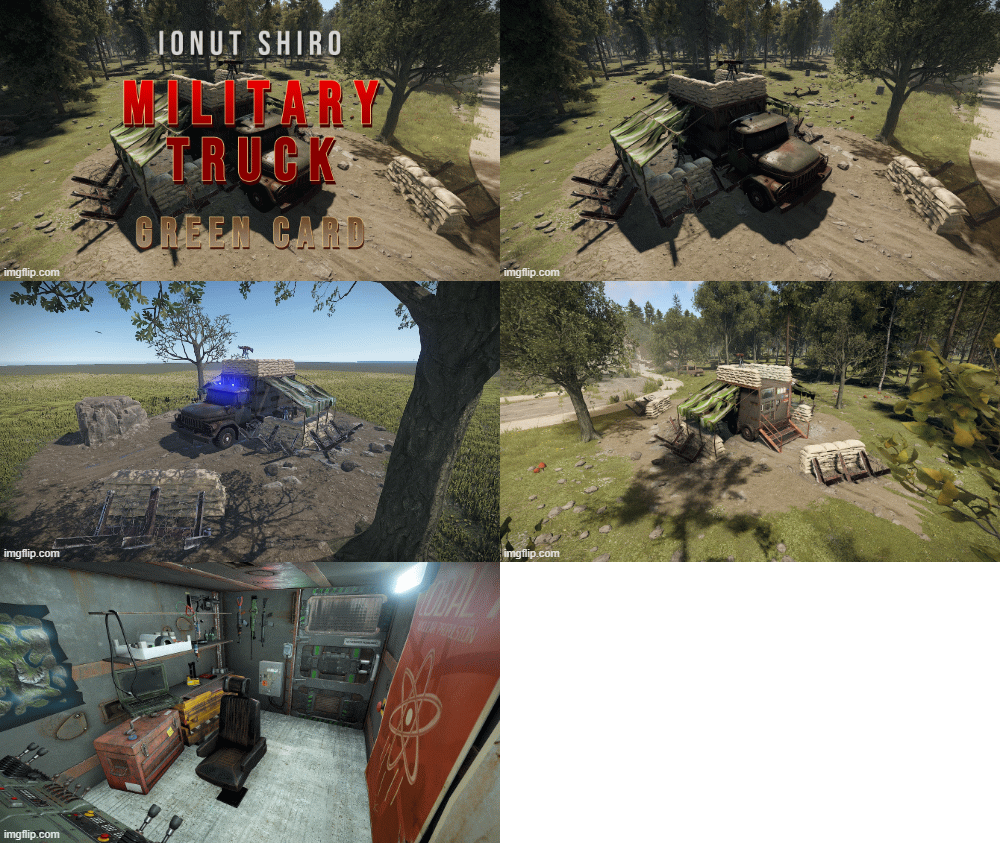
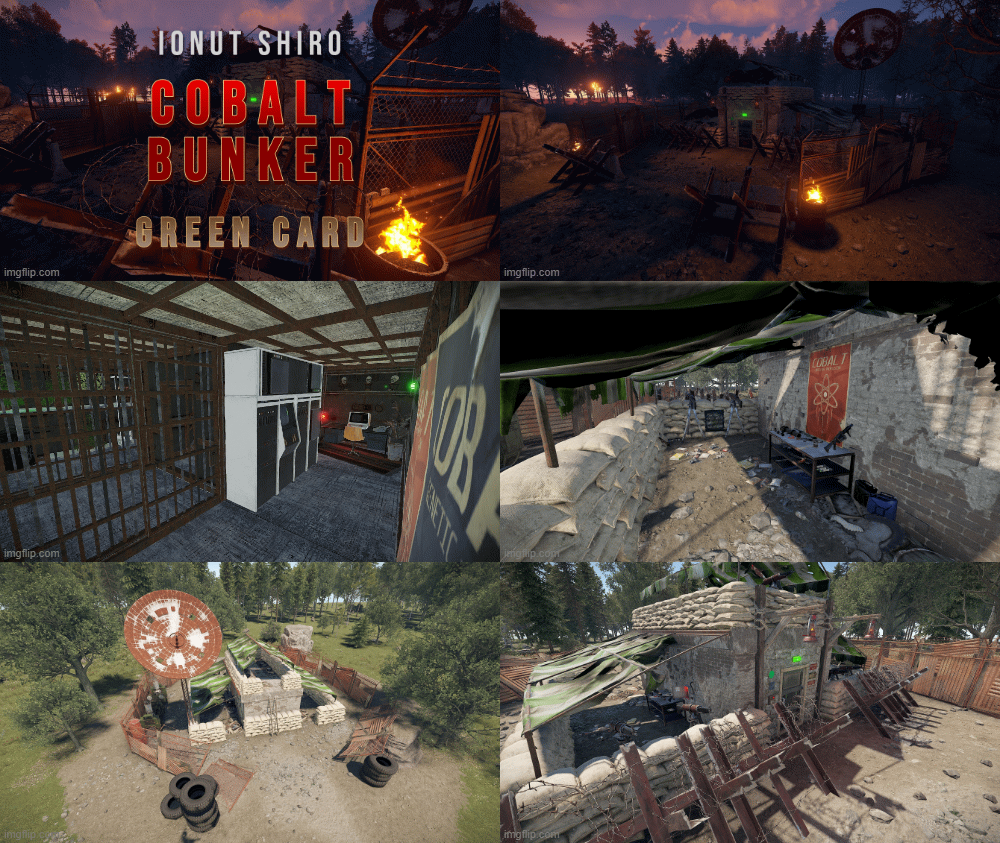
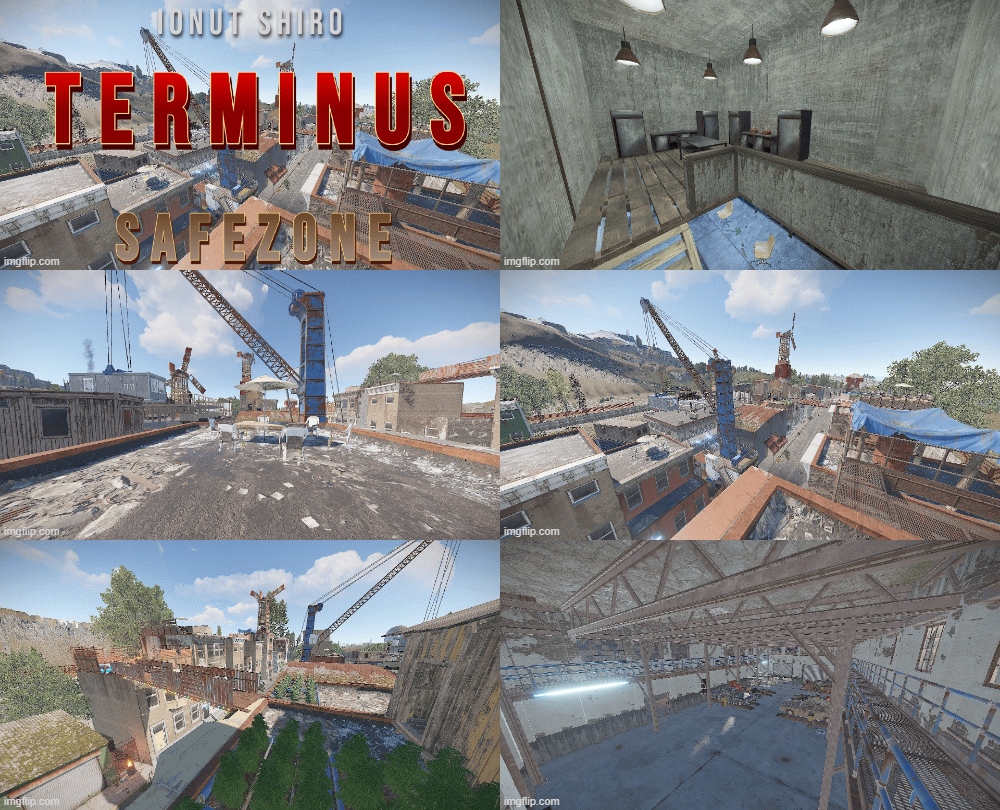
  12. The Stalker Monuments  Bundle consists of 5 unique monuments to place down on your maps and let your players immerse in the atmosphere of S.T.A.L.K.E.R. , surprise your players with those monuments ranging from small to large both above and under ground and give them comfort with the unique safe zone design or let them wonder what's inside the Checkpoints around your maps!
    In this bundle you will find : 


    • $55
    • 2 Purchases
    • 3 Downloads
  13. Do you want to make your players lives easier? QuickGut allows your players to gut stacks of fish instantly!  Saving time and making them happy!
    Plugin is simple and straight forward with no configuration!
    Note:
    By default quickgut wont be enabled for the player, they ether need to enter the command /gut to enable it or you need to give them the permission quickgut.active when given access... Permissions:
    quickgut.use - Allows the player to use the command /gut and allows them to gut fish instantly! quickgut.active - Toggle weather the player has quickgut enabled or not! Commands:
    /gut - Toggles the feature on or off!
    • $5
    • 1 Downloads
  14. Simple system allows players to choose which team/side/faction or group they want to be in.
    On first load you will have to create your own oxide groups for the players to chose from example "Team A/ Team B" you can easily rename those from lang file to example "Scavangers/Residents" or whatever you want.
    The purpouse of this plugin is for PVE/Roleplay servers with different types of perks for different types of oxide groups or Event Servers where players can chose their sides.
    Permissions:
    TeamMenu.change - Allows you to use the command /changeteam Commands:
    /changeteam API:
    bool ForceChangeTeam (string id) string GetPlayerTeam (string id) string[] GetTeamMembers (string Team) int? GetTeamCount (string Team) Configuration:
    { "onLoad": true, "onAwake": true, "Confirmation_Message": false, "AutoShow_TeamRemoval": true, "TeamA": { "Group": "teama", "Color": "1 0 0 1" }, "TeamB": { "Group": "teamb", "Color": "0 0 1 1" } } Language:
    { "UI_Description": "Choose your desired faction... It can be changed by doing /changeteam in chat...", "Confirmation_Message": "Welcome to the team, blah blah blah.", "TeamA": "TeamA", "TeamB": "TeamB" }  
    • $5
    • 1 Downloads
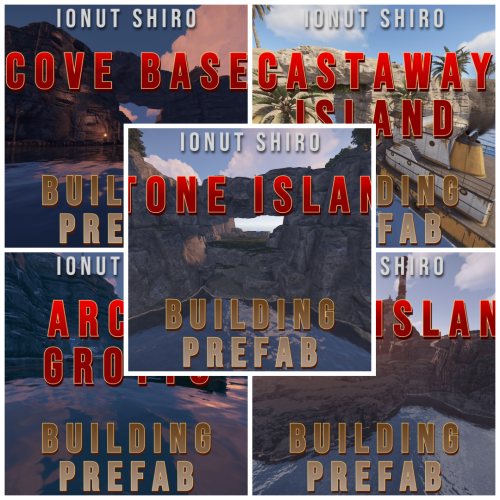
  15. The InLand Building Bundle consists of 5 unique prefabs to place down on your maps and let your players look for them on the map and try find a way to use them properly while building unique base designs!
    In this bundle you will find : 
     
     
    • $20
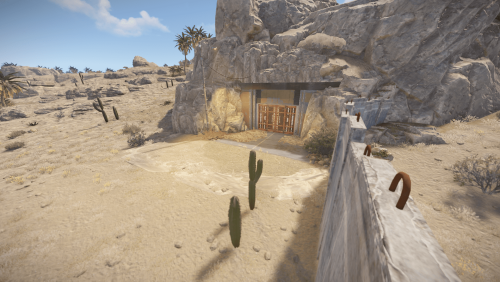
  16. Let your players stumble upon this Abandoned Barn and discover the entrance to a cave system where they can build their bases and hide from enemies.
    The main structure consists of ground floor (entrance) with a tool box behind the covers and little space to build foundations for door/s and the ladder leading to the second floor with place to place down storage chests and other items.
    Cave system is accessible via the open hole at the back of the barn behind the car and the covers , main cave is a small space for a medium sized base with enough lighting from the ceilling glowing worms and lanterns.
    Second cave is accessible via the main cave and it's big enough to fit a large base although there's little to no lighting inside the large cave.
    Please keep in mind this is a prefab meant for base build and not a monument so there are no puzzles or loot present except a small toolbox behind the covers on ground floor.
    All Masks are present (Alpha,Height,Splat) 
    Entity Count : 265
    • $5
    • 1 Purchases
    • 1 Downloads
  17. Woxide is an Oxide plugin that streamlines the process of integrating your Rust server with your WeOxide Shop.
    Designed for server owners who prefer to set up their own payment gateways, Woxide enables you to automate the delivery of in-game purchases without sacrificing control or revenue.
    When a player makes a purchase on your website, this plugin will automatically detect the purchase and run the corresponding command in-game, such as adding the player to a VIP group or giving them a special item.
    Woxide is the solution for creating a self-managed, profitable Rust server.

    🔗 Integration: Woxide is designed to work with your WeOxide Shop, allowing you to set up your own payment gateways, such as PayPal or Stripe. Keep full control over your revenue and eliminate third-party fees.
    🛠️ Server-Side Command Automation: Woxide simplifies the process of executing server-side commands for purchased items. Configure the plugin according to your needs, and let it handle the rest.
    📥Seamless Purchase Processing: Woxide continuously monitors your WeOxide Shop for new purchases, ensuring that players receive their in-game rewards promptly. The plugin checks the local data file to avoid duplicate processing.
    📢In-Game Purchase Acknowledgment: Woxide automatically broadcasts a thank you message in the in-game chat when a purchase is processed, fostering a sense of community and promoting additional sales.
    🔧Configuration: Woxide has an easy-to-use configuration, enabling you to tailor the plugin to your server's unique requirements. Check out the documentation for a config example.
     
    Before you start
    To access this plugin, it is necessary to use WeOxide Server hosting and have an active server and website.
    If you don't have a server yet, you can order one today at https://weoxide.host/server/rust specifically for Rust and start using the plugin. 

    Installation
    Upload the Woxide plugin file to the oxide/plugins directory on your Rust server. Start your Rust server. The Woxide plugin should now be installed and loaded. Start editing the config file based on your products & setup.  
    Configuration
    The Woxide plugin comes with a default configuration file that you can modify to suit your needs. You can find the configuration file at oxide/config/Woxide.json.
    The configuration file has the following options:
     
    shopUrl: The URL of your WeOxide Shop. keyLicense: Provided by WeOxide after shop is activated. secLicense: Provided by WeOxide after shop is activated. products: dictionary of product IDs and their corresponding commands. For example, you might have a product with an ID of 123 that adds the player to a VIP group for 30 days. You would add this product to the dictionary like this: "products": { "123": { "command": "oxide.usergroup add {PLAYERNAME} vip", "expires": 30, "expireCommand": "oxide.usergroup remove {PLAYERNAME} vip" } }  
    In this example, the {PLAYERNAME} placeholder will be replaced with the player's in-game name when the command is run. The expires (optional) option specifies the number of days that the player should remain in the VIP group, and the expireCommand (optional) option specifies the command to run when the player's VIP status expires.
    You can add as many products to the dictionary as you like.
    It is important to include {PLAYERNAME} in the command to ensure that the group or item is given to the correct player who made the purchase.
     
    Example config file
    This is an example configuration file. You can use this as a template and modify the values to match your own products and setup.
    To use this example configuration, simply copy and paste the code into your Woxide configuration file and save it.
    Make sure to replace the values for shopUrl, keyLicense, and secLicense with your own values. The products section defines the products that are available for purchase on your shop, and the corresponding commands to run in-game.
    You can add, remove, or modify these products to fit your needs.
    { "shopUrl": "example.weoxiders.net", "keyLicense": "PROVIDED_BY_WEOXIDE_AFTER_ACTIVATION", "secLicense": "PROVIDED_BY_WEOXIDE_AFTER_ACTIVATION", "products": { "366": { "command": "oxide.usergroup add {PLAYERNAME} vip", "expires": 30, "expireCommand": "oxide.usergroup remove {PLAYERNAME} vip" }, "358": { "command": "oxide.usergroup add {PLAYERNAME} vip", "expires": 30, "expireCommand": "oxide.usergroup remove {PLAYERNAME} vip" }, "169": { "command": "inventory.giveto {PLAYERNAME} electric.generator.small 1", "expires": 1 } } } Notice on config file
    It is strongly recommend to add "1" on expires on in-game items purchases, shown as above in the example.
    In case of a data file loss, it would not run the command again the on the server by mistake.
     
    Commands
    The Woxide Shop plugin provides the following console commands:
    woxide.check: Manually checks for new orders and fulfills them. woxide.stop: Stops the automatic order checking. woxide.start: Starts the automatic order checking. woxide.test: Tests the connection to the shop.  
    Permissions
    The Woxide Shop plugin provides the following permission:
    woxide.use: Allows the player to use the /woxide.check in-game command.
     
    Stuff to avoid
    A small list of stuff you should not do:
    Under no circumstances should you delete the data file located in oxide/data/Woxide while wiping the server. This file records all purchases locally on your Oxide server. It is recommended to create a backup of all files before making any significant changes to your server.
    Please avoid (or do not) modifying the order checking frequency in the Woxide.cs file. If necessary, any changes should be thoroughly tested to ensure compatibility with the shop. By default, the plugin checks orders every 90 seconds (1.5 minutes), which is suitable for most scenarios.
    • $8
    • 1 Downloads
  18. A simple website template that can be easily installed by adding the zip file to your website's root directory and unzipping it!
    Demo : https://template7.weoxiders.net
    All changes can be done from index.php
    To enable live data from your server to the website add your API Key from rust-servers.net here 

    If you wish to have more than 1 server just copy the first 14 lines and paste below and adjust data1/players1 with the number of servers you adding be it 2 or 3 or more.
    To change the youtube videos you just go on youtube and press share as embed and copy the link similar to this and replace it on the server you edit for 

    If you have any questions or require help to configure it do not hesitate to contact me here or on discord!
    If you want a pre-made website check out our hosting https://weoxide.host and check our website builder page!
     
     
    • $25
    • 5 Purchases
    • 16 Downloads
  19. This is a map file for Puerto Rico 4K map without any monuments , splat , biomes , topology or rocks on it only the terrain elevation and shape to let you and your creativity do whatever you want on it.
    Lately blank maps have been in demand with the rise in RustEdit enthusiasts and unfortunately i did not save blankmaps for my previous maps but this is the start of it.
    Let your creativity flow and make your own Serbia version
    • $7
  20. This is a map file for Poland 4K map without any monuments , splat , biomes , topology or rocks on it only the terrain elevation and shape to let you and your creativity do whatever you want on it.
    Lately blank maps have been in demand with the rise in RustEdit enthusiasts and unfortunately i did not save blankmaps for my previous maps but this is the start of it.
    Let your creativity flow and make your own Serbia version.
    • $5
  21. Mini Saloon is a recreation of a small bar from Red Dead Redemption 2 for a rust map project i worked on with a friend of mine.
    Perfect location to build on side of the road or somewhere remote in a forest or desert , 2 entrances on front and back that can be easily covered with foundations and nice lighting from the windows to give you a better view of the outside world or to give your enemies a better view of your base 🤔
    This is the buildable version not the monument one , if you want both i recommend you to buy the monument version below : 
     
    Entity Count : 668
    • $4
    • 1 Purchases
    • 1 Downloads
  22. Valentine Station is a train station in Red Dead Redemption 2 and a recreation of it in Rust which served for a western map of mine which will be released soon and it was created by me and a friend of mine.
    A full scale recreation of it for Rust.
    Ideally it should be placed near rail system , custom loot crates have been placed inside on top of open luggage along with a normal crate and a recycler behind the counter.
    When placing this on your map make sure to apply all masks present as topology for monument and building is needed to avoid plats/animal spawns inside the area and prevent players from building
    Entity Count : 2786
    Name typo from pics has been fixed in v1.1
    • $7
  23. Mini Saloon is a recreation of a small bar from Red Dead Redemption 2 for a rust map project i worked on with a friend of mine.
    It's perfect for roadside placement and inside players can find 2 custom loot barrels and 1 normal crate behind the counter , whether you are running from another player or just want to rest this will be the perfect place to hide or rest.
    The zip file contains both monument version and a buildable version.
    Entity Count : 1099
    • $7
  24. GFVoter it's a voting rewards system for Rust servers listed on GamesFinder.net.
     It's designed to reward players for voting for your server/s on gamesfinder.net and players earn points by doing so which they can then redeem for in-game rewards. 
    What is GamesFinder.net? It's a new platform designed for server owners to list and describe their servers better with more options and gives the players the ability to search for a server easier tailored to their needs and get rewards by voting the server.
    Features: 
    Vote Tracking: Players can vote for the server on the website, and their votes are tracked. Rewards: Players can exchange their accumulated points for rewards. Rewards can be items and executed commands or kits. Cooldown Management: Ensures players can't spam vote claims by implementing a cooldown system. Vote Verification: Checks if a player has voted and then claims their reward via the API. Custom Commands: Players can check their points, claim rewards, or view available rewards through chat commands. Discord Integration: Option to send notifications to a Discord server when a vote is made or a reward is claimed. Commands : 
    gfvote "Amount" "PlayerName or SteamID" : Allows admins to manually add points to players (Console Command). /claimpoint or /clp : Used by players to claim their voting points. /rewardlist or /rl : Displays available rewards to players. /claimreward or /cr : Players use this to claim a specific reward. /checkpoints or /checkp : Check the amount of points earned. Config Example :
    { "Use discord webhook at vote": true, "Use discord webhook at claim": true, "Discord webhook": "Your discord server webhook", "Chat command to claim reward point": [ "claimpoint", "clp" ], "Chat command for check rewards": [ "rewardlist", "rl" ], "Chat command for get reward": [ "claimreward", "cr" ], "Chat commands for checking points": [ "checkpoints", "checkp" ], "GamesFinder API": "Your API from gamesfinder.net", "Rewards": { "economics": { "Display name for chat (if empty - use key or item name)": "x50 Economics", "NeedPoints": 3, "Type": 1, "Item": null, "Command (%STEAMID% - player user id)": "deposit %STEAMID% 50" }, "group": { "Display name for chat (if empty - use key or item name)": "x1 Group 'Member'", "NeedPoints": 10, "Type": 1, "Item": null, "Command (%STEAMID% - player user id)": "oxide.grant user %STEAMID% (Permission)" }, "sr": { "Display name for chat (if empty - use key or item name)": "x10 ServerRewards", "NeedPoints": 2, "Type": 1, "Item": null, "Command (%STEAMID% - player user id)": "sr add %STEAMID% 10" }, "wood": { "Display name for chat (if empty - use key or item name)": null, "NeedPoints": 1, "Type": 0, "Item": { "Shortname": "wood", "Amount": 1000, "SkinID": 0 }, "Command (%STEAMID% - player user id)": null } }, "Reminder message": "Hey! Don't forget to vote for our server on gamesfinder.net and claim your points.", "Reminder interval minutes": 15 }  
    • Free
    • 8 Downloads
  25. This plugin creates NPC on Rust monuments.
    This plugin works with new intelligence for NPC.
    The plugin has many settings for creating NPC of any type of complexity.
    For each NPC separately, it is possible to customize different clothes, weapons, loot.
    You can use additional plugins such as: Kits, MarkerManager.
    For the issuance of NPS kits. Kits plugin from https://umod.org.
    You can add a marker for the NPC. MarkerManager plugin from https://umod.org
    [ spawnnpc.command ] - Permission to use chat commands
    command to chat
    [ /npc count ] - Shows how many NPC are on the map.
    [ /npc kill ] - Kill all NPCs on the map.
    [ /npc respawn ] - Respawn all NPC on the map.
    [ /npc reload ] - Reload plugin.
    Weapon advice for the Scarecrow
    For melee weapons for example (knife.combat, pitchfork, salvaged.cleaver, machete) and other things that pierce or cut.
    Weapon advice for the Scientist
    For ranged weapons for example (pistol.revolver, smg.2, rifle.lr300, lmg.m249) and other things that shoot.
     
    • Free
    • 1,337 Downloads
    • 17 Comments

Configure browser push notifications

Chrome (Android)
  1. Tap the lock icon next to the address bar.
  2. Tap Permissions → Notifications.
  3. Adjust your preference.
Chrome (Desktop)
  1. Click the padlock icon in the address bar.
  2. Select Site settings.
  3. Find Notifications and adjust your preference.