Download Statistics
- 632 Files
- 68 Comments
- 46 Reviews
Plugins
65 files
-
About GroupLink (oxide group parenting)
GroupLink is a lightweight Rust plugin designed for the Oxide modding framework, created to manage group relationships between leader (parent) groups and their associated subgroups. Its primary function is to automatically remove players from specified subgroups when they are no longer part of their corresponding leader group, ensuring that subgroup permissions are tied to leader group membership. This is particularly useful for servers using timed or subscription-based group systems, such as those managed by the TimedPermissions plugin.
When a player loses membership in a leader group (either through manual removal or expiration via TimedPermissions), GroupLink checks for and removes them from all linked subgroups defined in its configuration. Upon each subgroup removal, it sends a private, customizable chat message to the affected player, informing them of the change. The plugin uses a periodic check system to ensure compatibility with external group management plugins, making it efficient with minimal server performance impact.
Key features:
Automatically removes players from subgroups when their leader group membership ends
Sends private, styled chat messages (configurable size and color) to affected players
Lightweight design with deferred operations using NextTick to reduce resource usage
Configurable leader groups, subgroups, message format, and check interval
Admin commands for testing and debugging group status
Configuration Explanation
The plugin generates a configuration file named GroupLink in the oxide/config directory. Below is the default configuration with an explanation of each field:
json
{ "LeaderGroups": [ "vipplus", "mvp", "fanatic" ], "SubGroups": { "vipplus": [ "cvipplusbuilders", "cvipplusfarmers", "cvipplusindustrial" ], "mvp": [ "bmvpbuilders", "bmvpfarmers", "bmvpindustrial" ], "fanatic": [ "afanaticbuilders", "afanaticfarmers", "afanaticindustrial" ] }, "MessageFormat": "{0} you have left group {1} as your {2} subscription has ended", "MessageSize": 24, "MessageColor": "green", "CheckInterval": 60.0 } LeaderGroups: An array of strings listing the parent group names (e.g., "vipplus", "mvp", "fanatic"). These are the primary groups that, when removed from a player, trigger subgroup removal.
SubGroups: A dictionary mapping each leader group to an array of its associated subgroups. For example, "vipplus" is linked to "cvipplusbuilders", "cvipplusfarmers", and "cvipplusindustrial". When a player loses the leader group, they are removed from all listed subgroups.
MessageFormat: A string defining the chat message sent to players upon subgroup removal. It uses indexed placeholders:
{0}: Player's username
{1}: Subgroup name
{2}: Leader group name
Example output: "UrbanViking you have left group bmvpbuilders as your mvp subscription has ended"
MessageSize: An integer setting the font size of the chat message (default: 24).
MessageColor: A string defining the color of the chat message in HTML color format (default: "green"). Can be changed to other colors like "red", "#FF0000", etc.
CheckInterval: A float specifying how often (in seconds) the plugin checks all connected players for leader group status (default: 60.0). Adjust this to balance responsiveness and server load.
Adding/Removing Groups from the Config
To modify the groups in the config, edit oxide/config/GroupLink.json and reload the plugin using oxide.reload GroupLink or /grouplink reload. Here's how to add or remove groups:
Adding a New Leader Group and Subgroups
Open GroupLink.json.
In the "LeaderGroups" array, add the new leader group name:
json
"LeaderGroups": [ "vipplus", "mvp", "fanatic", "elite" // Added new leader group ]
In the "SubGroups" dictionary, add a new entry for the leader group with its subgroups:
json
"SubGroups": { "vipplus": ["cvipplusbuilders", "cvipplusfarmers", "cvipplusindustrial"], "mvp": ["bmvpbuilders", "bmvpfarmers", "bmvpindustrial"], "fanatic": ["afanaticbuilders", "afanaticfarmers", "afanaticindustrial"], "elite": ["elitebuilders", "elitefarmers", "eliteindustrial"] // Added subgroups for "elite" } Save the file and reload the plugin.
Removing a Leader Group and Its Subgroups
Open GroupLink.json.
In the "LeaderGroups" array, remove the leader group name:
"LeaderGroups": [ "vipplus", "fanatic" // Removed "mvp" ] In the "SubGroups" dictionary, remove the corresponding entry:
"SubGroups": { "vipplus": ["cvipplusbuilders", "cvipplusfarmers", "cvipplusindustrial"], "fanatic": ["afanaticbuilders", "afanaticfarmers", "afanaticindustrial"] // Removed "mvp" entry } Save the file and reload the plugin.
Adding/Removing Subgroups for an Existing Leader Group
To add a subgroup, append it to the array under the leader group in "SubGroups":
"mvp": ["bmvpbuilders", "bmvpfarmers", "bmvpindustrial", "mvpraiders"] // Added "mvpraiders" To remove a subgroup, delete it from the array:
"mvp": ["bmvpbuilders", "bmvpfarmers"] // Removed "bmvpindustrial" Save and reload the plugin.
Hooks Needed by Other Plugins
GroupLink uses the following Oxide hook, which other plugins might need to interact with or be aware of:
OnUserGroupRemoved(BasePlayer player, string group):
Called when a player is removed from a group via Oxide's permission system.
GroupLink uses this as a fallback to catch manual group removals, though its primary mechanism is a periodic check for TimedPermissions compatibility.
Other plugins can call this hook to trigger GroupLink's removal logic if they remove players from leader groups manually.
- $5
- 1 Downloads
-
### Plugin: SpawnBike
!!!NOT FOR RESALE!!!
Developer: A1 (maliciousharp24)-Discord.For any questions feel free to contact me.
Description:
SpawnBike allows players to easily spawn various vehicles, including motorcycles, sidecars, bicycles, and tricycles. It features fuel management, cooldown periods for vehicle spawning, and permission controls to limit access based on player roles.
All instructions are included in File. Please read them.
Key Features:
- Spawn a single vehicle type at a time.
- Fuel allocation based on player permissions.
- Cooldown management to prevent spamming vehicle spawns.
- Admin-defined permissions for vehicle access.
Commands:
- /mymoto - Spawn a motorcycle.
- /mysidecar - Spawn a sidecar.
- /mybike - Spawn a bicycle.
- /mytrike - Spawn a tricycle.
- /nomoto - Despawn your motorcycle.
- /nobike - Despawn your bike or sidecar.
- /help - Display available commands and descriptions.
This plugin enhances gameplay by providing fun and functional vehicle options while maintaining balance through cooldowns and permissions.
- Free
- 16 Downloads
-
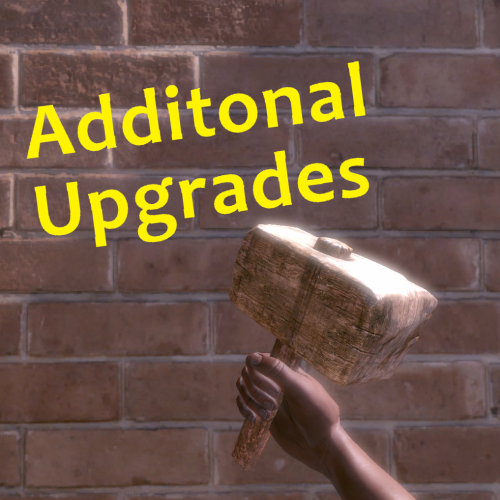
Want to make upgrading bases more in depth? Got a RP server? Welcome AdditionalUpgrades, In this plugin you are able to make custom items, add them to loot sources or be obtainable through gathering wood/ore! Configure what tier of upgrade needs what, and with this amazing system you are able to make upgrading bases more in depth!
Notes:
To obtain ItemIDs use this website https://www.corrosionhour.com/rust-item-list/ Need more custom items? Contact me directly... Permissions:
additionalupgrades.give - For the command augive additionalupgrades.giveto - For the command augiveto Commands:
/augive "customitemname" "quantity" /augiveto "playernamorid" "customitemname" "quantity"- $25
- 5 Downloads
-
Notify Addon that will popup the notification when killing animals.
Features :
works with both the Notify versions. lightweight Simple config Animal naming can be changed through language file. Permission system Option through config to use any Notify profile (can create profiles) Supported Animals :
Bear Polarbear Boar Chicken Horse (Wild horse) Stag Wolf Wolf2 (new wolf AI) Zombie (minecraft) Simpleshark (Shark) Permissions :
notifyanimalfeed.use : Grant user permission to see the feed Configuration :
{ "Notify profile ID": 0 } Localisation :
{Killer} : Player name will be displayed on this location {Victim} : Animal name will be displayed on this location (can be customised in language file) {Weapon} : Weapon/explosives/traps/fire will be displayed on this location {_Distance} : Distance between animal and player will be displayed here Make sure to use all 4 when changing the language file text including brackets.
{ "FeedAnimal": "<color=orange>{Killer}</color> killed a <color=yellow>{Victim}</color> with a <color=yellow>{Weapon}</color> from <color=yellow>{_Distance}</color>m", "Bear": "Bear", "PolarBear": "Polar Bear", "Boar": "Pig", "Chicken": "Chicken", "Horse": "Wild Horse", "Stag": "Stag", "Wolf": "Wolf", "SimpleShark": "Shark" }
- Free
- 14 Downloads
-
At a configurable rate and amount setting , apple(s) can fall from a tree making it a little less hard to find food
Features :
Drops a set amount of apples after cutting down trees Set the droprates (0 to 1) ea 0.25 would be 25% chance Simple configuration Permissions Debug option for console logging Permissions :
apples.drop : To give the player the chance to find the apples Configuration :
{ "Main config": { "Debug": true, "Chat Steam64ID": 0, "Chat Prefix": "[<color=orange>Apples</color>] : " }, "Dropchance (0-1)": 1.0, "Min apples": 1, "Max apples": 3, "Put in Inventory (true/false)": true, "Excluded Tree Prefabs (full paths)": [ "assets/bundled/prefabs/autospawn/resource/wood_log_pile/wood-pile.prefab" ] } Localisation :
{ "Applesdrop": "{0} Apple(s) fell from the tree" }- Free
- 24 Downloads
-
Ever wanted to make SAMSites shoot at the Patrol Helicopter or any other vehicles/entities? Well you can with SAM Site Targets, Config is easy and simple, use https://github.com/OrangeWulf/Rust-Docs/blob/master/Entities.md to find the entities shortprefabname, and change the config and bam!
Notes:
Unfortunately the default targeting vehicles like the minicopter are hardcoded in the samsite code, so if u change the targeting range to under 150 it wont work as the hardcoded value takes over...
If you have the permission set to "", it would make it so all SAMSites attack that entity, bypassing the entity owner check!
Configuration:
{ "Entities": { "attackhelicopter.entity": { "Can be targeted by static SAM Sites?": true, "Enabled": false, "Permission": "samsitetargets.attackhelicopter", "Rocket damage multiplier!": 1.0, "Rocket speed multiplier!": 1.0, "Seconds between rocket bursts!": 5.0, "Targeting range!": 150.0 }, "bradleyapc": { "Can be targeted by static SAM Sites?": true, "Enabled": false, "Permission": "samsitetargets.bradley", "Rocket damage multiplier!": 1.0, "Rocket speed multiplier!": 1.0, "Seconds between rocket bursts!": 5.0, "Targeting range!": 150.0 }, "ch47.entity": { "Can be targeted by static SAM Sites?": true, "Enabled": false, "Permission": "samsitetargets.ch47", "Rocket damage multiplier!": 1.0, "Rocket speed multiplier!": 1.0, "Seconds between rocket bursts!": 5.0, "Targeting range!": 150.0 }, "minicopter.entity": { "Can be targeted by static SAM Sites?": true, "Enabled": false, "Permission": "samsitetargets.minicopter", "Rocket damage multiplier!": 1.0, "Rocket speed multiplier!": 1.0, "Seconds between rocket bursts!": 5.0, "Targeting range!": 150.0 }, "patrolhelicopter": { "Can be targeted by static SAM Sites?": true, "Enabled": false, "Permission": "samsitetargets.patrolheli", "Rocket damage multiplier!": 1.0, "Rocket speed multiplier!": 1.0, "Seconds between rocket bursts!": 5.0, "Targeting range!": 150.0 }, "scraptransporthelicopter": { "Can be targeted by static SAM Sites?": true, "Enabled": false, "Permission": "samsitetargets.scrapheli", "Rocket damage multiplier!": 1.0, "Rocket speed multiplier!": 1.0, "Seconds between rocket bursts!": 5.0, "Targeting range!": 150.0 } } }- $10
- 10 Downloads
-
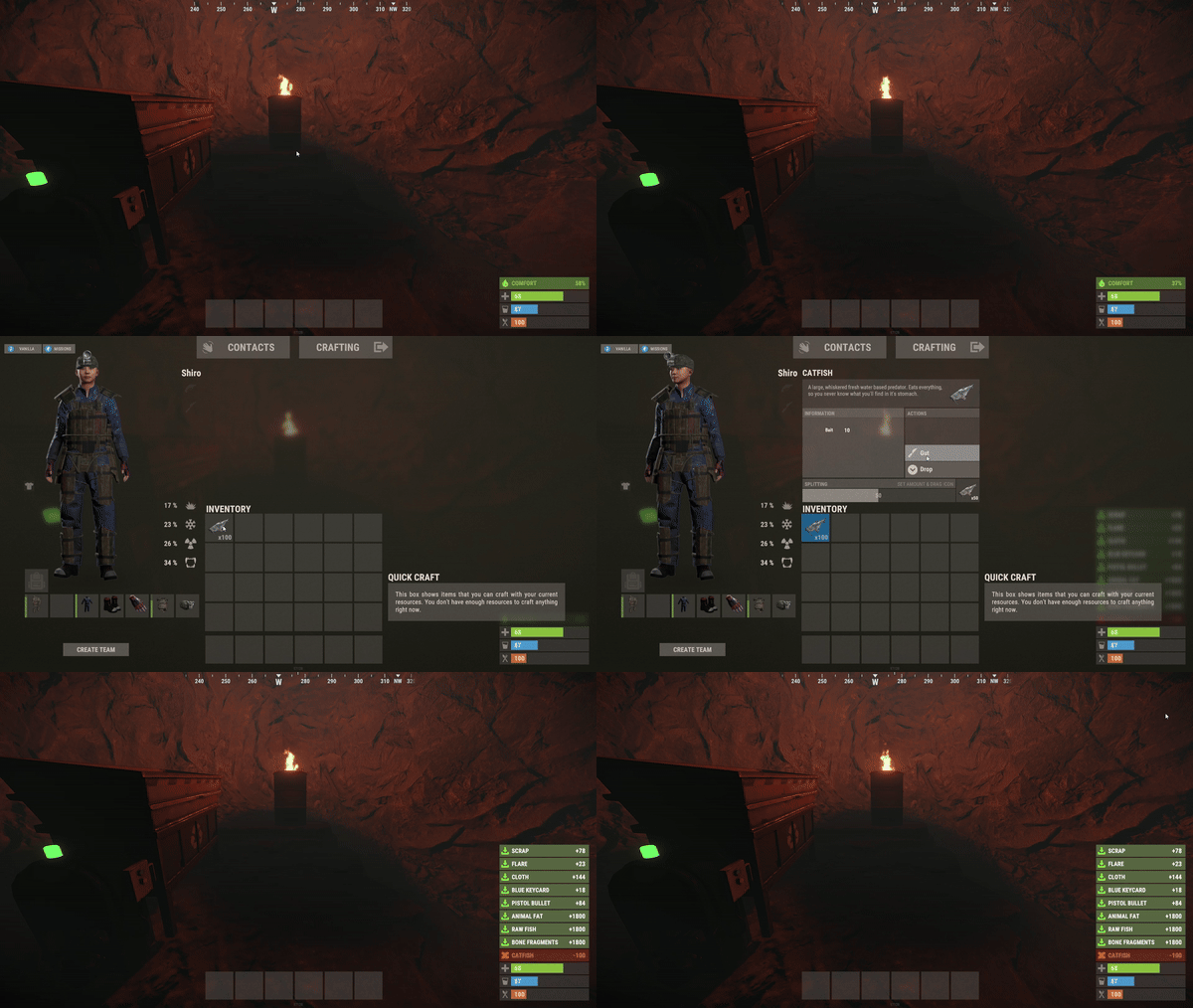
Do you want to make your players lives easier? QuickGut allows your players to gut stacks of fish instantly! Saving time and making them happy!
Plugin is simple and straight forward with no configuration!
Note:
By default quickgut wont be enabled for the player, they ether need to enter the command /gut to enable it or you need to give them the permission quickgut.active when given access... Permissions:
quickgut.use - Allows the player to use the command /gut and allows them to gut fish instantly! quickgut.active - Toggle weather the player has quickgut enabled or not! Commands:
/gut - Toggles the feature on or off!- $5
- 1 Downloads
-
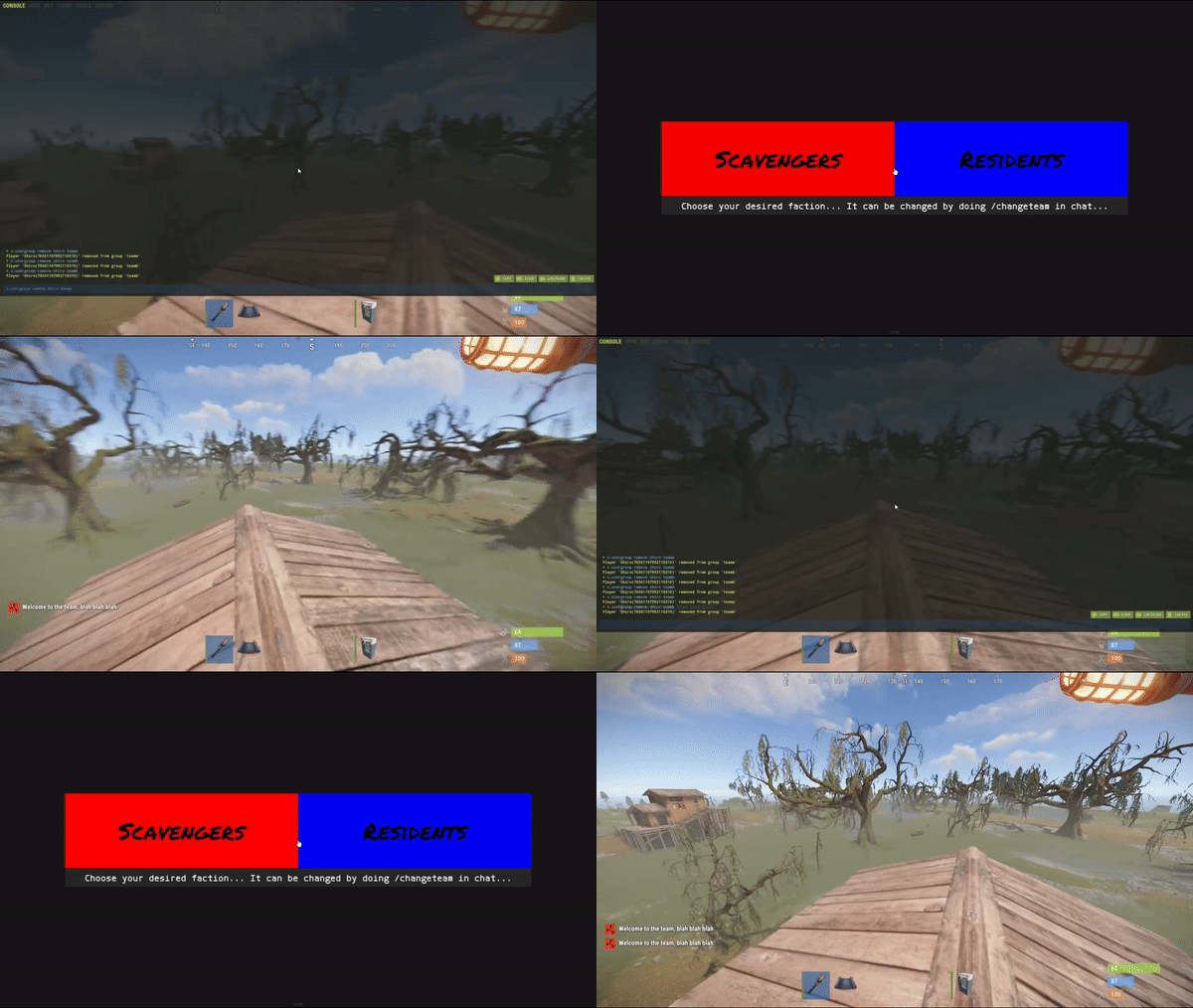
Simple system allows players to choose which team/side/faction or group they want to be in.
On first load you will have to create your own oxide groups for the players to chose from example "Team A/ Team B" you can easily rename those from lang file to example "Scavangers/Residents" or whatever you want.
The purpouse of this plugin is for PVE/Roleplay servers with different types of perks for different types of oxide groups or Event Servers where players can chose their sides.
Permissions:
TeamMenu.change - Allows you to use the command /changeteam Commands:
/changeteam API:
bool ForceChangeTeam (string id) string GetPlayerTeam (string id) string[] GetTeamMembers (string Team) int? GetTeamCount (string Team) Configuration:
{ "onLoad": true, "onAwake": true, "Confirmation_Message": false, "AutoShow_TeamRemoval": true, "TeamA": { "Group": "teama", "Color": "1 0 0 1" }, "TeamB": { "Group": "teamb", "Color": "0 0 1 1" } } Language:
{ "UI_Description": "Choose your desired faction... It can be changed by doing /changeteam in chat...", "Confirmation_Message": "Welcome to the team, blah blah blah.", "TeamA": "TeamA", "TeamB": "TeamB" }
- $5
- 1 Downloads
-
GFVoter it's a voting rewards system for Rust servers listed on GamesFinder.net.
It's designed to reward players for voting for your server/s on gamesfinder.net and players earn points by doing so which they can then redeem for in-game rewards.
What is GamesFinder.net? It's a new platform designed for server owners to list and describe their servers better with more options and gives the players the ability to search for a server easier tailored to their needs and get rewards by voting the server.
Features:
Vote Tracking: Players can vote for the server on the website, and their votes are tracked. Rewards: Players can exchange their accumulated points for rewards. Rewards can be items and executed commands or kits. Cooldown Management: Ensures players can't spam vote claims by implementing a cooldown system. Vote Verification: Checks if a player has voted and then claims their reward via the API. Custom Commands: Players can check their points, claim rewards, or view available rewards through chat commands. Discord Integration: Option to send notifications to a Discord server when a vote is made or a reward is claimed. Commands :
gfvote "Amount" "PlayerName or SteamID" : Allows admins to manually add points to players (Console Command). /claimpoint or /clp : Used by players to claim their voting points. /rewardlist or /rl : Displays available rewards to players. /claimreward or /cr : Players use this to claim a specific reward. /checkpoints or /checkp : Check the amount of points earned. Config Example :
{ "Use discord webhook at vote": true, "Use discord webhook at claim": true, "Discord webhook": "Your discord server webhook", "Chat command to claim reward point": [ "claimpoint", "clp" ], "Chat command for check rewards": [ "rewardlist", "rl" ], "Chat command for get reward": [ "claimreward", "cr" ], "Chat commands for checking points": [ "checkpoints", "checkp" ], "GamesFinder API": "Your API from gamesfinder.net", "Rewards": { "economics": { "Display name for chat (if empty - use key or item name)": "x50 Economics", "NeedPoints": 3, "Type": 1, "Item": null, "Command (%STEAMID% - player user id)": "deposit %STEAMID% 50" }, "group": { "Display name for chat (if empty - use key or item name)": "x1 Group 'Member'", "NeedPoints": 10, "Type": 1, "Item": null, "Command (%STEAMID% - player user id)": "oxide.grant user %STEAMID% (Permission)" }, "sr": { "Display name for chat (if empty - use key or item name)": "x10 ServerRewards", "NeedPoints": 2, "Type": 1, "Item": null, "Command (%STEAMID% - player user id)": "sr add %STEAMID% 10" }, "wood": { "Display name for chat (if empty - use key or item name)": null, "NeedPoints": 1, "Type": 0, "Item": { "Shortname": "wood", "Amount": 1000, "SkinID": 0 }, "Command (%STEAMID% - player user id)": null } }, "Reminder message": "Hey! Don't forget to vote for our server on gamesfinder.net and claim your points.", "Reminder interval minutes": 15 }
- Free
- 8 Downloads
-
This plugin creates NPC on Rust monuments.
This plugin works with new intelligence for NPC.
The plugin has many settings for creating NPC of any type of complexity.
For each NPC separately, it is possible to customize different clothes, weapons, loot.
You can use additional plugins such as: Kits, MarkerManager.
For the issuance of NPS kits. Kits plugin from https://umod.org.
You can add a marker for the NPC. MarkerManager plugin from https://umod.org
[ spawnnpc.command ] - Permission to use chat commands
command to chat
[ /npc count ] - Shows how many NPC are on the map.
[ /npc kill ] - Kill all NPCs on the map.
[ /npc respawn ] - Respawn all NPC on the map.
[ /npc reload ] - Reload plugin.
Weapon advice for the Scarecrow
For melee weapons for example (knife.combat, pitchfork, salvaged.cleaver, machete) and other things that pierce or cut.
Weapon advice for the Scientist
For ranged weapons for example (pistol.revolver, smg.2, rifle.lr300, lmg.m249) and other things that shoot.
- Free
- 1,465 Downloads
- 17 Comments
-
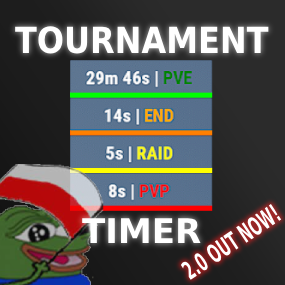
About Tournament Timer
Simple tournament plugin with UI that has four game modes: PVE, PVP, RAID and END.
YT SHOWCASE:
PVE_TIME = 0 PVP_TIME = 30 RAID_TIME = 120 END_TIME = 300
Permissions:
TimerPlugin.use TimerPlugin.status
Chat commands:
"/start" - starts the timer. "/stop" - stops the timer, resets the time and game mode. "/status" - displays information about the current game mode and time.- $15
- 1 Downloads
-
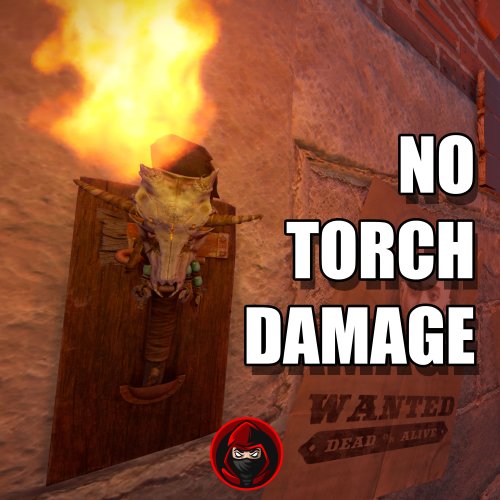
Plugins disable the Torch Damage Globaly.
No Damage on Player used Torch and no damage on Torch Holders from the new DLC.
No Config File. Plug & Play
- Free
- 13 Downloads
-
Simple plugin that protects player's crops from being stolen by checking if the player is authorized on the TC!
Permissions:
privatecrops.message.bypass privatecrops.protection.bypass Language:
{ "message": "<color=red>You are not allowed to steal other players crops!</color>" }- Free
- 23 Downloads
- 1 Comments
-
Blocks the use of certain tools on gather of flesh, trees, ore!
Permissions:
toolblocker.bypass Configuration:
{ "corpses": [ "knife.bone", "knife.combat" ], "nodes": [ "stone.pickaxe", "pickaxe", "icepick.salvaged" ], "trees": [ "stonehatchet", "hatchet", "axe.salvaged" ] } Language:
{ "Blocked": "You are not allowed to use a {0} to gather {1}!" }- Free
- 4 Downloads
-
Have you ever had players steel from other players horses and cant just catch em? This plugin logs items being taken and added to a horses storage, so you can catch horse looters!
Permissions:
horselogger.use Commands:
/horseid - While looking at a horse, it returns the horses ID which would be used to find the log file!- Free
- 7 Downloads
-
Want to make your server a tad bit more realistic, welcome StationaryCrafting, it makes it so players can only craft if they are next to a workbench, if not crafting is not possible or cancels out...
Permission:
stationarycrafting.use Configuration:
{ "ShowMessages": false } Localization:
{ "inofrange": "Stay in the workbench radius, or your crafting queue will be canceled!", "outofrange": "You cannot craft if you are not in the workbench radius!", "canceled": "You have left the workbench radius so your crafting queue was canceled!" }
- Free
- 9 Downloads
-
Allows you to link the effects plugin https://weoxide.net/index.php?/file/275-effects/ with the https://codefling.com/plugins/cooking so when you eat a certain food, you can run effects like vomit! Modify the config to the recopies.
Notes:
Effects: Vomit, Blur, Lick, Breathe, Shake Configuration:
{ "Recipes": { "hamburger": { "vomit": { "Enabled": true, "InstantEffect": true, "LengthIsBuffDuration": true, "EffectLengthInSeconds": 60, "EffectInterval": 3.0 }, "lick": { "Enabled": true, "InstantEffect": true, "LengthIsBuffDuration": true, "EffectLengthInSeconds": 60, "EffectInterval": 4.0 }, "breathe": { "Enabled": true, "InstantEffect": true, "LengthIsBuffDuration": true, "EffectLengthInSeconds": 60, "EffectInterval": 2.0 }, "shake": { "Enabled": true, "InstantEffect": true, "LengthIsBuffDuration": true, "EffectLengthInSeconds": 60, "EffectInterval": 3.0 }, "blur": { "Enabled": true, "InstantEffect": true, "LengthIsBuffDuration": true, "EnableFlashing": true, "StaticBlurOpacity": 0.5, "FlashingBlurOpacity": 0.3, "EffectLengthInSeconds": 60, "EffectInterval": 0.5 } } } }
- Free
- 0 Downloads
-
Ever wanted to know how many sleepers are on your server? With this plugin u can!
Permissions:
sleepercount.use - Gives the player access to the command! Commands:
/sleepers - Returns the total number of sleepers that are in the server! Localization:
{ "none": "There are currently no sleepers on the server!", "single": "There is {0} sleeping player!", "multiple": "There are {0} sleeping players!", "denied": "You don't have permission to use that command!" }- Free
- 13 Downloads
-
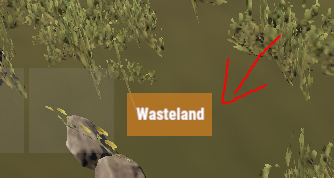
Simple plugin that shows a small UI indicating what zone you are in, It is highly configurable and easy!
Notes:
ZoneManager is required! The text of the zone would be configured in the zonemanager plugins datafile under the name parameter! AlwaysShow - Means that the UI will always be shown weather there is a zone or not! UseWhitelist - True means that it will only show zones that are in the Whitelist! ZoneUISettings - Allows you to add custom UI settings for a zone, If there is none for that zone it results back to the default setting! Permissions:
zoneindicator.use - Shows the UI zoneindicator.import - Allows that player to run the command zindicator_import! Commands:
/zindicator_import - Imports all your zones from ZoneManager Configuration:
{ "AlwaysShow": true, "TextPlaceholder": "Wasteland", "DefaultUI": { "AnchorMin": "0.5 0", "AnchorMax": "0.5 0", "OffsetMin": "190 30", "OffsetMax": "250 60", "FadeSpeed": 0.25, "Color_Background": "0.8 0.5 0.1 0.8", "Color_Text": "1 1 1 1", "TextSize": 12 }, "UseWhitelist": false, "Whitelist": [ "11423859", "25094303" ], "ZoneUISettings": { "11423859": { "AnchorMin": "0.5 0", "AnchorMax": "0.5 0", "OffsetMin": "190 30", "OffsetMax": "250 60", "FadeSpeed": 0.25, "Color_Background": "0.8 0.5 0.1 0.8", "Color_Text": "1 1 1 1", "TextSize": 12 }, "25094303": { "AnchorMin": "0.5 0", "AnchorMax": "0.5 0", "OffsetMin": "190 30", "OffsetMax": "250 60", "FadeSpeed": 0.25, "Color_Background": "0.8 0.5 0.1 0.8", "Color_Text": "1 1 1 1", "TextSize": 12 } } }
- $10
- 7 Downloads
-
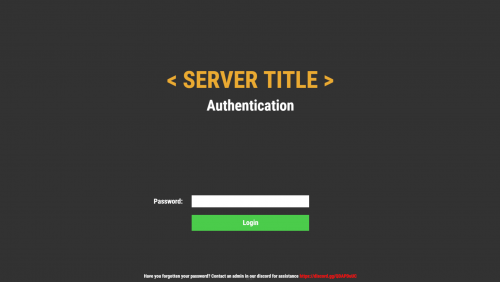
Simple but beautiful user authentication system! Protect your players with a simple authentication system. A password comes a long way! Use a database or local datafile, as it is up to you! With so many features and options to customize! I guarantee you would be satisfied!
Note:
Passwords are now SHA256 Hashed, I have decided to not salt the hashes for the simple reason, if the server or database was breached, the hacker would have access to the salt one way or another, and once they have the salt its pointless! I was thinking of using the players steamid as salt but again, a hacker is not that dumb to not take a look at the plugin to figure it out.
Database table will auto generate if it does not exist!
["UI", "Input", "Secure"] Show/Hide password in the input field
IPAutoAuth - if you logged in previously by the same ip, the login screen will not show up! KeepAuthOnDisconnect overrides if enabled!
Permissions:
userauth.bypass - Bypass the authentication/registration process!
userauth.resetpass - Permission to use the command /resetpass
userauth.movementbypass - Bypass movement lock!
Commands:
/resetpass <steamid> - Resets the given players password, if they are connected registration process would initialize!
Configuration:
{ "DB": { "DB_Host": "localhost", "DB_Name": "userauth", "DB_Password": "", "DB_Port": "3306", "DB_Username": "root", "UseDatabase": false }, "Freeze": { "DisableChat": true, "DisableChatCommands": true, "DisableConsoleCommands": true, "DisableMovement": true, "DisableVoice": true }, "IPAutoAuth": false, "KeepAuthOnDisconnect": false, "Kick": { "Enable_FailedLoginKick": true, "Enable_TimedKick": true, "FailedLoginKickTimes": 3, "TimedKickInSeconds": 60 }, "UI": { "Background_Color": "0.2 0.2 0.2 1", "Button": { "Background_Color": "0.3 0.8 0.3 1", "Text_Color": "1 1 1 1", "Text_Size": 18 }, "Footer": { "Text_Color": "1 1 1 1", "Text_Size": 12 }, "Header": { "Text_Color": "1 1 1 1", "Text_Size": 38 }, "Input": { "Max_Length": 32, "Secure": true }, "Title": { "Text_Color": "0.92 0.67 0.2 1", "Text_Size": 60 } } }
Language:
{ "UI_Title": "< SERVER TITLE >", "UI_Authentication_Header": "Authentication", "UI_Authentication_Button": "Login", "UI_Authentication_Footer": "Have you forgotten your password? Contact an admin in our discord for assistance <color=red>https://discord.gg/QDAPDuUC</color>", "UI_Registration_Header": "Registration", "UI_Registration_Button": "Register", "UI_Registration_Footer": "Do you need some assistance? Contact an admin in our discord for assistance <color=red>https://discord.gg/QDAPDuUC</color>", "Authentication_Kick_Reason": "You did not login in time!", "Registration_Kick_Reason": "You did not register in time!", "Failed_Login_Reason": "You have entered your password wrong a number of times!", "Error_UI_Bad_Password": "Please try again, You have {0} tries left!", "Error_UI_Empty_Password": "No password was provided, please enter a password!", "NoInput": "No input was provided!", "ParseError": "Could not parse input, try again!", "CommandComplete": "Command has been executed successfully!" }
Planned features:
Ability to change password!
Ability to lock registrations!
Ability to protect players when they are locked! "Godmode"
Command whitelist!
Little text recommending that people use a secure/unique password
- $20
- 4 Downloads
-
Run effects on players or yourself! The plugins is primarily used as an API for other plugins like https://weoxide.net/index.php?/file/274-cookingeffectswrapper/
If you want other effects, message me and i can add them :)
Permissions:
effects.use Commands:
/vomit <optional playername> /blur <optional playername> /shake <optional playername> /breathe <optional playername> /lick <optional playername> /killeffects <optional playername> Config:
{ "Effects": { "vomit": { "Enabled": true, "InstantEffect": true, "EffectLengthInSeconds": 60, "EffectInterval": 6 }, "lick": { "Enabled": true, "InstantEffect": true, "EffectLengthInSeconds": 60, "EffectInterval": 6 }, "breathe": { "Enabled": true, "InstantEffect": true, "EffectLengthInSeconds": 60, "EffectInterval": 6 }, "shake": { "Enabled": true, "InstantEffect": true, "EffectLengthInSeconds": 60, "EffectInterval": 6 }, "blur": { "Enabled": true, "InstantEffect": true, "EnableFlashing": true, "StaticBlurOpacity": 0.5, "FlashingBlurOpacity": 0.3, "EffectLengthInSeconds": 60, "EffectInterval": 6 } } } Hooks:
void EffectVomit(BasePlayer Player, int Length, float Interval, bool Instant) void EffectShake(BasePlayer Player, int Length, float Interval, bool Instant) void EffectBlur(BasePlayer Player, int Length, float Interval, bool Instant, bool Flashing) void EffectLick(BasePlayer Player, int Length, float Interval, bool Instant) void EffectBreathe(BasePlayer Player, int Length, float Interval, bool Instant)- $10
-
Make custom commands, custom crafts, etc! Enter a command and it checks if you got the stuff and the correct amount and executes the configured command!
Notes:
If Permission or Message is not set aka "" then they will be skipped! Configuration:
{ "Commands": { "firebullets": { "ExecuteCommand": "giveto {1} ammo.rifle.incendiary 64", "Permission": "firebullets", "Message": "Enjoy the fire bullets!", "TakeItems": true, "Items": [ { "Shortname": "ammo.rifle", "Amount": 64 }, { "Shortname": "lowgradefuel", "Amount": 32 } ] } } }
- $5
- 2 Downloads
-
Magic Poncho is an item with a custom skin and additional abilities to farm more resources in the game.
Poncho is slightly visible in the dark.
The plugin provides the ability to customize which item needs to be increased when collecting or farming resources.
The plugin provides the ability to smelt the extracted resources.
Ponchos can be repaired because ponchos lose their durability when farmed.
The plugin provides the ability to craft a poncho.
It is possible to issue an item through the server console, a command in the chat, or through another plugin.
In order for players to find the item, there are settings for item spawning in loot boxes.
Permission Smelting = magicponcho.smelting
Permission Craft=magicponcho.craft
chat command.
Enable/disable smelting = smelting
Item craft=craftponcho
console command.
Give item to player = giveponcho SteamID
To issue a poncho through another plugin, use.
Identifier item skin = 2806678960
Item shortname = attire.hide.poncho
Item name = Magic military poncho
Default config file.
{ "Global settings": { "Item name": "Magic militari poncho", "How fast the item breaks (by default, the item has 250 HP)": 1.0, "Enable smelting of mined resources": false, "Enable crafting poncho": false, "Enable spawn for poncho in loot boxes": false }, "Multiplier settings": { "Item list (item shortname : multiplier)": { "wood": 2.0, "stones": 2.0, "sulfur.ore": 2.0, "metal.ore": 2.0, "hq.metal.ore": 2.0, "leather": 2.0, "bone.fragments": 2.0, "fat.animal": 2.0, "cloth": 2.0, "bearmeat": 2.0, "meat.boar": 2.0, "horsemeat.raw": 2.0, "deermeat.raw": 2.0, "wolfmeat.raw": 2.0, "chicken.raw": 2.0, "cactusflesh": 2.0, "mushroom": 2.0, "potato": 2.0, "seed.potato": 2.0, "seed.hemp": 2.0, "pumpkin": 2.0, "seed.pumpkin": 2.0, "corn": 2.0, "seed.corn": 2.0, "yellow.berry": 2.0, "seed.yellow.berry": 2.0, "green.berry": 2.0, "seed.green.berry": 2.0, "red.berry": 2.0, "seed.red.berry": 2.0, "blue.berry": 2.0, "seed.blue.berry": 2.0, "black.berry": 2.0, "seed.black.berry": 2.0, "white.berry": 2.0, "seed.white.berry": 2.0 } }, "Crafting settings": { "Cost of manufacturing poncho": { "scrap": 250, "leather": 10, "sewingkit": 1 } }, "Spawn settings": { "What crates can contain ponchos (item shortname : chance drop)": { "bradley_crate": 25, "heli_crate": 25 } } }
- $3
- 1 Downloads
-
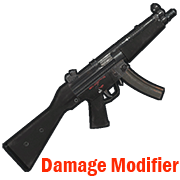
Modifies the damage from your weapon.
Permission = "weapondamagemodifier.use";
Some weapons have already been added to the config file for example.
You can edit the list to your liking by adding or removing weapons from the list.
How to find out the shortname of a weapon?
Enable debugging in the config file.
"Default: what weapon the player is using, what damage was received from this weapon.": true,
"Modifier: what weapon the player is using, what damage was received from this weapon.": true
Reload the plugin.
Choose an active weapon for your character, and deal damage to the entity.
Information will be displayed to you in the server console.
"Hit Info (Initiator - who did the damage). Weapon (ShortName - what weapon). Damage (Total - what was the damage)."
Copy the name of the weapon and add it to the list in your config file.
Save the config file.
Reload the plugin.
Default config file.
{ "Debag settings": { "Default: what weapon the player is using, what damage was received from this weapon.": true, "Modifier: what weapon the player is using, what damage was received from this weapon.": true }, "Multiplier settings": { "Weapon list (weapon shortname : multiplier)": { "explosive.timed.deployed": 1.0, "explosive.satchel.deployed": 1.0, "grenade.beancan.deployed": 1.0, "grenade.f1.deployed": 1.0, "rocket_basic": 1.0, "rocket_hv": 1.0, "rocket_fire": 1.0, "mp5.entity": 1.0, "thompson.entity": 1.0, "m92.entity": 1.0, "bolt_rifle.entity": 1.0, "l96.entity": 1.0, "m39.entity": 1.0 } } }
- $2
- 10 Downloads
-
Connecting to your server using the specified Steam ID.
Good for testing a server, or for a group of friends who need privacy.
Just add a Steam ID to the config file and you will be able to connect to the server.
Default config file.
{ "Connect [SteamID]": [ "*****************", "*****************" ] }
- Free
- 13 Downloads











Recently Updated
-
- 1 Downloads
- 0 Comments
-
- 0 Downloads
- 0 Comments
-
- 0 Downloads
- 0 Comments
-
- 0 Downloads
- 0 Comments
-
- 0 Downloads
- 0 Comments
-
- 2 Downloads
- 0 Comments
-
- 2 Downloads
- 0 Comments
-
- 3 Downloads
- 0 Comments
-
- 0 Downloads
- 0 Comments
-
- 29 Downloads
- 2 Comments
-
- 2 Downloads
- 0 Comments










Premium Maps
-
- 1 Downloads
- 0 Comments
-
- 2 Downloads
- 0 Comments
-
- 0 Downloads
- 0 Comments
-
- 2 Downloads
- 0 Comments
-
- 0 Downloads
- 0 Comments
-
- 1 Downloads
- 0 Comments
-
- 8 Downloads
- 0 Comments
-
- 0 Downloads
- 0 Comments
-
- 0 Downloads
- 0 Comments
-
- 0 Downloads
- 0 Comments
-
- 0 Downloads
- 0 Comments
-
- 2 Downloads
- 0 Comments
-
- 0 Downloads
- 0 Comments
-
- 0 Downloads
- 0 Comments
-
- 5 Downloads
- 0 Comments
-
- 0 Downloads
- 0 Comments
-
- 0 Downloads
- 0 Comments
-
- 3 Downloads
- 0 Comments
-
- 0 Downloads
- 0 Comments
-
- 6 Downloads
- 0 Comments
-
- 5 Downloads
- 0 Comments
-
- 1 Downloads
- 0 Comments
-
- 0 Downloads
- 0 Comments
-
- 0 Downloads
- 0 Comments
-
- 2 Downloads
- 0 Comments



















Free Maps
-
- 19 Downloads
- 0 Comments
-
- 45 Downloads
- 0 Comments
-
- 15 Downloads
- 0 Comments
-
- 19 Downloads
- 0 Comments
-
- 8 Downloads
- 0 Comments
-
- 13 Downloads
- 0 Comments
-
- 10 Downloads
- 0 Comments
-
- 14 Downloads
- 0 Comments
-
- 17 Downloads
- 0 Comments
-
- 72 Downloads
- 0 Comments
-
- 137 Downloads
- 0 Comments
-
- 80 Downloads
- 0 Comments
-
- 105 Downloads
- 0 Comments
-
- 128 Downloads
- 0 Comments
-
- 223 Downloads
- 0 Comments
-
- 232 Downloads
- 3 Comments











Premium Prefabs
-
- 8 Downloads
- 0 Comments
-
- 19 Downloads
- 0 Comments
-
- 9 Downloads
- 0 Comments
-
- 0 Downloads
- 0 Comments
-
- 6 Downloads
- 0 Comments
-
- 4 Downloads
- 0 Comments
-
- 2 Downloads
- 0 Comments
-
- 1 Downloads
- 0 Comments
-
- 2 Downloads
- 0 Comments
-
- 1 Downloads
- 0 Comments
-
- 2 Downloads
- 0 Comments
-
- 4 Downloads
- 0 Comments
-
- 2 Downloads
- 0 Comments
-
- 4 Downloads
- 0 Comments
-
- 1 Downloads
- 0 Comments
-
- 3 Downloads
- 0 Comments
-
- 4 Downloads
- 0 Comments
-
- 5 Downloads
- 1 Comments
-
- 3 Downloads
- 0 Comments
-
- 4 Downloads
- 0 Comments
-
- 4 Downloads
- 0 Comments
-
- 2 Downloads
- 0 Comments
-
- 1 Downloads
- 0 Comments
-
- 2 Downloads
- 0 Comments
-
- 7 Downloads
- 0 Comments
-
- 7 Downloads
- 0 Comments
-
- 0 Downloads
- 0 Comments








.thumb.png.303c335370198e973f88ae3dd15ee0bb.png)
Free Prefabs
-
- 185 Downloads
- 0 Comments
-
- 124 Downloads
- 0 Comments
-
- 125 Downloads
- 0 Comments
-
- 208 Downloads
- 0 Comments
-
- 17 Downloads
- 0 Comments
-
- 173 Downloads
- 0 Comments
-
- 92 Downloads
- 0 Comments
-
- 94 Downloads
- 0 Comments
-
- 90 Downloads
- 0 Comments
-
- 84 Downloads
- 0 Comments
-
- 151 Downloads
- 0 Comments
-
- 105 Downloads
- 0 Comments
-
- 119 Downloads
- 0 Comments
-
- 44 Downloads
- 0 Comments
-
- 289 Downloads
- 0 Comments
-
- 115 Downloads
- 0 Comments
-
- 75 Downloads
- 0 Comments
-
- 20 Downloads
- 0 Comments
-
- 55 Downloads
- 0 Comments
-
- 74 Downloads
- 0 Comments
-
- 727 Downloads
- 0 Comments
-
- 49 Downloads
- 0 Comments
-
- 176 Downloads
- 0 Comments
-
- 48 Downloads
- 0 Comments
-
- 66 Downloads
- 0 Comments
-
- 55 Downloads
- 0 Comments
-
- 101 Downloads
- 0 Comments










.thumb.png.b54b7cb61af352c215aa5c36f9a2646e.png)




Premium Monuments
-
- 9 Downloads
- 0 Comments
-
- 0 Downloads
- 0 Comments
-
- 2 Downloads
- 0 Comments
-
- 0 Downloads
- 0 Comments
-
- 4 Downloads
- 0 Comments
-
- 7 Downloads
- 0 Comments
-
- 2 Downloads
- 0 Comments
-
- 2 Downloads
- 0 Comments
-
- 3 Downloads
- 1 Comments
-
- 12 Downloads
- 0 Comments
-
- 4 Downloads
- 0 Comments
-
- 0 Downloads
- 0 Comments
-
- 3 Downloads
- 0 Comments
-
- 3 Downloads
- 0 Comments
-
- 5 Downloads
- 0 Comments
-
- 1 Downloads
- 0 Comments
-
- 2 Downloads
- 0 Comments
-
- 0 Downloads
- 0 Comments
-
- 1 Downloads
- 0 Comments
-
- 0 Downloads
- 0 Comments
-
- 3 Downloads
- 0 Comments
-
- 2 Downloads
- 0 Comments
-
- 6 Downloads
- 0 Comments
-
- 3 Downloads
- 0 Comments
-
- 5 Downloads
- 0 Comments
-
- 2 Downloads
- 0 Comments
-
- 2 Downloads
- 0 Comments
-
- 0 Downloads
- 0 Comments











.thumb.png.0dacdb180bd562361013e3280c02d71f.png)

Free Monuments
-
- 48 Downloads
- 0 Comments
-
- 52 Downloads
- 0 Comments
-
- 44 Downloads
- 0 Comments
-
- 59 Downloads
- 0 Comments
-
- 36 Downloads
- 0 Comments
-
- 46 Downloads
- 0 Comments
-
- 52 Downloads
- 0 Comments
-
- 30 Downloads
- 0 Comments
-
- 48 Downloads
- 0 Comments
-
- 68 Downloads
- 0 Comments
-
- 50 Downloads
- 0 Comments
-
- 47 Downloads
- 0 Comments
-
- 73 Downloads
- 0 Comments
-
- 44 Downloads
- 0 Comments
-
- 42 Downloads
- 0 Comments
-
- 34 Downloads
- 0 Comments
-
- 4 Downloads
- 0 Comments
-
- 37 Downloads
- 0 Comments
-
- 18 Downloads
- 0 Comments
-
- 34 Downloads
- 0 Comments
-
- 20 Downloads
- 0 Comments
-
- 3 Downloads
- 0 Comments
-
- 18 Downloads
- 0 Comments
-
- 4 Downloads
- 0 Comments
-
- 17 Downloads
- 0 Comments
-
- 3 Downloads
- 0 Comments